0:54
Ranvir Deshmukh - Real estate is a trillion-dollar industry running on decades-old soft
RealPact · Real Estate and Construction · Aug 2026
Raycast · May 2023 · 0:22 · Full motion · AI-annotated
Raycast’s 0:22 launch film runs 20 scenes, about 1.1 s each. The product shows up at 0:02 and 7 features are revealed. There is no explicit call to action. A rapid feature reel where each feature gets a centered bold title card over a drifting pink glow, cut to a locked-off UI demo, at about 54 cuts per minute. Signature moves are the live UI dissolving into the next title, the gentle scale-up of locked-off text, and the chromatic-fringe logo sting that closes the piece.
Is this your launch? to your site or press kit.
RealPact · Real Estate and Construction · Aug 2026
Runway · AI · Jun 2026
Microsoft · AI · Jan 2024
A single line of white text sits centered on a black background. It fades in from black, holds for a beat, then fades back out to black.
On-screen text: “Unlock a new level of productivity”
Camera: Static
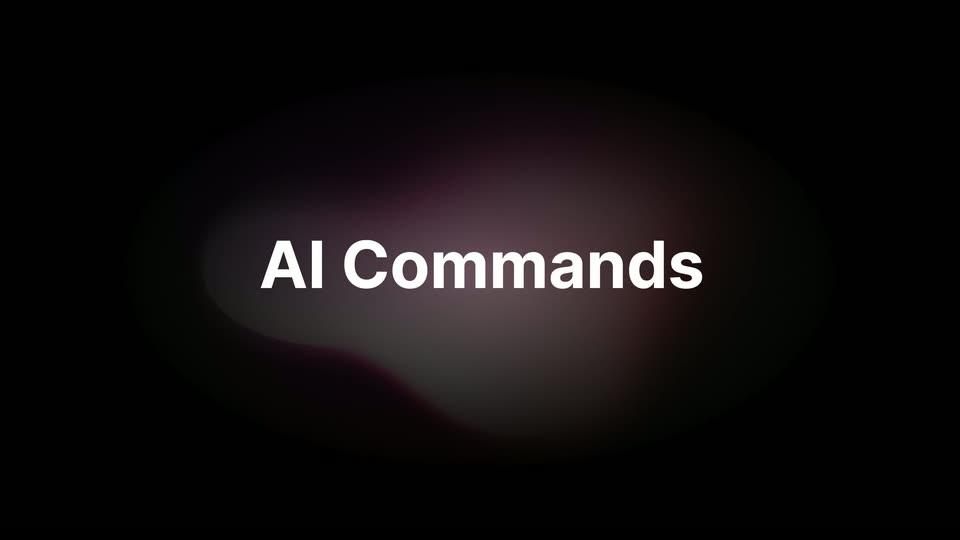
White bold sans-serif text reading AI Commands sits centered on a black field with a soft pink-purple glow behind it. The text scales up while the frame stays locked off.
On-screen text: “AI Commands”
Techniques: Kinetic type
Camera: Static
A dark command-palette panel sits centered on a grainy magenta gradient. The list of AI commands scrolls upward as a grey highlight bar steps down the rows, mimicking keyboard navigation. The panel and its rounded window stay static in frame.
Camera: Push in
A dark frame holds a soft reddish-purple glow behind the centered white text “AI Chat”. The text stays locked while the glow shifts subtly. No other elements move.
On-screen text: “AI Chat”
Camera: Static
A dark Raycast AI chat panel fills the frame while a prompt types itself into the bottom input field. The panel dissolves away, leaving a large white Quick AI title centered on the grainy gradient background.
On-screen text: “Quick AI”
Camera: Push in
A white bold headline reads Quick AI, centered on a near-black background with a soft, blurred glow in gray and faint red. The frame stays locked off and the text holds still for the whole shot.
On-screen text: “Quick AI”
Camera: Static
A dark rounded chat panel sits on a soft pink and magenta gradient. Inside, an AI response types out a vegan carbonara recipe, bullet points appearing line by line, a red caret blinking at the end of the text.
Techniques: Kinetic type
Camera: Push in
A centered white title 'Cloud Sync' holds still over a black field. A soft reddish-purple glow drifts slowly behind the letters, shifting its shape while the text stays fixed.
On-screen text: “Cloud Sync”
Camera: Static
A tilted settings window floats over a pink gradient. A cursor clicks the Cloud Sync toggle, flipping it from gray to blue, a Last Synced timestamp fades in, and a small Enabling Sync toast slides up at the bottom left.
Techniques: 3D mockup, Cursor demo
Camera: Push in
A centered white title, Theme Studio, holds over a soft dark maroon glow that drifts on black. The text scales gently while the frame stays locked off.
On-screen text: “Theme Studio”
Techniques: Kinetic type
Camera: Static
A dark theme-editor window fills the frame, a sidebar of theme names on the left and a preview pane with list and grid items on the right. A cursor glides down one row in the list. A 'Theme Studio' headline scales into place over the top.
On-screen text: “Theme Studio”
Techniques: Cursor demo, Kinetic type
Camera: Static
A macOS-style theme manager window fills the frame, a left sidebar lists installed themes while the right pane shows a search field, two list rows and a row of space thumbnails. A cursor drifts down the sidebar from Raycast Light to Sky.
Techniques: Cursor demo
Camera: Static
A dark theme-picker interface fades to black, leaving the word Unlimited centered over a soft red glow. The text holds still for a beat, then dissolves as the glow dims.
On-screen text: “Unlimited”
Camera: Static
A dark settings screen shows a left list of hotkey rows beside a column of dropdowns and toggles. A cursor clicks the Keep History For field, switching it from 7 Days to Unlimited, then drifts down toward the bottom toggles as the view zooms in.
Techniques: Cursor demo, UI zoom
Camera: Push in
On a near-black field with a soft reddish-purple glow, the word Developer holds centered in white bold sans. The word then swaps to Apps in the same position and weight.
On-screen text: “Developer”, “Apps”
Techniques: Kinetic type
Camera: Static
A dark code editor shows a TypeScript file with shallow focus, the active line sharp, surrounding lines blurred. The camera zooms onto line 42 as const { data } = useAI( is typed, the caret adding a string argument.
Techniques: UI zoom
Camera: Push in
A soft warm glow sits on a black field as centered white title cards cut in sequence, each phrase replacing the last, ending on a larger “Ready?” that holds for the rest of the clip.
On-screen text: “Floating Notes 2.0”, “Window Management Commands”, “Arc”, “Ready?”
Camera: Static
The frame holds on black, then a faint dark gray angular shape begins to resolve in the center as the clip closes, the start of a mark emerging from darkness.
Camera: Static
A dark grainy field holds a soft pink glow that drifts slowly behind the centered white title Raycast Pro. The text stays locked in the middle while the light swells and shifts shape around it.
On-screen text: “Raycast Pro”
Camera: Static
A small white logo, a diamond of diagonal bars around a solid square, sits centered on black. A faint red and blue color fringe on its edges clears to solid white over the locked-off shot.
On-screen text: “KI”
Camera: Static