0:44
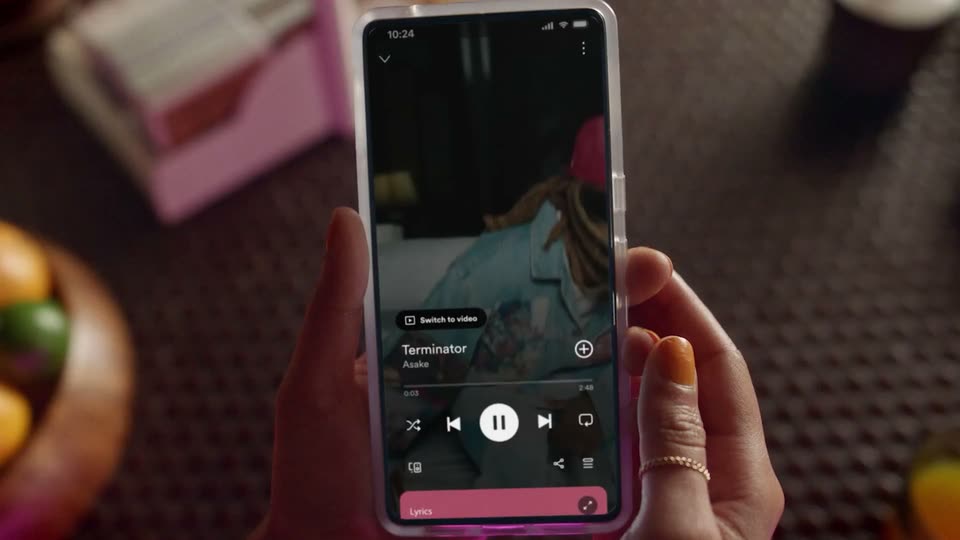

Music Videos Rolling Out in Beta to Premium Spotify Users Across Select Markets — Spotify
Spotify · Consumer · Mar 2024
Penpot · Jun 2023 · 0:36 · AI-annotated
Penpot’s 0:36 launch film runs 17 scenes, about 2.2 s each. The product shows up at 0:23 and 1 feature is revealed. The call to action lands at 0:27 (75% in). The video is built as a tight alternation of UI close-ups and locked-off navy title cards, each card landing one keyword in glowing magenta. Cuts track a steady 123 bpm pulse, and the signature moves are blur-to-focus text lockups and a full-screen wall of repeating words.
Is this your launch? to your site or press kit.
Spotify · Consumer · Mar 2024
Corsair · B2B · Aug 2026
Pika · AI · Oct 2026
A medium shot frames a smiling woman in a yellow sweater and over-ear headphones at a wooden desk, using a laptop while blurred coworkers move past the glass office behind her.
Camera: Static
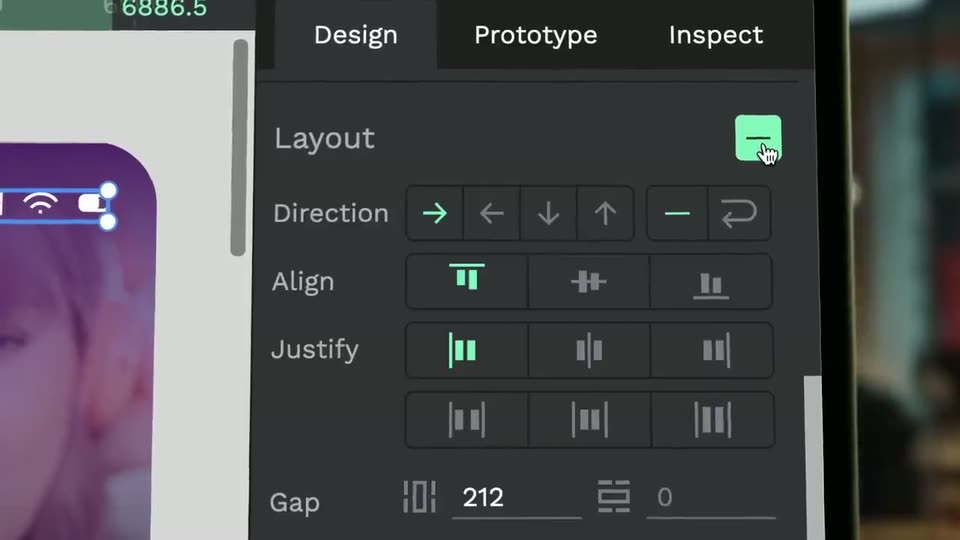
A dark properties panel of a design tool fills the frame beside a blurred purple canvas. A hand cursor clicks the green plus button next to Layout, and the section expands to reveal Direction, Align and Justify rows while the button switches to a minus.
Techniques: Cursor demo
Camera: Static
A design-tool canvas displays three purple podcast-app phone mockups side by side, the center one framed by selection handles. The middle screen's cover image, episode title and playback controls drift downward as the layout reflows, with layer and property panels lining the canvas edges.
Camera: Static
A purple video player card titled Episode 01 sits on a light gray canvas beside a vertical ruler. White line icons, a progress bar and timecodes settle into place with a slight slide as a small counter ticks from 33 to 62.
Camera: Static
A locked-off dark navy field holds two centered lines of bold sans-serif text. The top line stays white while the bottom line, “layout system,” fills from white into a glowing magenta over the clip.
On-screen text: “The first and only”, “layout system”
Camera: Static
A full-screen wall of the word flex in pink on dark navy, set in slanted rows, fills the frame. The pattern dims and a centered two-line lockup fades in: based on in white over dynamic CSS in pink, held static.
On-screen text: “based on”, “dynamic CSS”
Camera: Static
Two centered lines of bold sans-serif text sit on a dark navy background. The top line reads “based on” in white; the bottom line reads “dynamic CSS” in pink with a soft pulsing glow. The frame is locked off and the text stays still throughout.
On-screen text: “based on”, “dynamic CSS”
Camera: Static
A close-up of a design tool's right panel shows the Layout section with Direction, Align and Justify rows. A cursor hovers over the wrap control and a Wrap tooltip pops in beside it.
On-screen text: “dynamic CSS”, “based on”
Techniques: Cursor demo
Camera: Static
A dark purple podcast app screen. A cursor drags a selection rectangle around a grid of six episode cards in the Just for you section, pulling the bottom-right handle outward. The left sidebar lists categories and a recently listened entry with Play and Download buttons.
Techniques: Cursor demo
Camera: Static
A centered line of text sits on a dark navy field. The phrase reads in two colors, pink then white, and opens with a soft blur and glow that tightens into sharp focus within the first second, then holds still for the remainder of the shot.
On-screen text: “Flex Layout generates”
Camera: Static
On a dark navy background, the bold line 'Flex Layout generates' in magenta and white is replaced by 'instant pixel-perfect' in white, which scales in, with 'code' in magenta settling beneath it.
On-screen text: “Flex Layout generates”, “instant pixel-perfect”, “code”
Techniques: Kinetic type
Camera: Static
A locked-off dark panel shows a Board header, a green Info button and a dark Code button with a cursor resting on it, and the heading Size and position under a divider line. A large tagline scales in over the frame.
On-screen text: “instant pixel-perfect”
Techniques: Cursor demo
Camera: Static
A dark code board interface shows a Board header above two tabs, Info in black and Code in green. A hand cursor hovers over the green Code tab. Below a divider line, the label CSS sits at the lower left. The frame stays locked off and static throughout.
Techniques: Cursor demo
Camera: Static
A dark code editor fills the right half, listing the .board CSS block, while a purple page preview with video thumbnails sits on the left. A blue highlight box steps down line by line across the flex properties, ending on align-content. A cursor rests at the lower right.
Camera: Static
A dark navy field holds a three-line headline. The white lines “Penpot is redefining” and “collaboration” frame a pink “design - code”. The letters begin blurred and spread, then tighten and slide into a centered stack.
On-screen text: “Penpot is redefining”, “design - code”, “collaboration”
Techniques: Kinetic type
Camera: Pull out
A dark navy end card holds a bold white line “Try Flex layout at” over a pink “penpot.app”, with the penpot logo and teal social icons below. The block shrinks and drifts up as the pink line “It’s a wrap!” fades in.
On-screen text: “Try Flex layout at”, “penpot.app”, “It's a wrap!”
Techniques: Kinetic type
Camera: Static
A dark indigo end card holds the magenta headline “It's a wrap!” centered above the white penpot wordmark and a row of teal social icons. The frame is locked off and static for the full duration.
On-screen text: “It's a wrap!”
Camera: Static