0:48
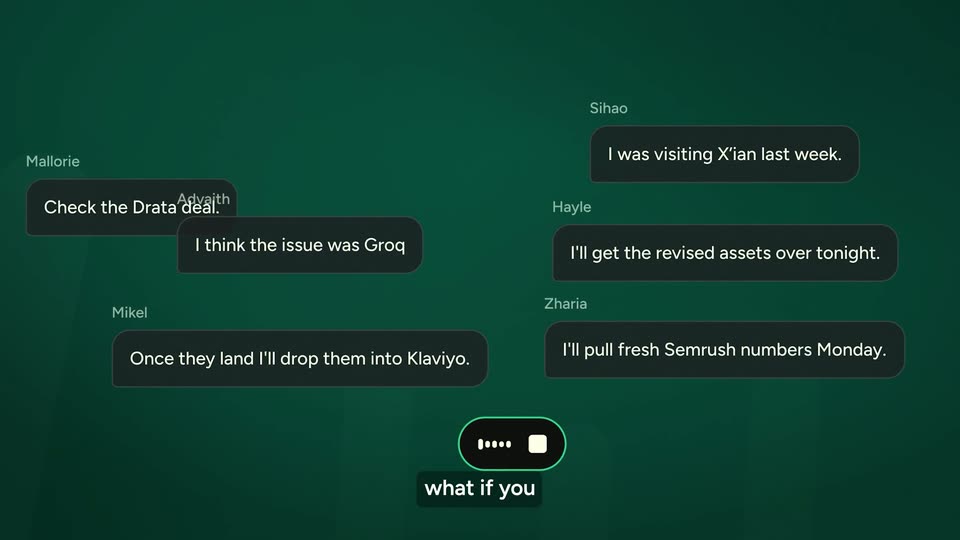

Wispr Flow - We launched Notetaker today, and there's a few key features we're exc
Wispr Flow · Aug 2026
Pax Historia · Feb 2026 · 1:16 · AI-annotated
Pax Historia’s 1:16 launch film runs 27 scenes, about 2.8 s each. The product shows up at 0:16 and 3 features are revealed, with social proof. There is no explicit call to action; a voiceover carries the film. Built as a tight argument: a rapid map hook, a 3D siege for the problem, then alternating UI feature demos and full-screen stat cards on black. Signature moves are the slow map zooms, the typing Diplomacy panels, and the hard cuts to big white numbers and the wireframe globe lockup.
Is this your launch? to your site or press kit.
Wispr Flow · Aug 2026
Pax Historia · Consumer · Feb 2026
Films whose music sounds like this one, voice left out
Webflow · Electronic, Cinematic
Polestar · Cinematic orchestral and electronic score
DJI · Electronic, Corporate Tech
A dark topographic map of North America fills the frame. A blue irregular shape flashes over the central US while white text reads What if America at the bottom center.
On-screen text: “What if America”
Camera: Static
A dark satellite map of North America highlights the United States in blue. Below, the caption reads “What if America”. The view zooms out to add Greenland, tinted teal, as the caption completes to “invaded Greenland?”, then switches to “What if Rome never fell?”.
On-screen text: “What if America”, “invaded Greenland?”, “What if Rome never fell?”
Camera: Pull out
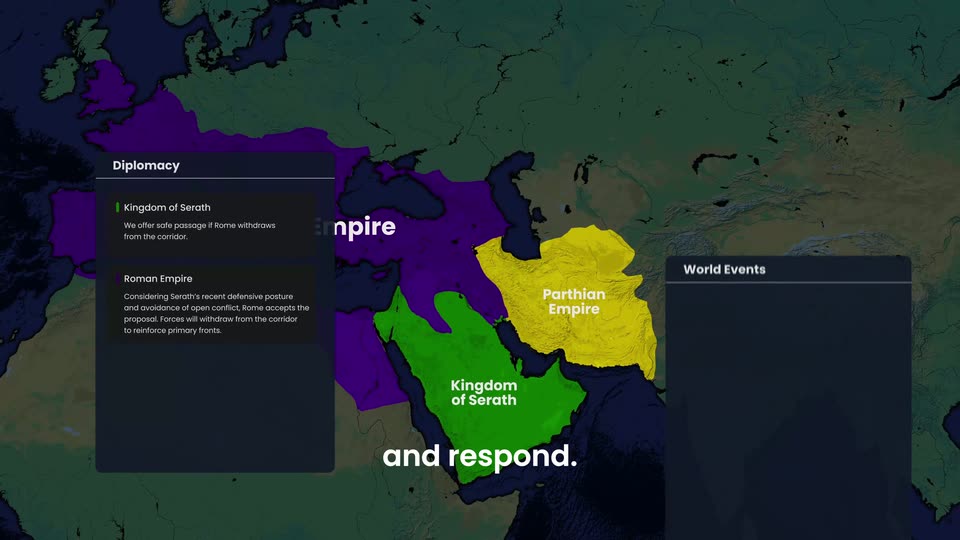
A dark map of the Mediterranean shows a purple territory growing from the eastern basin until it covers the whole rim. The caption stays at the bottom, then the labels Roman Empire and Parthian Empire fade in over the map.
On-screen text: “What if Rome never fell?”, “Roman Empire”, “Parthian Empire”
Camera: Pull out
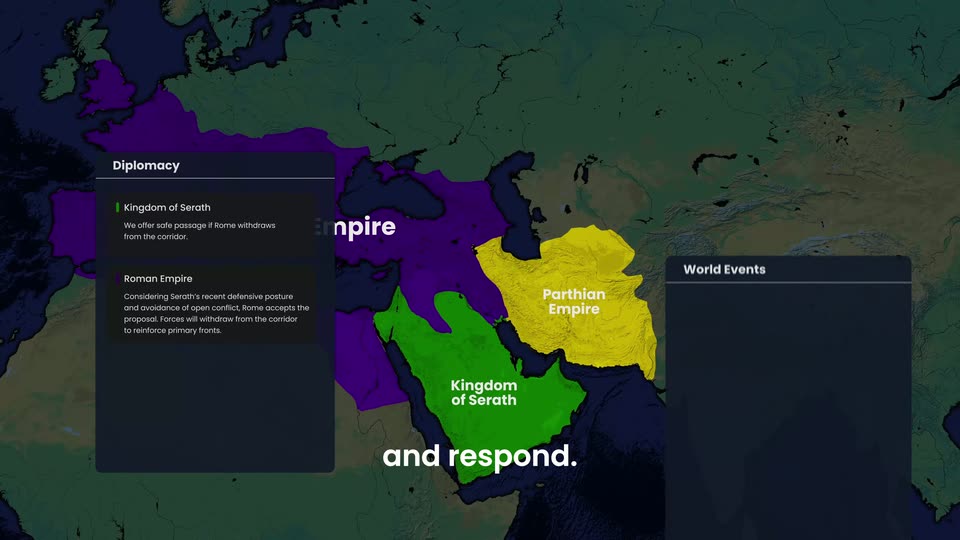
A dark map of Europe and the Middle East highlights a purple Roman Empire territory and a yellow Parthian Empire territory to the east. The white labels scale and slide into place over each region while the bold headline at the bottom stays fixed.
On-screen text: “Roman Empire”, “Parthian Empire”, “What if the Soviet Union Survived?”
Techniques: Kinetic type
Camera: Pull out
A red map of the Soviet Union sits on a dark blue world map. The label “Soviet Union” scales over it above the caption “What if the Soviet Union Survived?”. The map dims and the caption is replaced by “What if you could reshape”, matching the voiceover.
On-screen text: “Soviet Union”, “What if the Soviet Union Survived?”, “What if you could reshape”
Techniques: Kinetic type
Camera: Pull out
A dark world map with colored territories in red, purple, yellow, green and blue slowly zooms out from a Europe close-up to a wider view. White caption phrases appear in sequence at the bottom center, some scaling in with the voiceover.
On-screen text: “could reshape”, “the modern world?”, “Most strategy”, “games force”, “you down”
Techniques: Kinetic type
Camera: Pull out
A 3D siege camp beneath a hilltop castle holds a locked-off frame as three dark choice buttons, Fortify, Resist, Observe, scale in across the lower third. White caption lines cycle below them, then the frame washes to white.
On-screen text: “you down”, “pre-written paths.”, “A handful of”, “fixed choices,”
Camera: Static
A locked-off 3D render of a medieval camp below a walled hilltop castle, with tents, fires and barricades in mist. The game's white text reads THE ROMAN SIEGE HAS ENDED, then YOU SURVIVED, while a bottom caption switches from the same outcomes to every time.
On-screen text: “the same outcomes”, “every time.”
Camera: Static
A 3D siege camp with a hilltop fortress, tents and burning debris holds a locked-off frame, then the whole image fades to black. Gray result text sits mid-frame while the white brand name stays lit at the bottom.
On-screen text: “every time.”, “Pax Historia”
Camera: Static
A white wireframe globe logo scales up at the center of a black screen. A centered caption below it swaps lines in sequence: “Pax Historia,” then “is different.”, then “Our AI agents.”
On-screen text: “Pax Historia”, “is different.”, “Our AI agents”
Techniques: Kinetic type
Camera: Static
On black, a white wireframe globe and the PAX HISTORIA wordmark brighten from dim gray to full white while sliding into place. Below, a caption scales in and swaps from Our AI agents to don't follow scripts, tracking the voiceover.
On-screen text: “Our AI agents”, “don't follow scripts.”
Techniques: Kinetic type
Camera: Static
A PAX HISTORIA watermark fades over a dark map of the ancient Mediterranean with purple, yellow, and green territories. A Diplomacy panel slides in from the left with message cards typing, a World Events panel appears on the right, captions cycle below, and a 35,000+ Daily counter scales in.
On-screen text: “PAX HISTORIA”, “don't follow scripts.”, “They remember”, “what you've done.”, “They adapt to decisions”, “they negotiate,”, “betray,”, “and respond”, “We have over”, “35,000+ Daily”
Techniques: Kinetic type, UI zoom
Camera: Pull out
A black frame holds a large white stat “35,000+” with “Daily” below it, both scaling up from the center. White caption lines then appear one by one at the bottom.
On-screen text: “35,000+”, “Daily”, “Let's say it's”, “the modern day.”
Techniques: Kinetic type
Camera: Static
A dark map of North America with the United States filled in blue. A huge “35,000+ Daily” stat scales and fades out, the label “United States of America” slides in over the highlighted country, and the caption “You're the United States” appears at the bottom.
On-screen text: “35,000+”, “Daily”, “the modern day.”, “United States”, “of America”, “You're the United States”
Techniques: Kinetic type
Camera: Static
A dark topographic map highlights the United States in blue, then zooms north to Greenland in teal. A Diplomacy panel slides in at the right, filling with negotiation messages from the US and Denmark, while white subtitle lines cycle at the bottom.
On-screen text: “You're the United States”, “and you want Greenland.”, “Do you negotiate”, “with Denmark?”, “Offer a trade?”, “Do you invade?”, “Say you try”, “to negotiate.”, “Denmark's AI”, “rejects your offer and calls upon NATO. The EU responds with sanctions World in Words”
Techniques: UI zoom
Camera: Pull out
A dark world map with color-coded nations sits behind a central World Events panel; its Denmark, China and Russia event cards fade in one by one as the view slowly pushes in. White caption lines cycle at the bottom of the frame.
On-screen text: “with sanctions.”, “Every choice cascades,”, “and every nation adapts.”, “Anyone can build a scenario.”
Techniques: Kinetic type, UI zoom
Camera: Pull out
A dark purple UI card with a dashed border and a sparkle icon sits centered on black. A white cursor drifts to its edge as the card scales up. Below, white bold captions swap from Anyone can build to a scenario. then Draw custom borders
On-screen text: “Anyone can build”, “a scenario.”, “Draw custom borders,”
Techniques: Cursor demo, Kinetic type, UI zoom
Camera: Static
A dark satellite map of the Middle East shows a white cursor drawing a green border; the region fills solid green as the view reframes closer and the lower half fades to black.
On-screen text: “Draw custom borders,”, “Set any starting year.”
Techniques: Cursor demo, UI zoom
Camera: Push in
A dark interface fades in from black, revealing a settings panel: a heading, a small date badge, a rounded input field and a line of helper text. The white caption stays fixed at the bottom center.
On-screen text: “Set any starting year.”
Camera: Static
A dark preset form scrolls down while its text fields fill with typed copy about the world state and simulation rules. A green Play Now button pops in at the bottom and a cursor hovers over it.
On-screen text: “Set any starting year.”, “that shape the AI,”, “for others to play.”
Techniques: Cursor demo
Camera: Push in
A bright green rounded button labeled Play Now with a white cursor on it shrinks in place on a black background. Below it, white caption lines swap in sequence: for others to play., then Our community, then has published.
On-screen text: “for others to play.”, “Our community”, “has published”
Techniques: Cursor demo
Camera: Static
A dark game-platform UI fades in: a Most Played row of four world cards with thumbnails and round counts, plus a Recently Updated map card below. White caption at the bottom changes from has published to over 4,000 while two cursors rest over the cards.
On-screen text: “has published”, “over 4,000”
Techniques: Cursor demo
Camera: Static
A dark dashboard shows two rows of map thumbnails under the headings Most Played and Recently Updated. A white caption builds at the bottom center while the grid drifts slowly upward.
On-screen text: “over 4,000”, “playable worlds.”
Techniques: Kinetic type
Camera: Static
A dark library grid of game cards, with Most Played and Recently Updated rows, scrolls slowly upward. Large white text “Creators Build” sits centered over it, with a smaller caption “playable worlds.” below, both held static.
On-screen text: “Creators Build”, “playable worlds.”
Camera: Static
A dimmed grid of game cards fills the background while large white words swap in the center, first reading Creators Build then Players Pay. Each phrase holds for a beat before the next one replaces it.
On-screen text: “Creators Build”, “Players Pay”
Techniques: Kinetic type
Camera: Static
A dimmed grid of scenario cards fills the screen behind a large white headline centered in two lines. The headline and the interface behind it fade down to black by the end of the clip.
On-screen text: “Creators earn Tokens”
Camera: Static
On black, a small wireframe globe scales up as the PAX HISTORIA wordmark fades in beside it. The URL paxhistoria.co appears below the lockup, the bottom caption swaps from 'This is Pax Historia.' to 'And we're just getting started.' and fades out.
On-screen text: “This is Pax Historia.”, “And we're just getting started.”, “paxhistoria.co”
Camera: Static