2:17
Explore
Pause - Introducing Claude Duet for Video Editing Just describe the edit an
Pause · Oct 2026 · 0:32 · AI-annotated
- Length
- 0:32
- Scenes
- 19 · 1.7 s avg
- Product on screen
- 0:00
- Features shown
- 8
- Call to action
- 0:29 · 91%
- Voiceover
- Yes
00:00:00 / 00:32:24
Pause’s 0:32 launch film runs 19 scenes, about 1.7 s each. The product is on screen from the first frame and 8 features are revealed, with social proof. The call to action lands at 0:29 (91% in), over a voiceover. The video is built as a quiet step-by-step walkthrough: a large serif headline names each step while a cream UI card or a dark timeline demo plays out beneath it, all paced to a slow 83 bpm pulse. Signature moves are the letter-by-letter typed prompt, the line-art laptop closing its lid, and the pixel cat mascot that bookends the brand.
No filming indicatedEstimated needs: 9 capture groups — your screens or recordings · 1 official logo — reused across the film · 2 graphic passages — draw or supply
Is this your launch? to your site or press kit.
More like this
1:12


Akon Labs (YC S26) - Launch Video
Akon Labs · B2B · Aug 2026
1:04

Introducing Cursor 2.0
Cursor · Developer tools · Oct 2025
Pause - Introducing Claude Duet for Video Editing Just describe the edit an, scene by scene
· 19 scenes as text
01 · Product intro · 0:00–0:02
A coral circle with a hand-drawn loop line scales up at center, then the title lockup fades in: Introducing above, Claude Duet in large serif, for video editing below, with a long looping line drawn across the bottom. The card fades out.
On-screen text: “Introducing”, “Claude Duet”, “for video editing.”
Camera: Static
02 · Demo · 0:02–0:04
A locked-off cream UI card sits under the serif heading 'Add your clips.' A colorful game-style thumbnail fills the left of a prompt field that types out a sentence letter by letter; a cursor then clicks the orange send button and a 'Working for 0:00' pill scales in at the center.
On-screen text: “Add your clips.”, “Then say how it should feel.”
Techniques: Kinetic type, Cursor demo
Camera: Static
03 · Demo · 0:04–0:05
On a beige background, a centered serif headline reads “Pause takes it from here.” above a pill badge with a fox icon and a counting timer; a line-drawn laptop fades in below, then the headline switches to “Close the laptop.” in light gray.
On-screen text: “Pause takes it from here.”, “Close the laptop.”
Camera: Static
04 · Demo · 0:05–0:07
A cream background holds a black serif headline and an italic gray subline while a line-art laptop illustration closes its lid into a flat bar. An orange progress line beneath it extends, then shrinks and fades.
On-screen text: “Close the laptop.”, “The edit carries on.”
Techniques: Morph
Camera: Static
05 · Demo · 0:07–0:07
A cream field holds a large black serif headline with an italic gray subhead beneath. A thin line-art laptop and two horizontal timeline lines shrink and dissolve as the type fades out, the frame locked off.
On-screen text: “Close the laptop.”, “The edit carries on.”
Camera: Static
06 · Feature reveal · 0:07–0:09
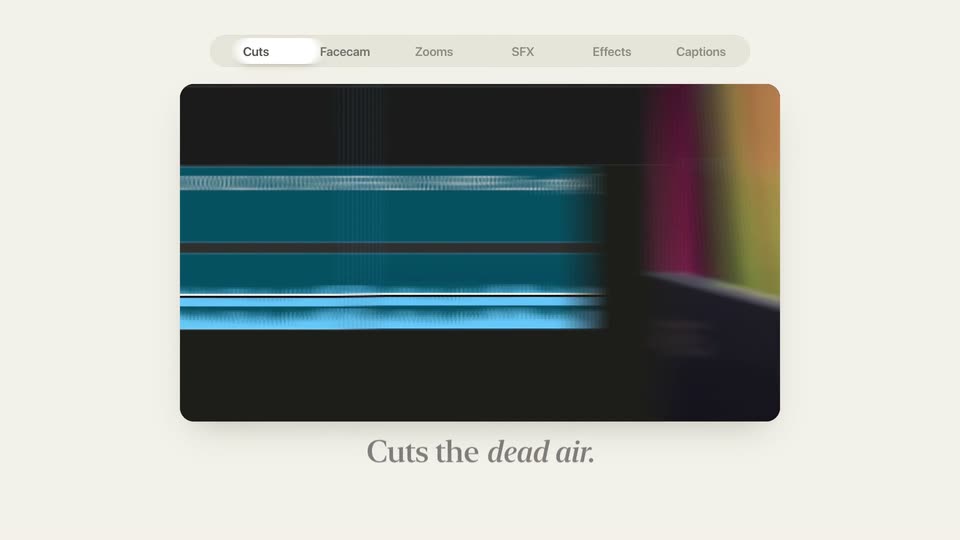
A video editor interface on a cream background: the Cuts tab trims the middle of a clip on the timeline while the caption “Cuts the dead air.” fades out. The tab switches to Facecam, the timeline shows a person at a desk, and “Frames your facecam.” fades in.
On-screen text: “Cuts the dead air.”, “Frames your facecam.”
Camera: Static
07 · Feature reveal · 0:09–0:10
A video editing interface displays a top menu with the Facecam tab active. The preview window shows a person on a green screen, then cuts to a fast, blurred action clip. A small facecam inset remains in the corner while the caption sits below.
On-screen text: “Frames your facecam.”
Camera: Static
08 · Feature reveal · 0:10–0:12
A cream screen shows a video editor with the Zooms tab selected. Inside the preview a bright 3D game clip zooms in on an outlined 'Choose both doors!' prompt. A dark serif caption sits below the frame.
On-screen text: “Knows where to zoom.”
Techniques: UI zoom
Camera: Push in
09 · Feature reveal · 0:12–0:12
A dark editing timeline with blue video clips and yellow audio waveforms sits on a cream background beneath a tab bar, SFX selected. A white pill reading “Breast Twitch” glides over the tracks as the serif headline “Lands every sound.” holds below.
On-screen text: “Lands every sound.”
Camera: Static
10 · Feature reveal · 0:12–0:13
A dark editor timeline sits on a cream background, the SFX tab lit in the top bar. White caption pills, Breast Twitch and Awkward Moment, float over green audio waveforms; a serif tagline reads Lands every sound. The view blurs as the highlight jumps to Effects.
On-screen text: “Lands every sound.”
Camera: Pan
11 · Feature reveal · 0:13–0:14
The Effects tab of the editor is active over a Roblox gameplay clip with a facecam inset. A red 3D X stamp spins and scales in across the clip. The caption Times every effect. sits static below the frame on a cream background.
On-screen text: “Times every effect.”
Camera: Static
12 · Feature reveal · 0:14–0:16
A cream backdrop holds a dark timeline panel beneath a tab bar; purple caption clips fill the track left to right while a serif line reads below.
On-screen text: “Captions every word.”
Camera: Static
13 · Feature reveal · 0:16–0:17
A cream background holds a centered black serif headline above a white notification card with a pixel cat avatar and a scaling “now” label. A blurred white card with a blue line and gray block slides in from the right.
On-screen text: “It comes back when it's done.”
Camera: Static
14 · Feature reveal · 0:17–0:20
Serif headline 'A real Premiere project.' and subline sit left of a rounded card with a scrolling dark Premiere timeline; blue, magenta and yellow clips pan sideways as a 'Worked for 4:20' pill scales in. At the end the layout fades into a calendar grid and full track list.
On-screen text: “It comes back when it's done.”, “A real Premiere project.”, “Every edit on its own track.”, “Worked for 4:20”
Techniques: Split screen
Camera: Static
15 · Social proof · 0:20–0:23
An empty November calendar fills as thirty colorful video thumbnails pop into the cells row by row, while the black serif headline “Thirty nights.” gains the italic phrase “Thirty uploads.” The grid completes within a second and holds.
On-screen text: “Thirty nights.”, “Thirty uploads.”
Camera: Static
16 · Feature reveal · 0:23–0:24
A calendar grid of colorful video thumbnails sits under the serif headline Thirty nights. Thirty uploads. The whole block fades out and the headline You keep full control. fades in above a dark effect-controls panel showing a position graph.
On-screen text: “Thirty nights. Thirty uploads.”, “You keep full control.”
Camera: Static
17 · Feature reveal · 0:24–0:27
A flat Premiere Pro panel sits under a serif headline on a cream background. A cursor drags a scale keyframe up, bending the curve and raising the value to 145 while a game clip plays in the preview; then the panel and headline fade out.
On-screen text: “You keep full control.”, “Every cut, zoom and caption stays editable in Premiere.”
Techniques: Cursor demo
Camera: Static
18 · Other · 0:27–0:29
A gray serif line, “Duet keeps working when you step away,” sits centered on a cream background. A larger black serif line with “editor” in orange italic fades in below it, then both lines clear and a small pixel-art cat icon in a rounded square appears centered.
On-screen text: “Duet keeps working when you step away.”, “Now your editor does too.”
Camera: Static
19 · CTA · 0:29–0:32
Two rounded-square pixel-cat app icons sit side by side on a cream field; the smaller one merges into the larger, which settles left of the serif wordmark Pause as a small URL line fades in below, then the lock-up holds.
On-screen text: “Pause”, “Live now at pausevfx.com”
Techniques: Morph
Camera: Static