0:39
Explore
Rehan Sheikh - Introducing patch: build and play games. - Every game dev tool in on
Patch · Nov 2026 · 0:46 · AI-annotated
- Length
- 0:46
- Scenes
- 37 · 1.3 s avg
- Product on screen
- 0:00
- Features shown
- 6
- Voiceover
- Yes
00:00:00 / 00:46:25
Patch’s 0:46 launch film runs 37 scenes, about 1.3 s each. The product is on screen from the first frame and 6 features are revealed. There is no explicit call to action; a voiceover carries the film. Built as a rapid feature montage, the video alternates white title cards with black asset grids, moving from one capability to the next through sliding panels, grid zooms and a recurring rig-to-render pipeline. Its signature look is pixel monospace type, a magenta corner-square logo and a 3D dragon posed across every stage, all cut at a fast 143 BPM.
No filming indicatedEstimated needs: 5 capture groups — your screens or recordings · 1 official logo — reused across the film · 8 graphic passages — draw or supply · 14 3D passages — build or supply
Is this your launch? to your site or press kit.
More like this
0:39


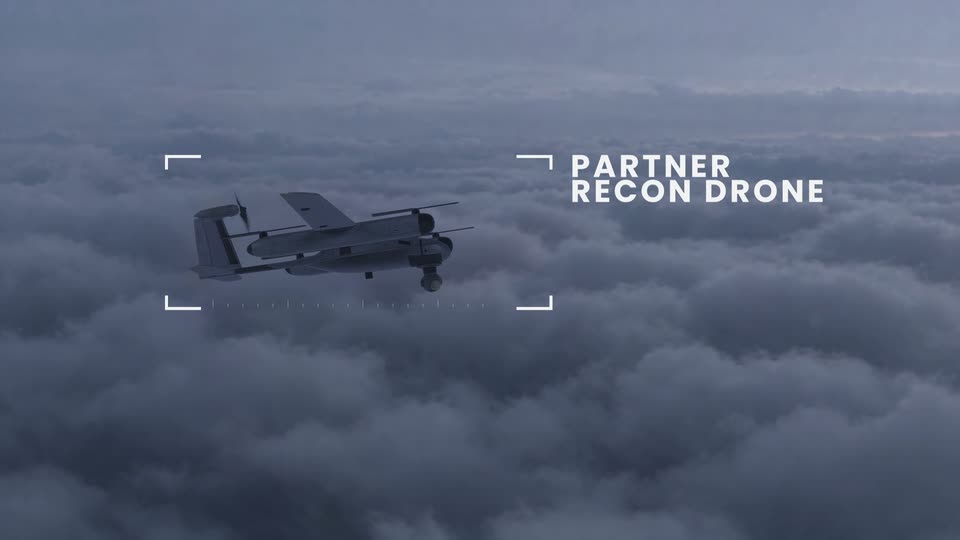
Polemos Industries (YC F26)
Polemos Industries · Industrials · Nov 2026
0:52
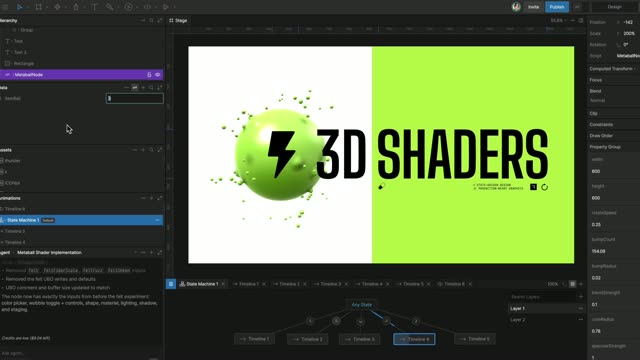

Rive's GPU Canvas is now live for everyone
Rive · Design · Sep 2026
Rehan Sheikh - Introducing patch: build and play games. - Every game dev tool in on, scene by scene
· 37 scenes as text
01 · Product intro · 0:00–0:00
A plain white background fills the frame for the full duration, with no visible text, logo, or motion.
Camera: Static
02 · Product intro · 0:00–0:03
A pink and black square logo assembles at center on a white field as the line 'introducing patch.' types in below. The frame cuts to a dark panel where a 3D creature rig animates its bones, captioned 'rigging'.
On-screen text: “introducing”, “patch.”, “rigging”
Techniques: Kinetic type
Camera: Static
03 · Product intro · 0:03–0:04
Dark rectangular panels slide left across a white background, each showing a stage of a 3D dragon: a white jointed skeleton rig, a gray clay model in a bare environment, then a colored model against a blue sky. Small captions sit below the panels.
On-screen text: “rigging”, “textures”
Techniques: Split screen
Camera: Pull out
04 · Product intro · 0:04–0:04
On a white background, six clips slide and scale into a two-by-three grid, each captioned beneath. Top row: a wireframe rig, a 3D dragon, a textured street. Bottom row: a game scene, a model sheet, VFX loops.
On-screen text: “rigging”, “animation”, “textures”, “game repos”, “assets”, “effects”
Camera: Pan
05 · Product intro · 0:04–0:07
On black, a field of small game-dev video thumbnails drifts past in motion blur. The blocky white word cli holds center, then swaps to mcp. Two logo cards scale in: a knot mark labeled codex and a white 3D cube.
On-screen text: “cli”, “mcp”
Techniques: Kinetic type
Camera: Push in
06 · Product intro · 0:07–0:08
Four black cards snap upright from a tilted pose into a row, each showing a white logo and label: a starburst, a knot, a hexagon, and a four-point star, set over a blurred collage of game renders, then the camera pushes in toward the hexagon card.
On-screen text: “claude code”, “codex”, “cursor”, “gemini”
Camera: Push in
07 · Feature reveal · 0:08–0:09
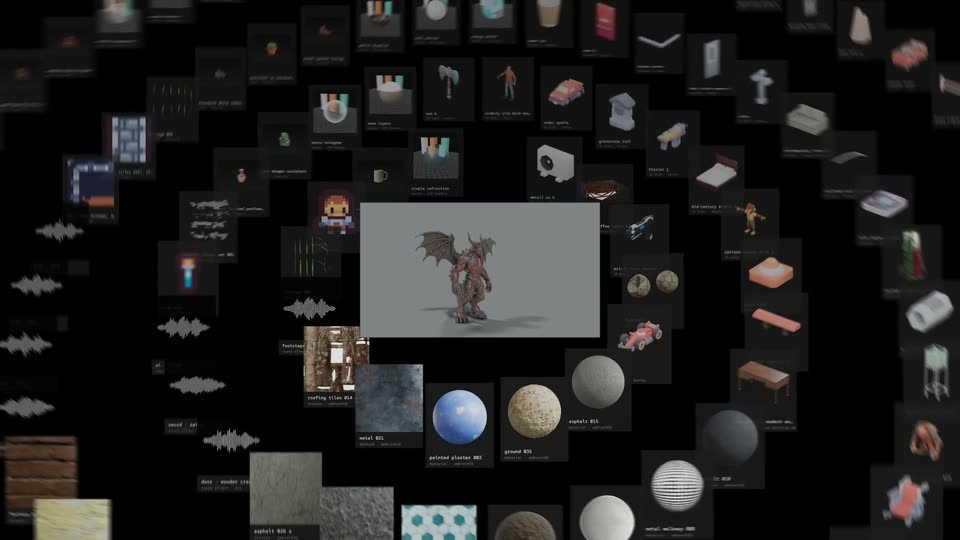
A 3D dragon model sits in a gray card at center while blurred asset thumbnails float around it. The camera pulls back to reveal a wide grid of model and sound cards receding into black space.
Techniques: UI zoom, 3D mockup, Parallax
Camera: Pull out
08 · Feature reveal · 0:09–0:10
A wide view of a dense grid of asset thumbnails, including 3D models, textures, and audio waveforms, on a black background. A larger central card displays a 3D dragon model.
Camera: Pull out
09 · Feature reveal · 0:10–0:11
A black field of small asset thumbnails, including 3D models, textures and audio waveforms, fills the frame in offset rows. A larger central card shows a 3D dragon model turning on a gray backdrop. The grid stays locked off.
Camera: Static
10 · Feature reveal · 0:11–0:12
A black wall of small square thumbnails (3D models, textures, audio waveforms) sits static. A larger center card shows a 3D dragon creature, then swaps to a black box where a pixelated white counter reads 4,365.
On-screen text: “4,365”
Camera: Static
11 · Feature reveal · 0:12–0:15
A dense grid of asset previews (3D models, textures, sound waves) fills black behind large white pixel text '50,000' and the caption 'open-source assets.' White outlines pop around cards that zoom in to show a winged character, then a sound waveform, as the grid shuffles through new assets.
On-screen text: “50,000”, “open-source assets”
Techniques: UI zoom
Camera: Static
12 · Feature reveal · 0:15–0:16
A receding wall of small game-asset thumbnails fills a black background in 3D perspective. A large white pixel number 50,000 sits centered above open-source assets, while four labeled panels, rigging, animation, textures and effects, fade in along the bottom, each showing a 3D model or icon grid.
On-screen text: “50,000”, “open-source assets”, “rigging”, “animation”, “textures”, “effects”
Techniques: 3D mockup
Camera: Static
13 · Feature reveal · 0:16–0:17
A small dark tile with a pink corner square scales up into a full dark screen. On it, a white line-and-joint rig of a dragon creature poses itself, wings and legs shifting between two stances.
On-screen text: “50,000”
Camera: Static
14 · Feature reveal · 0:17–0:18
A 3D dragon model with gray scales and a raised red wing stands on a flat gray stage inside a black frame. The creature holds a near-static pose, shifting slightly. A small caption reads 'animation · anymove' at the lower left.
On-screen text: “animation · anymove”
Camera: Static
15 · Feature reveal · 0:18–0:19
A 3D cobblestone plaza with a pink church and fountain begins as a blurry, untextured gray render inside a white frame. It sharpens and fills the screen as full color textures load, revealing the magenta facade, tan walls and blue sky.
On-screen text: “textures”
Camera: Push in
16 · Feature reveal · 0:19–0:20
A locked-off 3 by 5 grid of dark panels, each looping a different particle effect: campfire, flaming skull, water column, purple portals, a vortex, a tornado and wireframe shapes on a flat floor. A small effects · pixelfx label scales in the lower left.
On-screen text: “effects · pixelfx”
Techniques: Particles
Camera: Pull out
17 · Feature reveal · 0:20–0:22
A four-by-three grid of 3D renders and animation clips fills the screen, each tile captioned with a discipline and tool name. The tiles brighten out of black and settle into place, while the effects tile pulses as it scales. The grid then holds as a static montage.
On-screen text: “village · build”, “balrog · ashen vigil”, “animation · anymove”, “terrain · ashen vigil”, “acts · pixelfx”, “moveset · anymove”, “effects · pixelfx”, “creatures · anymove”, “detail · trompe”, “rigging · anymove”
Techniques: Split screen
Camera: Static
18 · Feature reveal · 0:22–0:23
A dark first-person game view fills the left panel as two figures flash pink and gain monospace labels, agent and zombies, with a cursor on the agent. Two empty light panels sit on the right; a harrowfield tag anchors the bottom left.
On-screen text: “harrowfield”, “pixelfx”, “balrog”, “agent”, “zombies”
Techniques: Cursor demo
Camera: Static
19 · Feature reveal · 0:23–0:23
White canvas: a large clip of a night farmhouse with a first-person shotgun sits left under a black harrowfield tag; right, a smaller clip copy and a black bar with a skull and harrowfield · zombies scale in beside gray placeholders.
On-screen text: “harrowfield”, “harrowfield · zombies”
Techniques: Split screen, Kinetic type
Camera: Static
20 · Feature reveal · 0:23–0:24
Two game views sit side by side on white: a bright farm on the left, a dark zombie house on the right. In the left view an explosion flashes, the red barn swells into a pink blob, and a destruction tag slides in as the agent cursor hovers.
On-screen text: “brickfall”, “harrowfield · zombies”, “agent”, “destruction”
Techniques: Split screen
Camera: Static
21 · Feature reveal · 0:24–0:25
Three game clips sit in a collage on a white field, each tagged with a black caption label: a wide farm explosion left, a dark zombie scene top right, a pink blocky shape bottom right. The panels slide and resize into a new arrangement.
On-screen text: “brickfall”, “harrowfield · zombies”, “brickfall · destruction”
Camera: Static
22 · Feature reveal · 0:25–0:26
A vertical clip of a dim blocky game interior with a pink glow cuts to a horizontal clip of a blocky sunset town with a tower, road and trees, both centered on a white background.
Camera: Static
23 · Feature reveal · 0:26–0:27
A voxel-built town at dusk, with a white church tower, red brick walls, a green tree and a few blocky figures in the road, sits as a centered panel on a white field and slowly scales up.
Camera: Static
24 · Feature reveal · 0:27–0:29
First-person view of a voxel town at dusk, a pixel rifle held at the right edge. An explosion blows out the brick base of a white church tower, sending blocks and sparks flying, while zombie villagers stand on the street to the left.
On-screen text: “patch applied.”, “harrowfield · zombies + brickfall · destruction.”
Techniques: Particles
Camera: Pull out
25 · Feature reveal · 0:29–0:30
A horizontal filmstrip of game key art, from Skyrim to Cyberpunk, scales down and recenters on black. A thin white box with the handle @BlendiByl fades in above the row and holds.
On-screen text: “@BlendiByl”
Camera: Static
26 · Feature reveal · 0:30–0:33
On black, a row of five game covers sits under a white steam @BlendiByl label. The row scales up and pans, dropping the outer covers until the GTA V and Minecraft covers sit side by side, large, while the label slides up and out.
On-screen text: “steam”, “@BlendiByl”
Camera: Static
27 · Feature reveal · 0:33–0:34
A horizontal strip of game covers, including Grand Theft Auto and Minecraft, slides across a black background, then cuts to a 3D street scene where a blocky diamond sword is held in front of a police car.
Camera: Static
28 · Feature reveal · 0:34–0:36
A locked-off first-person view of a Minecraft street at dusk, with a gas station, palm trees and power lines, a centered crosshair and an item hotbar along the bottom. The selected item name Ender Pearl holds mid-screen as a small publish label scales in.
On-screen text: “publish”
Camera: Pull out
29 · Feature reveal · 0:36–0:37
A Minecraft gameplay clip plays inside a bordered preview on a white page, the in-game camera panning across a burning street. Below it a small gray caption line sits and a black publish button with a pink corner tab scales up into place.
On-screen text: “steve vs 5-star police · @rehan_shel”, “publish”
Camera: Static
30 · Feature reveal · 0:37–0:38
A Minecraft-style game screenshot with a published URL caption and a play count sits on black, then the view pulls back through a blur to reveal the Patch interface's featured grid of game cards.
On-screen text: “published · patch.gg/sehan_shel/steve-vs-5-star-police”, “85 plays”
Techniques: UI zoom
Camera: Pull out
31 · Feature reveal · 0:38–0:39
A dark interface reveals a grid of game thumbnails, easing from a blurred close-up into sharp focus. A white hand cursor hovers a pink play button on the knight fight tile, with a search bar across the top.
Techniques: UI zoom, Cursor demo
Camera: Push in
32 · Feature reveal · 0:39–0:40
In a dim stone cathedral, a towering knight in black armor with a red-glowing visor and tattered cape holds a greatsword while a small armored figure crouches at his feet. The camera slowly pushes in from a wide shot to a mid shot of the knight.
On-screen text: “ganes mods”
Camera: Static
33 · Demo · 0:40–0:42
A first-person view shows pixelated game blocks held at the edges of a GTA-style street with a marked police car and a centered crosshair. Four small game thumbnails pop in along the bottom with captions, then disappear.
On-screen text: “games mods”, “steve vs 5-star police - ehehan_shel”, “black ops zombies”, “elytra”
Camera: Pull out
34 · Demo · 0:42–0:43
A first-person game view tracks a red-and-white police car as it drives past a storefront, with a crosshair centered and a row of four game thumbnails plus an ammo HUD fixed along the bottom of the screen.
Camera: Pull out
35 · Demo · 0:43–0:44
A close-up of a tiled grid of short game clips pulls back fast, widening to dozens of rows and columns of footage. Titles like Rocket League, Skyrim, Call of Duty and Garry's Mod flash across the small windows as the frame expands.
Camera: Pull out
36 · Outro · 0:44–0:45
On a white background, a grid of small image thumbnails snaps into a black square with a pink corner, and the square shrinks to a mark as the word patch forms beside it in white with a red outline.
On-screen text: “patch”
Techniques: Morph, Kinetic type
Camera: Static
37 · Outro · 0:45–0:46
The patch logo, a black square with a magenta corner block, sits centered on white as stray magenta pixels dissolve away. The gray URL and the black tagline fade in beneath the mark and hold still.
On-screen text: “patch.gg”, “build and play.”
Camera: Static