1:13
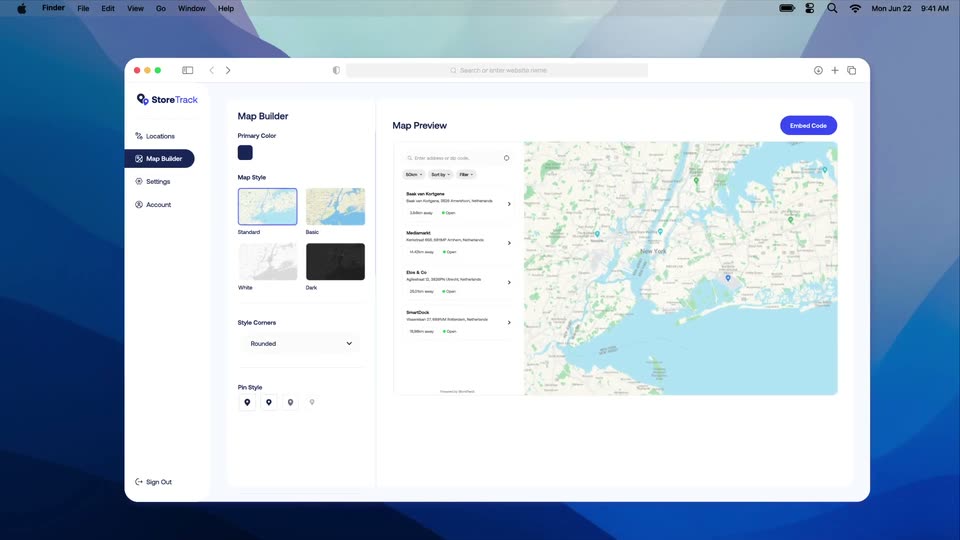

Product Explainer Video for SaaS | StoreTrack | Zelios
StoreTrack · Nov 2024
Moda · Mar 2026 · 1:44 · AI-annotated
Moda’s 1:44 launch film runs 64 scenes, about 1.6 s each. The product shows up at 0:11 and 4 features are revealed. The call to action lands at 1:32 (89% in), over a voiceover. Founder talking head alternates with glossy 3D motion graphics and clean UI demos on a white grid, cut at roughly 16 cuts per minute to a 136 BPM pulse. Signature moves are the pixel selection frames, the colored agent pills, and the red-to-magenta gradient title cards.
Is this your launch? to your site or press kit.
StoreTrack · Nov 2024
Superblocks · Apr 2026
Eccasion · Nov 2026
A woman in a blue pleated blouse speaks to camera in a bright office. Floating graphic cards and the AI WITH TASTE title fade out, then a large white serif dollar counter rolls up from $6,518,057 to $7,500,000 across her chest while a subtitle captions her speech.
On-screen text: “AI WITH TASTE”, “We just raised $7.5 million”, “$6,518,057”, “$7,500,000”, “from General Catalyst”
Techniques: Kinetic type
Camera: Push in
Three brand logos (Pear, General Catalyst, WndrCo) sit in a horizontal row on a plain white background and fade in from faint to full color. A dark gray caption box at the bottom holds the line “from General Catalyst”.
On-screen text: “from General Catalyst”
Camera: Static
Three brand logos, Pear, General Catalyst and WndrCo, sit in a row on a white background, then the Dropbox logo fills the center, then the frame cuts to a woman in a blue shirt speaking in a bright office. A dark caption box tracks the voiceover at the bottom.
On-screen text: “and the founder of Dropbox”, “to build the first design platform”
Camera: Static
A woman in a blue striped shirt speaks to camera in a bright open office, desks, monitors and plants soft-focused behind her. She gestures with her hands in a locked-off medium shot while a white subtitle on a black bar sits at the bottom of the frame.
On-screen text: “to build the first design platform”
Camera: Pull out
A woman in a purple striped shirt speaks to camera in a warm interior. A white panel slides in from the left, splitting the frame, showing phone mockups in 3D perspective and a teal Brand Agent label. Subtitles run along the bottom.
On-screen text: “to build the first design platform”, “that allows agents and humans to work together.”
Techniques: Split screen, 3D mockup
Camera: Pan
Split screen: a woman in a purple top speaks on the right against a soft interior. On the left, a white presentation card holds the heading Next Level Partnership over a diagonal collage of phones showing black-and-white building photos; colored pill tags and a success-rate figure update in place.
On-screen text: “that allows agents and humans to work together.”
Techniques: Split screen, 3D mockup
Camera: Static
A woman in a purple top speaks on the right of a split screen while a white slide on the left shows a partnership deck with phone mockups and three colored agent labels sliding in. A subtitle sits at the bottom.
On-screen text: “that allows agents and humans to work together.”
Techniques: Split screen
Camera: Static
A white rounded prompt bar with the moda logo above scales in on a plain gray field. The bar holds a typed prompt with a blinking caret, an Attach chip and a magenta Create button; a mouse cursor hovers below. A dark caption pill sits at the bottom.
On-screen text: “All it takes is one prompt,”
Techniques: Cursor demo
Camera: Static
The moda logo sits above a white prompt bar on a pale gray field. A black cursor types a pitch-deck request, moves to the pink Create button and clicks it as the bar zooms in and out with motion blur. A caption pill at the bottom reads the voiceover line.
On-screen text: “All it takes is one prompt,”, “and you and your agents can create”
Techniques: UI zoom, Cursor demo
Camera: Pull out
A woman in a purple blouse faces the camera in a bright office, posters and screens blurred behind her. She gestures with her hands while speaking, and white subtitles on a dark bar appear at the bottom of the frame.
On-screen text: “and you and your agents can create”, “slide decks, marketing assets, animations and more.”
Camera: Static
A woman in a purple blouse addresses the camera in a bright office as pairs of slide-deck and UI cards swap on either side, showing a red title slide, brand logos, sales stats and an analytics chart.
On-screen text: “slide decks, marketing assets, animations and more.”
Techniques: 3D mockup
Camera: Pull out
A blue folder icon with a dark logo inside pops into the center of a white grid background. A black cursor arrow slides in from the lower right and stops pointing at the folder. A dark gray caption pill sits at the bottom.
On-screen text: “Let's say you built a pitch deck,”
Camera: Static
A presentation editor mockup floats in 3D perspective on a light gridded background, rotating from a tilted angle to face-on and back toward the camera. A dark rounded caption pill sits at the bottom, and the center slide shows a gray title layout.
On-screen text: “but it needs a lot of work”, “before it's presentable.”
Techniques: 3D mockup
Camera: Pull out
A black cursor drags a red PowerPoint icon into a white composer card, then the view zooms in as the prompt 'Make this deck look better and make it on brand' types itself. Dark caption bars with the voiceover line up at the bottom.
On-screen text: “before it's presentable.”, “Let's attach it”, “and tell Moda:”, “Make this deck look better and make it on brand”
Techniques: Cursor demo, UI zoom, 3D mockup
Camera: Push in
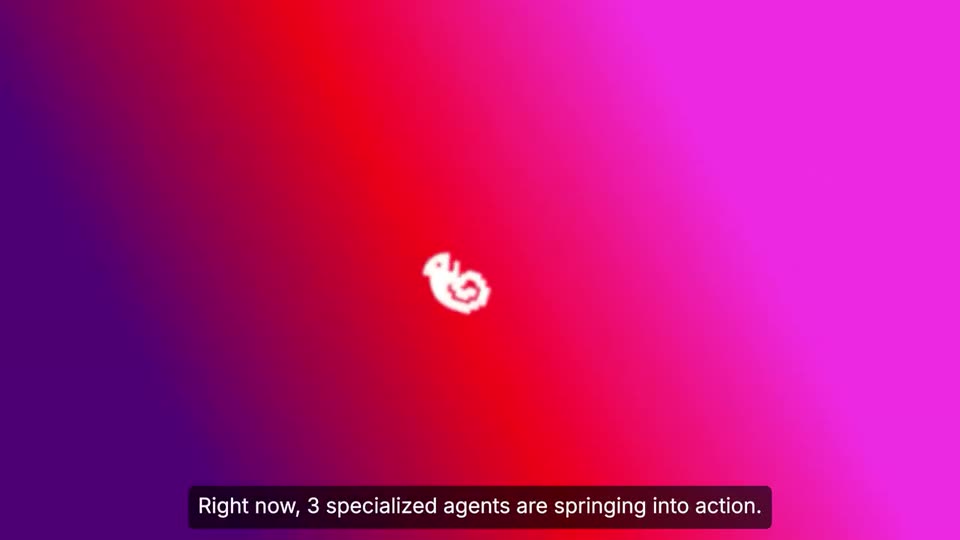
A flat UI close-up shows a gradient Create pill button beside a mic icon; a black cursor slides in and clicks it, then the screen cuts to a pink radial gradient with a small white dot at center while the bottom caption bar updates.
On-screen text: “Make this deck look better and make it on brand”, “Right now, 3 specialized agents are springing into action.”
Techniques: Cursor demo
Camera: Static
A white Pac-Man icon with a gear inside sits on a red-to-magenta gradient. A white wave sweeps in from the right, revealing pill labels for Research, Brand, and Design Agents beside the enlarged icon with a cyan play button. The word Create scales in at the end.
On-screen text: “Right now, 3 specialized agents are springing into action.”, “Create”
Techniques: Masking
Camera: Static
Three glossy 3D crayons labeled Research Agent, Brand Agent and Design Agent fly in from the left with soft light trails, scaling up on a white background, while a gray caption bar holds the line at the bottom.
On-screen text: “Right now, 3 specialized agents are springing into action.”
Camera: Static
On a white background, glossy 3D pill badges labeled Research Agent, Design Agent, and Brand Agent drift through the bottom-right corner, followed by 3D arrows in blue, green, and cyan. A caption at the bottom reads “Right now, 3 specialized agents are springing into action.”
On-screen text: “Right now, 3 specialized agents are springing into action.”
Camera: Static
A dark website mockup in a browser window sharpens from a heavy blur as red, blue and green diagonal streaks sweep across it. A blue Brand Agent tag with a cursor arrow holds at the left edge, and a white-on-dark caption line updates at the bottom.
On-screen text: “Right now, 3 specialized agents are springing into action.”, “Our brand agent has already indexed your website,”
Techniques: Light sweep
Camera: Pull out
A tilted 3D browser window of the Flowpath site holds center while blue Brand Agent pills and small white cards for brand aesthetic, fonts and values drift around it in depth. The window re-tilts mid-shot. A black caption bar at the bottom carries the voiceover line.
On-screen text: “Our brand agent has already indexed your website,”
Techniques: 3D mockup, Parallax
Camera: Pull out
A blurred brand-kit dashboard fills the frame while glossy blue “Brand Agent” pills with small arrow cursors drift across it. A pink status pill reading “Extracting your brand kit..” sits in the center, and a dark caption bar runs along the bottom.
On-screen text: “Brand Agent”, “Our brand agent has already indexed your website,”
Techniques: Kinetic type
Camera: Pan
A phone mockup sits in 3D perspective on white, ringed by floating brand-kit cards (logo, fonts, colors, aesthetic tags) and blue Brand Agent pills. The camera zooms into the screen, which resolves into a magenta presentation slide flanked by Flow and path panels.
On-screen text: “brand guidelines and past presentations.”
Techniques: 3D mockup, UI zoom
Camera: Pull out
A fanned stack of magenta and teal 3D panels, each a Flowpath brand slide or phone mockup, pulls back to reveal the full layered arrangement. Pill tags for Brand Agent, Investor Deck and Pitch Deck float beside them.
On-screen text: “brand guidelines and past presentations.”
Techniques: 3D mockup
Camera: Pan
A fanned stack of Flowpath screens and a phone mockup tilts and rotates in 3D perspective against a white background. The central phone shows a chat greeting with a Brand Agent pill, while white subtitles run along the bottom.
On-screen text: “brand guidelines and past presentations.”, “The research agent sees this is a sales pitch.”
Techniques: 3D mockup
Camera: Pan
A vertical stack of angled panels, each showing the Flowpath website in a different color theme, sits in 3D perspective against a white background. The camera drifts slowly while a white caption bar reads at the bottom.
On-screen text: “Then our research agent sees this is a sales pitch.”
Techniques: 3D mockup
Camera: Push in
A 3D stack of laptops blurs into a close-up of a gray proposal cover page. Pink highlight boxes flash over key phrases as a green arrow cursor points at them, while a green Research Agent pill hovers nearby.
On-screen text: “Then our research agent sees this is a sales pitch.”, “So it pulls the prospect's”
Techniques: 3D mockup, UI zoom
Camera: Push in
A browser window of a coffee site, centered on a pale green backdrop, begins blurred and snaps into focus, revealing a green hero panel with white headline text and a strip of small thumbnails. A dark caption bar at the bottom holds the subtitle.
On-screen text: “logos, graphics, and writes copy.”
Camera: Pull out
A browser window mockup in 3D perspective glows green on a pale background. The coffee brand site inside shifts from a Culture of Connection hero with two baristas to an Our Coffee Story layout with a green 1971 bag on beans.
On-screen text: “logos, graphics, and writes copy.”
Techniques: 3D mockup
Camera: Static
Mockup cards, a quote card, a coffee website, and a dark logo card float in 3D over a mint background, each tagged with a pink-to-purple Design Agent pill and a cursor arrow. The camera pulls back, blurring the field as more cards drift into view.
On-screen text: “Finally, the design agent starts putting together”, “logos, graphics, and writes copy.”
Techniques: 3D mockup, Parallax
Camera: Pull out
Slide mockups and pink “Design Agent” tags float through a green 3D space at different depths. A serif “Proven ROI from Day One” card and a percentage card drift past the center while small red arrows point at the tags.
On-screen text: “Design Agent”
Techniques: 3D mockup, Parallax
Camera: Pull out
A green 3D field of floating marketing cards, logos and stat panels sits in soft focus. Pink Design Agent pills with red arrow cursors point at each element as the camera pushes in, blurring the edges.
On-screen text: “Design Agent”, “Expected results”
Techniques: Cursor demo, Parallax
Camera: Pull out
A dark teal marketing slide racks from blur into sharp focus on a white background. It carries a serif headline, a quote card, three stat tiles, a customer line chart and a pink coffee cup. Pink-to-purple Design Agent pills with red arrows drift and settle across the panel.
On-screen text: “beautiful slides.”
Camera: Pull out
A dark blue dashboard mockup holds in 3D perspective, its stat cards and quote fixed while a small marker glides along the area chart. Magenta Design Agent pills drift in and out around the frame, and a dark caption reading beautiful slides. holds at the bottom.
On-screen text: “Design Agent”, “beautiful slides.”
Techniques: 3D mockup
Camera: Static
A dark blue slide displays a campaign rollout plan with three white cards detailing weekly phases, topped by a green label.
On-screen text: “”
Camera: Static
A close crop of a 'Better Planning' slide with a phone mockup pulls back to reveal the full editor window, with a slide thumbnail rail on the left and a 'Refine your design' prompt bar below. A dark caption bar reads 'But here's what makes Moda different'.
On-screen text: “But here's what makes Moda different”
Techniques: UI zoom
Camera: Pan
A presentation app interface fills the frame, showing a slide canvas and a left panel of slide thumbnails. A cursor glides to the Layers tab at the bottom and clicks it, swapping the left panel to a layers list. A dark subtitle bar at the bottom carries the voiceover line.
On-screen text: “But here's what makes Moda different from any other platform in the world.”
Techniques: Cursor demo
Camera: Pull out
A design editor window shows a slide with a phone mockup. A cursor clicks the title and retypes it as Coffee Co sales pitch, then the view zooms into the slide and the cursor moves onto the phone. White captions sit in a dark bar at the bottom.
On-screen text: “from any other platform in the world.”, “The design is fully editable”, “The design is visually editable”
Techniques: Cursor demo, UI zoom
Camera: Push in
A slide editor shows a dark deck with a phone mockup; a pixel hand cursor picks layers in the left panel, the view pulls back to the whole window, then zooms into the slide.
On-screen text: “with individual layers,”, “just like Canva or Figma.”, “Now let's take the same deck”
Techniques: Cursor demo, UI zoom
Camera: Pull out
A white interface panel with the question 'What are we making today?' and a row of category chips floats over a dark sales pitch slide and a phone mockup. A hand cursor icon slides in and taps the Other chip as the bottom caption switches to the next line.
On-screen text: “Now let's take the same deck”, “and turn it into 50 personalized sales decks.”
Techniques: Cursor demo
Camera: Static
A white prompt card with a row of category chips sits on a light background. The sentence “Turn it into 50 personalized sales decks” is typed in as a cartoon hand cursor hovers over it, then two file thumbnails appear and the camera zooms in on the card.
On-screen text: “and turn it into 50 personalized sales decks.”, “We'll upload a list and let Moda get to work.”
Techniques: Cursor demo, UI zoom
Camera: Push in
A blurred app interface with top tabs and a pink Create button pulls focus into a grid of generated slides. A green Duolingo sales pitch deck sits centered among white, blue and pink variant decks.
On-screen text: “We'll upload a list and let Moda get to work.”
Techniques: UI zoom
Camera: Pull out
A grid of white brand cards, each pairing a large serif 'sales pitch' headline with a phone mockup, scrolls slowly across the frame. A dark caption bar with white text runs along the bottom edge.
On-screen text: “We'll upload a list and let Moda get to work.”
Camera: Pull out
A dense grid of generated post thumbnails flashes, then cuts to a woman in a blue pleated top in a bright room, who gestures while introducing the next task.
On-screen text: “We'll upload a list and let Moda get to work.”, “Finally, let's make an animated post for LinkedIn.”
Camera: Pull out
Split screen: a woman in a blue shirt talks on the left; on the right the moda interface shows a cursor moving into the prompt box and typing 'Make a Linked' as the placeholder text clears.
On-screen text: “Finally, let's make an animated post for LinkedIn.”
Techniques: Split screen, Cursor demo
Camera: Pan
A light gray product page shows a prompt card with the typed request for a LinkedIn job post. The view zooms in on the pink Create button as a large black cursor moves over and clicks it.
On-screen text: “Finally, let's make an animated post for LinkedIn.”
Techniques: UI zoom, Cursor demo
Camera: Push in
A design tool window shows a LinkedIn post slide with bold JOIN THE TEAM type over a photo, framed by red pixel shapes in the corners. A large black cursor hovers at right as the view zooms in slightly.
On-screen text: “In minutes, Moda generates a full animation”
Techniques: Cursor demo, UI zoom
Camera: Push in
A design app window shows a LinkedIn post canvas. Bold white 'JOIN THE TEAM' text and a photo fade in over a red glow. The view zooms in, then a cursor selects the text, switching it to a thin serif with a purple glow. A caption sits at the bottom.
On-screen text: “In minutes, Moda generates a full animation”, “and every element is still editable.”
Techniques: UI zoom, Cursor demo
Camera: Static
A design-editor window fills the frame, its canvas playing a LinkedIn post that shifts from a purple layout to a red glow and then a white layout, while a cursor rests at the right edge and a caption bar updates below.
On-screen text: “and every element is still editable.”, “Every other AI design tool creates AI slop.”
Techniques: Cursor demo
Camera: Pull out
A glitching title panel reading THE QUANTUM NEXUS sits centered on black, its letters doubled and offset. The camera pulls back to reveal it as the center of a grid of dark circuit-board mockups, each with faint white type. A white caption runs along the bottom.
On-screen text: “Every other AI design tool creates AI slop.”
Techniques: Kinetic type, 3D mockup
Camera: Pull out
A dense grid of small futuristic UI mockups, with headlines, charts and 3D objects, pans slowly across the frame as the grade shifts from monochrome to purple. A white subtitle line sits at the bottom.
On-screen text: “Every other AI design tool creates AI slop.”, “We built Moda differently.”
Camera: Pull out
White rounded blocks drift across a red-to-magenta grid canvas as a selected text layer grows from “We built” to “We built Moda”, then a rotated box with “differently!” slides in, black cursors marking each line. A dark pill caption repeats the line at the bottom.
On-screen text: “We built Moda differently.”, “We built Moda”, “differently!”
Techniques: Kinetic type, Cursor demo
Camera: Pull out
A split view shows a prompt bar and a task card side by side. The left panel sharpens as a cursor types 'a pitch deck', then the right sharpens as the cursor clicks the pink Create button, under the caption 'Moda is not a ChatGPT wrapper.'
On-screen text: “Moda is not a ChatGPT wrapper.”
Techniques: Split screen, Cursor demo
Camera: Pull out
A tilted white design canvas floats in 3D space, ringed by font and color cards and colored agent labels with arrow pointers, while red pixel shapes drift behind. The shot opens defocused and pulls sharp as the camera pushes in.
On-screen text: “We built a Figma-level design canvas first.”
Techniques: 3D mockup, Parallax
Camera: Pull out
A white design canvas floats in 3D perspective, its headline beside phone and laptop mockups. Colored agent pills orbit the canvas while the camera pushes in, flattening the view. Subtitles run along the bottom.
On-screen text: “We built a Figma-level design canvas first.”, “Then we trained our agents on typography,”
Techniques: 3D mockup, UI zoom
Camera: Static
A white design canvas with a faint grid shows a square frame with corner selection handles around a serif Aa. The Aa darkens from light gray to black as the frame scales up slightly. A dark caption bar with white text sits at the bottom.
On-screen text: “Then we trained our agents on typography,”
Camera: Static
On a faint gray grid, magenta and black Aa specimen tiles multiply into a connected cluster framed by selection handles. The view then cuts to a flat website layout titled TERRA CULTA, overlaid with vertical white stripes. A dark caption box carries the narration along the bottom.
On-screen text: “Then we trained our agents on typography,”, “layout, and color systems.”
Camera: Pull out
A Terra Cultura exhibition webpage fills the frame, a large red headline left, a pale mountain and a red panel with a 3D rock right, thin vertical grid lines across. A dark caption box at the bottom holds the words. The page holds still.
On-screen text: “layout, and color systems.”
Camera: Static
A dark blue exhibition website for Terra Culta fills the frame, its large headline, two buttons and a pavilion card laid out under a faint vertical grid. A black caption box reading 'layout, and color systems.' sits at the bottom center while the page drifts slightly.
On-screen text: “layout, and color systems.”
Camera: Static
A black serif headline sharpens from a blurred “We” and scales into two centered lines inside a pink selection box with square handles, over a faint white grid. A dark caption repeats the line at the bottom.
On-screen text: “We taught them taste.”, “We taught them taste.”
Techniques: Kinetic type
Camera: Pull out
White serif text “To celebrate the launch” sits centered on a pink-to-red gradient, then swaps to “1,000 brands for FREE” as a collage of brand mockup cards slides in from the edges to frame it. The frame drifts and blurs out at the end.
On-screen text: “To celebrate the launch”, “To celebrate the launch,”, “1,000 brands for FREE”, “We're designing the next 1000 brands for free.”
Techniques: Kinetic type
Camera: Pull out
A social media post with a video of a woman in a blue top sits on white. A cursor clicks the retweet icon, turning it green as the count ticks from 224 to 225. A dark pill caption at the bottom reads the retweet instruction.
On-screen text: “Retweet and comment “Moda””
Techniques: Cursor demo
Camera: Push in
A close-up of a social post reply field shows a cursor typing the word Moda, then moving to the black Reply button. A tooltip below reads Retweet and comment Moda. The post thumbnail and engagement icons sit above.
Techniques: Cursor demo
Camera: Static
A social post interface with a woman's video and engagement counts wipes away as a magenta organic shape expands from the left, revealing the moda logo sliding into the center on a light background.
On-screen text: “and we'll send them to you”
Techniques: Masking
Camera: Static
A red-to-magenta gradient fills the frame with the white moda wordmark and a pixelated gear icon centered. Below, a Moda.app pill starts as a thin outline and fills solid white as a cursor hovers, then the scene fades to black.
On-screen text: “Moda.app”
Techniques: Cursor demo
Camera: Static