2:25
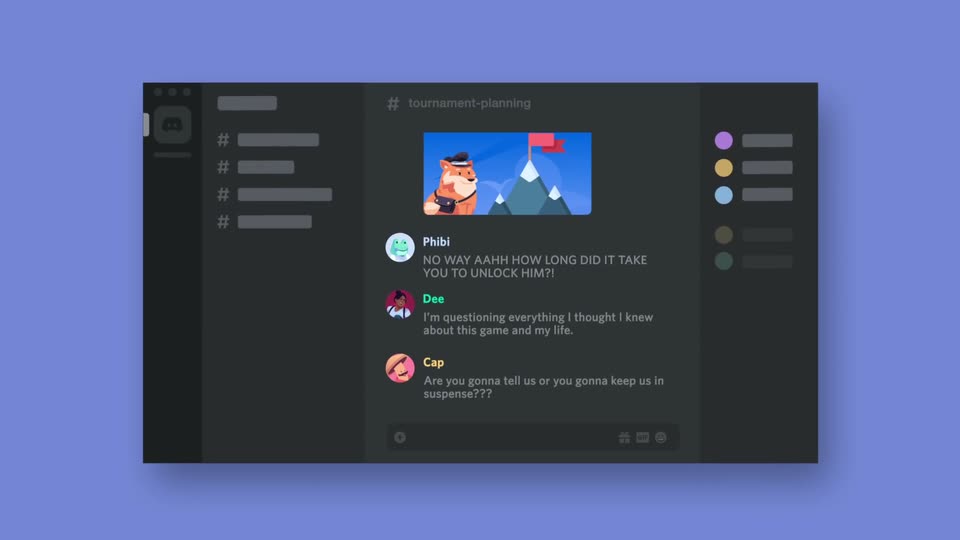

How Discord Works in 148,000 Miliseconds or Less
Discord · Consumer · Oct 2020
Mix 3D Design · Nov 2026 · 0:56 · AI-annotated
Mix 3D Design’s 0:56 launch film runs 31 scenes, about 1.8 s each. The product is on screen from the first frame and 5 features are revealed. The call to action lands at 0:51 (93% in). Opens with the product title over a rack-focused UI, then walks through named node effects (cel shader, ink bleed, rain, ocean, 3D text) as alternating editor close-ups and stylized low-poly hero renders. Pacing is steady at about 20 cuts per minute, with short UI beats giving way to slow orbiting renders, and it closes on a static end card holding the URL.
Is this your launch? to your site or press kit.
Discord · Consumer · Oct 2020
Spline · Design · Sep 2026
Yam · Consumer · Nov 2026
A blurred 3D room fills the background. A white circular logo with an arrow and the words Enso Engine 1.0 Beta start small right of center and scale up steadily, ending large in the middle of the frame.
On-screen text: “Enso Engine 1.0”, “Beta”
Techniques: Kinetic type
Camera: Static
The frame opens defocused on a 3D modeling app and racks into sharp focus, exposing its menu bar, grid viewport and right-hand properties panel. A centered white title with a small blue arrow icon scales up over the middle of the screen.
On-screen text: “Enso Engine 1.0”, “Beta”
Techniques: Kinetic type
Camera: Static
A dark 3D modeling application fills the frame. Its central viewport shows a grid floor with a selected wireframe cube and a camera icon, while side panels display the scene collection and transform values. A cursor drifts across the viewport.
Camera: Static
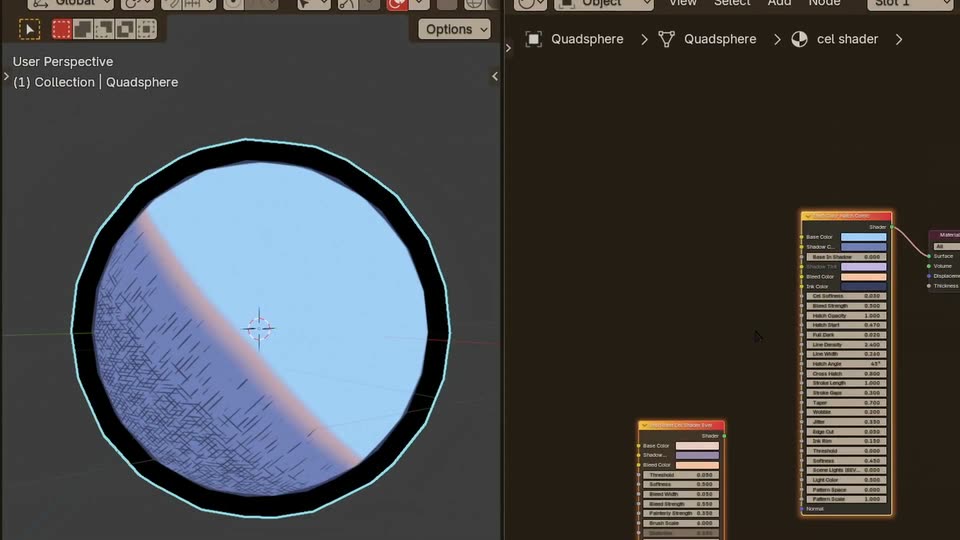
A Unity editor screen shows a sphere in the left viewport while a cel-shader panel on the right is adjusted. Its shading shifts from a soft gradient to a hard diagonal band, gains a black outline, then turns blue with hatched shadow lines as the panel switches nodes.
Techniques: UI zoom
Camera: Push in
A 3D software window fills the frame. The left viewport holds a light-blue quad sphere with a black rim and hatched shading; a white wireframe cube appears over it as the right properties panel swaps in a small value readout.
Camera: Static
A 3D software interface displays a wireframe blocky structure in the left viewport, featuring white, dripping lines. The viewport camera zooms in and orbits the structure. A properties panel on the right shows the Enso Ink Bleed modifier settings.
Techniques: Split screen, UI zoom
Camera: Static
A 3D app window splits into a viewport and a node editor. The viewport shows an extruded block with a black-and-white ink-bleed texture, then turns flat red as the shader changes. A cursor clicks nodes and types 'mix' into a search box.
Techniques: Cursor demo
Camera: Push in
A 3D app interface fills the frame: a red flat-shaded mesh in the left viewport and a node graph with an Add node on the right. The right panel scrolls down slightly while the mesh and 3D cursor remain fixed.
Camera: Static
Blender's interface fills the frame: a 3D viewport on the left shows a box with a white crosshatch texture, and the shader node graph on the right updates live as the cursor adjusts the Scale value of the Cross Hatching node, densifying the pattern on the box.
Techniques: Cursor demo
Camera: Static
In a 3D software screen, stacked cubes in the left viewport switch from a white halftone dot pattern to a solid peach finish with dark ink drips; the viewport zooms in as the node panel on the right shows an Ink Contour Pop shader node.
Techniques: UI zoom, Cursor demo
Camera: Static
A screen capture of a 3D modeling app. The left viewport holds stacked pink and purple cubes with a dripping ink texture on a gray grid. The right side shows node editor panels with sliders and a node graph, switching briefly to a menu. The view stays static.
Camera: Pull out
A 3D modeling viewport fills the frame, showing a low-poly salmon cube with dark brown drips along its top edges against a purple cloud sky. The camera slowly orbits right, turning the model to reveal its side face and the axis gizmo at its center.
Camera: Static
A 3D viewport shows two upright peach panels with dark paint-drip tops standing on a violet grid floor under a cloudy dusk sky. The camera orbits slowly around them while a dashed orange crosshair sits at center and a small cursor drifts across the front panel.
Techniques: 3D mockup
Camera: Static
A purple grid floor and cloudy dusk sky frame a cluster of peach cubes with dark dripping tops. The camera orbits the structure as a small crosshair hovers at its center and a cursor arrow drifts at the right edge.
On-screen text: “(1) Collection | Cube.002”
Techniques: 3D mockup
Camera: Static
Three purple cubes with black dripping edges hover over a purple grid floor beneath a sunset sky, framed in 3D perspective. A circular crosshair holds the center as the camera orbits slowly around the cluster.
On-screen text: “Collection | Cube.002”
Techniques: 3D mockup, Parallax
Camera: Static
A 3D viewport shows a gridded gray ground plane under a pink-purple gradient sky. Cyan rain streaks fall while a wireframe cone and outlined polygon shapes sit on the plane. The view tilts down to a low horizon as a cursor drifts.
Techniques: Particles, Cursor demo
Camera: Static
A gray 3D plane in perspective fills the frame as cyan wireframe building outlines appear across it. Vertical cyan rain streaks fall through the scene, and a cursor hovers near the center while the camera tilts down from the horizon to the grid.
On-screen text: “(102) Collection | Rain System”
Techniques: Particles
Camera: Static
A tilted lavender plane sits in 3D perspective against a dark purple backdrop as white rain streaks fall and splash into ripples. The camera pulls back to reveal four white bracket marks assembling into a diamond at the center.
Techniques: Particles
Camera: Static
A gray 3D surface recedes to a purple horizon as white rain streaks fall, splashing into concentric ripples. The view tilts down and a cursor drifts across as faint interface labels surface.
Techniques: 3D mockup, Particles, Cursor demo
Camera: Pan
A low camera dollies forward across a faceted blue ocean with white highlights beneath a pink sunset sky and blocky clouds. A small black cursor arrow drifts near the bottom of the frame. The water texture streams past faster than the horizon, giving depth.
Techniques: Parallax
Camera: Pull out
A stylized 3D ocean fills the frame at dusk, its low-poly blue surface streaked with white light. An orange-to-purple sky with scattered purple clouds sits above the horizon. The camera drifts slowly forward while a small black cursor rests in the lower right corner.
Camera: Static
A 3D rendered ocean at sunset fills the frame, an orange sky with purple clouds above a blue sea streaked with white light. A mouse cursor drifts across the water. The shot holds still.
Camera: Static
A dark purple void with a 3D perspective grid floor and a wireframe origin marker at the center. The light-blue Japanese title 夜に駆ける sits on the grid; the camera pushes forward through the space, the title receding and shrinking while the marker grows.
On-screen text: “夜に駆ける”
Camera: Static
A pale blue 3D title assembles on a dark purple grid floor, growing from a single M into Mix3. A small white caption stays top left while the camera holds a low, locked perspective.
On-screen text: “(14) Collection | MV Text”, “Mix3”
Techniques: Kinetic type
Camera: Static
A dark purple 3D perspective grid floor holds a small red wireframe shape and a gray “Mix 3D” label beside glowing white Japanese text. The grid and label fade out, leaving the centered glowing text on a plain dark background as it scales in.
On-screen text: “Mix 3D”, “夜に駆ける”
Techniques: Kinetic type, Parallax
Camera: Static
On a dark gray-purple background, glowing white Japanese characters start scattered across the frame, then scale and settle into a single centered line reading 夜に駆ける before blurring and fading out.
On-screen text: “夜に駆ける”
Techniques: Kinetic type
Camera: Static
On a dark purple background, glowing white Japanese characters scatter across the frame, then fly inward and settle into a centered horizontal line reading 夜に駆ける.
On-screen text: “夜に駆ける”
Techniques: Kinetic type
Camera: Static
On a dark purple background, scattered glowing white Japanese characters fly inward and snap into a centered horizontal line, then settle with a soft bloom. The frame stays locked off.
On-screen text: “夜に駆ける”
Techniques: Kinetic type
Camera: Static
A glowing white liquid ring pulses at the center of a dark purple field. Glitchy white Japanese text flickers at the top and left edge of the ring, then dissolves away. Small red accents flash inside the ring as the glow brightens.
On-screen text: “夜に駆ける”
Techniques: Kinetic type
Camera: Static
A glowing white liquid ring on a dark purple field contracts and dims into a dark blob as the brand title and a red URL line fade in behind it.
On-screen text: “Enso Engine”, “Get it at ensoengine.com”
Camera: Static
A locked-off end card on a near-black field. Centered, the cream bold sans-serif name Ensō Engine sits above a smaller red line reading Get it at mix3ddesign.com. Both lines hold still for the full duration.
On-screen text: “Ensō Engine”, “Get it at mix3ddesign.com”
Camera: Static