1:09

Introducing Zapier Agents: The Future of Automation is Here!
Zapier · Productivity · Jan 2025
Spline · Sep 2026 · 0:17 · AI-annotated
A fast-cut launch reel for Hana by Spline: a desk reveal of the logo, then the app workflow and a rapid montage of AI-generated web UIs, 3D posters and micro-interactions, closing on the logo and URL. Built on hard cuts near one per second, slow push-in camera moves, and interface elements that assemble or fill in place over a Spanish pop track.
Zapier · Productivity · Jan 2025
Discord · Consumer · Oct 2020
OpenAI · AI · Sep 2026
The camera tilts down from a white wall corner, past a green plant, to a laptop on a desk showing a dark Hana interface, while a black label reading “Designing with” stays fixed at the top.
On-screen text: “Designing with”
Camera: Static
A laptop on a desk with a leafy plant behind it shows a dark design canvas with a white four-petal logo and the word Hana. The camera pushes in toward the screen as a black pill caption reading Designing with sits at the top.
On-screen text: “Designing with”
Camera: Push in
A macOS desktop with a soft blue and cream gradient wallpaper fills the frame. The Spline app icon, a black rounded square with a rainbow circle, sits at center while a white arrow cursor hovers over it; the icon sharpens from a soft blur into focus and a small install badge pops in at its corner.
On-screen text: “Designing with”, “Hana”
Techniques: Cursor demo
Camera: Static
A close-up of a light list interface. A black cursor with a white outline glides up and lands on the purple Design pill at the top, beside a blue 3D Scene pill and a green icon pill. Rows of 1 hour ago timestamps fill the white column below.
Techniques: Cursor demo
Camera: Static
A dark Claude Code terminal window rests on a flat gray backdrop, the orange robot icon and version text held still. At the bottom prompt a command types out letter by letter, a block cursor trailing the growing line.
Camera: Static
A dark design canvas holds a white mobile frame tagged Web Feed. As the cursor rests on its top corner, the empty content column fills with feed cards: a sunset photo, then a plate of food with yellow flowers, while the left menu items glow green.
Techniques: Cursor demo
Camera: Static
On a dark editor canvas, a green-outlined sidebar labeled mono. builds under a generating label, its menu rows filling in one by one while a left panel lists accounts with Follow buttons.
Camera: Static
A flat web UI cycles through three labeled views: a new-post dialog with a city photo fades out, the screen reframes to a search grid with filter chips, then to a profile feed of photo posts, each marked by a small top label.
On-screen text: “Web New Post”, “Web Search”
Camera: Pan
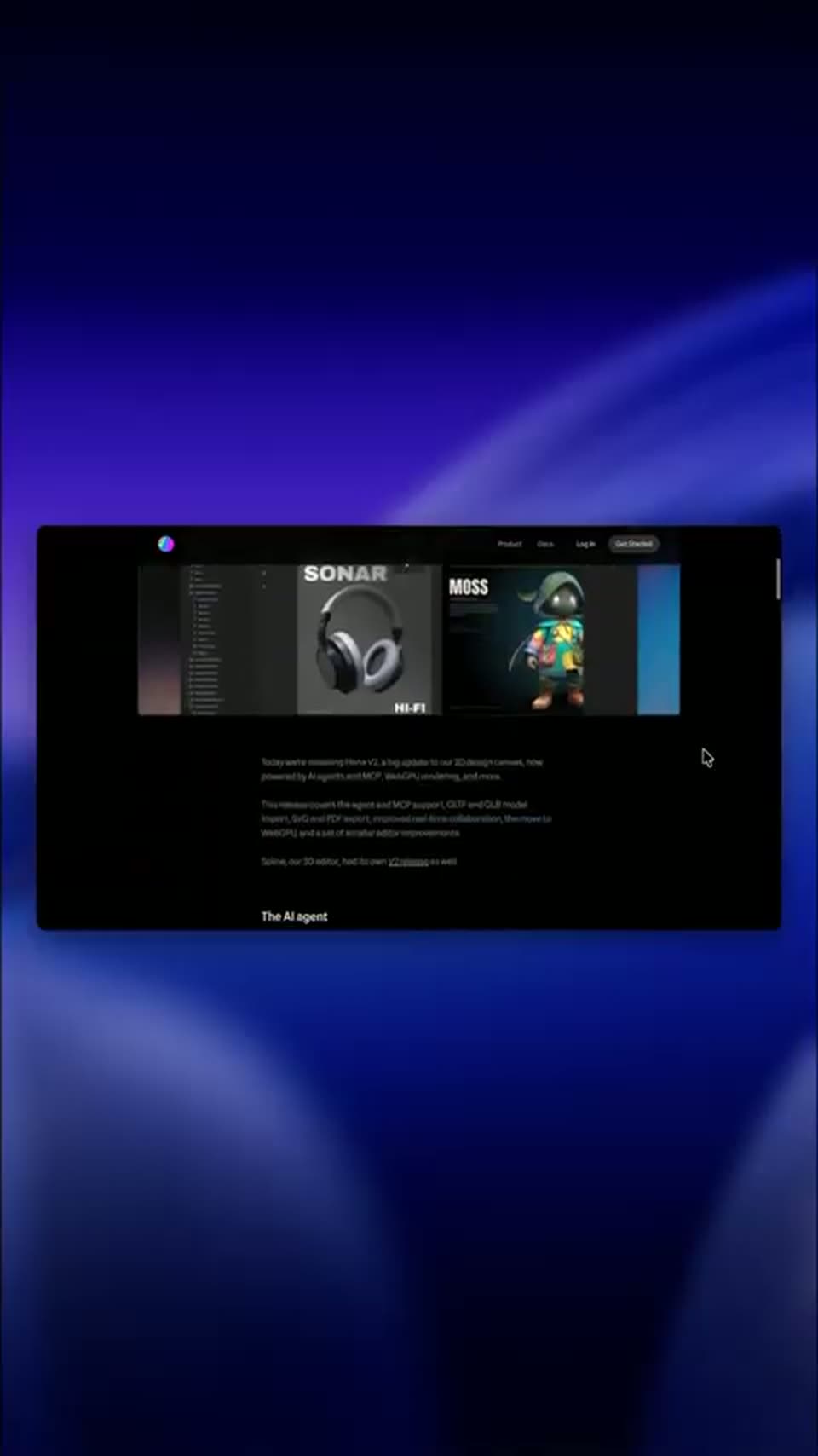
A dark web page floats in 3D perspective on a blue gradient as a white Hana V2 title slides across it. The camera then pushes in to a close-up of a SONAR poster with 3D headphones and a wireframe sphere.
On-screen text: “Hana V2”
Techniques: Kinetic type, 3D mockup, UI zoom
Camera: Static
A silver-and-black headphone pair floats in 3D on a gray poster, the blurred SONAR title above. Two white cursor arrows drift beside a small colored wireframe gizmo between the ear cups while the headphones turn slightly.
On-screen text: “ISSUE 04 — SOUND & SILENCE”, “SONAR”, “A study of waveform, timbre and the space between notes.”, “1283 × 1214”, “HI”
Techniques: 3D mockup, Cursor demo
Camera: Static
A dark design-tool window sits in 3D perspective on a black background. Its canvas pans across artboards, a hooded 3D character holding a bottle centered under bold MOSS and SONAR headings, then reframes onto a wide frame titled Triceratops horridus.
Techniques: 3D mockup, UI zoom
Camera: Static
Three vertical site previews sit side by side on a dark stage. The center one, outlined in blue and tagged Generating, assembles a dark fintech homepage: headline, code block, feature cards and stat row snap into place as two cursors drag at its edges.
Techniques: Split screen, Cursor demo
Camera: Push in
A dark editor window frames three phone mockups of a music app, each outlined in orange, yellow or purple with a small tag beside it. The screens fill in with album art and play controls, and a cursor sits below the middle phone.
Techniques: Cursor demo
Camera: Static
A music player UI shows a large black circular pause button with a cursor resting on it. The frame zooms into the button, which expands until it fills the screen against a fine grid background.
Techniques: Cursor demo, UI zoom
Camera: Push in
A black circle on a pale grid canvas frames two white rounded rectangles with cyan selection handles. The circle expands, shrinking the shapes, as a white cursor drifts up from between them onto the left rectangle.
Techniques: Cursor demo, UI zoom
Camera: Static
A tilted grid of interface panels floats on a dark field, each showing a different app view: a list of image cards, a search bar, a 3D stack of cards, a dark map. The camera drifts slowly across the array, the panels holding still.
Techniques: 3D mockup
Camera: Push in
A rounded photo card of a kayaker on a misty lake rests on a white panel over a blurred backdrop. A cursor drifts from the image to the Save button in the bottom Share, Save, Crop toolbar.
On-screen text: “How are you feeling today?”
Techniques: Cursor demo
Camera: Static
Dark 3D field of floating city chips; the camera pushes in on a glowing blue Rome pill with a temple icon while San Francisco, Tokyo and New York labels blur in the background.
Techniques: 3D mockup, Parallax, UI zoom
Camera: Static
A frosted-glass weather card floats over a soft-focus grassy field, showing a location, 21° partly sunny, and a five-day forecast. The card scales up into focus while a mouse cursor hovers over the forecast row.
On-screen text: “San Francisco”, “Rome”, “金”
Techniques: Cursor demo
Camera: Static
A white four-petal mark sits centered on black, then slides left as the word Hana appears in white bold sans-serif to its right, completing the logo lockup on a locked-off frame.
On-screen text: “Hana”
Camera: Static
A small gradient circle in blue, magenta, teal and orange sits centered on a black background, then gives way to the white wordmark spline.design sliding in at the center of the frame.
On-screen text: “spline.design”
Techniques: Kinetic type
Camera: Static