0:30

NFTs are Officially Live on Uniswap!
Uniswap · Feb 2023
Mintlify · Nov 2024 · 0:41 · AI-annotated
Mintlify’s 0:41 launch film runs 17 scenes, about 2.4 s each. The product is on screen from the first frame and 4 features are revealed. The call to action lands at 0:37 (90% in). A rapid montage of 3D-tilted interface mockups that flatten into close-ups, each beat punctuated by a bold benefit headline that types in or scales. A recurring green accent (the leaf mark, the video card, the publish button) threads the beats together, ending on a black logo card.
Is this your launch? to your site or press kit.
Uniswap · Feb 2023
Rork Max · Feb 2026
On a plain white field, the gray word Introducing holds center, then gives way to the green-and-black Mintlify mark. The mark and wordmark scale up and join a gray Web Editor to form a centered lockup.
On-screen text: “Introducing”, “Mintlify Web Editor”
Techniques: Kinetic type
Camera: Static
A white web editor window settles into the center of a plain light background, sliding over a large gray headline so that only its first and last letters show.
On-screen text: “Mintlify Web Editor”
Camera: Push in
A light documentation interface with a file explorer sidebar is framed wide, then the view zooms in to center the Quick Start heading and a grid of four feature cards, each with an icon and label.
Techniques: UI zoom
Camera: Pull out
A black headline sits at the top while a documentation interface, tilted in 3D perspective, rotates and slides down to a flat front-facing view, revealing a Quick Start page with four feature cards.
On-screen text: “Build beautiful docs”
Techniques: 3D mockup
Camera: Pull out
Two interface cards float in 3D perspective on a white background: a documentation page behind and a green video card in front. The front card rotates from a tilted angle to face the camera while the framing scales in.
Techniques: 3D mockup
Camera: Pull out
A documentation editor tilts in 3D perspective as a green Quick Start card floats over it, while a bold caption builds to “with just drag and drop”. The view then flattens into a close-up where a heading is retyped and a style dropdown opens.
On-screen text: “with just drag and drop”, “Edit”
Techniques: Kinetic type, 3D mockup, UI zoom
Camera: Push in
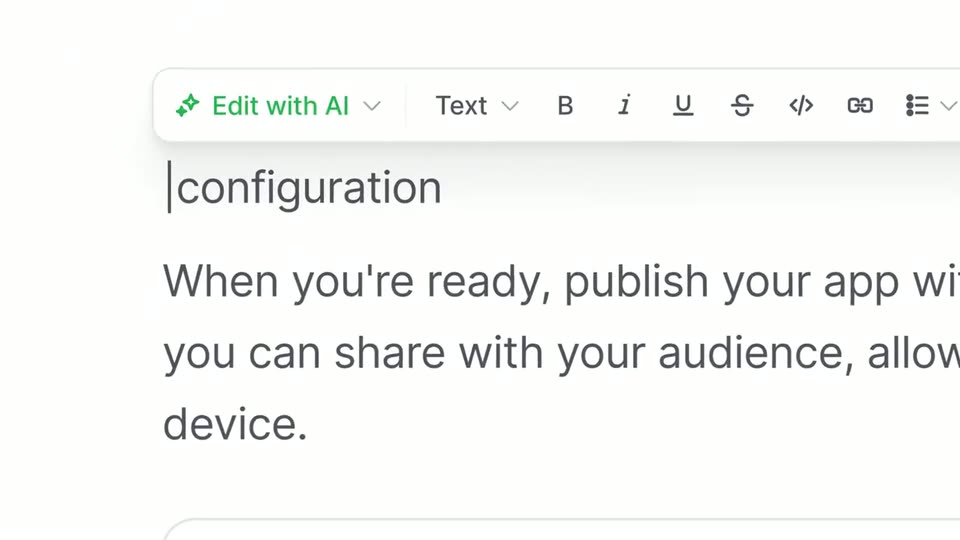
A white dropdown menu labeled Change to floats over an editor heading. The Heading 1 row carries a checkmark while the heading Add app configuration shifts from light gray to bold black, and the menu panel drifts to the right.
Camera: Pull out
A white product page shows a bold heading and an open text-formatting dropdown on the left. The frame pans downward, sliding the heading out of view and revealing two feature cards with green lightning-bolt icons and body copy.
Camera: Pull out
A documentation interface is shown as a tilted 3D mockup on white. The camera pulls back from a close-up to the full window as the word Preview types in on the left, then the mockup reframes onto a Quick Start video section and the text clears.
On-screen text: “Preview”
Techniques: 3D mockup, Kinetic type, UI zoom
Camera: Pull out
A 3D-tilted documentation interface fills the frame, then the view zooms and rotates into a close-up of the green Publish button in the top-right toolbar.
Techniques: 3D mockup, UI zoom
Camera: Push in
A green paper-airplane graphic gives way to the black tagline “All within”, which scales in above the green leaf mark and “Mintlify” wordmark on a light gray field. Faint rotated interface cards drift into the background.
On-screen text: “All within”, “Mintlify”
Techniques: Kinetic type
Camera: Static
A 3D perspective shows a documentation page at the center, ringed by tilted white cards labeled with component names. The camera pushes in, the central page sharpens to reveal a green video block, and the outer cards drift past the frame edges.
Techniques: 3D mockup, Parallax, UI zoom
Camera: Static
A 3D field of floating documentation cards fills a white space, the central Quick Start panel with a green video thumbnail in focus. The camera pushes in, reframing onto that panel as blurred foreground cards drift past at different depths.
Techniques: 3D mockup, Parallax, UI zoom
Camera: Push in
A black headline reads Snappy to create above a documentation screen. The screen zooms in and tilts into 3D, landing on the Quick Start cards for Data sources, Components, Accounts and Security.
On-screen text: “Snappy to create”
Techniques: Kinetic type, UI zoom, 3D mockup
Camera: Push in
A documentation UI mockup tilts in 3D perspective, opening zoomed in, then reframing to the left as the headline “Delightful to read” assembles on the right. It zooms back in as “Build better docs today” scales over the center.
On-screen text: “Delightful to read”, “Build better docs today”
Techniques: UI zoom, 3D mockup, Kinetic type
Camera: Pull out
A bold black headline reads “Build better docs today” on a plain off-white background, the final word fading in from gray as the whole line scales down toward the center.
On-screen text: “Build better docs today”
Techniques: Kinetic type
Camera: Static
On a black field, the Mintlify wordmark and green leaf mark build up at center, the leaf growing from a small shape to full size. A tagline scales in near the lockup as the scene holds on the static logo.
On-screen text: “Mintlify”, “Build better docs today”
Techniques: Kinetic type
Camera: Static