0:23
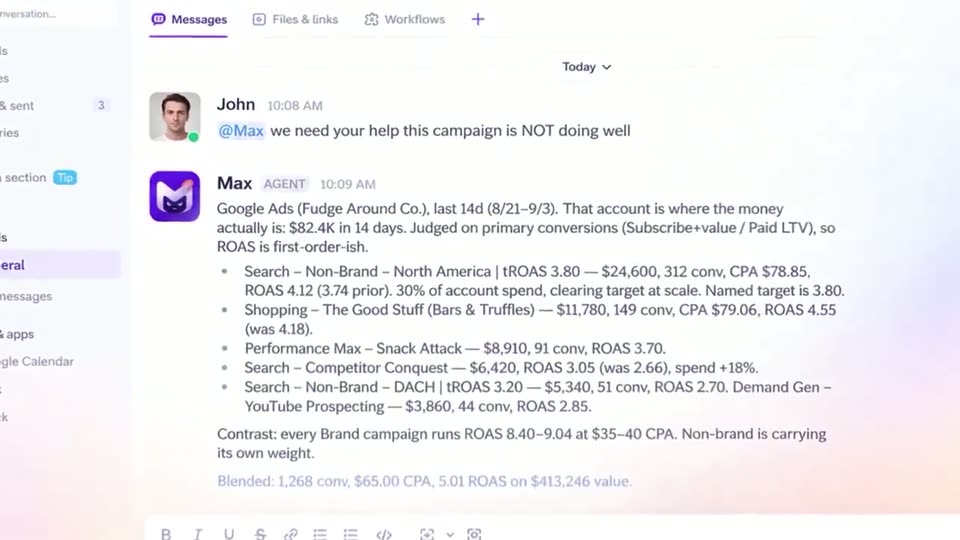
Creatify AI - Your team already talks about your ads in Slack. So we built an agent
Creatify AI · Sep 2026
MetaMask · Aug 2024 · 1:10 · AI-annotated
MetaMask’s 1:10 launch film runs 16 scenes, about 4.4 s each. The product is on screen from the first frame and 1 feature is revealed. The call to action lands at 1:02 (88% in). A single-feature explainer built as a problem-solution arc: an animated logo title card, a two-character example, a before-and-after coin diagram, then a step-by-step walkthrough in a tilted 3D browser mockup. Signature moves are 3D-tilted cards that slide in and out of frame, word-by-word text reveals, and flat icon diagrams set on a soft mint-to-cyan gradient.
Is this your launch? to your site or press kit.
Creatify AI · Sep 2026
Pally · B2B · Oct 2026
ClickUp · Productivity · Jun 2023
A small light card floats centered on a teal gradient, then scales up and rotates in 3D, angling to reveal its thin right edge as it grows into a larger gray panel.
Techniques: 3D mockup
Camera: Static
A white card tilts in 3D against a green-to-blue gradient, a low-poly orange fox head assembles at its center amid small drifting triangles and circles, then the card slides left to reveal a second white window with a small fox icon in its header.
Techniques: 3D mockup, Particles
Camera: Push in
A flat browser mockup sits left on a green-to-blue gradient; a white card with the MetaMask fox logo fades in inside it. The headline 'Send and Swap in a single flow with MetaMask' fades in line by line, then the browser slides out left as the text fades.
On-screen text: “Send and Swap”, “in a single flow”, “with MetaMask”
Techniques: Kinetic type
Camera: Static
On a green-to-cyan gradient, a pink ALICE circle and a yellow BOB circle, each with a dark semicircle, sit side by side. A two-line black headline fades in above them, then swaps to a single line while the avatars hold still.
On-screen text: “ALICE”, “BOB”, “Let's look at an example.”, “Alice wants to send Bob 100 USDC...”, “...but she only holds ETH.”
Techniques: Kinetic type
Camera: Static
On a green-to-cyan gradient, a pink circle labeled ALICE with a dark sad mouth sits beside two blue Ethereum coins. The circle scales up as the coins drift closer, then the headline fades out and the elements shrink back to their start.
On-screen text: “...but she only holds ETH.”
Camera: Static
A green-to-cyan gradient holds a horizontal diagram: a purple ETH coin, a black SWAP arrow, a blue dollar coin, a SEND arrow, and a second dollar coin, each coin tilting gently. A black headline fades in above the row and fades out at the end.
On-screen text: “SWAP”, “SEND”, “Previously, she would have needed to swap some of her ETH to USDC and then proceed to send USDC in a separate transaction.”
Camera: Static
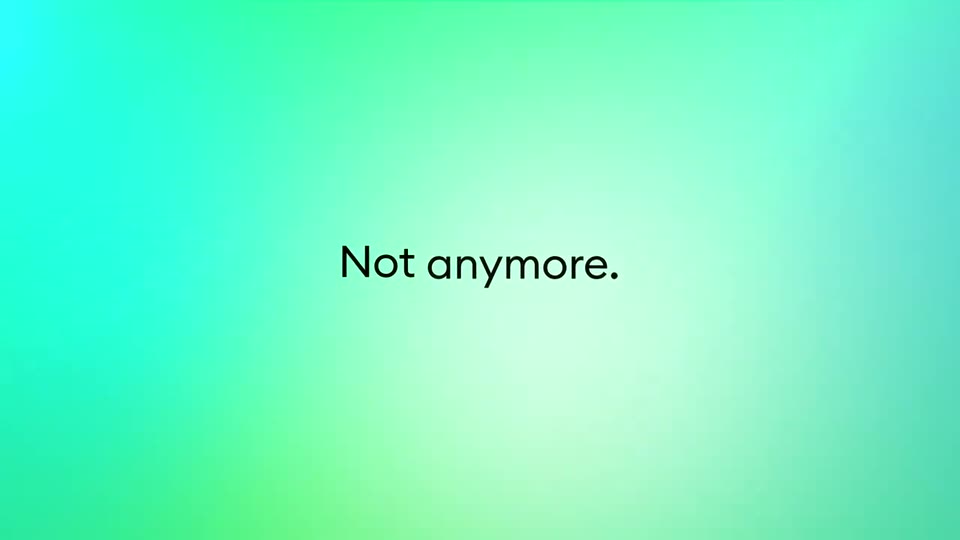
A green gradient field shows three blue coin icons linked by black arrows labeled SWAP and SEND. The diagram cuts to the centered line “Not anymore.”, then to a two-line sentence that fades in word by word.
On-screen text: “SWAP”, “SEND”, “Not anymore.”, “You can now eliminate multiple steps by selecting a token to send, and”
Techniques: Kinetic type
Camera: Static
A black headline sits on a green gradient above a flow diagram: pink ALICE and purple Ethereum coins on the left, a black ONE APPROVAL arrow, then a blue dollar coin and yellow BOB on the right. The arrow, coins and BOB fade in in sequence.
On-screen text: “You can now eliminate multiple steps by selecting a token to send, and a different token to be received, all in one approval.”
Camera: Static
A green-to-teal gradient fills the frame with a three-line black paragraph above a row of circular token coins and a black arrow labeled ONE APPROVAL. The coins vanish, then the paragraph and arrow fade out, leaving the empty gradient.
On-screen text: “You can now eliminate multiple steps by selecting a token to send, and a different token to be received, all in one approval.”, “ONE APPROVAL”
Camera: Static
A browser window on a green gradient holds a wallet card showing a balance and action icons. A cursor taps Send, and the card swaps to a send form with a From field and account list. A caption on the right reads the step, then fades out.
On-screen text: “Navigate to the actions menu.”, “Select Send.”
Techniques: Cursor demo
Camera: Static
A browser window with a wallet send dialog sits on the left over a green-to-blue gradient. A black headline fades in on the right. An address is typed into the To field and the Continue button fills from pale to solid blue.
On-screen text: “Enter the address you want to send tokens to.”
Camera: Static
A browser window tilted in 3D on a green gradient shows a wallet swap form; a token list modal opens and a blue tap circle picks a row, while large black text on the right cycles through send instructions word by word.
On-screen text: “Enter the address you want to send tokens to.”, “Choose the token and enter the amount you want to send.”, “Choose the token being received.”
Techniques: 3D mockup, Kinetic type, Cursor demo
Camera: Static
A 3D-tilted browser mockup on a green gradient walks through a wallet flow: a swap card fetches a quote, switches to a Send confirmation, then to an activity list where the status flips from Pending to Confirmed. Matching headline phrases fade in on the right.
On-screen text: “Review your real-time quote.”, “Click continue.”, “Confirm the transaction.”, “See your transaction from the confirmation screen.”
Techniques: 3D mockup, Kinetic type, Particles
Camera: Static
A browser window slides out to the left off a green gradient, revealing a centered white Metamask logo pill and a dark two-line headline that fades in beneath it.
On-screen text: “Send and swap with a single interaction.”
Camera: Static
On a green gradient, a white MetaMask badge sits above a two-line black headline. The second line fades in during the first half second, then a dark angled panel slides in from the right to wipe the scene.
On-screen text: “Send and swap with”, “a single interaction.”
Camera: Static
A 3D-tilted browser mockup with the orange Metamask fox and wordmark floats on a green-to-teal gradient. It rotates to a flat front view at the left edge while the URL metamask.io appears on the right and holds.
On-screen text: “metamask.io”
Techniques: 3D mockup
Camera: Static