0:36
Explore
Magnific - Introducing Camera Angles Rotate views, shift angles, change perspec
Magnific · Nov 2025 · 0:29 · AI-annotated
- Length
- 0:29
- Scenes
- 8 · 3.7 s avg
- Product on screen
- 0:00
- Features shown
- 1
- Call to action
- 0:19 · 65%
- Voiceover
- No
00:00:00 / 00:29:23
Magnific’s 0:29 launch film runs 8 scenes, about 3.7 s each. The product is on screen from the first frame and 1 feature is revealed. The call to action lands at 0:19 (65% in). The video is built as a single-feature announcement: a centered title card, a slow node-graph demo on a dark dotted canvas, then a handoff to cinematic live-action that proves the generated camera angles. Pacing is unhurried, about four cuts a minute, with long pans and zooms, a centered text call to action, and a locked wordmark end card.
Footage neededEstimated needs: 1 capture group — your screens or recordings · 1 official logo — reused across the film · 4 filmed passages — shoot, supply or replace
Is this your launch? to your site or press kit.
More like this
0:30
Polymarket - We price the future. Now you can lever it. Perps are coming to Poly
Polymarket · Apr 2026
1:38

Resend CLI 2.0
Resend · Developer tools · Apr 2026
Magnific - Introducing Camera Angles Rotate views, shift angles, change perspec, scene by scene
· 8 scenes as text
01 · Feature reveal · 0:00–0:02
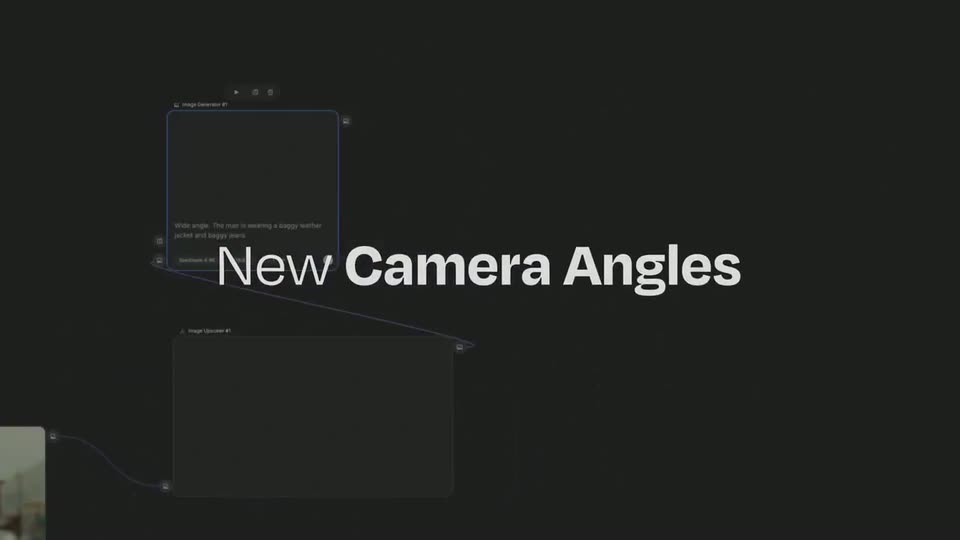
A video clip of a man in sunglasses and an image-upscaler panel sit on a dark stage; the white headline New Camera Angles is locked at center while the UI cards drift left, shrink and fade out, leaving the text on black.
On-screen text: “New Camera Angles”
Camera: Static
02 · Feature reveal · 0:02–0:03
A dark dotted canvas holds a tool menu on the left, then a Change Camera node panel slides in from the top as the view reframes onto it. Inside the panel, a 3D photo cube of a man with sunglasses rotates from a side angle to a frontal closeup.
Techniques: UI zoom, 3D mockup
Camera: Static
03 · Feature reveal · 0:03–0:13
On a dark dotted canvas, node cards linked by purple curves each hold a 3D cube with a portrait on its faces. A gray cursor drags sliders to spin the cube, and a context menu pops up. The view pans and zooms between nodes, then pulls back to the graph.
Techniques: 3D mockup, Cursor demo, UI zoom
Camera: Pull out
04 · Feature reveal · 0:13–0:14
A man in a brown leather jacket, sunglasses and jeans walks toward a low camera on a city sidewalk. He emerges from behind a dark foreground shape, then closes the distance until his torso fills the frame, with storefront awnings and a parked car lining the street.
Camera: Static
05 · Feature reveal · 0:14–0:17
A man with bleached hair and white-framed sunglasses walks toward the camera down a sunlit city street. The low-angle tracking shot follows him forward, then tightens to a close-up of his face as he slows.
Camera: Push in
06 · Feature reveal · 0:17–0:19
A tight close-up of a shaved-head man in white sunglasses, a small device on his forehead, cuts to a low wide-angle shot from the pavement as he walks toward the camera down a tilted city street.
Camera: Pull out
07 · CTA · 0:19–0:25
A low wide-angle shot tilts up on a man in a leather jacket and sunglasses standing on a city sidewalk. The camera rises to an overhead drone view as he walks down the street, then cuts to a close profile. White text holds center frame.
On-screen text: “Try it in Spaces”
Camera: Push in
08 · Outro · 0:25–0:29
A locked-off black frame holds the white FREEP!K wordmark centered. To its right, a small tagline switches from Video to a stacked Design, Audio, AI Suite, then settles on AI Suite.
On-screen text: “FREEP!K”, “Video”, “Design”, “Audio”, “AI Suite”
Techniques: Kinetic type
Camera: Static