1:43

Introducing Vexo
Vexo · Consumer · Oct 2026
Lovable · Jul 2026 · 0:39 · AI-annotated
Lovable’s 0:39 launch film runs 41 scenes, about 1.0 s each. The product shows up at 0:10 and 1 feature is revealed. There is no explicit call to action; a voiceover carries the film. The video is built as a parody of a vintage computer ad that flips into a modern AI montage, then a problem statement and a single feature payoff, all cut at roughly 67 cuts per minute. Its signature moves are grainy black-and-white archival footage, a scanline texture over every frame, and white captions that type or pop in word by word against locked-off frames, with the gradient heart logo bookending the piece.
Is this your launch? to your site or press kit.
Vexo · Consumer · Oct 2026
Canva · Design · Oct 2026
Golpo · B2B · Jul 2025
Grainy black-and-white archival footage of two hands typing on a vintage typewriter, shot from above at an angle. A small orange-to-purple gradient heart logo sits centered over the keys, static against the monochrome scene.
Camera: Static
A pair of hands types on a cream vintage keyboard, the close-up framed at an angle over a desk cluttered with papers and a pencil. The fingers press keys in a steady rhythm while the camera holds a low, slightly tilted view.
Camera: Static
A muted, soft-focus close-up of a hand resting on a white mouse, with a keyboard edge in the foreground and a coiled cord behind. The word Computers holds centered in white across a locked-off frame.
On-screen text: “Computers”
Camera: Static
Close-up of hands typing on a vintage beige keyboard, locked off. White lowercase words appear in the center one by one, synced to the voiceover, reading Computers, are, now.
On-screen text: “Computers”, “are”, “now”
Techniques: Kinetic type
Camera: Static
A grainy close-up shows two hands holding a small white card near a dark keyboard with a red key, while white lowercase words fade in at the center.
On-screen text: “easy to use.”
Techniques: Kinetic type
Camera: Static
A man in a grey suit gestures in front of a black backdrop bearing a blue BASE sign, flanked by vintage beige computers. White captions The and famous pop in at the center of the frame.
On-screen text: “The”, “famous”
Techniques: Kinetic type
Camera: Static
Two hands hold a beige computer mouse with a gray button in a tight close-up, the cable trailing off to the left. The word mouse. sits in white at the center of the frame.
On-screen text: “mouse.”
Camera: Static
A title card opens on a pink and blue gradient, then settles to white as lowercase text builds from “we have” to “we have always app'd like this” in a locked-off frame.
On-screen text: “we have always app'd like this”
Techniques: Kinetic type
Camera: Static
A split frame pairs a white field with a black caption on the left and a vintage print ad on the right, where a large beige mouse with two green buttons sits over a dark green panel and a column of body copy.
On-screen text: “we have always app'd like this”
Camera: Static
A translucent overlay of a hand holding an at&t phone fades out, revealing a beige terminal with a green BBS menu and keyboard. At right, a vintage beige mouse with green buttons sits on a printed page. The white caption 'like this' holds center.
On-screen text: “we have always app'd like”, “like this”
Camera: Static
A framed photo of a beige mouse with a coiled cord sits over a collage of retro tech images, a hand holding a phone and a magazine page. The central photo swaps from phone to mouse at the start, while the white caption 'like this' stays centered.
On-screen text: “like this”
Camera: Static
A boy in a light blue shirt points at a cream monitor, his face scrunched in concentration. The footage begins as a narrow vertical panel inside a collage of wood grain and a mouse advertisement, then expands to fill the frame. White text and a cursive signature overlay the image.
On-screen text: “like this”, “Brent lamlo”
Techniques: Masking
Camera: Static
A split screen holds a white panel on the left where the words 'now', 'we', 'app' type in one by one, while a woman in a blue turtleneck speaks on the right against a blue screen, captioned 'like this'.
On-screen text: “like this”, “Brent lamlo”, “now”, “we”, “app”
Techniques: Split screen, Kinetic type
Camera: Static
A split frame holds a woman in a blue top on the right against a blue scan-line backdrop, her gaze dropping then lifting as she speaks. The left white panel carries spaced black text, and a white caption sits over her shoulder.
On-screen text: “now we app”, “like this”
Techniques: Split screen
Camera: Static
On a pale scanline background split by a thin horizontal line, a dark serif headline reads “Back at it, Bea”, its words appearing one by one in gray before settling dark. A small gray sans caption “you today?” holds at the lower left. The frame is locked off.
On-screen text: “Back at it, Bea”, “you today?”
Techniques: Kinetic type
Camera: Static
A pale chat interface shows a serif headline above a prompt box with a row of suggestion pills. The frame sharpens from a soft blur as the headline scales in and a cursor hovers near the Write pill.
On-screen text: “Back at it, Bea”
Techniques: Kinetic type, Cursor demo
Camera: Static
Close-up of a white input field on a light gray screen. The prompt types from “Boo” to “Book me a fli” with a blinking caret, a mouse pointer drifts in at the left, and a serif heading plus Write, Learn, Code buttons sit blurred behind.
Techniques: Cursor demo
Camera: Static
A dark rounded search bar on a blue grid background holds the typed query “Book me a flight from Lo” with a blinking caret. The caption “What's next, Bea?” slides in from the right above the bar, which shows a Flash selector, mic icon and blue send button.
On-screen text: “What's next, Bea?”
Techniques: Kinetic type
Camera: Pan
A close-up of a search bar under the serif greeting “Good to see you, Bea.” The field types “Book me a flight from London to Barcelona” as a cursor hovers the send button, showing a “Send prompt” tooltip. The field clears and the greeting slides to “What's next, Bea.”
Techniques: Cursor demo
Camera: Pull out
A near-black frame holds a blue-to-purple four-pointed star on the left and the white line 'Looking for flights...' beside it. The star pulses gently while the ellipsis dots pop in one at a time, the frame staying locked off.
On-screen text: “Looking for flights...”
Techniques: Kinetic type
Camera: Static
A vignetted light grey background with scanlines displays centered status text. “Looking for flights...” appears with a dark circle, switching to “Checking dates” and “Booking flights” with a red asterisk. The text is replaced by a grid of small blue, brown, and red geometric shapes.
On-screen text: “Looking for flights...”, “Checking dates”, “Booking flights”
Techniques: Kinetic type
Camera: Static
A repeating grid of black dots, blue stars and orange sunbursts on a light gray scanline background scales down, tightening the pattern and reducing the edge blur.
Camera: Static
A light gray gradient background with a fine grid. A centered pill shows a checkmark and the words Job's done. in dark sans. A row of six small outline action icons fades in below the pill.
Camera: Static
A pink-and-blue gradient with a yellow glow at the top holds the muted-purple line “The next wave of”; the background fades to white and the word “customers” appears in black to the right, completing the sentence.
On-screen text: “√ Job's done.”, “The next wave of”, “customers”
Camera: Static
A black robot illustration waves on the right beside gray text reading The next wave of, with white customers on its body. The robot leaves and black phrases is coming then Get your app ready appear in turn on a white field.
On-screen text: “The next wave of”, “customers”, “is coming”, “Get your app ready”
Techniques: Kinetic type
Camera: Static
Centered on white, the black headline “Get your app ready” holds with “ready” in gray, then gives way to the Ready logo: a small heart icon in orange and purple beside a bold black “Ready,” as a soft pink, lavender and blue gradient washes in across the top.
On-screen text: “Get your app ready”
Camera: Static
A dark browser search bar in close-up. The query reads “what is” as “MCP” is typed letter by letter behind a blinking caret, while a matching suggestion line updates below.
Camera: Static
A light documentation page on the Model Context Protocol fills the frame. The paragraph beneath the How it Works heading resolves from a soft blur into sharp black text while a cursor rests in the lower middle.
Camera: Static
A macro crop of two lines of dark gray sans-serif body copy on a white grid canvas, the lower word development slowly scaling up while the upper line holds still under a locked-off frame.
Techniques: Kinetic type
Camera: Static
Oversized dark sans-serif type on a white grid background, the letters cropped by the frame edges. The line scrolls and scales through the locked-off frame with a faint color fringe on the letter edges.
On-screen text: “cess external to development time i”
Techniques: Kinetic type
Camera: Static
A tight close-up of dark gray sans-serif body copy on a white grid canvas. The lower line, 2 to 12 weeks, scales up slightly while the line above it holds still, edges cropped at the frame borders.
Techniques: Kinetic type
Camera: Static
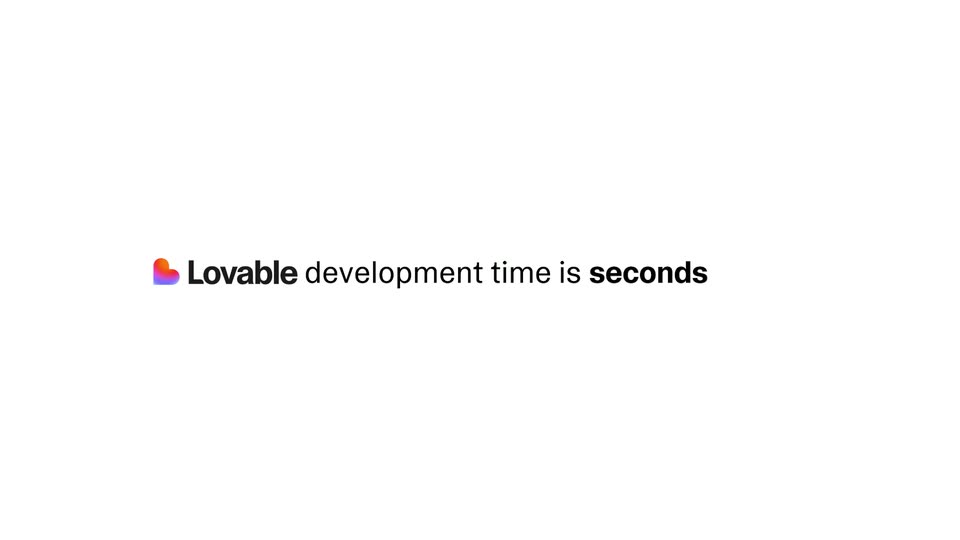
A plain white background holds a centered sentence. The gray words Typical and 2 to 12 weeks are replaced by the Lovable logo and seconds, while development time is remains black.
On-screen text: “Typical development time is 2 to 12 weeks.”, “Lovable development time is seconds”
Techniques: Kinetic type
Camera: Static
Two cheetahs sprint left to right across a motion-blurred green field. The Lovable logo and the word seconds sit in white on either side, while a 2 to 12 weeks caption scales in at the same height.
On-screen text: “2 to 12 weeks”, “seconds”
Camera: Static
Close-up of a white rounded input bar on a pink-to-blue gradient. The text “Create a website” is typed into the field while a blurred heading and brand name sit above it.
On-screen text: “2 to 12 weeks.”, “seconds”
Camera: Pan
A locked-off close-up of a monitor shows a pale gray field beneath a purple-to-blue gradient bar. A dark sans-serif line is typed and scrolls left as new words appear, ending on “for my app” with a blinking caret.
Techniques: Kinetic type
Camera: Static
A tight close-up of a white chat input on a magenta field. The word Build is typed beside a dropdown chevron and microphone icon. A black cursor arrow glides in from the lower right and rests on the dark circular send button with a white up arrow.
Techniques: Cursor demo
Camera: Static
A blurred gradient background with a blue circle, arrow, and cursor transitions to a plain white background. The text MCP is centered in black.
On-screen text: “Build”, “个”, “MCP”
Camera: Static
A group of runners sprints along a track, then the scene cuts to a Mercedes Formula 1 car in the pit lane, crew blurred in motion. White text MCP Instantly holds centered over both shots.
On-screen text: “MCP Instantly”
Camera: Static
A grainy, desaturated overhead shot of vintage red and white race cars lined up in a diagonal across an asphalt track. The camera stays locked off while the caption holds centered over the scene.
On-screen text: “MCP Instantly”
Camera: Static
The words “only with” sit centered on a white field. A small gradient heart and the gray wordmark “Lovable” appear beside them, then the kicker fades as the heart and wordmark scale up into a centered black lockup.
On-screen text: “only with”, “Lovable”
Techniques: Kinetic type
Camera: Static
The Lovable lockup, a gradient heart icon beside a bold black wordmark, sits centered on a plain white background. The frame stays locked and still for the full two seconds as a closing sign-off.
Camera: Static