1:19

Y Combinator - ZeroSettle (@ZeroSettle) is building a drop-in direct billing SDK for
ZeroSettle · Fintech · Mar 2026
Krea · May 2024 · 0:24 · AI-annotated
Krea’s 0:24 launch film runs 12 scenes, about 2.1 s each. The product is on screen from the first frame and 2 features are revealed. There is no explicit call to action; a voiceover carries the film. The video is built on a black stage where centered square canvases play generated renders while a white outline cursor drives the interface. Pacing is quick, with dim-to-bright button glows, typed purple prompt pills, and smooth 3D morphs as the signature moves.
Is this your launch? to your site or press kit.
ZeroSettle · Fintech · Mar 2026
Framer · Design · Nov 2026
Airtable · Productivity · Oct 2026
A white “Krea Video” title holds centered on black, then fades as two horned 3D character faces emerge from the dark: a bearded warrior with red face paint on the left and a horned demon on the right.
On-screen text: “Krea Video”
Camera: Static
Two painted stills, a horned man and a horned mask, sit side by side on black. The left still expands to center as the right fades out, and a dim Generate Video button brightens to white beneath a cursor that slides up onto it.
Techniques: UI zoom, Cursor demo
Camera: Static
A square canvas centered on black shows a painted portrait of a horned, bearded man that morphs into a red demon face with one horn and a gold band. A white outlined cursor arrow rests below the frame.
Techniques: Morph
Camera: Static
On a black background, a product panel shows three square previews: a drifting pink smoke cloud, a horned demon face, and a 3D head, each animating. A cursor hovers over a Generate Video button below the center image.
Techniques: Cursor demo
Camera: Pull out
On a black field, a square portrait of a woman's face condenses out of swirling pink and purple smoke, then fades as two white silhouettes, a mushroom and a frog, fade in on either side. A white cursor arrow rests at the bottom while Generate Video scales in.
On-screen text: “Generate Video”
Techniques: Morph
Camera: Static
On a black screen, a central square of swirling pink and purple ink fades out as a white mushroom and a white frog slide inward to meet in the middle. A Generate Video button with a cursor rests below.
Techniques: Cursor demo
Camera: Static
A white 3D mushroom with a fluted, bulbous stem turns slowly inside a square video frame on black, casting a soft reflection on the surface below. A white cursor arrow rests fixed at the bottom edge.
Camera: Static
A white 3D frog figurine on a reflective black surface, framed in a square viewport, deforms as its wide head compacts into a rounded shape. A white outline cursor sits at the bottom edge. The model morphs smoothly against the dark background.
Techniques: Morph
Camera: Static
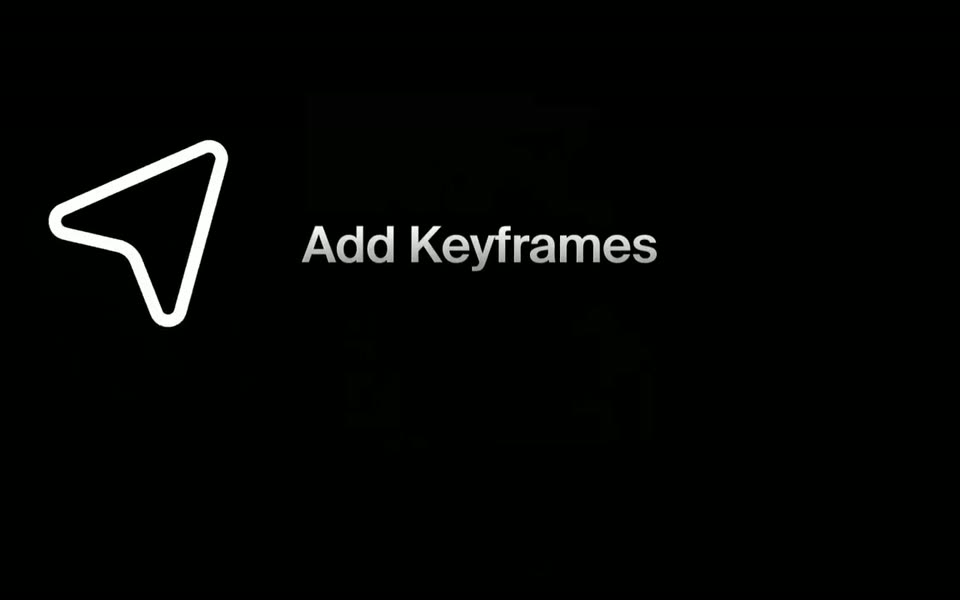
A white outlined cursor arrow on the left tilts and drifts slightly while the static text Add Keyframes sits beside it, over a black field with a faint grid of dark icons.
On-screen text: “Add Keyframes”
Camera: Static
The white frames logo slides right and exits, revealing a dim 3D render of a horned warrior in a rounded panel and the caption Add Keyframes on black.
On-screen text: “Add Keyframes”
Camera: Static
Two portraits, a horned samurai and a red oni mask, sit in rounded tiles on black. A large outline cursor moves in, “Add Text Prompts” fades in, then purple pills type “Colorful samurai” and “Japanese mask” below each image. A Generate Video button appears and the cursor shrinks onto it.
On-screen text: “Add Text Prompts”
Techniques: Cursor demo
Camera: Static
On a black background, the Krea Video title fades from dim gray to bright white at center and holds, while a dim Generate Video button and a cursor arrow fade out at the bottom.
On-screen text: “Krea Video”
Camera: Static