1:04

October 2026 Launch: Omni
Airtable · Productivity · Oct 2026
Framer · Nov 2026 · 2:32 · AI-annotated
The video alternates a split-screen interview with full-frame screen recordings of a pink-and-white launch site, syncing each spoken point about the build to the exact section on screen. Signature moves are the slow vertical scrolls, the hand-drawn pink marker annotations over the headline, and the draggable retro terminal panels floating on a halftone pink desktop.
Airtable · Productivity · Oct 2026
Airtable · Productivity · Oct 2026
Resend · Developer tools · Mar 2026
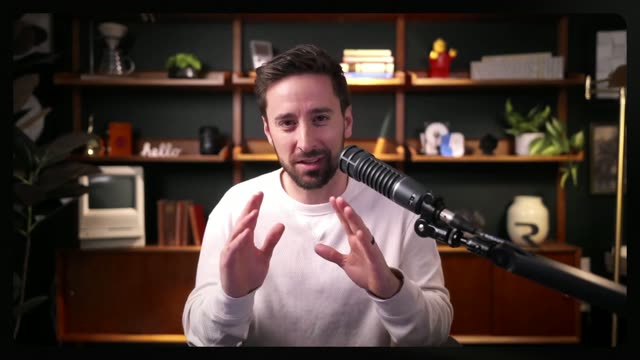
A split screen holds a bearded man in headphones speaking into a boom microphone on a dark blue-lit side, gesturing with both hands, while a woman in a tan sweater rests her chin on her hand on a bright bookshelf side, then smiles.
Techniques: Split screen
Camera: Static
A woman in a beige sweater sits in a room with a bookshelf, talking and gesturing. The footage then appears in a rounded frame over a black background with a pink graphic.
On-screen text: “二”
Camera: Pull out
A flat TypeSafe website with a pink cloud sky and a large black headline settles into view as a rounded video of two women shrinks into the bottom-right corner.
Camera: Pull out
A full landing page on black scrolls down past a pink cloudy sky and two retro terminal news windows, revealing a large black headline and underlined Sign Up and Join Discord links, while a presenter appears in a small webcam inset at the bottom right.
Camera: Pan
A white launch page fills the frame with a large black headline and a small presenter cam in the bottom right corner. A pink highlight pill glides over different words, a pink marker scribble spelling JEV ON is drawn across the headline, then the page scrolls down to a pink footer of small labeled cards.
Techniques: Cursor demo
Camera: Pan
The page scrolls down: a white hero with a large black headline partly covered by pink scribbles and underlined Sign Up and Join Discord links, then a pink section of retro terminal windows. A small webcam of a woman sits bottom right.
Camera: Pan
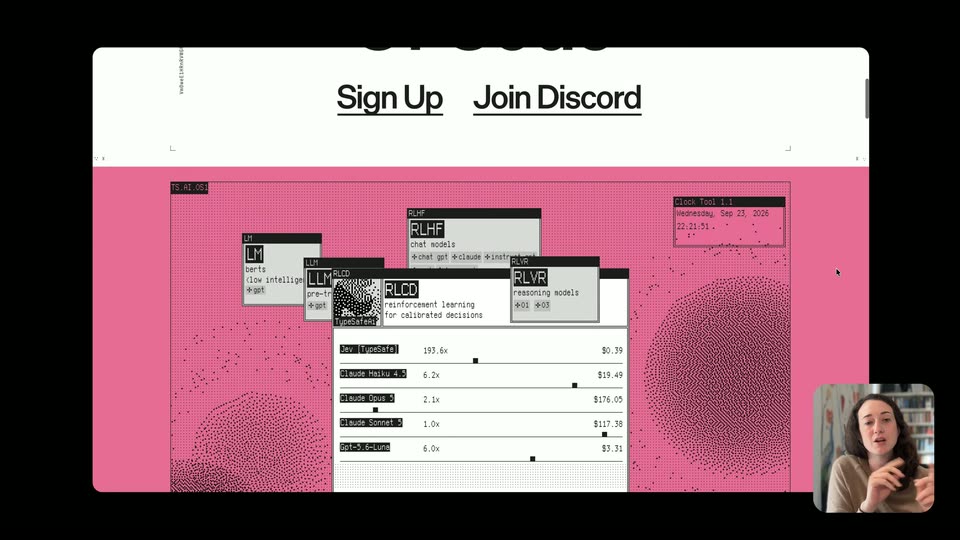
A white window holds a pink halftone desktop of dot-formed blobs, layered with retro panels; the central one lists models with multipliers and prices. A cursor drags a panel aside as a corner webcam inset shows a woman gesturing.
Techniques: Cursor demo
Camera: Pan
A pink page with a halftone retro interface fills the frame while a white list of AI model names and prices scrolls up at the top. A large black headline sits centered below it, and a small webcam inset of a woman speaking occupies the bottom-right corner.
On-screen text: “We Took The Opposite Research Direction”
Camera: Pan
A pink presentation panel on a black background opens on a pixel-art header strip and the bold headline, then scrolls down to reveal three columns of body text. A small webcam feed of the presenter stays pinned in the bottom-right corner.
On-screen text: “We Took The Opposite Research Direction”
Camera: Pan
A pink product webpage scrolls upward, bringing a large dark-gray headline reading 193.6x Faster, 444.6x Cheaper. into the center above a two-panel diagram of TypeSafe AI and LLM. A small webcam of a woman signing sits in the bottom-right corner.
Camera: Pan
A pink grid panel slides up over a fading headline, revealing two flat terminal windows side by side. The left TypeSafe AI window holds a full JSON answer with cost and time lines; the right LLM window types JSON lines in, loops, and resets. A small webcam of a gesturing presenter sits bottom right, with cost and time captions along the bottom edge.
On-screen text: “44.0x Cheaper.”, “String Tax”, “TypeSafe AI”, “Cost $0.000081”, “Completed in 0.114s”, “LLMs”, “Cost $0.013880”, “Completed in 8.566s”, “Watch the real video”
Techniques: Split screen
Camera: Pan
A pink page scrolls up past retro terminal windows and a grid of black, white and gray squares, with a paragraph of body text on the right. A small webcam of a woman presenting is fixed in the bottom-right corner.
Camera: Pan
A pink slide holds a retro confidence-grid window on the left and a paragraph of copy on the right, with a small video inset of the presenter signing in the corner. Near the end the inset scales up to full frame, covering the slide.
On-screen text: “Built for Automation”, “Jev returns typed decisions with calibrated probabilities, so your software can account for uncertainty. Set the thresholds for when it acts autonomously and on”
Techniques: Split screen
Camera: Push in
A woman with dark curly hair in a beige sweater sits in a home office, hands clasped, speaking. She looks slightly off camera, then turns to face it, raising one index finger to gesture. Bookshelves and a floral tapestry sit softly blurred behind her.
Camera: Static
A woman in a home office gestures while talking. The shot pulls back to reveal her clip as a video inside the TypeScale AI editor, with a layers panel on the left and a blue Animate button top right.
Techniques: UI zoom
Camera: Pull out
A dark design-tool canvas shows a long pink-and-white webpage mockup. A rounded video-call tile of a speaking woman shrinks and slides from the center-right to the bottom-right corner.
Camera: Pull out
A dark design-tool canvas shows a tall pink-and-white webpage mockup; tablet, phone and large-desktop frames slide in beside it as their sidebar rows highlight, then the view zooms into the large-desktop layout. A small webcam of the speaker sits in the bottom-right corner.
Techniques: UI zoom
Camera: Push in
The screen splits a pink design document on the left and a dark chat panel on the right. A cursor types a prompt to audit typography styles, clicks send, and a Thinking block streams in; a small webcam video of a woman sits in the corner.
Techniques: Split screen, Cursor demo
Camera: Static
A pink research document and a dark agent panel with a chat prompt sit side by side over the interview frame, then clear to a locked-off medium shot of a woman in a tan sweater talking and gesturing in front of a bookshelf.
Techniques: Split screen
Camera: Push in
A small white geometric logo mark, two offset angular shapes, fades in at the center of a black screen, holds steady, then fades out to black.
Camera: Static