
0:21
Explore
Jupiter - To kick off the new year with a bang, we are announcing Jupiter Mobil
Jupiter · Jan 2026 · 1:29 · Full motion · AI-annotated
- Length
- 1:29
- Scenes
- 39 · 2.3 s avg
- Product on screen
- 0:00
- Features shown
- 6
- Call to action
- 1:15 · 84%
- Voiceover
- No
- Views
- 807K on X
as of November 14, 2026
00:00:00 / 01:29:10
- Length
- 1:29
- Scenes
- 39 · 2.3 s avg
- Product on screen
- 0:00
- Features shown
- 6
- Call to action
- 1:15 · 84%
- Voiceover
- No
- Views
- 807K on X
as of November 14, 2026
Jupiter’s 1:29 launch film runs 39 scenes, about 2.3 s each. The product is on screen from the first frame and 6 features are revealed. The call to action lands at 1:15 (84% in). The video opens with the product name and tagline, then runs five feature chapters, each introduced by a centered title card and demoed in a left-side phone mockup with right-aligned headlines, and closes on an engine claim plus store badges. Cuts land on a 150 BPM pulse, and the signature moves are blur-to-focus text reveals, teal glow edges on the phone, and 3D tilts that settle into flat UI.
No filming indicatedEstimated needs: 5 capture groups — your screens or recordings · 1 graphic passage — draw or supply · 15 3D passages — build or supply
Is this your launch? to your site or press kit.
More like this


4:01


ClickUp Release 4.10: Sheets, Work Schedules, Email Triggers, and more!
ClickUp · Productivity · Nov 2026
0:21
Jupiter - To kick off the new year with a bang, we are announcing Jupiter Mobil, scene by scene
· 39 scenes as text
01 · Product intro · 0:00–0:01
A tilted 3D phone mockup on a teal gradient with a green curve shows a dark Jupiter app screen. A white headline and subtitle appear above it, then the camera zooms into the screen so the welcome text fills the frame.
On-screen text: “Jupiter Mobile V3”, “The Best Onchain App Ever Built”, “The first fully native”
Techniques: 3D mockup, Kinetic type, UI zoom
Camera: Static
02 · Product intro · 0:01–0:04
Dark teal abstract shapes drift slowly in the background while the white headline assembles line by line in the center, the second line scaling in, then both lines blur and fade away.
On-screen text: “The first fully native”, “pro trading mobile terminal”
Techniques: Kinetic type
Camera: Static
03 · Product intro · 0:04–0:06
A teal-edged smartphone mockup sits at an angle in 3D over a dark background, its screen showing a DeFi wallet balance and token list. A large white headline builds in line by line across the center.
On-screen text: “Your pocket-sized Bloomberg for DeFi”
Techniques: 3D mockup, Kinetic type
Camera: Push in
04 · Feature reveal · 0:06–0:07
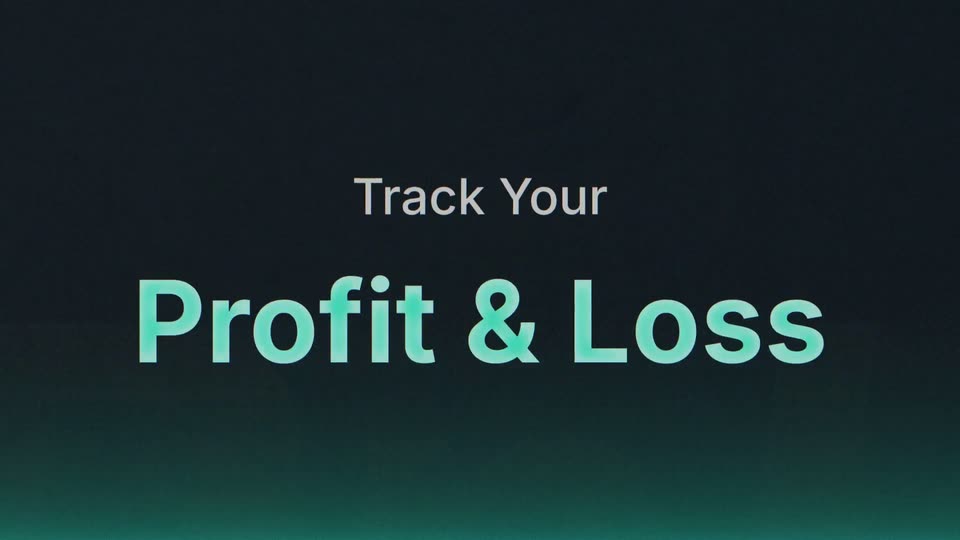
On a dark background with a soft glow at the base, the white line Track Your slides upward as the larger teal line Profit & Loss slides in beneath it.
On-screen text: “Track Your”, “Profit & Loss”
Techniques: Kinetic type
Camera: Static
05 · Feature reveal · 0:07–0:08
The headline “Track Your Profit & Loss” slides up over a dark teal gradient, then a phone mockup slides in from the left showing a trading account screen as “Full PnL engine” appears on the right.
On-screen text: “Track Your”, “Profit & Loss”, “Full PnL engine”, “Track your PnL”
Techniques: Kinetic type, 3D mockup
Camera: Static
06 · Feature reveal · 0:08–0:10
A tilted phone mockup with a glowing teal frame sits left, its screen cross-fading from a portfolio list to a PnL analysis view. Right, the headline Full PnL engine settles in as built directly into mobile fades beneath it.
On-screen text: “Track your PnL”, “Full PnL engine”, “built directly into mobile”
Techniques: 3D mockup, Kinetic type
Camera: Static
07 · Feature reveal · 0:10–0:10
A dark scene places a phone mockup with a glowing teal edge on the left, displaying a PnL analysis screen, beside a large white 3D headline reading Full PnL engine built directly into mobile. A small Track your PnL label sits top right. The phone drifts and scales up over the short clip.
On-screen text: “Track your PnL”, “Full PnL engine built directly into mobile”
Techniques: 3D mockup
Camera: Push in
08 · Feature reveal · 0:10–0:14
A flat phone mockup on the left shows a PnL Analysis screen; its time-range tabs cycle from All-Time to 1M while the frame tightens. On the right, large white text builds line by line: Unrealized, Realized, Total, then All-time, 24h, 7d, 30d.
On-screen text: “Track your PnL”, “Unrealized • Realized • Total”, “All-time • 24h • 7d • 30d”
Techniques: Kinetic type, UI zoom
Camera: Static
09 · Feature reveal · 0:14–0:17
A dark portfolio panel with a glowing teal edge on the left switches from an overview of balances and a token list to a JUP token detail card. On the right, a two-line headline fades in and out over a plain black field.
On-screen text: “Track your PnL”, “See your performance at whole portfolio or token-level”
Camera: Static
10 · Feature reveal · 0:17–0:18
A dark phone interface panel with a cyan border sits on the left, showing a wallet PnL card with a rocket image. On the right, the headline Flex your wins fades in, then the left panel dims and fades out, leaving the headline.
On-screen text: “Track your PnL”, “Flex your wins”
Camera: Static
11 · Feature reveal · 0:18–0:19
A dark screen shows a flat phone wallet card with a rocket image on the left, beside a teal line. A white caption sits top right as a large gray headline crossfades from 'Flex your wins' to 'Dive into' while the card fades out.
On-screen text: “Track your PnL”, “Flex your wins”, “Dive into”
Techniques: Kinetic type
Camera: Pan
12 · Feature reveal · 0:19–0:22
Centered gray 'Dive into' shrinks and rises as bold teal 'Token Pro' scales in below it on a dark field. The title hands off to a tilted 3D phone mockup at lower left showing a token screen, with a teal headline 'Everything about a token' on the right.
On-screen text: “Dive into”, “Token Pro”, “Everything about a token”
Techniques: Kinetic type, 3D mockup
Camera: Static
13 · Feature reveal · 0:22–0:24
A tilted phone mockup in 3D perspective straightens into frame on the left, showing a token price screen with a chart and send, sell, buy buttons. On the right, a two-line headline fades in: the first line in teal, the second in gray.
On-screen text: “Token Pro”, “Everything about a token”, “and your position in one place”
Techniques: 3D mockup
Camera: Static
14 · Feature reveal · 0:24–0:26
A teal-glowing phone mockup sits left on a dark background, its screen crossfading from a token chart with buy/sell markers to a portfolio list. On the right, a white headline reads Plotted Buy/Sells directly on the chart, then swaps to Your stats & real PnL per token.
On-screen text: “Token Pro”, “Plotted Buy/Sells directly on the chart”, “Your stats & real PnL per token”
Camera: Push in
15 · Feature reveal · 0:26–0:30
A phone with a glowing teal outline sits left, its screen switching from a line chart to a candlestick view, then scrolling down to a Position PnL grid. Right, a white headline fades in over the dark background, with a small gray corner label.
On-screen text: “Your stats & real PnL per token”, “Token Pro”
Camera: Pull out
16 · Feature reveal · 0:30–0:30
A phone mockup with a teal glowing border sits on the left, its interface swapping from a token stats list to a split chart and live-feed view. On the right, a two-line headline cross-fades into a single white line reading 'Terminal shows you what's actually driving the token'.
On-screen text: “Token Pro”, “Your stats & real PnL per token”, “Terminal shows you what's actually driving the token”
Techniques: Kinetic type
Camera: Static
17 · Feature reveal · 0:30–0:36
On a dark background, a teal-outlined phone mockup shows a token app's Terminal tab; a slider moves from 5m to 24h, updating volume and trader figures, while the right headline swaps to a second line. At the end the screen slides to the Overview tab.
On-screen text: “Token Pro”, “Terminal shows you what's actually driving the token”, “Net buy pressure, net volume shifts, liquidity, holders info as well”
Camera: Static
18 · Feature reveal · 0:36–0:38
A phone screen with a glowing teal outline shows the JUP token page; the social feed scrolls and the view switches to the Live Feed tab with a transactions table. To the right, a white caption swaps from “VRFD-powered data + insights” to a two-line headline about real-time transactions.
On-screen text: “Token Pro”, “VRFD-powered data + insights”, “View real-time transactions & a live feed of buys & sells as they happen”
Camera: Static
19 · Feature reveal · 0:38–0:40
A flat phone mockup on the left shows a token page whose live feed list scrolls upward, beside a white headline on the right. The phone and headline dim, and the centered text The discovery layer fades in over the dark background.
On-screen text: “Token Pro”, “View real-time transactions & a live feed of buys & sells as they happen”, “The discovery layer”
Camera: Static
20 · Feature reveal · 0:40–0:43
A dark card shows “The discovery layer” sliding in, then “AlphaScan” appears in large teal below. It cuts to a flat phone mockup of a token list on the left, with the headline “Discover tokens / As they launch” on the right and the AlphaScan logo top right.
On-screen text: “The discovery layer”, “AlphaScan”, “Discover tokens”, “As they launch”
Techniques: Kinetic type
Camera: Static
21 · Feature reveal · 0:43–0:46
A teal-outlined phone mockup on the left scales up as its token list scrolls through new entries, while the static two-line headline holds on the right. A white ring pops over the Launchpads filter at the end.
On-screen text: “Discover tokens”, “As they launch”
Techniques: UI zoom
Camera: Static
22 · Feature reveal · 0:46–0:47
A phone mockup with a glowing teal border sits on the left, its screen cutting from a token list to a launchpad filter list. On the right, the headline swaps from a white and teal two-line tagline to a white paragraph about launchpad coverage.
On-screen text: “Discover tokens”, “As they launch”, “Coverage across all major launchpads in one place, with filters”
Techniques: 3D mockup, Kinetic type
Camera: Static
23 · Feature reveal · 0:47–0:48
A dark phone mockup on the left shows a Launchpads filter list; two checkboxes tick on in sequence as the counter reads 2 selected, while a white headline sits on the right.
On-screen text: “Coverage across all major launchpads in one place, with filters”
Camera: Static
24 · Feature reveal · 0:48–0:50
A flat phone mockup with a glowing teal outline sits on the left, showing a token list, against a dark background. On the right, a light-gray headline crossfades from one benefit statement to another.
On-screen text: “Coverage across all major launchpads in one place, with filters on new opportunities”, “Giving you the earliest possible read on new opportunities”
Camera: Pull out
25 · Feature reveal · 0:50–0:52
A tilted phone mockup with a glowing teal edge and a token list sits left, paired with a right-aligned caption. Both slide out as a large centered headline fades in over a dark gradient, holding as the scene's title.
On-screen text: “Giving you the earliest possible read on new opportunities”, “Watchlist + Pro Filters”
Techniques: 3D mockup, Kinetic type
Camera: Pull out
26 · Feature reveal · 0:52–0:53
A tilted phone mockup with a teal glowing edge sits in 3D perspective on the left, showing a crypto watchlist. A large white headline crosses the top and the teal label Watchlist holds center; the headline exits as the device settles smaller.
On-screen text: “Watchlist + Pro Filters”, “Watchlist”
Techniques: 3D mockup
Camera: Pull out
27 · Feature reveal · 0:53–0:55
A flat phone mockup with a teal outline shows a crypto watchlist on the left; yellow stars pop in beside tokens, then the list swaps to new entries. On the right, a green Watchlist heading sits over large gray text that changes to Filter the market with precision.
On-screen text: “Watchlist”, “Watchlist”, “Save what matters, monitor and track it instantly”, “Filter the market with precision”
Techniques: Kinetic type
Camera: Pull out
28 · Feature reveal · 0:55–0:57
A tilted phone mockup with a glowing teal edge sits on a dark background. Its screen cross-fades from a token list to a Cooking Filters panel with filled fields, while the headline Pro Filters / Filter the market with precision fades in on the right.
On-screen text: “Watchlist”, “Pro Filters”, “Filter the market”, “with precision”
Techniques: 3D mockup
Camera: Static
29 · Feature reveal · 0:57–1:00
A phone on the left displays a filter panel with sliders next to a teal-and-white headline; the panel cross-fades into a token watchlist, then the phone fades out as a centered two-line headline slides in.
On-screen text: “Watchlist”, “Pro Filters”, “Filter the market with precision”, “Trade faster with”, “Quick Buy & Sell”
Techniques: Kinetic type
Camera: Static
30 · Feature reveal · 1:00–1:01
A dark gradient background holds two centered text lines. A small gray line reads Trade faster with above a large mint line reading Quick Buy & Sell, both sliding into a locked-off frame.
On-screen text: “Trade faster with”, “Quick Buy & Sell”
Techniques: Kinetic type
Camera: Static
31 · Feature reveal · 1:01–1:02
A gray line and a large teal headline sit centered on a dark grid background, then slide apart as a tilted phone mockup of a trading app rises from the left and a new teal headline appears on the right.
On-screen text: “Trade faster with”, “Quick Buy & Sell”, “Turn Insight into Execution”
Techniques: Kinetic type, 3D mockup
Camera: Static
32 · Feature reveal · 1:02–1:07
A glowing phone mockup tilts into place on the left, its sell slider sweeping through percentages while the sell amount updates. A cursor taps the green sell button, a success toast pops up, and the phone scrolls up as the teal headline holds on the right.
On-screen text: “Quick Buy & Sell”, “Turn Insight into Execution”, “without any friction”
Techniques: 3D mockup, Cursor demo
Camera: Pan
33 · Feature reveal · 1:07–1:09
A curved green and blue gradient band with vertical streaks and sparkles spans the screen. Small dark text 'Powered by' sits at the top, and large white text 'Ultra V3' appears in the center.
On-screen text: “Powered by”, “Ultra V3”
Camera: Pull out
34 · Feature reveal · 1:09–1:12
The fastest begins centered in white, then shrinks to the top as Execution engine scales up to fill the middle, joined by in the world below. The three-line block tilts to a slight angle over a green-to-blue gradient.
On-screen text: “The fastest”, “Execution engine”, “in the world”
Techniques: Kinetic type
Camera: Push in
35 · Feature reveal · 1:12–1:15
On a dark field, the word Best appears centered and scales up, then shifts left as Execution joins it. A second line, Best Price, slides in below, followed by Best Protection as a third line, all left aligned in a locked-off frame.
On-screen text: “Best Execution”, “Best Price”, “Best Protection”
Techniques: Kinetic type
Camera: Static
36 · CTA · 1:15–1:18
On a dark navy grid, the title Jupiter Mobile V3 and a one-line subtitle start out of focus, sharpen into a locked frame, hold, then fade to black.
On-screen text: “Jupiter Mobile V3”, “The first fully native pro trading mobile terminal”
Camera: Static
37 · CTA · 1:18–1:19
White text builds word by word at the center of a dark blue field marked by faint grid lines, completing the sentence “No need to go to the browser”. The frame stays locked off throughout.
On-screen text: “No need to go to the browser”
Techniques: Kinetic type
Camera: Static
38 · CTA · 1:19–1:25
Centered white lines fade in and out over a dark navy grid background, one after another: first a single line, then two stacked lines, then a final line. Each line blurs into focus as it appears and holds before dissolving.
On-screen text: “No need to go to the browser”, “Just trade natively”, “Just swap happily”, “Just use Jupiter (Mobile)”
Techniques: Kinetic type
Camera: Static
39 · CTA · 1:25–1:29
A phone mockup with a glowing teal edge sits at a slight angle on the left, showing a dark app screen with a planet image and two SOL cards. On the right, the heading “Available On” and two store badges fade in over a dark grid background.
On-screen text: “Available On”, “Download on the App Store”, “GET IT ON Google Play”
Techniques: 3D mockup
Camera: Pan