0:59

Descript - Never edit alone again. Underlord is now available in beta. Underlor
Descript · Design · Jul 2025
Interfere · Jun 2026 · 0:38 · AI-annotated
Interfere’s 0:38 launch film runs 31 scenes, about 1.2 s each. The product shows up at 0:12. The call to action lands at 0:30 (80% in), over a voiceover. The video opens with a fast, glitchy montage of dark terminals and error screens cut at nearly fifty cuts per minute, then hard-cuts into a slow, clean 3D tour of the white Interfere interface. Its signature moves are heavy motion blur and camera tilt on the broken-code shots, shallow depth of field and gentle 3D rotation on the product shots, and the pixel-diamond mark reused as both loader and logo.
Is this your launch? to your site or press kit.
Descript · Design · Jul 2025
Runway · AI · Sep 2026
Capveon · Government · Oct 2026
A tilted, soft-focus terminal fills the frame with code lines, then the view opens into a curved 3D fan of code sheets, the front sheet syntax-highlighted in red, blue and green.
Techniques: 3D mockup
Camera: Static
A dark code editor fills the frame, resolving from a blurry close-up. A summary line and a highlighted prompt sit at the top, a red-and-green diff of a config file appears in the center, and the agent's status line types at the bottom.
Camera: Static
A black screen of garbled blue code flashes, then the view snaps to a bright green editor filled with lines of C source code. The frame holds on the green text.
Camera: Static
Close-up of a dark, pixelated interface screen. Italic white text at the top reads 'Researching insulin measurement', partly cut off. Below, an orange star icon sits beside white monospace text '3m 56s · 308.3k tokens', the count ticking to 309.6k. Locked-off frame.
Camera: Static
A black archival film frame shows two coordinate planes with white curves, captioned Conformal Mapping: The Joukowski Transformation. It cuts to a white benchmark table listing task categories and percentages beside a pink vertical band, with a token counter at the bottom.
Camera: Static
A locked-off, soft-focus close-up holds on a Windows-style screen: nested windows, a dropdown list, and a small message box sit over a blue desktop, with no visible motion.
Camera: Static
A ring of eight white dots forms a small loading spinner at the center of a black screen. The camera is locked off and the dots stay centered and small throughout the short clip.
Camera: Static
A tight, slightly angled close-up of a dark chat window holds still on a message from Alan T. asking why the website is down, beneath a flexing bicep emoji, with a formatting toolbar and message field along the bottom edge.
Camera: Static
A dark error-log table fills the frame at a slight 3D tilt, with columns LEVEL, SERVICE, ISSUE. Colored severity badges mark each row as the list scrolls upward with heavy motion blur, ghosting every line of monospaced log text.
Techniques: 3D mockup
Camera: Pan
A locked-off close-up of a support inbox on a screen, two ticket rows stacked vertically with sender names, company tags and bold subject lines. A fine pixel grid covers the display. The frame holds still with no motion.
Camera: Static
Close-up of a dark Downdetector graph with a teal trend line. A black tooltip box holds a pixelated readout; the baseline value ticks down from 62 to 47 while the date and reports stay fixed.
On-screen text: “password—getting “Something went””, “Riya Malhotra”, “Northwind Co.”
Camera: Static
A dark deployment terminal fills the frame in a curved 3D perspective, locked-off. White log lines read “nothing is working” and “pulled back by tika1” above the domain, with a gray “Done” bar and spinner along the bottom edge.
On-screen text: “launch-red-x-demo.vercel.app”
Techniques: 3D mockup
Camera: Static
An angled close-up of a dark code editor shows a failed npm build with red error lines flagging a missing 'TokenStore', a green baseline graph above, and a pipeline sidebar with green and red status dots at right. The frame stays locked-off.
Techniques: 3D mockup
Camera: Static
A tilted close-up of a dark CI build dashboard, opening under a heavy red wash that fades to a sharp black interface. Red error lines report a failed build while a green pipeline checklist sits along the right edge.
Camera: Static
A dark CI interface panel holds a locked-off close-up: the Annotations heading and 2 errors label sit above two red X rows, deploy:staging and e2e:reset-password, each reading Process completed with exit code 1. A subtle focus pull sharpens the monospace text.
Camera: Static
A dark interface close-up holds on a text field labeled Share a reason for this rollback. A blinking caret types the phrase nothing is working letter by letter into the field while the frame stays locked off.
Techniques: Cursor demo
Camera: Static
A light gray CI job list fills the frame at a slight angle, softly blurred at the edges. The row labeled test:password-reset-flow, marked with a red error badge, expands downward to reveal numbered log lines ending in a red error message. The frame stays locked while the row unfolds.
Camera: Static
A close-up of a dark error panel outlined in red. A red warning triangle and the heading Build Failed sit at the top, with the line Command npm run build exited with 1 below. The frame is locked off and the text holds still after a quick focus-in.
Camera: Static
A tight close-up of a light chat thread. A solid blue highlight bar sits over the message from Paul Leung, 'Oh, another broken feature. Great,' then clears, while the surrounding lines stay still in a locked frame.
Camera: Static
A close-up on a light form card reading “Found is broken right now” with a plus icon, then the frame pulls back to a blue chat view where a Muatex message and a checking-in reply stack vertically.
Techniques: UI zoom
Camera: Static
A white sidebar panel with a small logo and a vertical menu list stands in 3D perspective against a soft white, blue and pink gradient, a blurred device panel behind it. The panel turns slowly toward the camera, bringing the menu items into focus.
Techniques: 3D mockup
Camera: Static
A white dashboard interface in 3D perspective zooms in from the left sidebar to the inbox, revealing a ticket card for password reset emails.
Techniques: 3D mockup, UI zoom
Camera: Static
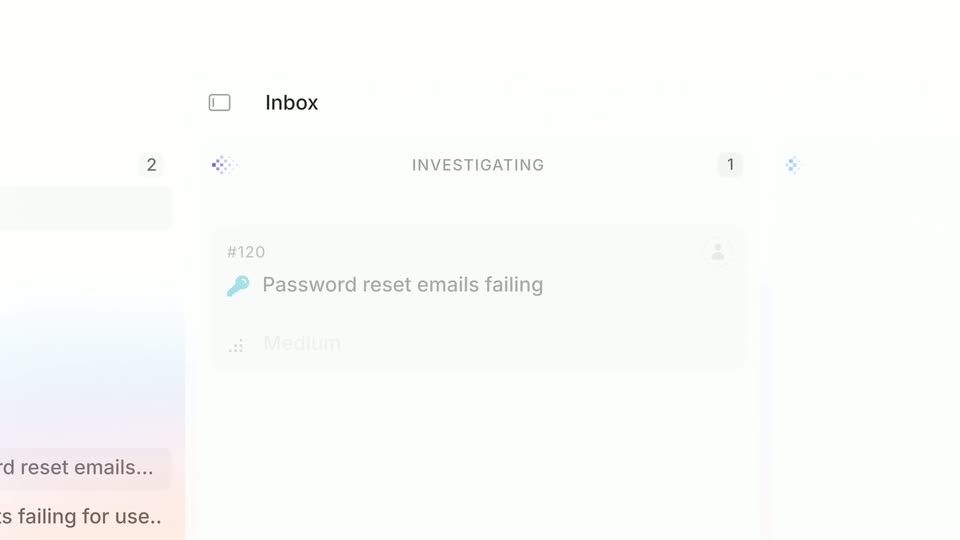
A light task board close-up shows an Inbox panel with an INVESTIGATING column holding a ticket card titled Password reset emails failing, tagged Medium and Reasoning. A black cursor enters from the right and glides down and left across the card while the headcount number ticks.
Techniques: Cursor demo
Camera: Static
The Interfere inbox screen with the #120 issue detail fades in, then the view zooms into the Activity tab and travels down the timeline, ending on a tilted close-up of the root cause note.
Techniques: UI zoom
Camera: Pull out
A tilted 3D view of an investigation timeline scrolls downward, the angled text sliding past a small dot grid. The scroll settles on a GitHub file reference and a pink-and-blue code snippet showing a function definition.
Techniques: 3D mockup
Camera: Pull out
A tilted code editor fills the frame in 3D perspective. A chat log with timestamps sits above a TypeScript function, one line highlighted in blue. The view drifts slowly downward, revealing the closing brace, while shallow depth of field blurs the top and bottom edges.
Techniques: 3D mockup
Camera: Pull out
A tilted code card showing a TypeScript function and line numbers floats over a list. The camera tilts down with a tilt-shift focus, revealing a session analysis note and an Intercom quote beneath it.
Techniques: 3D mockup
Camera: Pull out
A close-up of a light incident-ticket feed scrolls vertically, grey and black activity lines sliding past in soft focus, the frame tilted slightly as it passes an Action required row with a blue rollback button.
Camera: Pull out
A tilted code diff, one red line and two green lines, rotates flat as the view scrolls down to a green checkmark and a resolved status note.
Techniques: 3D mockup
Camera: Pan
A black sans-serif headline settles in with a brief blur, holds centered on a white field, then cuts to the early-access line with the URL, then the Interfere wordmark with a pixel-diamond mark. All elements are static on a locked-off frame.
On-screen text: “Ship software that never breaks.”, “Get early access today at interfere.com”
Camera: Static
The Interfere logo, a pixelated diamond mark beside a black serif wordmark, sits centered on a plain white background, held static for the full shot.
On-screen text: “Get early access today at interfere.com”
Camera: Static