0:39
Explore
00:00:00 / 00:34:05
- Length
- 0:34
- Scenes
- 17 · 2.0 s avg
- Product on screen
- 0:05
- Features shown
- 1
- Voiceover
- Yes
- Views
- 78K on X
as of November 22, 2026
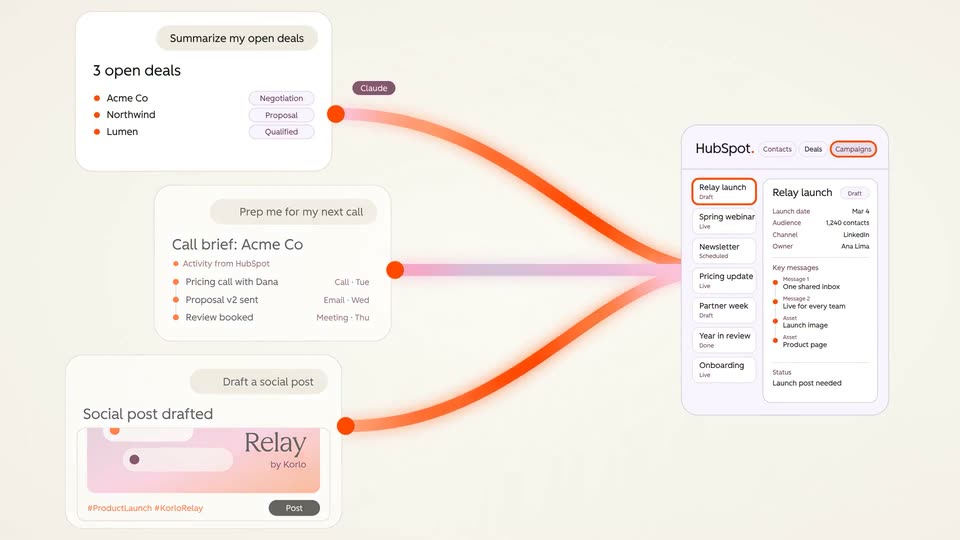
HubSpot’s 0:34 launch film runs 17 scenes, about 2.0 s each. The product shows up at 0:05 and 1 feature is revealed. There is no explicit call to action; a voiceover carries the film. The video opens in near-black with typed AI prompts, then flips to a cream field where orange ribbons link prompt cards to a HubSpot panel, building one continuous diagram that pans and pulls back. It closes on a flat orange card with a serif tagline and the wordmark, using the ribbon as its signature connective move.
No filming indicatedEstimated needs: 4 capture groups — your screens or recordings · 1 official logo — reused across the film · 4 graphic passages — draw or supply
Is this your launch? to your site or press kit.
More like this

Similar soundtrack
Films whose music sounds like this one, voice left out
1:12
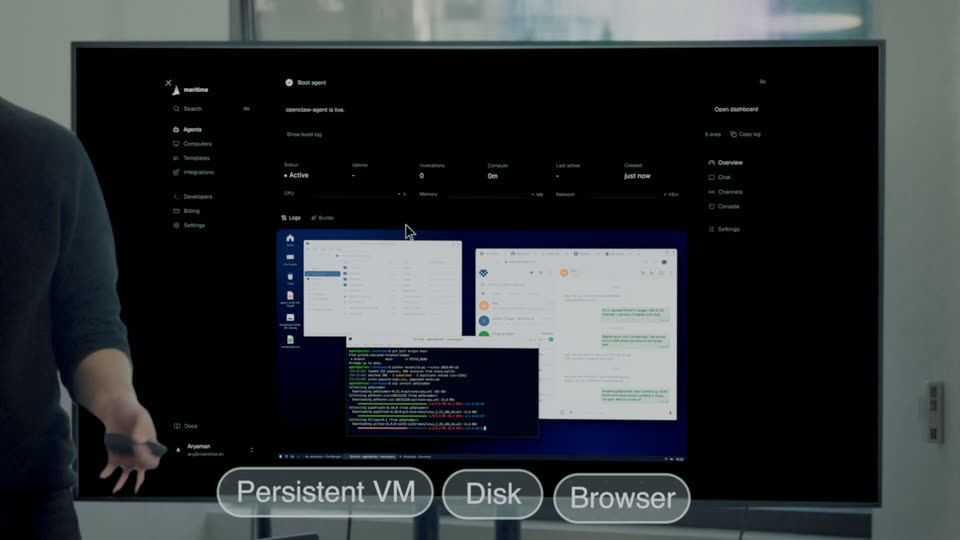

Maritime (YC F26): The managed cloud for AI agents
Maritime · Modern electronic
1:14

Stripe: S700 web
Stripe · Upbeat electronic
2:13

Brad Menezes - Introducing Superblocks 2.0: AI-generated enterprise apps – finally u
Superblocks · Electronic
HubSpot - Imagine paying for a CRM. Then paying again to connect it to your fa, scene by scene
· 17 scenes as text
01 · Problem · 0:00–0:01
A dark rounded input field is centered on a near-black background, with a blurred bar at the top right. The prompt text types out letter by letter behind a blinking caret, while a plus icon, a model selector pill and a circular arrow button stay fixed below it.
Camera: Static
02 · Problem · 0:01–0:03
A dark rounded input field with a plus icon and a model dropdown racks from soft blur into sharp focus. The prompt types out letter by letter while a blurred suggestion card and a faint reflection sit behind and below it.
Techniques: Kinetic type
Camera: Static
03 · Problem · 0:03–0:05
A dark rounded panel on a black background holds a vertical list of pill buttons, a status line, and an input field. The frame sharpens from blur, and the input at the bottom types out a query while small spinners pulse beside the items.
Camera: Static
04 · Product intro · 0:05–0:10
Two dark UI cards sit side by side: an assistant chat with prompt chips left, a CRM deals list right. A 'Pay to connect' badge with a lock appears between them, then an orange beam blasts through, shattering it into fragments as the panels flip to a light HubSpot theme.
On-screen text: “Pay to connect”
Techniques: Split screen, Light sweep, Particles
Camera: Push in
05 · Product intro · 0:10–0:12
A blurred close-up pulls back into a sharp cream card as orange and pink ribbon bands sweep diagonally across the frame. The serif line Not HubSpot. sits centered while UI cards on the right edge slide out of view.
On-screen text: “Not HubSpot.”
Techniques: UI zoom
Camera: Static
06 · Product intro · 0:12–0:13
Two soft ribbons, orange on top and pink below, sweep and rotate around a cream field, enclosing a centered serif line. The tagline sits static in the middle with an orange full stop.
On-screen text: “Your data belongs to you.”
Camera: Static
07 · Product intro · 0:13–0:14
A cream field holds a soft gradient loop of orange, pink, and lavender bands that drifts slowly. Centered inside the loop, the tagline sits in black serif with an orange period, locked in place.
On-screen text: “Your data belongs to you.”
Camera: Static
08 · Product intro · 0:14–0:15
Two flat ribbons, one orange and one pink, drift slowly across a cream field while the static headline “Your data belongs to you.” sits centered.
On-screen text: “Your data belongs to you.”
Camera: Push in
09 · Demo · 0:15–0:18
A glowing orange line streams from a prompt card on the left into a HubSpot deal list on the right, cycling the selected deal as the card fills with a three-item summary. A second prompt card appears below with a pink line that selects another deal.
Camera: Pull out
10 · Demo · 0:18–0:20
A cream background holds three white prompt cards on the left and a HubSpot CRM window on the right, joined by orange gradient connector lines. The card and window text resolves from an overlapping crossfade into clean rows, and an empty third card fades in at the bottom left.
Camera: Static
11 · Demo · 0:20–0:20
Three white task cards sit on a cream background, each joined by a glowing orange ribbon to a HubSpot pipeline panel on the right. The view drifts down as the bottom card's loading spinner resolves into a drafted social post with the Kloro logo.
Camera: Push in
12 · Feature reveal · 0:20–0:25
The view pulls back from a close-up of a social post card to reveal three task cards on the left joined by orange ribbons to a HubSpot panel on the right. Dark maroon pills then pop onto the ribbons, naming the models.
On-screen text: “Claude”, “ChatGPT”, “Gemini”
Techniques: UI zoom
Camera: Pull out
13 · Feature reveal · 0:25–0:26
Three white prompt cards on the left, each tagged with a dark purple pill reading Claude, ChatGPT, Gemini, feed thick orange-to-pink gradient ribbons that converge on a HubSpot interface panel at right. The whole diagram pans left across a cream background, bringing a second HubSpot panel into view.
Camera: Pan
14 · Feature reveal · 0:26–0:27
A cream diagram links a HubSpot deal card on the left to a black agent terminal and a white app card on the right via orange and pink curved lines. The terminal fills with status text and the app card grows a pink-and-orange bar chart as the layers drift apart.
On-screen text: “Your agent”, “Your app”
Techniques: Split screen, Parallax
Camera: Push in
15 · Outro · 0:27–0:28
An orange circle scales up from the center until it fills the frame, then a single line of white serif text appears centered on the orange field.
On-screen text: “Without paying twice.”
Techniques: Masking
Camera: Static
16 · Outro · 0:28–0:29
A solid orange field holds the white serif line “Without paying twice.” centered in the frame. The text and camera stay locked off for the full duration.
On-screen text: “Without paying twice.”
Camera: Static
17 · Outro · 0:29–0:34
On a solid orange field, the white HubSpot wordmark reveals from left to right and settles in the center. A small white serif tagline then fades in below the mark and holds.
On-screen text: “Without paying twice.”, “Headless without the headache.”
Techniques: Masking
Camera: Static