0:27
Explore
iManage Integration
Harvey · Aug 2025 · 1:10 · AI-annotated
- Length
- 1:10
- Scenes
- 15 · 4.7 s avg
- Product on screen
- 0:00
- Features shown
- 1
- Voiceover
- No
00:00:00 / 01:10:20
Harvey’s 1:10 launch film runs 15 scenes, about 4.7 s each. The product is on screen from the first frame and 1 feature is revealed. There is no explicit call to action. A cut-free, single-take launch film that alternates centered serif title cards with slow zooms and pans across a near-white product UI, moving from the co-brand lockup to connector setup to a full earnings-call workflow. Its signature moves are the ghosted zoom into one row, the sequential checkmark reveals that track the AI working, and the lockup settling into place.
No filming indicatedEstimated needs: 3 capture groups — your screens or recordings · 1 official logo — reused across the film
Is this your launch? to your site or press kit.
More like this


iManage Integration, scene by scene
· 15 scenes as text
01 · Product intro · 0:00–0:05
On a plain off-white field, centered black serif text changes in sequence: 'Harvey' holds, then slides out to the right as 'Now Powered By' slides in, which in turn gives way to 'Your Institutional Knowledge'.
On-screen text: “Harvey”, “Now Powered By”, “Your Institutional Knowledge”
Techniques: Kinetic type
Camera: Static
02 · Product intro · 0:05–0:07
A blue rounded logo with a white im mark sits centered on a pale background. It scales down and slides left while the dark iManage wordmark reveals to its right, settling into a horizontal lockup.
On-screen text: “iManage”
Camera: Static
03 · Product intro · 0:07–0:09
The Harvey / iManage lockup sits centered on a white field, then the product's Integrations screen scales in behind it, showing a left sidebar and a list of workspace connectors. The lockup stays overlaid at center as the interface settles.
On-screen text: “Harvey / iManage”
Camera: Pull out
04 · Feature reveal · 0:09–0:10
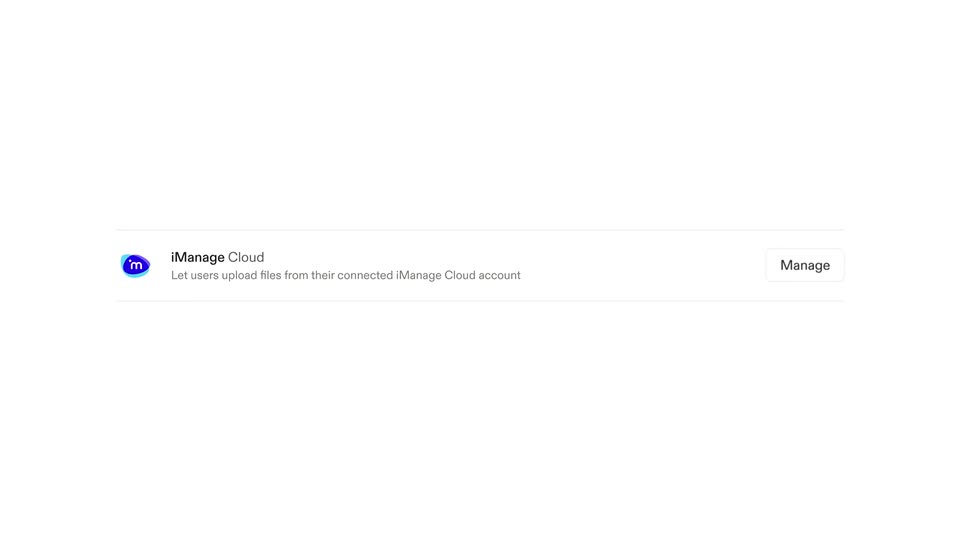
A white Integrations settings page lists workspace connectors beside a left navigation sidebar. The view zooms into the iManage Cloud row, enlarging its title and Manage button while the surrounding list and sidebar fade to a faint ghost.
Techniques: UI zoom
Camera: Push in
05 · Feature reveal · 0:10–0:12
A white iManage Cloud integration row sits centered, its Manage button at right. The cursor moves to the button and a modal opens, pairing the iManage icon with the Harvey icon, listing four checkmarked capabilities, and offering Cancel and Enable iManage buttons.
Techniques: Cursor demo
Camera: Static
06 · Feature reveal · 0:12–0:14
A white modal titled iManage Cloud is centered on a pale gray field, listing four checkmarked permissions and two buttons. A black arrow cursor slides in from the right, hovers over the dark Enable iManage button, and clicks it.
Techniques: Cursor demo
Camera: Static
07 · Feature reveal · 0:14–0:17
A single integration row sits centered on a white field, showing the iManage Cloud badge, title and a one-line description. The Enabled label and the Manage button fade from faint gray to full opacity, then hold.
Camera: Static
08 · Demo · 0:17–0:28
The Harvey app interface zooms into its prompt box as a cursor clicks the iManage chip and types a query about EverTrack earnings calls. The cursor then presses Ask Harvey, and a Thinking panel lists steps with checkmarks appearing in sequence.
Techniques: UI zoom, Cursor demo
Camera: Push in
09 · Demo · 0:28–0:37
A tight crop of body text eases out to a full browser window on harvey.ai; the document page auto-scrolls upward through quarterly earnings-call summaries while a sources panel with a search box and file list holds steady on the right.
On-screen text: “harvey.ai”
Techniques: UI zoom
Camera: Pull out
10 · Demo · 0:37–0:41
A follow-ups list of four questions sits above an input field where a prompt types itself out. The cursor slides to the send button, then the view cuts to a working state with a Reviewing earnings call transcripts card and a Version 1 box.
Techniques: Cursor demo
Camera: Pan
11 · Demo · 0:41–0:46
A light chat interface shows a user prompt at top and an assistant row with an animated Working indicator. A bordered panel lists task steps that fade in one by one with checkmarks, then the whole view scales down.
Techniques: UI zoom
Camera: Pull out
12 · Demo · 0:46–1:03
A two-panel interface shows an AI drafting an email in the right pane while a step list ticks off in the left. The view zooms to the signature line, where a cursor replaces the placeholders with a typed name and title, then pulls back to the full screen.
Techniques: UI zoom, Cursor demo
Camera: Push in
13 · Demo · 1:03–1:06
A light document editor with an earnings memo fades out to plain white, leaving the Export to iManage button centered while a black cursor hovers at its lower-right corner. The frame stays locked off.
On-screen text: “Export to iManage”
Techniques: Cursor demo
Camera: Push in
14 · Outro · 1:06–1:08
A dark serif text “Expertise,” is centered on a white background as a blue comma and the italic word “Activated.” fade in from light to dark.
On-screen text: “Expertise, Activated.”
Techniques: Kinetic type
Camera: Static
15 · Outro · 1:08–1:10
A pale off-white field holds a co-brand lockup: the black serif wordmark Harvey on the left, a thin slash, and the iManage mark, a blue and teal oval with im, beside its gray sans wordmark. The elements settle into place in the first beat, then hold.
On-screen text: “Harvey”, “iManage”
Camera: Static