1:10

Tech Explainer Video Example: Eccasion EV Platform | Beliv8 Motion Studio
Eccasion · Nov 2026
Google’s 1:36 launch film runs 50 scenes, about 1.9 s each. The product shows up at 0:05 and 4 features are revealed. The call to action lands at 1:15 (78% in), over a voiceover. The video runs as a typed-in headline intro, a product naming beat, four feature demos each opened by a bold type card and shown as 3D-tilted interface mockups that rotate flat, then a live-action montage and a static logo. Its signature moves are kinetic bold type, perspective cards that level out, particle and dot transitions, and rainbow gradient edges, all cut to a 128 bpm pop track.
Is this your launch? to your site or press kit.
Eccasion · Nov 2026
Origami · B2B · Oct 2026
Superblocks · Apr 2026
Films whose music sounds like this one, voice left out
Figma · Electronic dance music with funk and disco influences
Superhuman · Funk, disco, and dance music
Microsoft · Electronic Dance Music
The frame holds on a flat black field with no visible content, text, or motion for the full duration.
Camera: Static
A thin vertical caret sits centered on a flat off-white field. It flickers from soft gray to solid black, holds briefly, then dissolves to nothing as the clip ends.
Camera: Static
A vertical capsule shape holds center on a pale gray field. It opens as a glowing cyan pill, then the halo fades and the form recolors to purple with a thin pink outline.
Camera: Static
A vertical rounded bar sits centered on a light gray field. It opens blurred with a yellow-green glow, then snaps into focus as a solid teal capsule, holding still.
Camera: Static
A vertical caret appears on a light gray field, then the headline types out, “This is” in bold black, “AI Search” in gray, the line scaling down as it completes. It cuts to the Google logo above a rounded search bar with mic and camera icons.
On-screen text: “This is AI Search”
Techniques: Kinetic type
Camera: Static
The Google homepage, logo centered above a rounded search bar with a placeholder and two icons, scales up quickly. The frame locks while the elements grow, ending in a heavy zoom into the bar with motion blur.
Techniques: UI zoom
Camera: Static
A 3D search bar mockup sits in perspective on a white background, its rounded edge glowing with a shifting rainbow gradient. Inside, a green plus sign morphs into a blue asterisk beside the Ask Google label, while the Google logo hovers at the top right.
Techniques: 3D mockup, Morph
Camera: Static
On a pale gray field, the black word Search sits centered as a blue caret blinks at its right edge. The word reimagined then types out letter by letter behind the caret, completing the headline Search reimagined by the end of the clip.
On-screen text: “Ask Google”, “Search reimagined”
Techniques: Kinetic type
Camera: Static
A black headline with a blue caret sits center on a light gray field. A white rounded search bar scales in over it, the headline drops away, and a query types into the bar with a blinking caret.
On-screen text: “Search reimagined”
Techniques: Morph
Camera: Static
A phone shows a search input where a query is typed and two photos attach, then the phone slides up as a large white pill with a black plus scales in at the bottom over a gradient line.
On-screen text: “Search reimagined”
Camera: Pull out
A light gray field holds centered black text that types out from left to right, a blue vertical cursor bar trailing the last letter before it vanishes as the word era completes.
On-screen text: “for the agentic era”
Techniques: Kinetic type
Camera: Static
A white rounded card holds a blue pill button with a white right arrow. The card's multicolor gradient edge fades to plain gray as a soft glow blooms around the button, while the caption scales up in the open space.
On-screen text: “for the agentic era”
Techniques: Kinetic type
Camera: Static
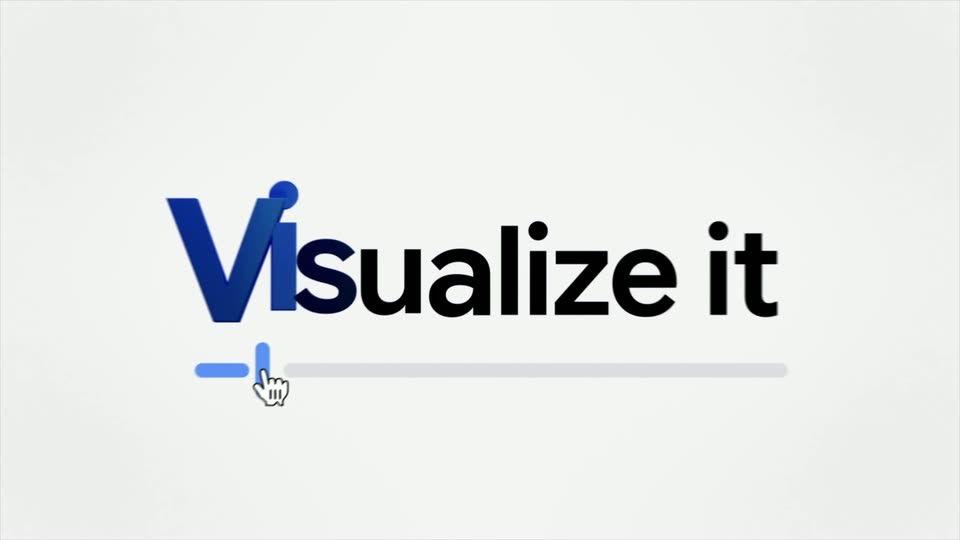
On a light gray background, the word Search in big tilted black sans with a drop shadow scales, then will fills the frame, then Visualize it appears with a blue search bar and hand cursor beneath.
On-screen text: “Search”, “will”, “Visualize it”
Techniques: Kinetic type
Camera: Pan
On a light gray background, the headline “Visualize it” sits centered as a blue 3D extrusion sweeps across the letters, turning them from flat black to solid blue. Below, a thin progress bar fills left to right with two white hand cursors gliding along it.
On-screen text: “Visualize it”
Techniques: Kinetic type
Camera: Static
Blue extruded 3D letters spell “Visualize it” over a light gray field. A blue slider bar runs below, its handle held by a white hand cursor. A white chat panel with gray text fades in along the top edge.
On-screen text: “Visualize it”
Techniques: Cursor demo
Camera: Static
A Google AI Mode search card zooms in on the prompt box as a query about the Golden Ratio types out, then a cursor clicks the blue send button and the text condenses into a highlighted chip.
On-screen text: “Sequences shortened and results for illustrative purposes throughout. Screen images simulated.”
Techniques: UI zoom, Cursor demo
Camera: Push in
A dark chat interface shows a greeting line above a glowing input box. The typed query about sunflowers and the Golden Ratio fills the box as a text caret blinks at the end, while the box border brightens and the second line scales into place.
Techniques: Kinetic type
Camera: Pull out
On a black dotted grid, two thin blue and teal outlines cross and tilt into a stack of three glass panels with glowing gradient edges. The stack fans out in 3D as the camera orbits; the front panel shows code, the back a faint photo.
Techniques: 3D mockup
Camera: Static
Over a dark dot grid, stacked translucent panels of code fan out in 3D, then the view flattens to a front-facing layout: a rainbow-bordered square holding a dot spiral, with a plain gray card at right.
Techniques: 3D mockup
Camera: Static
A white card titled Phyllotaxis Simulator sits centered, its multicolored dot spiral rotating slowly in place. The surrounding article paragraph and right-hand blog list stay out of focus behind the card.
Camera: Push in
A white interface card with a golden-angle dot spiral and slider controls sits centered on a white background. The spiral then scales up into large blue dots filling the frame while the card shrinks to a small panel in the middle.
Techniques: UI zoom
Camera: Static
A centered black dotted sphere floats in white space filled with a receding grid of blue dots. The words CODE and 05, built from the same dots, drift upward across the sphere as the 3D grid shifts with depth.
On-screen text: “CODE”, “05”
Techniques: Particles, Parallax
Camera: Push in
A curved tunnel of glowing green and cyan dots rushes toward a central vanishing point. The dots blur and stretch into streaks as the view pushes forward, the palette shifting from green to blue.
Techniques: Particles
Camera: Push in
A close-up of a search query in a rounded input field zooms out to reveal the full search page, with a top navigation bar and a heading fading in below. The view settles on the wider layout by the end of the clip.
Techniques: UI zoom
Camera: Pull out
A soft white blur clears to reveal a search page with an AI answer to a workout and meal plan query, then a purple Fitness & Meal Tracker window slides in from the right.
Techniques: Masking
Camera: Pull out
A tilted 3D view of the fitness dashboard opens close on the Good morning, Camille greeting, then pulls back to reveal the workout and class cards, before the interface scrolls down to the day's schedule list over a blurred chat background.
On-screen text: “managing a busy work schedule?”
Techniques: UI zoom, 3D mockup, Parallax
Camera: Pull out
A blurred document sits behind a sharp Fitness & Meal Tracker panel showing a daily schedule. The view pushes in on the panel as a dark card with the East River Run entry scales up in the lower right.
Techniques: UI zoom, Parallax
Camera: Pull out
A meal-planning interface is set in 3D perspective, tilted and angled, then smoothly rotates to a flat, front-facing view. The sidebar and the weekly meal columns sharpen into focus as the perspective levels out.
Techniques: 3D mockup
Camera: Pull out
A blurred browser window showing a meal-tracker app fades out to a plain light background. The word Look forms in large black type at center, then out appears in the same style.
On-screen text: “Look”, “out”
Techniques: Kinetic type
Camera: Static
A tilted white input bar on a light 3D card. Large black for it fills the center beside a small keep and blinking caret; the bar then types a sentence, a blue send button and rainbow border appear, then the field clears.
On-screen text: “for it”
Techniques: 3D mockup, Kinetic type
Camera: Pull out
A tilted Google search card floats on a white field with a soft yellow and blue halo. The view scrolls down past the query box as the agent's blue confirmation text and a music note row slide into place.
On-screen text: “GIF”
Techniques: 3D mockup, UI zoom
Camera: Push in
A phone chat thread scrolls down past a task confirmation message, then the view shifts to the lock screen, where a large light clock shows 12:30 and a notification card with the Google logo rests at the bottom.
Camera: Pull out
A white phone mockup tilts in 3D against a light background, its lock screen showing a Google notification. The device rotates flat as the notification expands into a full article card with body text.
Techniques: 3D mockup, Morph
Camera: Static
A tilted Google search page straightens to a flat front view as the frame pushes in on a tour-date table card. The card listing Weezer show dates and venues rotates forward while the search bar and tabs settle into place.
Techniques: 3D mockup, UI zoom
Camera: Pull out
A tilted phone mockup shows a Google search table of tour dates in 3D. The screen rotates away as the white card lifts forward, then a large black serif italic '& Shop' headline scales in with motion blur.
On-screen text: “& Shop”
Techniques: 3D mockup, Kinetic type
Camera: Static
Black rounded lowercase text on a light gray field. '& shop' tilts in, then 'for you' scales up fast, rushing past the camera until it fills the frame and blurs, while a small blue cart and a price tag icon hold below.
On-screen text: “&”, “shop”, “for you”
Camera: Pan
On a plain off-white field, the black word “you” tumbles in tilted with heavy motion blur above a small blue shopping cart icon. The letters shrink and drop into the cart, which scales up to center with a soft shadow line beneath it.
On-screen text: “foryou”
Techniques: Kinetic type
Camera: Pull out
A product card with a standing desk image expands into a detail view with title, rating and a Wayfair offer box. The card then tilts into 3D perspective, pushing the Add to cart and Buy now buttons forward while the header blurs.
Techniques: 3D mockup
Camera: Push in
A 3D cube mockup of a living room tumbles and rotates above a white Add to cart pill button. The cube lifts out of frame as the button expands to reveal a price line and a second Buy now pill below.
Techniques: 3D mockup
Camera: Static
A 3D-tilted mobile cart zooms into the desk item; a blue 'Lowest price in 30 days' badge slides in, the price ticks down to $113.99 with 70% off, and the camera pushes onto the subtotal and Buy now button.
Techniques: 3D mockup, UI zoom
Camera: Push in
Black sans-serif type builds in the center as “You can” then “search” fades in. A black curved shape with a white slit slides in from the right edge.
On-screen text: “You can search”, “$138.98”
Techniques: Kinetic type
Camera: Static
On a black field, the word understand assembles: its letters slide together with motion blur, the first half white and the last half shifting from red to a green-to-yellow gradient before settling in the center.
On-screen text: “understand”
Techniques: Kinetic type
Camera: Static
On a light gray field, the black word understand fades out letter by letter from the left. The phrase do anything then scales up to a larger size and settles centered, all in a clean geometric sans.
On-screen text: “understand”, “do anything”
Techniques: Kinetic type
Camera: Static
A sunset view from an airplane window cuts to a sunflower against a blue sky. The white lowercase text do anything stays centered over both shots and scales up. The pace is quick, two shots in under a second.
On-screen text: “do anything”
Techniques: Kinetic type
Camera: Static
A dim bedroom shot of a woman typing on a laptop cuts to a dusk boardwalk with a silhouetted horse rider, while the centered phrase do anything scales over both images.
On-screen text: “do anything”
Techniques: Kinetic type
Camera: Static
A wildflower field with a photographer shooting a fox in a rocky den cuts to a close-up of a basketball held against a court. White lowercase text do anything stays centered over both shots while scaling.
On-screen text: “do anything”
Techniques: Kinetic type
Camera: Static
The text “do anything” scales over a rapid sequence of live-action shots: a running dog, a man walking in a city, and a sunset landscape.
On-screen text: “do anything”
Techniques: Kinetic type
Camera: Static
A rapid montage of live-action clips: a woman leaps from a dock into a calm lake, a ladybug rests on an open palm, a woman stretches on a beach at dusk. The white word do anything scales across the center throughout.
On-screen text: “do anything”
Techniques: Kinetic type
Camera: Static
Light gray field: “do anything” scales out, “all you have to do is” holds center, then “ask” pops in with a blue bar behind it. The word shifts red then green as a blue circle grows behind it, and the letters fade to leave the rainbow Google G.
On-screen text: “do anything”, “all you have to do is”, “ask”
Techniques: Kinetic type, Morph
Camera: Static
A multicolored Google G logo sits centered on a plain light gray field, holding a static, locked-off frame for the full duration of the shot.
Camera: Static