0:52


Payna (YC W26) Launch
Payna · B2B · Mar 2026
Google’s 1:56 launch film runs 50 scenes, about 2.3 s each. The product shows up at 0:40 and 1 feature is revealed. There is no explicit call to action; a voiceover carries the film. The video opens on a montage of users photographing their world, moves through their statements about low vision, then announces the enhanced Magnifier app and alternates street footage with UI close-ups of zoom and AI search before closing on a fellowship logo. Its style is defined by vertical clips floating centered on blurred, darkened copies of themselves, rounded black-and-white caption boxes, and a steady ~114 bpm cut between personal stories and interface detail.
Is this your launch? to your site or press kit.
Films whose music sounds like this one, voice left out
Raycast · Electronic
Apple · Modern electronic, hip-hop, and rock
ForecourtIQ · Upbeat, modern electronic
A vertical clip of a woman in a red top photographing pink roses with a white phone holds a locked frame, centered on a blurred backdrop. A black caption box with white text spans the lower frame.
On-screen text: “A montage cuts between Austin, a Caucasian man snapping a selfie on a rooftop and crossing a city street, and Belle, a mixed woman who's taking a picture of a”
Camera: Static
A vertical clip of a person in a red shirt photographing pink roses with a phone sits centered over a blurred background. A black rounded caption box below holds a static white paragraph describing the montage.
On-screen text: “A montage cuts between Austin, a Caucasian man snapping a selfie on a rooftop and crossing a city street, and Belle, a mixed woman who's taking a picture of a”
Camera: Static
A vertical clip centered on a blurred backdrop shows a woman in a red top holding a white phone up to photograph pink roses beside a window. A black rounded caption box at the bottom holds the white montage description, static throughout.
On-screen text: “A montage cuts between Austin, a Caucasian man snapping a selfie on a rooftop and crossing a city street, and Belle, a mixed woman who's taking a picture of a p”
Camera: Static
A vertical handheld clip of a woman in a red top laughing and photographing pink roses with a white Pixel phone, centered on a blurred copy of the same footage. A white rounded caption box with black text appears at the bottom.
On-screen text: “A montage cuts between Austin, a Caucasian man”, “snapping a selfie on a rooftop and crossing a city street,”, “and Belle, a mixed woman who's taking a picture of a”, “pink flower with her Pixel phone.”, “[Belle] Everyone says to enjoy”, “the little things in life,”
Camera: Static
A hand holds a smartphone filming a pink flower in a garden; the phone screen shows the camera viewfinder. A white rounded caption box at the bottom carries the line, with a small 'Sequences shortened.' note beneath, over a blurred copy of the shot.
On-screen text: “Everyone says to enjoy”, “the little things in life,”, “but for some of us that's”, “a little more complicated.”, “Sequences shortened.”
Camera: Static
A hand holds a smartphone upright, its camera viewfinder filling the screen with a close-up of pink flowers. The phone is centered on a blurred, darkened version of the same shot. A white rounded caption box sits at the bottom, frame locked and still.
On-screen text: “but for some of us that's a little more complicated.”, “Sequences shortened.”
Camera: Static
A vertical clip of a man in sunglasses seated in a rooftop armchair, holding a phone, plays over a blurred copy of itself. A white caption box at the bottom carries his line about being born with paralyzed eyes and face, held on a locked-off frame.
On-screen text: “[Austin] I was born with my eyes and my face paralyzed,”
Camera: Static
A vertical clip of a tattooed man in glasses sitting in a gray armchair on a rooftop, holding a phone, centered over a blurred, darkened copy of itself. A city skyline stretches behind him and an orange stool sits to the right, while a white caption box with black text stays fixed at the bottom.
On-screen text: “[Austin] I was born with my eyes and my face paralyzed,”
Camera: Static
A vertical clip on a blurred dark background shows a man on a city sidewalk holding his phone up and looking at it, then turning to walk past a trash can and a green bike lane. A white caption box with black text stays fixed at the bottom.
On-screen text: “so I cannot squint, and I definitely can't see far away.”
Camera: Static
A vertical clip of a woman with a white cane walking on a sidewalk sits centered on a blurred background, the camera tilting up to blue sky. A black rounded caption box below holds white text describing the Magnifier app demo.
On-screen text: “Anne, an Asian woman with a white cane, walks down the sidewalk and then shows the Magnifier app on her Pixel phone.”, “She walks up colorfully painted stairs, and Magnifier zooms in on the word “up” written on the stairs.”, “so I cannot squint, and I definitely can't see far away.”
Camera: Static
A black rounded caption box with two paragraphs of white text sits over a blurred outdoor backdrop. A small vertical video window at the top shows blue sky above treetops. The shot is static.
On-screen text: “Anne, an Asian woman with a white cane, walks down the sidewalk and then shows the Magnifier app on her Pixel phone.”, “She walks up colorfully painted stairs, and Magnifier zooms in on the word “up” written on the stairs.”
Camera: Static
A black rounded caption card with white text sits over a blurred outdoor backdrop, while a vertical phone-shaped window at the top plays a clip of blue sky and treetops. The frame holds still for the full duration.
On-screen text: “Anne, an Asian woman with a white cane, walks down the sidewalk and then shows the Magnifier app on her Pixel phone. She walks up colorfully painted stairs, and”
Camera: Static
A vertical clip of a woman in a white dress walking a sunny sidewalk beside a hedge, framed on a blurred copy of the same footage. A white caption box at the bottom carries her quote in black text.
On-screen text: “[Anne] I'm blind, but that doesn't stop me”
Camera: Static
A vertical clip, centered over a blurred copy of itself, shows a woman in a white dress walking toward the camera on a sunlit sidewalk, hedge on the left and parked cars on the right. A white rounded caption box at the bottom holds the static black text.
On-screen text: “[Anne] I'm blind, but that doesn't stop me”
Camera: Static
A vertical clip centered on a blurred dark backdrop follows a blind woman in a white dress walking a paved path, sweeping a white cane with a pink grip along the ground. A white caption box at the bottom shows her quote in black text, swapping between two lines.
On-screen text: “[Anne] I'm blind, but that doesn't stop me from seeing the world in a unique way.”
Camera: Pull out
A vertical close-up of a woman with long brown hair and sunglasses on her head, speaking to the camera in front of green foliage. The portrait clip sits centered on a blurred dark backdrop, with a white caption box at the bottom holding two lines of text.
On-screen text: “from seeing the world”, “in a unique way.”
Camera: Static
A Pixel home screen with app icons is centered on a blurred dark background. A green selection box pops around the Magnifier icon, then a white caption box with the line about the Magnifier app appears at the bottom of the screen.
On-screen text: “from seeing the world”, “in a unique way.”, “Google just enhanced”, “the Magnifier app on Pixel,”
Camera: Static
A phone screen centered on a blurred background shows the camera app zooming from a dark wide view to a close-up of a painted step reading THIS WAY UP. A hand cursor taps the plus button at the bottom right. A white caption box below reads the headline.
On-screen text: “Google just enhanced the Magnifier app on Pixel,”
Techniques: UI zoom, Cursor demo
Camera: Static
A phone screen centered on a blurred dark backdrop shows the camera app framing a painted wall sign reading THIS WAY UP. A green box outlines the word UP while the search field below shows up, and the view tightens on the sign. Caption pills swap at the bottom.
On-screen text: “Google just enhanced”, “the Magnifier app on Pixel,”, “and it's incredibly useful.”
Techniques: UI zoom
Camera: Static
A vertical clip centered on a blurred background shows colored ribbons taped to gravel, marked MUSIC and FOOD, as a white stick with a red tip points along the rows. A white pill caption reads “and it's incredibly useful.”
On-screen text: “and it's incredibly useful.”
Camera: Static
A vertical live-action clip shows a person's feet in beige shoes on stairs painted with yellow, purple and pink stripes, a white bag held above. The frame is locked off and still, with a white caption box fixed at the bottom over a blurred background.
On-screen text: “and it's incredibly useful.”
Camera: Static
A static portrait clip of a checkered crosswalk curb with a yellow FOOD band is centered on a blurred backdrop. A black rounded caption box at the bottom holds white text describing a user zooming in on the sign and another using Magnifier at an airport; nothing moves.
On-screen text: “Austin zooms in on a street sign at a crosswalk.”, “Then Marilee, a Caucasian woman,”, “uses Magnifier to locate her flight”, “on a screen at the airport.”, “and it's incredibly useful.”
Camera: Static
A vertical clip of a crosswalk with a yellow FOOD sign sits centered on a blurred background. A black rounded caption box with white text spans the lower frame. The shot is locked-off and still.
On-screen text: “Austin zooms in on a street sign at a crosswalk. Then Marilee, a Caucasian woman, uses Magnifier to locate her flight on a screen at the airport.”
Camera: Static
A vertical live-action clip on a blurred backdrop shows a man holding a phone at a crosswalk; the phone screen magnifies a yellow FOOD sign, then the street. A black caption box at the bottom is replaced by a white quote box.
On-screen text: “Austin zooms in on a street sign at a crosswalk. Then Marilee, a Caucasian woman, uses Magnifier to locate her flight on a screen at the airport.”, “- I can zoom in on signs I could never see myself.”
Camera: Static
A vertical clip of a red-haired woman in black glasses speaks to the camera in a bright airport terminal, framed in a centered phone window over a blurred copy of itself. A white rounded caption box at the bottom swaps text as she talks.
On-screen text: “- Los Angeles, 2:00 PM.”, “- I can zoom in on signs”, “I could never see myself.”
Camera: Static
A front-facing phone mockup on a dark blue blurred backdrop. A blue list of city names scrolls upward behind a small checklist panel pinned top right. A white pill at the bottom reads '- Los Angeles, 2:00 PM.' above a mic icon and minus, circle, plus controls.
On-screen text: “- Los Angeles, 2:00 PM.”
Camera: Static
A vertical phone camera view sits on a dark background. The feed zooms in on a gate sign as a small picture-in-picture thumbnail opens at the top right showing the crowd. A white caption bubble pops in at the bottom reading C108, found it.
On-screen text: “C108, found it.”
Techniques: UI zoom
Camera: Static
A vertical clip centered on a blurred backdrop shows a red-haired woman in sunglasses talking at an airport gate, her face filling the right side. A white caption pill at the bottom reads C108, found it.
On-screen text: “C108, found it.”
Camera: Static
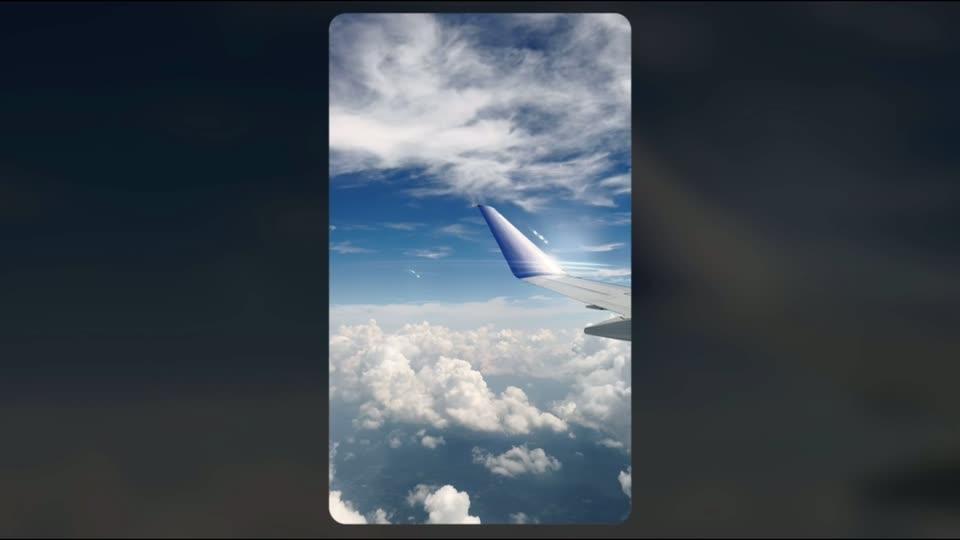
A vertical video card floats centered over a blurred dark version of the same footage, showing an airplane wing above a cloud sea under blue sky. A black caption pill with white text spans the lower third, then swaps to a white pill with black text.
On-screen text: “Anne uses Magnifier to find carrot cake at a cafe.”, “- I absolutely love carrot cake,”
Camera: Static
A vertical phone screen floats centered over a blurred backdrop, showing a bakery counter full of pastries through the app's live camera view. Magnifier icons sit at the corners and a Reset button at the base, while a white caption box holds the quote below.
On-screen text: “- I absolutely love carrot cake,”
Camera: Static
A phone frame centered on a blurred bakery backdrop shows the camera app's live view of a pastry display case with its overlay controls. White caption boxes at the bottom swap from one line of dialogue to the next while the interface stays locked.
On-screen text: “- I absolutely love carrot cake,”, “and I'm always hoping to find it on a menu.”
Camera: Static
A vertical phone mockup on a blurred background shows a bakery display photo that zooms in from 1.0x to 2.0x. A white caption bubble reads “and I'm always hoping to find it on a menu,” then swaps to “With AI powered features,”.
On-screen text: “and I'm always hoping to find it on a menu.”, “With AI powered features,”
Techniques: UI zoom
Camera: Static
A phone camera frame shows a bakery counter of glazed pastries and scones over a blurred backdrop. The view zooms in to 2.0x on the pastries while a white caption pill reads “With AI powered features,” at the bottom.
On-screen text: “With AI powered features,”
Techniques: UI zoom
Camera: Static
A vertical phone mockup floats over a blurred cafe background, its screen showing a camera view of a dessert menu. A small magnifier window at the top right zooms the menu card, while a search field and keyboard rise from the bottom. White caption pills appear below the phone.
On-screen text: “With AI powered features,”, “Magnifier makes it literally a pocket calculat”
Techniques: UI zoom
Camera: Static
A phone screen shows a bakery menu photo with a search field typing 'carrot' and a magnifier inset zooming the cake. A white caption box at the bottom reads 'Magnifier makes it literally a piece of cake.'
On-screen text: “Magnifier makes it literally a piece of cake.”
Camera: Static
A vertical phone camera view frames a bakery menu card and frosted cupcakes. A circular magnifier overlay highlights the word CARROT on the menu, and a search bar below holds the typed query. A white caption bubble sits at the bottom of the frame.
On-screen text: “Magnifier makes it literally a piece of cake.”
Camera: Static
A vertical video plays centered on a blurred backdrop, opening on the app's Magnifier view over a bakery menu before cutting to a smiling woman in a straw hat holding a cookie. A black rounded caption box at the bottom narrates the demo.
On-screen text: “Magnifier makes it literally a piece of cake.”, “Anne uses the app to take a selfie,”, “and then Mara, a Filipino woman,”, “sits at a table using Magnifier”, “to help apply her makeup.”
Camera: Static
Two vertical phone clips play on a blurred dark backdrop. First, a woman in a straw hat holds cookies and smiles; then Mara sits at a table, holding a phone and applying makeup with a brush as a caption box appears below.
On-screen text: “Anne uses the app to take a selfie,”, “and then Mara, a Filipino woman,”, “sits at a table using Magnifier”, “to help apply her makeup.”, “[Mara] I personally like to open up my Magnifier app,”
Camera: Static
A vertical clip on a blurred background shows a phone clamped on a stand amid potted plants, its screen running the Magnifier app on a person's face. The view zooms from forehead to eye as a white caption box at the bottom swaps two lines of text.
On-screen text: “[Mara] I personally like to open up my Magnifier app,”, “because I can zoom in to start working on my face.”
Techniques: UI zoom
Camera: Static
A vertical clip on a blurred dark backdrop shows a phone in a clear case held before potted green plants, its screen showing a close-up of a face. A black rounded caption box at the bottom holds white text. The frame stays locked and static.
On-screen text: “Belle zooms in on the tag on a turquoise gown for cleaning instructions before flinging open a set of white doors.”
Camera: Static
A vertical phone clip is centered over a blurred backdrop, its screen showing a woman's face in a camera viewfinder with green plants behind. A black rounded caption box with white text covers the lower third, then disappears to reveal the full screen.
On-screen text: “Belle zooms in on the tag on a turquoise gown for cleaning instructions before flinging open a set of white doors.”
Camera: Static
A vertical clip on a blurred backdrop opens on a phone screen showing a close-up of a face, then cuts to a woman in a red top holding a phone to the tag of a turquoise gown on a hanger. A white caption box sits at the bottom.
On-screen text: “- The Magnifier app on Pixel brings the blind”
Camera: Static
A hand-held phone displays a camera view of a white garment tag, with a white rounded caption box at the bottom. The phone stays centered over a blurred background while the caption remains static.
On-screen text: “- The Magnifier app on Pixel brings the blind”
Camera: Static
A vertical clip on a blurred dark background shows a woman in a teal dress pushing open double glass doors and walking toward the camera, smiling. A white caption box at the bottom holds the static text.
On-screen text: “and sighted communities closer together.”
Camera: Static
A vertical live-action clip with rounded corners shows a man on a rooftop holding a phone toward a city skyline, centered over a blurred backdrop. White caption text in a black rounded box updates below the clip.
On-screen text: “and sighted communities closer together.”, “Austin holds up his phone from a rooftop as he takes in the city, and Anne looks out over the water.”
Camera: Static
A vertical clip of a man in a white tank top on a rooftop, holding up his phone toward a city skyline, sits centered over a blurred copy of the same shot. A black rounded caption box with white text stays fixed at the bottom.
On-screen text: “Austin holds up his phone from a rooftop as he takes in the city, and Anne looks out over the water.”
Camera: Static
A vertical rooftop clip plays inside a rounded frame over a blurred backdrop. A man holds his phone up to the New York skyline, tapping the screen as the camera pushes in on the phone view. A white caption bubble sits at the bottom.
On-screen text: “It's a small step towards a more inclusive world.”
Camera: Static
A vertical clip on a blurred backdrop shows a woman in a white dress, back to camera, on a terrace facing a waterfront skyline under blue sky. A white rounded caption box at the bottom holds the line. The shot is locked off and static.
On-screen text: “It's a small step towards a more inclusive world.”
Camera: Static
On a white background, four colored dots morph into a multicolored hashtag logo as bars extend between them. The gray title appears below in two lines, the second scaling in, and a black caption box with white text sits at the bottom.
On-screen text: “Google Rising Influencers with Disabilities Fellowship”, “Google Rising Influencers with Disabilities Fellowship appear below the logo followed by the Google G logo.”
Techniques: Morph
Camera: Static
A hashtag logo built from red, green, blue and yellow sticks appears with the fellowship title below on white. The sticks dissolve into dots that reassemble into the Google G logo, which stays centered as the title and caption disappear.
On-screen text: “Google Rising Influencers with Disabilities Fellowship”, “Google Rising Influencers with Disabilities Fellowship appear below the logo followed by the Google G logo.”
Techniques: Morph
Camera: Static