2:04
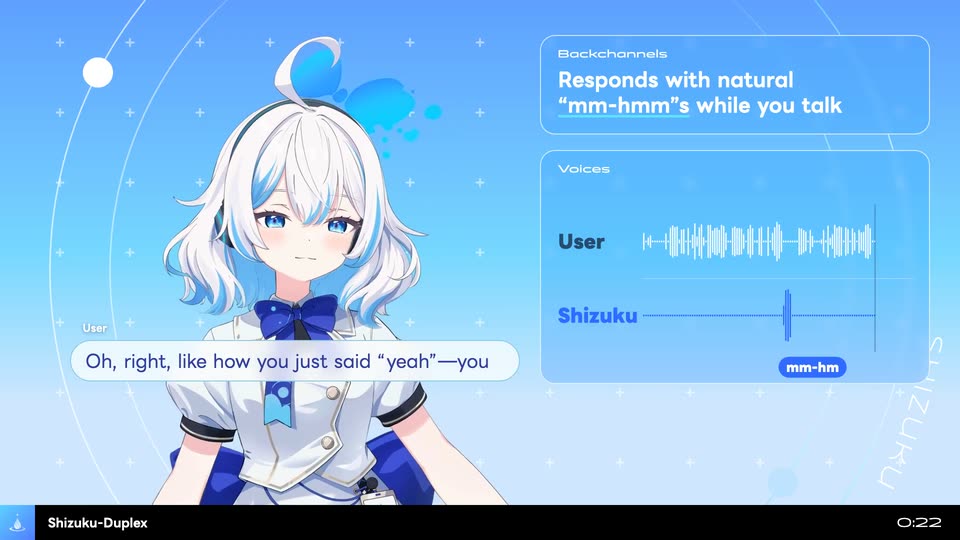
Shizuku AI - We’re introducing Shizuku-Duplex, the world’s first full-duplex audio
Shizuku AI · Nov 2026
Google · Mar 2015 · 0:30 · AI-annotated
Google’s 0:30 launch film runs 16 scenes, about 1.9 s each. The product is on screen from the first frame and 3 features are revealed. There is no explicit call to action. The video is built as a beat sheet: a locked-off gray sentence card announces each feature, then a short demo on a white iPhone (flat lay, live action, or 3D) pays it off, cut at roughly one shot per second. Signature moves are objects and people sliding in and out of the frame, props popping out of the phone screen, and a date-rolling calendar icon as the closing mark.
Is this your launch? to your site or press kit.
Shizuku AI · Nov 2026
OpenAI · AI · Apr 2026
OpenAI · AI · Nov 2025
A white smartphone mockup sits centered on a light gray backdrop, its home screen showing a row of app icons. A finger slides in from the lower right and presses the calendar icon, which dips into a tapped state, then lifts away to reveal the icon restored.
Techniques: 3D mockup
Camera: Static
A single line of gray text sits centered on a plain off-white background, holding completely still for the full duration of the shot.
On-screen text: “This is Google Calendar for iPhone.”
Camera: Static
A hand holds a white iPhone displaying the Google Calendar app in front of a white set with a coat rack and a small dog. A finger swipes up on the screen, scrolling the event list so the March header and new entries slide into view.
On-screen text: “This is Google Calendar for iPhone.”
Camera: Static
A single line of gray text holds centered on a plain off-white background for the full duration. The frame is locked off with no movement or animation.
On-screen text: “It can take your important emails.”
Camera: Static
A white iPhone mockup rests on a flat-lay of folded shirts, shoes, belts and socks. The Primary inbox list scrolls up, trading Virgin America and Oyster Bar for Moms, Eric, Seth and Dan, Hanna. A static headline reads “It can take your important emails.”
On-screen text: “It can take your important emails.”
Camera: Static
A light gray sentence sits left of center on a plain white field. The line reads “And turn them into events.” then the word “Automagically.” appears at the end, extending the sentence in place.
On-screen text: “And turn them into events.”, “Automagically.”
Techniques: Kinetic type
Camera: Static
A top-down flat lay of folded shirts, shoes, belts and a record player surrounds a white phone. On its screen the January calendar events fade in with photos, and a tagline scales in over the scene.
On-screen text: “It can gather your friends.”
Techniques: Kinetic type
Camera: Static
A plain off-white background holds a single centered line of gray text that scales up into place. The frame stays locked while the line rests in the middle of the screen.
On-screen text: “It can gather your friends.”
Techniques: Kinetic type
Camera: Static
Close-up of a white phone on a pale surface, its calendar listing a concert, a meet-up and a hike. A finger taps the teal Group Hike card and a red circular plus button pops in. A caption scales in over the locked-off frame.
On-screen text: “It can gather your friends.”
Techniques: Kinetic type
Camera: Static
A white phone mockup sits centered on a plain light background, its New event screen typing a contact name while the suggestion list refreshes. A man with a bicycle appears at the right edge, then a woman walks in from the left.
Camera: Static
A single line of thin gray text, “And take them someplace new.,” sits centered on a plain off-white background. The frame is locked off and the text holds static for the full duration.
On-screen text: “And take them someplace new.”
Camera: Static
A white iPhone mockup sits in 3D perspective on a pale gray field, its screen showing an event card with a dinosaur skeleton photo and the heading Scavenger Hunt. The phone slides down the frame while a static tagline holds in the layout.
On-screen text: “And take them someplace new.”
Techniques: 3D mockup
Camera: Static
A 3D T-rex skeleton stands on the top edge of a white smartphone, whose screen shows the same fossil. The phone slides down out of frame, leaving the skeleton posed on a dark rock base against a plain light gray background.
Techniques: 3D mockup
Camera: Static
A gray sentence sits on a plain off-white field, then a second sentence fades in to its right, completing the line. The frame stays locked off throughout.
On-screen text: “It helps you do your thing.”, “Whatever that is.”
Camera: Static
Three people stand at a wooden table filling pickling jars against a white backdrop. A white phone mockup floats in front, showing a calendar entry for a pickling workshop, then slides down out of frame to reveal the full table.
On-screen text: “It helps you do your thing.”
Techniques: 3D mockup
Camera: Static
A small blue calendar icon showing the number 2 sits centered on white and scales up as its date rolls from 29 to 31. A gray headline fades in beneath it above a black App Store badge.
On-screen text: “Download on the App Store”, “A new day for Google Calendar”
Camera: Static