0:40
Stripe - Introducing the new Stripe Treasury: • Hold funds in multiple curren
Stripe · Finance · Apr 2026
Glaze · Mar 2026 · 0:56 · AI-annotated
Glaze’s 0:56 launch film runs 21 scenes, about 2.7 s each. The product shows up at 0:06. The call to action lands at 0:54 (96% in). The video is built as a prompt-and-montage structure: a typed question, then a rapid run of generated app windows floating over rippling black silk, and a closing wordmark plus URL. Signature moves are 3D camera pushes between flat UI and perspective, circular mask reveals, and thin wipe-line icon reveals, all cut to a steady ~118 BPM.
Is this your launch? to your site or press kit.
Stripe · Finance · Apr 2026
AnyAlpha · Fintech · Oct 2026
A dark liquid-metal wave drifts across a black background, then a flat macOS-style window appears at center. It shows a white X logo, the prompt asking what to build, and a bottom input field with a paperclip and up-arrow.
Camera: Static
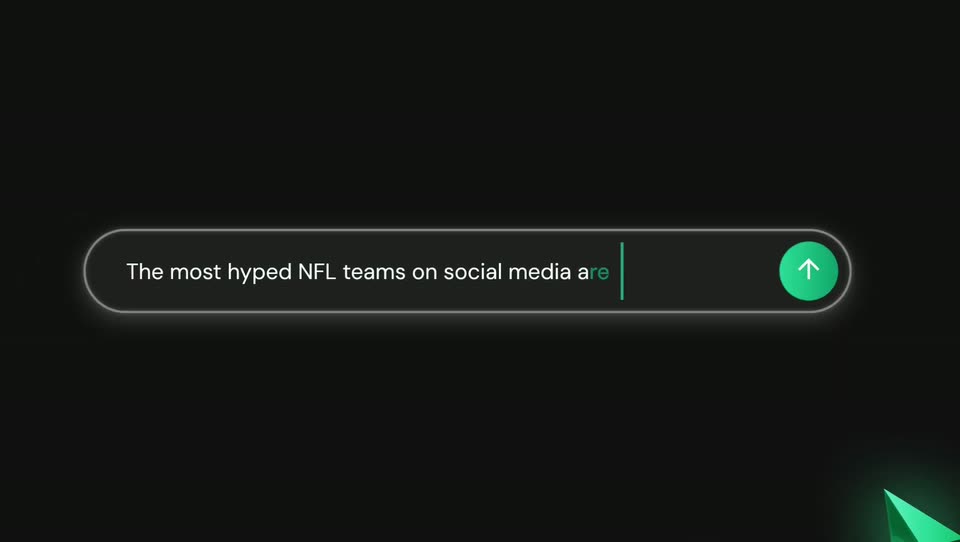
A dark app window with a centered prompt sits on a black silk backdrop; the camera pushes in on the bottom input field, and a text caret types a sentence letter by letter.
Techniques: UI zoom, Cursor demo
Camera: Static
A dark app window with traffic-light dots and a New button holds still as the line Okay, let's start building your app. fades in, then a spinner with Preparing project... appears. The view pushes in on the My Library pill button.
On-screen text: “What if we madel”
Techniques: UI zoom
Camera: Static
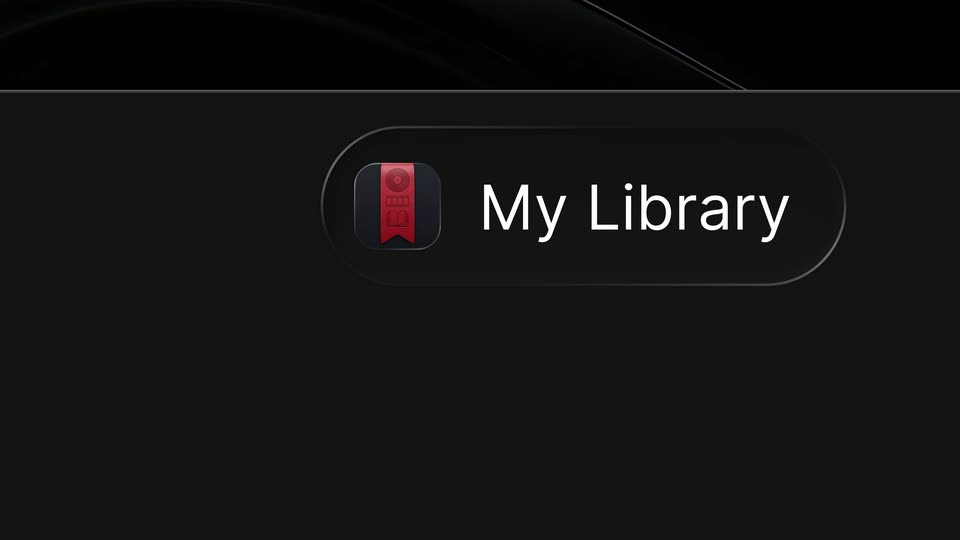
A close-up of a dark pill label reading My Library with a small icon zooms out to reveal a glossy black 3D surface. The icon becomes a red bookmark app tile floating above a bottom dock of small app icons.
Techniques: UI zoom, 3D mockup
Camera: Static
A dark reflective 3D shape drifts slowly behind a macOS dock pinned to the bottom edge. The dock holds a terminal, a colorful app, a red ribbon icon and a trash bin, and a second page-indicator dot fades in beneath the ribbon icon.
Camera: Static
A dark app window fades in over a black silk-textured background, its sidebar and content rows assembling into place. The movie poster row then scrolls left, sliding new titles into view while the album and book rows hold still.
Camera: Pull out
A dark music-plugin interface with red side panels and a piano keyboard sits centered over flowing pale silk strands. The camera slowly pushes in as a vertical light band sweeps down the right panel and a cursor hovers over its knobs.
Techniques: Cursor demo, Light sweep, Parallax
Camera: Static
A dark rounded player window with traffic-light dots and playback buttons floats centered over a flowing black silk background. A cursor clicks the play and rewind controls while the cassette reels spin and the status line cycles through Press Play, Digging through crates, Rewinding, and a track title.
Techniques: Cursor demo
Camera: Static
A dark launch dashboard window tilts in 3D, then scales down to a flat centered view over a flowing liquid-metal background. The overview panel populates with a countdown and issue, pull-request counts that tick upward as the lists fill in.
Techniques: 3D mockup
Camera: Pull out
A dark emoji-generator panel with style pills, a description field and two upload boxes floats centered over glossy black liquid waves. A white cursor arrow glides down the panel's right edge as the waves shift slowly.
Techniques: Cursor demo
Camera: Static
A dark emoji-generator panel with a cursor resting on the Open Camera button fades out over a black liquid backdrop as a circular mask opens in the center, revealing a bearded man in glasses against black.
Techniques: Cursor demo, Masking
Camera: Static
A rounded video-call window with three dots floats centered over a glossy black liquid ribbon. Inside, a bearded man in glasses faces the camera; a dark mask wipes the frame to an empty white window, then he reappears waving. A cursor hovers on the round button at the bottom.
Techniques: Masking, Cursor demo
Camera: Static
A dark macOS-style window floats over a flowing black silk background. Inside, a 3D bearded Memoji cycles through poses: a peace sign, a colorful bucket hat with two thumbs up, then an open mouth beside a speech bubble. The window gently resizes across the sequence.
On-screen text: “60”, “CODER”
Camera: Static
A dark viewer window with red, yellow and grey dots plus share, copy and download icons floats centered over a flowing black glass backdrop. Inside, a 3D chef emoji with glasses and a finger to its lips holds a shushing pose while a small red heart bobs beside its head.
Camera: Static
A dark project dashboard sits over a flowing black-silk background; the cursor clicks Publish and a “Publish Peel?” dialog fades in with Public Store selected. The dashboard dissolves away, the Publish button turns to a loading state, then the dialog fades out.
Techniques: UI zoom, Cursor demo
Camera: Static
A dark app-store window in 3D perspective gathers icons, a plant, coffee cup, dog and portrait, flying in from a blurred spread and settling around a large image placeholder. The name Peel and a description fade in beside a blue Install button over black with light streaks.
Techniques: 3D mockup
Camera: Pull out
A dark app-store window with a left sidebar and a Browse Apps grid sits on a black background. The hero carousel at the top slides left, cycling featured app cards from Peel to Aim to Moni, while a static cursor hovers over the grid.
Camera: Pull out
A dark dock of rounded app icons slides across the bottom, each icon revealed by a thin vertical wipe line. The view then pulls back to a full desktop showing shelves of album covers and book covers above the dock.
Techniques: Masking, UI zoom
Camera: Pull out
A macOS desktop floats in 3D perspective over a flowing black silk background, with five app windows arranged in a grid: a listening widget, a launch dashboard, a contact card, a music player, and a media library. The windows settle into place as the silk ripples behind them.
Techniques: 3D mockup
Camera: Pull out
A glossy black fluid drifts slowly across a dark frame. Centered white text reads “Desktop apps, reimagined by you.”, then it gives way to the glaze wordmark with a small “By Raycast” credit below.
On-screen text: “Desktop apps, reimagined by you.”, “By Raycast”
Camera: Push in
A glossy black 3D surface ripples in the dark, its specular glints drifting across the ridges, while the white URL glazeapp.com holds centered and still.
On-screen text: “glazeapp.com”
Techniques: Light sweep
Camera: Static