0:20

Revolut Your Way In (Transfers)
Revolut · Finance · Aug 2022
Framework’s 0:33 launch film runs 25 scenes, about 1.3 s each. The product shows up at 0:05. There is no explicit call to action. The film opens on warm, dim vignettes of two people in their workspaces, then shifts into a fast top-down montage of hands swapping keys, ports and panels on a blue cutting mat, punctuated by close-up face beats and whip-blur transitions. It ends on a static white Framework wordmark on black; the signature move is the centered, quick top-down part-swap shot that keeps the laptop dead-center on the grid mat.
Is this your launch? to your site or press kit.
Revolut · Finance · Aug 2022
Audi · May 2026
General Context Labs · Consumer · Aug 2026
Films whose music sounds like this one, voice left out
ALL19 · Documentary montage with cinematic and electronic elements
Sapien · Corporate electronic
The Lord of the Rings: The Rings of Power · Cinematic trailer music transitioning to electronic dance
A person seated under a wooden desk lifts a silver laptop out of a black backpack, the Apple logo facing the camera. The hand grips the lid as the device rises into frame.
Camera: Static
A man in a rust shirt sits at a cluttered dining table in a sunlit home kitchen, setting a tablet down as the camera pushes in on him. A fast whip blur then swings the view to a dark, warm-lit shop interior.
Techniques: Speed ramp
Camera: Push in
A woman with a curly afro sits at a wooden desk with a monitor and keyboard, turning toward the camera and smiling as the shot drifts right. A warm-lit room with shelves of plants, books and a small sign fills the background.
Camera: Push in
A person with a large afro in a white sweatshirt handles a black PC tower on a sunlit desk, a curved monitor in the foreground; small text slides in over the shot.
On-screen text: “Sorry”, “CLOSED”, “THE ILLUSTRA”, “500”
Techniques: Kinetic type
Camera: Static
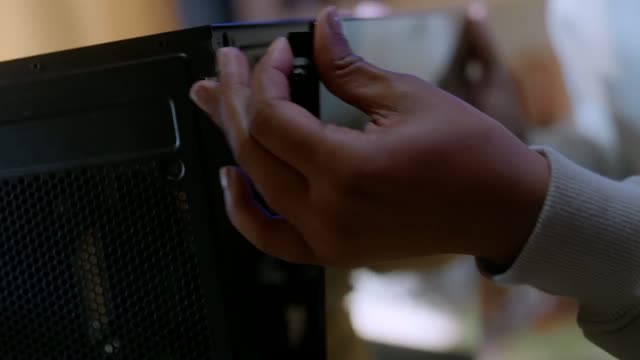
A pair of hands presses the top corner of a black perforated metal panel, fitting a small corner piece into place, against a warm, blurred indoor background.
On-screen text: “500”
Camera: Static
Top-down view of a white laptop on a blue gridded mat, framed by tools, a calculator and a keyboard. Two hands grip the lid and flip it open to reveal the keyboard, the motion quick and centered.
On-screen text: “CO?”
Camera: Static
Top-down shot of a black-and-silver laptop on a blue cutting mat. Two hands in rust sleeves slide it to the center, then release it to reveal white finned modules and a numeric keypad on either side.
On-screen text: “CO?”
Camera: Push in
A man in a rust shirt sits in a bright kitchen, gazing down with a faint smile as a small caption slides across the frame. Medium close-up, shallow depth of field, static camera.
On-screen text: “CO?”
Camera: Static
A top-down shot of a workbench racks from soft focus to sharp, revealing a disassembled laptop whose keyboard a hand lifts away. A circuit board, white parts, a numeric keypad, a pencil and a colorful book rest on the blue mat around it.
Camera: Static
A hand grips a thin metal spudger, prying along the edge of an open laptop chassis on a workbench. Low angle with shallow depth of field, the blurred workshop background stays dark. The tool tilts as the fingers shift their hold, the screen glowing behind.
On-screen text: “CO?POLO!”
Camera: Pan
A person in a pink sweatshirt sits at a wooden desk, sliding a dark device into an open black box. The camera sits low near the desktop, keeping a pen holder and a pink fan soft in the foreground while the hands and box stay in focus.
Camera: Push in
Top-down shot of a workbench with a disassembled white laptop on a blue mat, surrounded by cables, a calculator and a game box. Hands in a red sleeve lift and turn a black hardware unit, showing its rear ports and fan.
Camera: Static
Close-up on a workbench: two hands in a red sleeve adjust a white disassembled device frame on a blue cutting mat. A screwdriver and magnifying glass sit at the edge. The camera stays locked off as the fingers press into the frame's grille.
On-screen text: “POLO!”
Camera: Static
A tight close-up of a young man in a rust collared shirt, head tilted down in profile, lit by soft window light. The blurred home interior with wall frames and a plant sits behind him as the frame drifts slightly.
Camera: Pull out
Overhead shot of a wooden desk with a black mat. Two hands bring a compact keyboard, cream keycaps and a top row of orange keys, into frame and set it down beside a black mouse, slight motion blur as it lands.
Camera: Static
Overhead shot of a workbench with a blue cutting mat. Two hands in a red sleeve lower a black German-layout keyboard into an open laptop chassis, then press it flat. Spare keys and tools sit at the edges. A slow dissolve blends the frame at the end.
Camera: Push in
A dim close-up of a partially disassembled laptop on a desk. The left hand taps the black keyboard in the blurred foreground while the right hand lifts a small component at the exposed white frame on the right edge.
Camera: Push in
Close-up of hands prying at the edge of a laptop keyboard, then a top-down view of the same hands lifting the keyboard module off a disassembled chassis laid on a blue grid cutting mat.
Camera: Static
Top-down view of a half-disassembled laptop on a blue cutting mat. Two hands press the silver palm rest and touchpad panel into the chassis beside the black keyboard. A detached numeric keypad and a pen lie to the right. The frame holds still.
Camera: Static
A person in a red shirt sits at a cluttered workbench, hands resting on a partially disassembled laptop. The view tightens to a close-up of the fingers on the keyboard and trackpad, with tools, a calculator and a second laptop around.
Camera: Static
A man in an orange shirt sits at a desk in a sunlit home office, facing a silver laptop. He looks down at the screen, then his hands move to the keyboard as he begins typing. A green desk lamp and trailing plants frame the scene.
Camera: Static
In a warm-lit room, a person with an afro in a gray sweatshirt holds a black hardware unit with a mesh grille and exposed gold circuit boards. Both hands rest on its front as they adjust it slightly. Behind, a Sorry CLOSED sign and a blue neon glow sit on a shelf in the locked-off frame.
Camera: Static
A woman with curly hair and a man in a rust shirt sit at a desk facing a laptop whose lid bears a small logo. The man points at the trackpad while the woman shifts her gaze from the screen to him. Warm office light, shallow focus, locked-off medium shot.
Camera: Pull out
Low-angle close-up of an orange-framed laptop on a desk; a hand taps the trackpad while the screen shows a blueprint-style illustration of the machine's internals. A warm-lit workspace with blurred monitors sits behind.
Camera: Pan
A dim close-up of fingers resting on a laptop trackpad fades to black behind a centered white framework wordmark, which stays static and locked off for the whole shot.
On-screen text: “framework”
Camera: Static