2:08
Explore
Figma - Prompt it. Then push it to make it better. Figma Make, now available
Figma Make · Jul 2025 · 0:41 · AI-annotated
- Length
- 0:41
- Scenes
- 47 · 0.9 s avg
- Product on screen
- 0:08
- Features shown
- 7
- Call to action
- 0:37 · 91%
- Voiceover
- Yes
00:00:00 / 00:41:18
Figma Make’s 0:41 launch film runs 47 scenes, about 0.9 s each. The product shows up at 0:08 and 7 features are revealed. The call to action lands at 0:37 (91% in), over a voiceover. Rapid montage of a chat prompt typing out requests, each cut to the UI or 3D object it generates, intercut with live-action button presses and stage clips under a prototyping voiceover. Dark charcoal panels with lowercase light sans text, hard cuts at about 90 per minute, and a recurring blue send button that bookends the edit, closing on the lavender Figma Make logo card.
Footage neededEstimated needs: 10 capture groups — your screens or recordings · 1 official logo — reused across the film · 15 filmed passages — shoot, supply or replace · 3 graphic passages — draw or supply · 6 3D passages — build or supply
Is this your launch? to your site or press kit.
More like this

1:53

samagra14 - Introducing Whip Web: Youtube for interactive experiences The next w
Whip · Consumer · Sep 2026
0:40

Modern SaaS Product Launch Video | Accordio
Accordio · Oct 2026
Figma - Prompt it. Then push it to make it better. Figma Make, now available, scene by scene
· 47 scenes as text
01 · Hook · 0:00–0:01
A man in a white shirt sits in a car, filmed over his shoulder on a shaky handheld camera. He extends his arm out the window toward a red drive-thru kiosk, its screen showing a food photo and a Confirm Order Here label.
Camera: Static
02 · Hook · 0:01–0:02
A dark rounded chat panel on a charcoal backdrop; a blinking caret types the message letter by letter while four white outline icons (document, image, open book, spark cursor) sit along the bottom edge.
Techniques: Kinetic type
Camera: Push in
03 · Hook · 0:02–0:04
A white cursor moves onto a blue circular button with an up arrow and clicks it. Quick cuts follow to a code editor with a file tree and App.tsx imports, then a dark screen pairing the brand logo with the word Thinking...
Techniques: Cursor demo
Camera: Static
04 · Hook · 0:04–0:04
A dark code editor fills the frame, a file tree on the left and import statements on the right. The image starts soft and sharpens while scrolling down a few lines, under a still caption reading Thinkin...
On-screen text: “Thinkin...”
Camera: Static
05 · Hook · 0:04–0:06
A blue 3D tunnel of white light streaks and particles rushes toward a bright central glow, then cuts to a top-down macro of a green circuit board with black chips and silkscreen labels.
Techniques: Particles
Camera: Static
06 · Hook · 0:06–0:06
A hand lifts the hinged lid of a laser-cut wooden box, opening it to reveal a white interior holding a dark object. The lid carries a metal toggle switch flanked by engraved ON and OFF labels.
Camera: Static
07 · Hook · 0:06–0:07
A black-and-white close-up of a hand holding a stopwatch cuts to a man walking across a TED stage, gesturing with both hands in front of large red TED letters and a wall of human silhouettes.
Camera: Static
08 · Hook · 0:07–0:08
A woman with dark hair and a purple shirt speaks on stage, then the shot cuts to an older woman in glasses and a black leather jacket who gestures with both hands against a blurred multicolored backdrop.
Camera: Static
09 · Hook · 0:08–0:08
A bearded man in white earphones sits before a wooden glass-front cabinet, raising both hands to gesture as he speaks. A video-call grid frames him: a blonde participant is cropped at the left edge and a curly-haired one at the right.
Techniques: Split screen
Camera: Static
10 · Feature reveal · 0:08–0:10
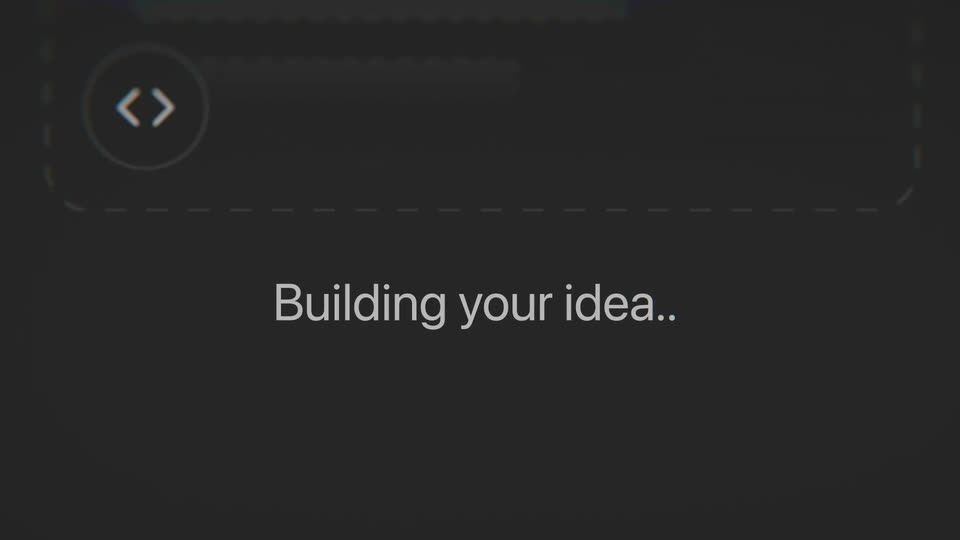
A dark gray frame shows the word button typing out with a thin cursor beside a rounded panel corner. It then cuts to Building your idea... centered below a blurred sketch of a dashed code block, a code icon and a pencil icon.
On-screen text: “button states”, “Building your idea...”
Techniques: Kinetic type
Camera: Static
11 · Feature reveal · 0:10–0:10
A glossy pink pill button labeled CLICK ME floats on a white field with a black cursor arrow below it. The button swaps to a dark glossy PUSH pill as the cursor moves up onto it, while a small caption stays fixed in place.
On-screen text: “Building your idea...”
Techniques: 3D mockup, Cursor demo
Camera: Static
12 · Feature reveal · 0:10–0:11
A pixelated gray button reading Start Me Up sits on white with a cursor at its lower edge. The cursor clicks and the button swaps to a red GET LIT tile flanked by two cursors.
Techniques: Cursor demo
Camera: Static
13 · Feature reveal · 0:11–0:11
A rounded button with a palm-leaf pattern and a cream script label sits on white, a white cursor arrow taps its lower edge. The button hard-cuts to a yellow pill with a purple border and italic purple text flanked by a yellow starburst and a purple four-point star.
Techniques: Cursor demo
Camera: Static
14 · Feature reveal · 0:11–0:12
A black pill shape with a bright green outline and the text 'POP OFF' in green is shown, then cuts to a black pill with a white outline and the text 'Default' in black.
On-screen text: “POP OFF”, “Default”
Camera: Static
15 · Feature reveal · 0:12–0:13
Close-up of a dark rounded prompt bar filling the frame. The white lowercase line reading can we make the shape glassy? starts soft and out of focus, then pulls sharp, while a row of small line icons rests along the bottom edge.
Camera: Push in
16 · Feature reveal · 0:13–0:13
A rounded-square app icon in translucent glass sits centered over a blurred warm-toned background, its body warping the colors behind it while six white horizontal bars sit flat on the front. The frame holds still as a small caption reveals.
On-screen text: “can we make the shape glassy?”
Camera: Static
17 · Feature reveal · 0:13–0:14
A flat editor interface fills the frame: a colorful, distorted background holds a rounded glass panel with six white bars, while a right-hand panel lists sliders for size, blur and tint. A cursor rests on the blur slider.
Techniques: Cursor demo
Camera: Static
18 · Feature reveal · 0:14–0:14
A close-up of a dark text field with a thin top border on a gray backdrop. White text types itself out letter by letter, reading “create a loading animation,” ending on a blinking caret.
Techniques: Kinetic type
Camera: Static
19 · Feature reveal · 0:14–0:15
A dark screen holds a dotted yellow-green DREAMCOMPOSER marquee over a white tagline and a wall of idea cards, then cuts to a white /idear landing page with a seated-figure illustration and Japanese copy.
On-screen text: “create a loading animatio”, “A space to think out loud”, “and share ideas with dreamers alike.”
Techniques: Kinetic type
Camera: Static
20 · Feature reveal · 0:15–0:16
A ghosted portfolio grid of case-study cards dissolves, cutting to a letterboxed, low-res clip of an orange cat in a blue shirt playing a keyboard.
Camera: Static
21 · Problem · 0:16–0:19
A dark rounded prompt card on a gray field types out a message about button states, a blinking caret trailing the white text. A row of tool icons and a blue send button sit below. The text scrolls up and the card blurs as a new outline slides over it.
Techniques: Kinetic type, UI zoom
Camera: Push in
22 · Problem · 0:19–0:19
A hand in a black sleeve reaches across a white table and presses the top of a small white cube, whose top ring glows pink and base shows a row of teal dots. The dark backdrop shifts to deep red as the hand lifts away.
Camera: Push in
23 · Problem · 0:19–0:20
Two men lean over a wooden table toward a small black box with a round white disc and a metal cup. The man on the left points at the device then pulls his hand back into a fist, while the man on the right raises his open palms. A framed group photo hangs on the cream wall behind them.
Camera: Static
24 · Feature reveal · 0:20–0:21
A dark rounded prompt card types out “retro music player” behind a blinking caret, above a row of thin line icons. A green-accented Winamp player window then slides in from the top right, overlapping the card.
Techniques: Kinetic type
Camera: Static
25 · Feature reveal · 0:21–0:22
A Winamp window, centered on a dark purple field, resolves from a blurred ghost into a locked-off view: green spectrum bars, orange progress bar, 10-band equalizer. The static captions 'retro music player', 'TWISTIT' and 'Bopit' hold around it.
On-screen text: “retro music player”, “TWISTIT”, “Bopit”
Camera: Push in
26 · Feature reveal · 0:22–0:22
A hand holds a Bop It toy steady against a white backdrop, then a quick cut lands on an office where a person sits at a desk with a vintage Mac computer while a giant panda head looms over them.
Camera: Static
27 · Feature reveal · 0:22–0:23
On a plain light gray field, a dense band of multicolored abstract shapes, flowers, asterisks, combs and hooks, lines the bottom edge. The shapes drift upward and thin toward the center, opening a gap, at a slow steady pace.
Techniques: Particles
Camera: Static
28 · Other · 0:23–0:24
A close-up of a dark rounded input panel on a charcoal background. A prompt is typed out character by character with a blinking caret, while four thin line icons sit along the bottom edge. The frame stays locked off.
Techniques: Kinetic type
Camera: Static
29 · Other · 0:24–0:25
A presenter in a light button-up shirt stands center stage against a black background, raising one hand to gesture as he speaks. A small illuminated screen sits in the upper left corner. The frame is soft and slightly unsteady at the start, then steadies.
Camera: Static
30 · Other · 0:25–0:25
A fingertip presses a glowing green square button on a brushed-metal panel next to a red light, then the shot cuts to two hands holding an open silver flip phone, thumbs resting on the keypad.
Camera: Static
31 · Other · 0:25–0:26
A dissolve from a hand turning a vintage radio dial settles on a close-up of a silver dome bell on a wooden counter. A ringed hand in a dark sleeve presses the bell's top button, the dome wobbling slightly.
Camera: Static
32 · Feature reveal · 0:26–0:28
A dark card holds the typed line let's try dark mode with a blinking cursor, then a white cutout opens on black to reveal two masked people walking, and a cut lands on a black flip clock reading 3, 4, 5.
On-screen text: “let's try dark mode”
Techniques: Kinetic type, Masking
Camera: Static
33 · Feature reveal · 0:28–0:28
A dusty macro of a physical keyboard key labeled 5 morphs into a clean row of gray 3D keycaps reading 3, 4, 5 on a dark background, panning one key to the left.
Techniques: Morph
Camera: Static
34 · Feature reveal · 0:28–0:29
Low-light close-up of a black laptop keyboard as motion-blurred hands type. The frame snaps from a tight view of a single key out to the full deck.
Techniques: Speed ramp
Camera: Pull out
35 · Feature reveal · 0:29–0:30
A locked-off close-up of a dark rounded panel as the words “drawing tool” type themselves in letter by letter behind a blinking caret, then the finished line holds for the rest of the shot.
On-screen text: “drawing tool”
Techniques: Kinetic type
Camera: Static
36 · Feature reveal · 0:30–0:30
A pixel grid fills with a red heart inside a drawing app, then the grid and side panel morph into a white brick wall. A hand draws the same heart with a red marker, finishing the outline as the panel slides off the left.
Techniques: Morph
Camera: Static
37 · Feature reveal · 0:30–0:31
A glossy pink 3D heart hovers over a white grid floor in a pastel cloud sky, ringed by floating cubes, spheres and tori. The camera drifts right, pushing the heart to the right edge and opening up the grid plane on the left.
On-screen text: “ear Wall”, “ako”, “don”
Techniques: Parallax
Camera: Static
38 · Feature reveal · 0:31–0:32
A purple heart mascot with a smiling face and green stem stands on a green platform before a Ferris wheel and a sunset city skyline. The camera orbits it as a large numeral slides across the frame.
On-screen text: “9”
Techniques: Parallax
Camera: Pull out
39 · Feature reveal · 0:32–0:33
A 3D scene of green bamboo growing around white poles, with paper wish strips hanging and floating, seen from a slowly orbiting camera over a dark reflective floor. A flat input bar with a Japanese placeholder and a top header sit at the edges.
Techniques: 3D mockup, Parallax
Camera: Static
40 · Feature reveal · 0:33–0:34
A dark input field fills the frame, locked off, as white text types out the prompt behind a thin vertical cursor. The words appear character by character until the full line is complete.
On-screen text: “help me prototype a game”
Techniques: Kinetic type
Camera: Static
41 · Feature reveal · 0:34–0:35
A flat wooden chess game UI fills the frame, locked off. A white pawn slides up the board while a dashed selection box and green dots track its move, with a how-to-play panel and a restart box beside the board.
On-screen text: “help me prototype a game”
Camera: Static
42 · Feature reveal · 0:35–0:35
A pixel game runs in a bordered window: a square trail and a tiny robot sprite glide rightward, the field cuts from white to dark red, and a thin ring pulses around the sprite. Two lines of Japanese control captions hold below the frame.
On-screen text: “スペースキーかクリックで上昇、離すと下降します”, “壁に近いほど高得点!衝突に注意!”
Camera: Static
43 · Feature reveal · 0:35–0:36
A pixel-art night city with lit windows fills the frame; a grey pigeon hovers mid-screen flapping its wings while a slice of bread floats top-left. A top HUD reads bread count, timer and leaderboard, and a bottom row holds left, jump and right buttons with a cursor at the left.
Camera: Static
44 · Feature reveal · 0:36–0:37
A locked-off cream color card with two large black-pupiled eyes cuts to a white palette interface. Sliders, a hex field, and a vertical list of blue swatches appear, while a small JUMP label stays still and the numeral 4 scales.
On-screen text: “JUMP”, “4”
Camera: Static
45 · Feature reveal · 0:37–0:37
An abstract circular graphic of fractured crystals and neon lines cuts to the Pattern Generator interface, a black-and-white diagonal pixel pattern on the canvas, a control sidebar at left, and a cursor resting on the ROWS slider.
On-screen text: “4”
Techniques: Cursor demo
Camera: Pull out
46 · CTA · 0:37–0:38
A black arrow cursor with a white outline glides up from the lower left to hover over a blue circular button bearing a white up-arrow. The button sits on a white card with a rounded corner, against a faint grid background.
On-screen text: “R”
Techniques: Cursor demo
Camera: Static
47 · Outro · 0:38–0:41
On a flat lavender field, the black Figma mark with its colored dots builds into place at left as the black wordmark Figma Make slides in beside it and holds.
Camera: Static