0:45
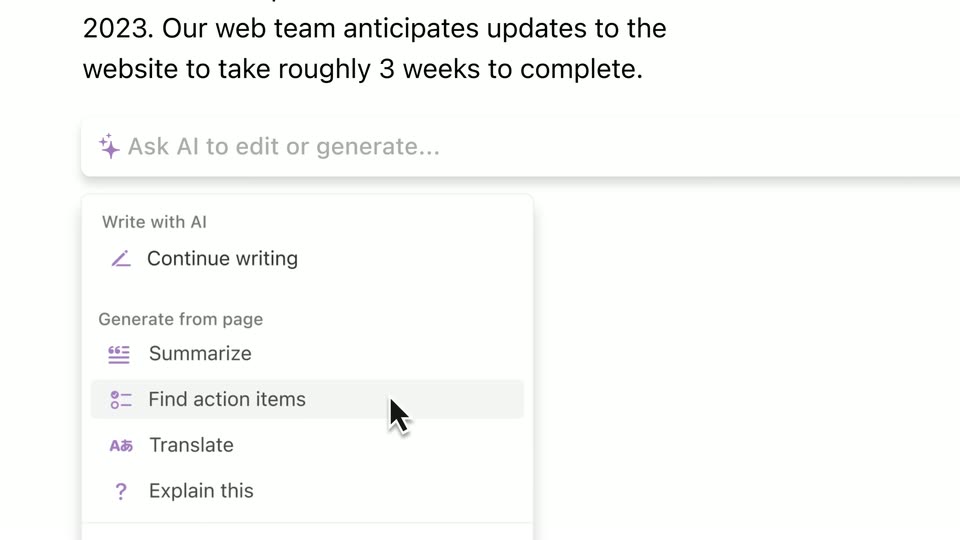

Notion AI is here, for everyone
Notion · Productivity · Feb 2023
Expertise’s 2:08 launch film runs 42 scenes, about 3.1 s each. The product shows up at 0:12 and 3 features are revealed. The call to action lands at 2:00 (94% in), over a voiceover. A comedic cold open and spa-parody framing bookend three UI walkthroughs, each feature following the same three-step pattern: integrate, prompt in natural language, and run. The pacing is quick with locked-off live-action shots, slow zooms into the interface, and a persistent task checklist that fills in as each automation is completed.
Is this your launch? to your site or press kit.
Notion · Productivity · Feb 2023
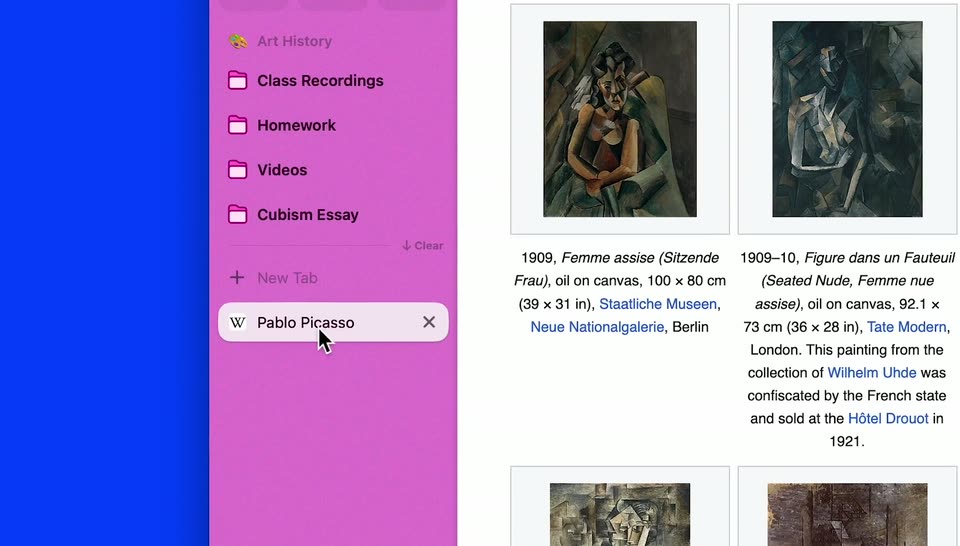
The Browser Company · Productivity · Sep 2023
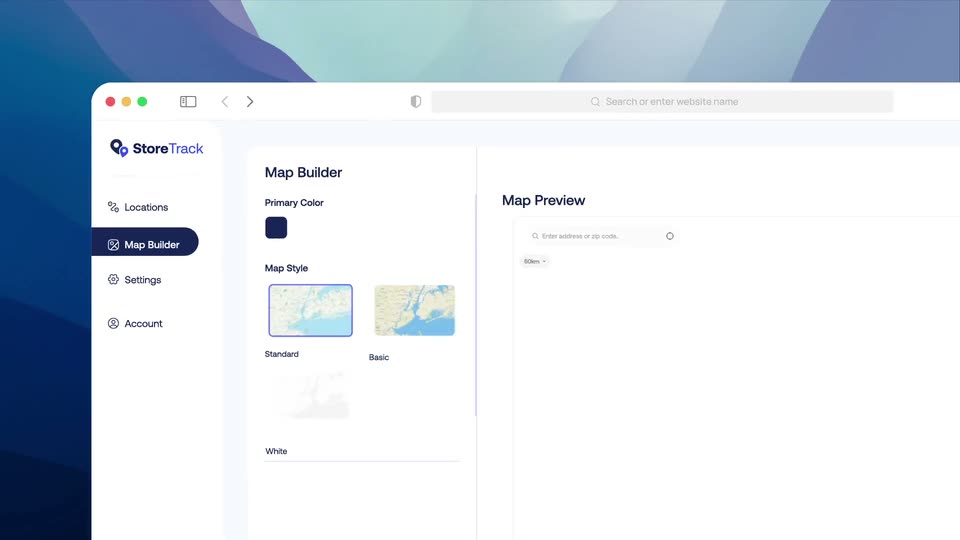
StoreTrack · Jun 2026
A man in a blue shirt and yellow tie sits at a desk facing a laptop. He pumps both fists in the air, then places his hands behind his head, grinning. A white subtitle line sits at the bottom of the frame throughout.
On-screen text: “God, I just love updating my CRM.”
Camera: Static
A man in a white shirt and green checkered tie sits in an office chair against a wall with a framed abstract painting. He points to the side, then opens his palm and forms a fist as he speaks. White captions appear at the bottom of the locked-off frame.
On-screen text: “What about pre meeting prep?”, “Always a good time.”, “Ah Ah, but boys...”
Camera: Static
A man in a striped shirt and loose black tie stands before a whiteboard titled TO-DO LIST, holding a red marker. He gestures with both hands and points at the list while speaking. The frame is locked off at medium shot, with window blinds behind him.
On-screen text: “Ah Ah, but boys...”
Camera: Static
A conference room holds three men, all the same actor: one stands at a whiteboard gesturing with a marker, two sit at a round table with open laptops. The standing man points and talks while the seated men react with hand gestures, subtitles at the bottom.
On-screen text: “email follow-ups.”, “Ohh, I'd give a kidney write another one of those.”
Camera: Static
A man in a pink robe sits at a nail salon table, talking while a masked technician in black gloves works on his hand. The locked-off medium shot holds on him as a caption appears at the bottom.
On-screen text: “Said no account executive ever.”
Camera: Static
A woman in a pink robe sits in a salon chair with a towel wrapped around her head while a masked technician wipes it. The camera settles from a fast blurry pan into a locked-off shot, with a name caption at lower left and a subtitle along the bottom.
On-screen text: “Said no account executive ever.”, “Hao Sheng, CEO”, “Expertise AI”, “That's why we built Expertise.”
Camera: Static
A woman in a pink robe with a towel on her head sits in a salon chair as a masked stylist works behind her. The shot cuts to her on a beige sofa holding a phone. A name caption sits lower left, subtitles at the bottom.
On-screen text: “Hao Sheng, CEO”, “Expertise AI”, “That's why we built Expertise.”, “An AI Executive Assistant, to do the admin work for you.”
Camera: Static
A person in a pink robe and towel turban sits on a cream sofa in a clinic lounge, holding a magazine and speaking to camera. A staff member in black walks in carrying a pink handbag while subtitles run along the bottom.
On-screen text: “Hao Sheng, CEO”, “Expertise AI”, “An AI Executive Assistant, to do the admin work for you.”, “So you can stay focused on selling.”
Camera: Static
A spa lounge set: a staff member in black scrubs stands holding a pink bag, while a client in a pink robe and towel sits on a white couch reading a magazine. The camera holds a static wide shot. A subtitle line sits at the bottom.
On-screen text: “So you can stay focused on selling.”
Camera: Static
A man in a pink robe with hair curlers sits on a bench holding a hand mirror, speaking to camera in a bright beauty salon. The shot widens to reveal a masked technician working on his foot at the right.
On-screen text: “In two minutes, we will show you how to automate”, “three admin tasks that take up half of your day.”, “You heard the man in the pink robe.”
Camera: Pull out
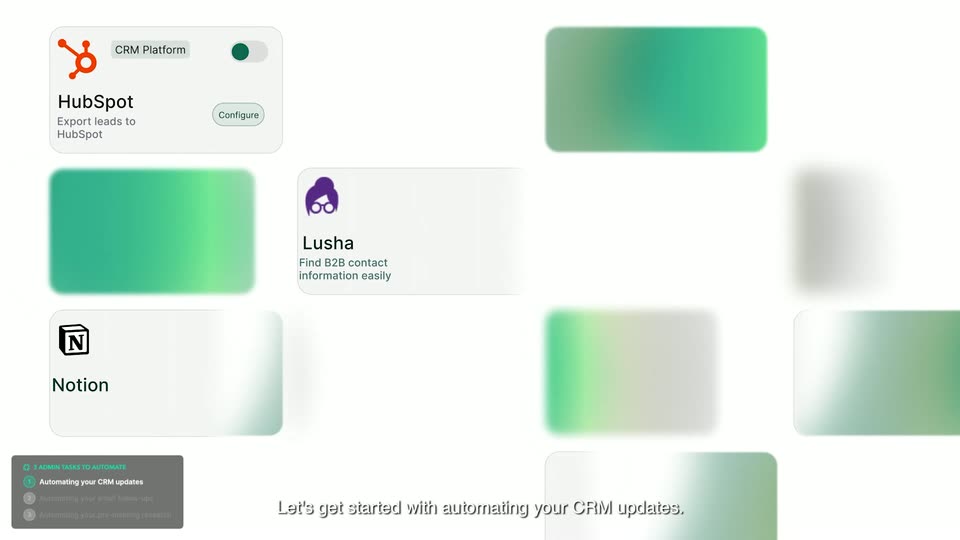
Flat integration cards (HubSpot, Lusha, Notion, Mailchimp) sit on a white field, starting out of focus and sharpening into legible tiles. A dark task list panel stays fixed bottom left while a white serif caption at the bottom swaps from one line to the next.
On-screen text: “You heard the man in the pink robe.”, “Let's get started with automating your CRM updates.”
Camera: Static
The white Connections dashboard, a grid of integration cards with green toggles, sits centered on black and settles into place at the start. A dark task panel sits bottom left. Bottom subtitles swap lines while the frame stays locked.
On-screen text: “Let's get started with automating your CRM updates.”, “Step one: Integrate Expertise with your CRM and your note taker.”
Camera: Static
A light integrations grid sits under a CRM & NOTETAKER heading, starting slightly zoomed in before settling. A cursor moves to the HubSpot card and flips its toggle on, tinting the card green. A bottom caption states the step.
On-screen text: “Step one: Integrate Expertise with your CRM and your note taker.”
Techniques: UI zoom, Cursor demo
Camera: Static
An integrations grid of app cards (HubSpot, Salesforce, tl;dv, Calendly) pans left as a cursor hovers the tl;dv card, which gains a green border and soft glow. A white panel then wipes in from the right to cover the screen.
On-screen text: “Step one, integrate Expertise with your CRM and your note taker.”
Techniques: Cursor demo, UI zoom, Masking
Camera: Pan
A flat expertise.ai dashboard shows a sidebar and quick-start cards under a greeting, with an edit caption at the bottom. The frame zooms into the empty input box, where a sentence types itself out character by character.
On-screen text: “Step two: Describe the workflow in natural language.”
Techniques: UI zoom
Camera: Push in
A magnified fragment of the chat text zooms out to reveal the full chat interface, showing the greeting bubble, the green user message, and a spinner in the input field. The caption “Step three: Let that baby run.” stays at the bottom.
On-screen text: “Step three: Let that baby run.”
Techniques: UI zoom
Camera: Static
A chat screen shows the user's green message bubble flash bright green, then the view zooms into the assistant's response card, “Got it. Here's the plan:”, as a soft green-and-yellow gradient fills its lower corner. A dark task list sits bottom-left; a serif caption swaps at the bottom.
On-screen text: “Step three: Let that baby run.”, “And just like that, Expertise automatically updates”
Techniques: UI zoom
Camera: Push in
A flat automation-plan card on a white background lists four steps, TRIGGER, READ, MATCH, WRITE, each with an icon and a line of text. A green border glows around the card then fades, while the step lines wipe in from the left. A dark task panel sits bottom left and a serif caption runs along the bottom.
On-screen text: “And just like that, Expertise automatically updates”
Techniques: Masking
Camera: Static
A CRM activity feed scrolls up past a Call entry and a meeting-summary Note, then pulls back to the full interface with left sidebar and right contact panel. A serif caption runs along the bottom.
On-screen text: “And just like that, expertise automatically updates”, “your CRM without you having to even log in.”
Techniques: UI zoom
Camera: Pull out
A masked practitioner in black scrubs glides a white laser handpiece over a client's chest in a bright treatment room. The client lies in a pink robe with protective glasses, the device tip glowing red. The shot cuts from wide to a closer frame on the client's face.
On-screen text: “Can assist follow up with a client?”, “Yes it can.”
Camera: Push in
Soft green rounded rectangles fade in and drift on a white field while a small dark checklist panel sits in the lower left and a serif caption reads at the bottom center. A green HubSpot mark appears in the top left corner.
On-screen text: “3 ADMIN TASKS TO AUTOMATE”, “Automating your CRM updates”, “Automating your email follow-ups”, “Automating your pre-meeting research”, “Yes it can.”, “Yeah, it actually can.”
Camera: Static
A grid of app-integration cards sharpens from a soft blur into a crisp four-column layout, each card pairing a logo, name and category tag with a green toggle. A small dark panel in the lower-left lists three admin tasks, while a caption runs along the bottom.
On-screen text: “So let's show you how you can automate that.”, “Step one: Integrate your email and your CRM.”
Camera: Pull out
The Connections page of the expertise.ai app settles from overlapping, offset cards into a clean grid. The view then zooms into the CRM section, where the HubSpot card is outlined in green. A white caption sits along the bottom edge.
On-screen text: “Step one: Integrate your email and your CRM.”
Techniques: UI zoom
Camera: Push in
A connections dashboard shows a grid of integration cards with the HubSpot tile outlined in green. The view zooms into the Salesforce and Gmail tiles as the narrator mentions connecting email.
On-screen text: “In our case we've already connected our CRM.”, “So let's just go ahead and connect our email.”
Techniques: UI zoom
Camera: Pan
A grid of integration cards on a light background, each with a toggle and a Configure button. A black cursor moves to the Gmail card and flips its toggle green, then the card gains a green outline as the cursor slides off to the right.
On-screen text: “So let's just go ahead and connect our email.”, “Step two: Prompt Expertise.”
Techniques: Cursor demo
Camera: Static
A light product screen greets the user, then the view zooms into the prompt field as a sentence types itself out letter by letter, a green glow lining the box's lower edge. A serif caption sits at the bottom.
On-screen text: “Step two: Prompt Expertise.”
Techniques: UI zoom
Camera: Push in
A product chat view fills the frame as a prompt types itself into the input box, the camera drifting and zooming toward the field. The green greeting heading enlarges at the top while quick-start cards and a task panel sit below.
On-screen text: “Step three: Let that baby run.”
Techniques: UI zoom
Camera: Pan
A light product interface shifts from a greeting and text input field to a chat view, where a green message bubble displays the drafted CRM follow-up. A small admin-tasks panel sits bottom left and a serif caption stays fixed at the bottom.
On-screen text: “Step three: Let that baby run.”
Camera: Pan
A light chat screen holds a green prompt bubble and a greeting bubble as a Thinking indicator types in beside a spinning loader. A small task list sits bottom left while the caption Step three: Let that baby run. stays centered at the bottom.
On-screen text: “Step three: Let that baby run.”
Camera: Static
A white card with a green border fills with a vertical list of automation steps, each row sliding up into view with an icon and label, while a dark task checklist stays fixed bottom-left and a teal tooltip hovers top-right. Bottom captions swap in place.
On-screen text: “Step three: Let that baby run.”, “It's already drafted and there's a follow-up on your behalf.”
Camera: Push in
A Gmail thread titled 'Following up on Acme POC' fills the frame. The view zooms into the message body as it types out line by line, then a cursor clicks the Reply button. A dark task panel sits lower left and a caption runs along the bottom.
On-screen text: “It's already drafted and sent a follow up on your behalf.”
Techniques: UI zoom, Cursor demo
Camera: Push in
A man reclines in a salon chair with hair curlers and purple eye patches while a gloved stylist massages his temples, subtitles captioning his lines. The locked-off shot cuts at the end to a white Connections screen with a small card listing three admin tasks to automate.
On-screen text: “Just show them how to automate meeting prep.”, “Oh gosh, I could also use a temple massage.”
Camera: Static
A flat expertise.ai interface fills the frame on a dark background. The Connections page loads, its sidebar and green tool cards sharpening from blur into place, while a bottom-left panel lists three admin tasks and a caption sits centered at the bottom.
On-screen text: “Oh gosh, I could also use a temple massage.”, “Yes, let's automate pre-meeting research.”
Camera: Static
A light Connections screen shows a grid of integration cards. The view zooms in as a cursor flips toggles on Google Calendar and Slack, each card lighting up green as it is enabled.
On-screen text: “Yes, let's automate pre-meeting research.”
Techniques: UI zoom, Cursor demo
Camera: Push in
A grid of integration cards sits on a pale background. A black cursor glides rightward, flipping each toggle on; the active card lights up with a green border and a soft yellow glow. A small caption fades in at the bottom.
On-screen text: “Step two: Tell Expertise what you need.”
Techniques: Cursor demo
Camera: Static
The Expertise chat interface fades in, showing the sidebar, greeting and quick-start cards. The view then zooms into the input box while a prompt is typed, under a serif caption that swaps from step two to the coffee line.
On-screen text: “Step two: Tell Expertise what you need.”, “It can't get you a coffee, but you can say something like”
Techniques: UI zoom
Camera: Push in
A white chat screen shows a green user bubble and an assistant box that cycles from a spinning Think to Got it. Here's the plan: as a serif caption appears centered at the bottom.
On-screen text: “Step three: Let that baby run.”
Camera: Static
A white chat card with a green border shows the heading 'Got it. Here's the plan:' as four labeled lines type themselves out one by one. A small dark checklist panel sits bottom left and a serif caption fades in below the card.
On-screen text: “Now every morning you get the prep material”
Techniques: Kinetic type
Camera: Static
A purple-sidebar chat app shows a blank message pane that fills with a meeting-prep card for an Acme Inc POC kickoff. The view zooms in until the sidebar is cropped out, leaving the document full frame. A lower-third caption reads along with the voiceover.
On-screen text: “for all your upcoming meetings.”, “So you can actually focus on selling.”
Techniques: UI zoom
Camera: Push in
A man in a navy suit and teal shirt pushes open a black-framed glass door and steps out into a brick plaza, gesturing as he speaks. A colorful mural lines the wall to the right; pedestrians and a scooter pass in the soft-focus background.
On-screen text: “It's that simple. Stop wasting time.”
Camera: Static
A man in a navy blazer and teal shirt walks along a brick-paved city street, talking to camera and gesturing with open hands. Storefronts and a colorful mural wall sit behind him. White subtitles sit at the bottom of the frame.
On-screen text: “It's that simple. Stop wasting time.”, “And start selling.”
Camera: Pull out
A light gray title card with a soft green glow spreading across the bottom. The expertise.ai logo sits at top center while the bold headline builds in word by word, the closing phrase rendered in green.
On-screen text: “expertise.ai”, “The Executive Assistant”, “for Account Executives”
Techniques: Kinetic type
Camera: Static