1:11
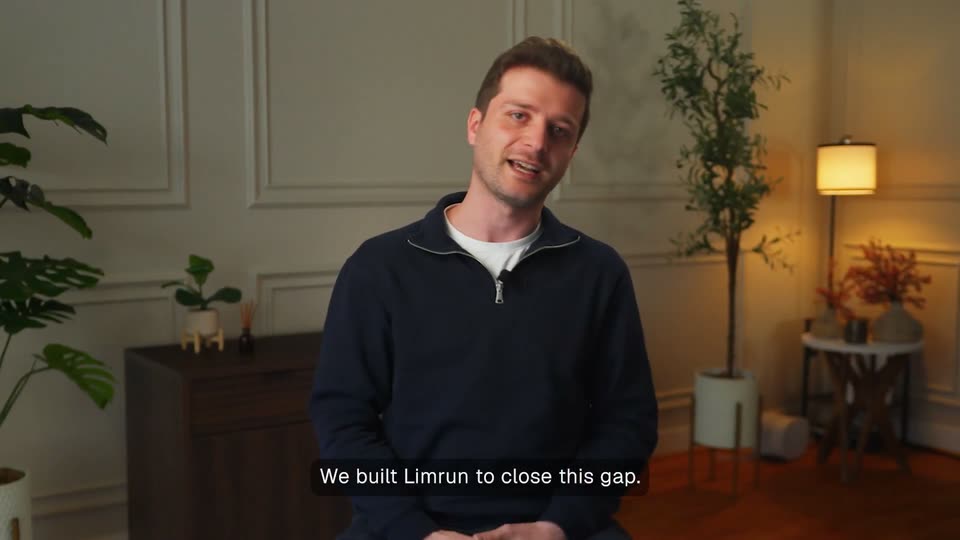

Y Combinator - Limrun (@limrun) provides the infrastructure to leverage your favorit
Limrun · B2B · May 2026
ElevenLabs · May 2025 · 3:08 · AI-annotated
ElevenLabs’s 3:08 launch film runs 14 scenes, about 13 s each. The product shows up at 0:14 and 3 features are revealed, with social proof. The call to action lands at 2:54 (93% in), over a voiceover. Host-led feature tour: a studio intro stacks the headline and feature list line by line, a tilted 3D payout stat builds trust, then a flat UI panel sits left of the host while a bottom-left caption names each feature in turn, closing on a verbal call to action and the logo. Pacing is slow with long takes; the signature moves are tilted 3D interface mockups, line-by-line text reveals, and caption swaps that mark each new feature.
Is this your launch? to your site or press kit.
Limrun · B2B · May 2026
Reason Machines · B2B · Nov 2026
A man in a white T-shirt sits at a desk with a studio microphone, gesturing as he speaks. On the left, a large white headline and a six-line feature list appear line by line, then fade out and give way to a big payout figure.
On-screen text: “New Voice Library”, “New Layout”, “Handpicked Collections”, “Languages Collections”, “New Filters”, “High Quality Badges”, “Create Custom Collections”, “$5 Million”, “in payouts”
Techniques: Kinetic type
Camera: Static
A tilted 3D mockup of the voice marketplace interface fills the frame, its right edge blurred by shallow depth of field. The Trending list of voice actors sits sharp on the left while banner cards recede into the distance, and a large payout statistic overlay anchors the message.
On-screen text: “$5 Million”, “in payouts”
Techniques: 3D mockup
Camera: Static
A tilted voice library sharing settings panel sits in 3D perspective, its rows of toggles and a days dropdown soft-focused. A hand cursor flips a switch, then the panel slides to reveal a yellow area chart with date labels along the bottom.
Techniques: 3D mockup, Cursor demo
Camera: Pull out
Two tilted interface cards float on a light dotted grid: a settings panel with toggles and a stats panel with a yellow area chart. The camera pushes in on the stats card as the chart line climbs and the tooltip value ticks up.
Techniques: 3D mockup, UI zoom
Camera: Push in
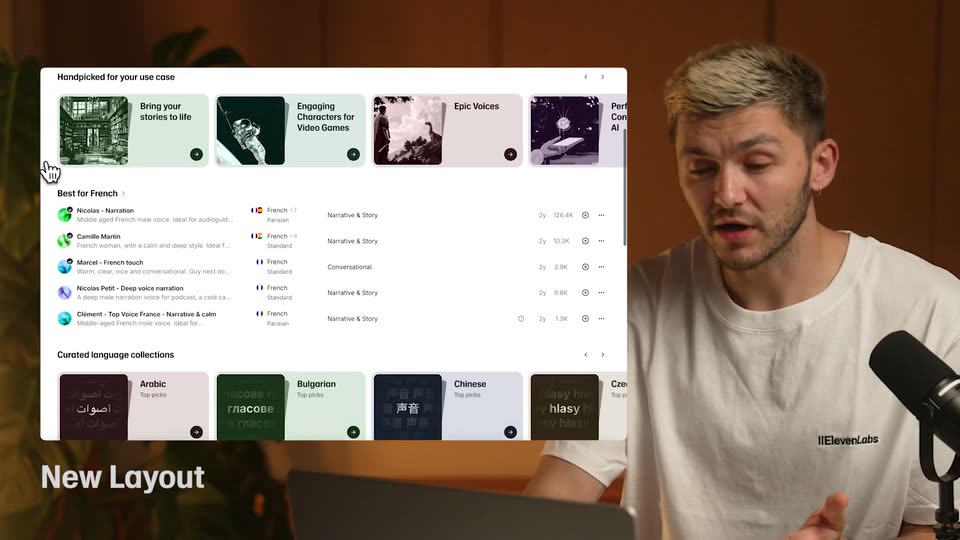
A large white headline $5 Million in payouts to Voice Actors overlays the UI, then disappears. The presenter in a white shirt speaks right of frame while the voice library panel on the left scrolls down, a hand cursor hovering over rows; New Layout fades in at bottom left.
On-screen text: “$5 Million in payouts to Voice Actors”, “New Layout”
Techniques: Cursor demo
Camera: Pan
A presenter in a white t-shirt talks and gestures at a desk microphone while a flat voice-library panel sits to his left. A hand cursor taps the tabs and collection cards, the panel zooms to the tab row, and the bottom caption switches from New Layout to Handpicked Collections.
On-screen text: “New Layout”, “Handpicked Collections”
Techniques: UI zoom, Cursor demo
Camera: Push in
A product screen shows voice collections with a horizontal card carousel that scrolls as a cursor hovers across the cards. A presenter on the right gestures while speaking into a microphone.
On-screen text: “Handpicked Collections”
Techniques: Cursor demo
Camera: Static
A man in a white shirt talks and gestures at a microphone on the right, while a floating product interface panel on the left lists voice collection cards. A cursor hovers over the video games card as the panel zooms in slightly.
On-screen text: “Handpicked Collections”
Techniques: Cursor demo, UI zoom
Camera: Static
A presenter talks beside a floating product UI panel. A cursor hovers over voice rows, the panel zooms in on the list, then the cursor clicks the Explore tab and the view scrolls to language collection cards while the bottom-left caption swaps from Handpicked Collections to Language Collections.
On-screen text: “Handpicked Collections”, “Language Collections”
Techniques: UI zoom, Cursor demo
Camera: Static
A presenter gestures beside a floating ElevenLabs voice library panel. A hand cursor opens the Voice Filters modal, sets English, British, female, young, applies filters, then creates a Demo Voiceovers collection.
On-screen text: “Language Collections”, “New Filters”, “High Quality Badges”, “Create Custom Collections”
Techniques: UI zoom, Cursor demo
Camera: Static
A man in a white t-shirt speaks into a microphone on the right as a flat voice-library panel scrolls down on the left, passing voice cards and name lists. A white headline sits at the bottom left.
On-screen text: “Create Custom Collections”
Techniques: Split screen
Camera: Pan
A man in a white t-shirt sits at a desk with a laptop, gesturing as he speaks. A static UI panel listing voice profiles with a hand cursor overlays the left, and a white headline reads Create Custom Collections at the bottom left.
On-screen text: “Create Custom Collections”
Camera: Static
On a white, locked-off frame, two black vertical bars sit centered, then the ElevenLabs wordmark scales in beside them as a soft multicolor glow blooms behind. The mark and type hold steady at center.
On-screen text: “IIElevenLabs”
Techniques: Kinetic type
Camera: Static
The black ElevenLabs wordmark with its bar icon sits centered on white. A soft iridescent blob of pink, green and cyan light swells behind it, then fades out to leave the logo alone.
Camera: Static