
0:20
Explore
Introducing Flows in ElevenCreative
ElevenLabs · Mar 2026 · 0:33 · AI-annotated
- Length
- 0:33
- Scenes
- 21 · 1.6 s avg
- Product on screen
- 0:04
- Call to action
- 0:26 · 77%
- Voiceover
- Yes
- Views
- 25K on YouTube
as of November 27, 2026
00:00:00 / 00:33:28
- Length
- 0:33
- Scenes
- 21 · 1.6 s avg
- Product on screen
- 0:04
- Call to action
- 0:26 · 77%
- Voiceover
- Yes
- Views
- 25K on YouTube
as of November 27, 2026
ElevenLabs’s 0:33 launch film runs 21 scenes, about 1.6 s each. The product shows up at 0:04. The call to action lands at 0:26 (77% in), over a voiceover. Built as a slow dissolve from a black content wall to a white wordmark, then a single continuous zoom-out tour of the node canvas on off-white, ending on a line-drawn logo. Its signature moves are soft blur-to-sharp text reveals, thin connecting lines that split and morph, and a steady zoom that maps the whole pipeline at once.
Footage neededEstimated needs: 2 capture groups — your screens or recordings · 1 official logo — reused across the film · 2 filmed passages — shoot, supply or replace · 3 graphic passages — draw or supply
Is this your launch? to your site or press kit.
More like this
1:28
Sutrix (YC F26)
Sutrix · Healthcare · Nov 2026
1:43

The New Tasklet iOS App | Tasklet
Tasklet · B2B · Oct 2026
Similar soundtrack
Films whose music sounds like this one, voice left out
3:02
Kesava Kirupa Dinakaran - Today, we’re excited to introduce @luminai Topology. In healthcare,
Luminai · Modern corporate electronic
0:59

Introducing Telamont - Construction Risk Operations Platform
Telamont · Lo-fi hip-hop, chillwave
0:30
Barbie Toys & Playsets | Mattel Shop
Barbie · Orchestral score and modern pop
Introducing Flows in ElevenCreative, scene by scene
· 21 scenes as text
01 · Hook · 0:00–0:00
A framed photo of a Venice canal at sunset sits on a black background. The image drifts slightly to the right as a solid yellow bar slides in along the left edge.
Camera: Pull out
02 · Hook · 0:00–0:02
A 3x3 grid of photo tiles on a black background assembles from partial colored blocks into a full collage, the camera slowly zooming in. Tiles show a UFO, swordfish, cats, joined hands, a Venice canal, an astronaut on the moon, and a street.
Camera: Pull out
03 · Hook · 0:02–0:03
A wall of short video clips fills the frame, each cell playing different footage: a cat, a sailfish, Venice canals, an astronaut on the moon, a misty forest. The grid scrolls to reveal new clips.
Camera: Pull out
04 · Hook · 0:03–0:04
A 5x5 grid of short video clips plays at once, each tile showing different footage: dancers, a night city, a fish, a cat, an astronaut, and a woman in a pool. Some tiles fade between shots while the grid stays fixed.
Camera: Static
05 · Product intro · 0:04–0:05
A checkerboard grid of faded video clips dissolves to plain white, then the word Introducing fades in centered in dark red on the empty background.
On-screen text: “Introducing”
Camera: Static
06 · Product intro · 0:05–0:05
On a white background, the word Introducing in maroon sits small and centered, then yields to the word Flows in pale lavender, set much larger and soft-focused, filling the frame.
On-screen text: “Introducing”, “Flows”
Techniques: Kinetic type
Camera: Static
07 · Product intro · 0:05–0:06
The word Flows sits centered on a white rounded card, resolving from a soft lavender blur into a sharp dark-to-light purple gradient as the card border fades in.
On-screen text: “Flows”
Camera: Static
08 · Product intro · 0:06–0:07
A white pill holding the word Flows fills the center, large and blurred, then scales down to a small pill as the text sharpens and a thin line grows out from its right edge.
On-screen text: “Flows”
Camera: Static
09 · Demo · 0:07–0:09
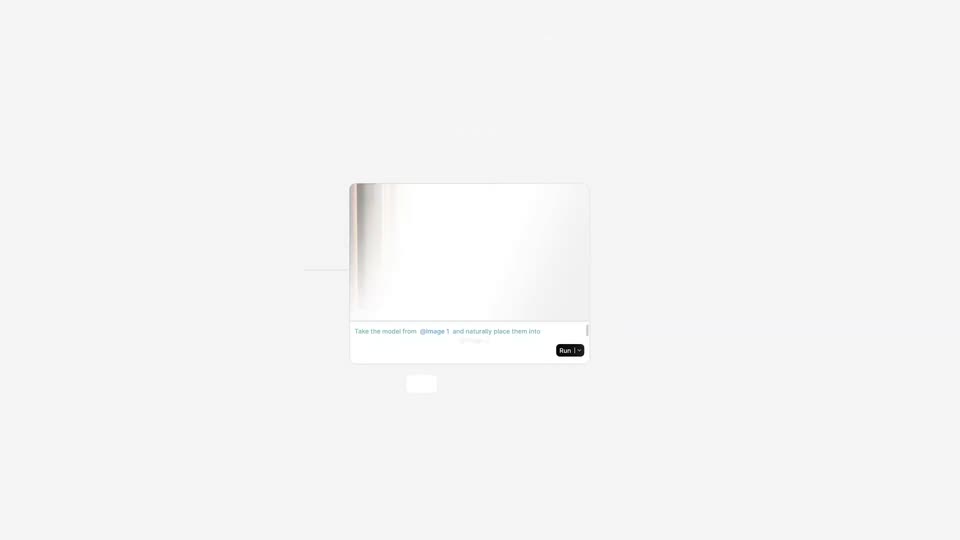
A pale gray field holds the Flows wordmark in a white pill beside an empty card, then both dissolve as a node-based canvas fades in, centering a prompt node that carries a Venice photo and a Run button.
On-screen text: “Flows”
Techniques: Morph
Camera: Static
10 · Demo · 0:09–0:10
A node-based canvas fills the frame as the view zooms out from a tight crop, revealing many image and text cards linked by thin curved lines. Each card carries a small run label and a tool name at its corner.
Techniques: UI zoom
Camera: Pull out
11 · Demo · 0:10–0:13
A node-based canvas of image cards and prompt boxes linked by thin lines zooms out to reveal the full pipeline. The canvas fades as a two-column model list slides in, and the Kling O3 row fills with gray.
Techniques: UI zoom
Camera: Push in
12 · Demo · 0:13–0:15
A two-column model list scrolls upward, the Kling O3 row fills with a pink highlight bar, then the view tilts into a 3D perspective card showing a woman holding a blue perfume bottle under a pink header bar.
Techniques: UI zoom, 3D mockup
Camera: Static
13 · Demo · 0:15–0:16
The product interface shows an image generation card: a portrait of a woman holding a perfume bottle dissolves into a second variant with a different outfit, while the prompt text below stays static and the 16:9 control slides.
Camera: Static
14 · Demo · 0:16–0:17
A two-by-two grid of white cards on a pale background fills with one thumbnail, a woman holding a wine glass on a balcony. The images fade in card by card, left to right, with blue icons at the left edge and purple video badges at the top right.
Camera: Pull out
15 · Demo · 0:17–0:18
A grid of four video thumbnails on a light gray background, each showing a woman in Venice. Below each thumbnail is a pill-shaped label with text and icons. The text in the labels sharpens from blurry to clear.
Camera: Pan
16 · Demo · 0:18–0:19
Cards showing a woman with a drink on a Venice canal, each labeled with a model name, connect via thin gray lines to a black Run button. The cards fade out and the button slides to the center of the frame.
On-screen text: “Run”
Techniques: UI zoom
Camera: Pan
17 · Demo · 0:19–0:20
A dark pill-shaped button labeled Run, with a blinking caret and a down chevron, sits centered on a pastel gradient background. The button eases in with a soft glow on its left edge while the gradient lightens, on a locked-off frame.
Camera: Static
18 · Other · 0:20–0:21
On a light gray field, a black pill button reading Run with a text caret sits on a thin line ending in a dot. The button slides away, the line splits into three parallel lines, and the word Idea slides in beside the dot.
On-screen text: “Run |”, “Idea”
Techniques: Morph
Camera: Static
19 · Other · 0:21–0:23
Three thin gray lines run across a pale field, their right ends curving apart. The label Idea rests on the middle line, then slides left while Production fades in to its right, tracing a flow from concept to output.
On-screen text: “Idea”, “Production”
Techniques: Kinetic type
Camera: Static
20 · Other · 0:23–0:26
A bullet line slides the text Production-ready content toward center on a light gray card while the top and bottom rules curve into rounded corners. The text fades and the rules morph into an S-shaped line drawing, ending in two small bars mid-frame and a larger pair at the right edge.
On-screen text: “Production-ready content”, “II”
Techniques: Kinetic type, Morph
Camera: Pan
21 · CTA · 0:26–0:33
Thin gray lines curve in from the left edge and dissolve, leaving two vertical bars. The bars settle into the leading mark of the wordmark “IIEleven Creative”, which appears centered, while “elevenlabs.io/flows” fades in below. The frame then holds still.
On-screen text: “IIEleven Creative”, “elevenlabs.io/flows”
Techniques: Kinetic type
Camera: Static