
1:06

Vendo Launch Video (YC S26) | Unveil Studio
Vendo · Oct 2026
Descript · Jun 2024 · 3:10 · AI-annotated
Descript’s 3:10 launch film runs 63 scenes, about 3.0 s each. The product shows up at 0:03 and 2 features are revealed, with social proof. There is no explicit call to action; a voiceover carries the film. A product launch video that opens with a sci-fi montage and a nebula title card, then alternates a CEO keynote, a two-hander sketch, and screen-recorded UI demos of the Underlord AI assistant, closing on a logo card and tagline. The structure moves hook, context, feature announcement, pain point, feature demo, payoff, and sign-off, with hard cuts between live action and UI.
Is this your launch? to your site or press kit.
Vendo · Oct 2026
Donkey · B2B · Aug 2026
Arbital · Fintech · Aug 2026
A large white satellite dish stands against a blue sky with scattered clouds. The dish is lit in warm light, and a faint translucent data readout fades in over the right side of the frame.
Camera: Static
A close-up of a curved wooden object with visible grain sits in 3D perspective, overlaid by a teal holographic HUD of grid lines, a yellow wireframe frame and a column of code. The camera drifts slowly as the overlay elements fade in.
Camera: Static
A metallic robotic hand reaches in and presses a glowing amber interface panel, then a translucent Earth globe assembles between its fingers. The close-up holds on the hand as the globe forms.
Techniques: 3D mockup
Camera: Pull out
A 3D render of Earth sits in a dark starfield, slowly drifting, as the white serif wordmark and the smaller sans-serif tagline fade in across the planet's surface.
On-screen text: “Descript”, “Introducing Underlord”
Camera: Static
A blue nebula and star field drift slowly behind the white Descript wordmark and the line Introducing Underlord. A faint translucent planet sits behind the logo at the start and fades out while the text holds still.
On-screen text: “Descript”, “Introducing Underlord.”
Camera: Push in
A man in a leather jacket on a dark stage with blue light streaks. A white serif “Descript” title and “Introducing Underlord” subtitle overlay him, then fade. He speaks as a caption appears below with blue highlights sliding across words; an “Andrew Mason, Tech CEO” chyron fades in left.
On-screen text: “Descript”, “Introducing Underlord”, “Humanity has gone through three great ages.”, “Andrew Mason”, “Tech CEO”, “First was the pre-video age, in”
Camera: Static
A man in a black leather jacket speaks against a dark blue stage, gesturing with both hands. A solid blue overlay washes over him as a circular timeline node and a dashed line appear, while white captions with a blue highlight track the voiceover along the bottom.
On-screen text: “Dawn of Time”, “First was the pre-video age, in”, “which Descript was mostly used to”, “Andrew Mason”, “Tech CEO”
Camera: Static
A dark blue dashed timeline extends from a “Dawn of Time” circle; labels “Dinosaurs,” “Horses,” “Pre-Video” and “Video” fade in one by one above and below the line. Bottom subtitles caption the voiceover. At the end, a man in a leather jacket fades in over the graphic.
On-screen text: “Dawn of Time”, “which Descript was mostly used to”, “Dinosaurs”, “make podcasts and video content.”, “Horses”, “Pre-Video”, “Then came the age of video.”, “Video”, “While but a blip on the cosmological”
Techniques: Kinetic type
Camera: Static
A man in a black leather jacket stands center frame on a dark stage lit by thin vertical blue light streaks, gesturing as he speaks. White subtitles sit at the bottom, a blue highlight box sliding across each word in sync with the speech.
On-screen text: “Dawn of”, “Time”, “scale, this was a time of rapid progress,”, “in which humans made many pieces of”, “video content: clips, video podcasts,”, “even repurposing webinars with Descript.”
Camera: Static
A man in a leather jacket speaks to camera against a black background, locked-off. White subtitles with a blue highlight box track the spoken words along the bottom. A blue timeline graphic with a dashed line and labels fades in behind him at the end.
On-screen text: “Today we stand here on the”, “cusp of a new age, an age of AI.”, “Dawn of Time”, “Dinosaurs”, “Horse”, “Video”
Camera: Static
A man in a leather jacket with eyes closed sits against a deep blue background as a dashed timeline labeled Dinosaurs, Horses and Video fades in over him. The bottom caption reads the AI phrase while his image dims.
On-screen text: “cusp of a new age, an age of AI.”, “Dinosaurs”, “Pre-Video”, “Dawn of Time”, “Horses”, “Video”
Camera: Static
A blue timeline graphic with a dashed line and labeled circles (Dawn of Time, Dinosaurs, Pre-Video, Horses, Video) as the AI label pops into the end circle; captions highlight key words, then the scene cuts to a presenter speaking to camera.
On-screen text: “cusp of a new age, an age of AI.”, “AI has always been central to Descript,”, “but the arrival of large language models”
Camera: Static
A man in a black leather jacket speaks to the camera against a black background, the frame locked off. White subtitles run along the bottom, and the word currently being spoken is highlighted in a blue box.
On-screen text: “but the arrival of large language models”, “like ChatGPT brings us strange new”, “powers, opening a portal to possibilities”, “previously unfathomable to humankind.”
Camera: Static
A man in a leather jacket speaks against a black backdrop, head tilted to one side. A white caption sits at the bottom, the final word set on a blue highlight box.
On-screen text: “previously unfathomable to humankind.”
Camera: Static
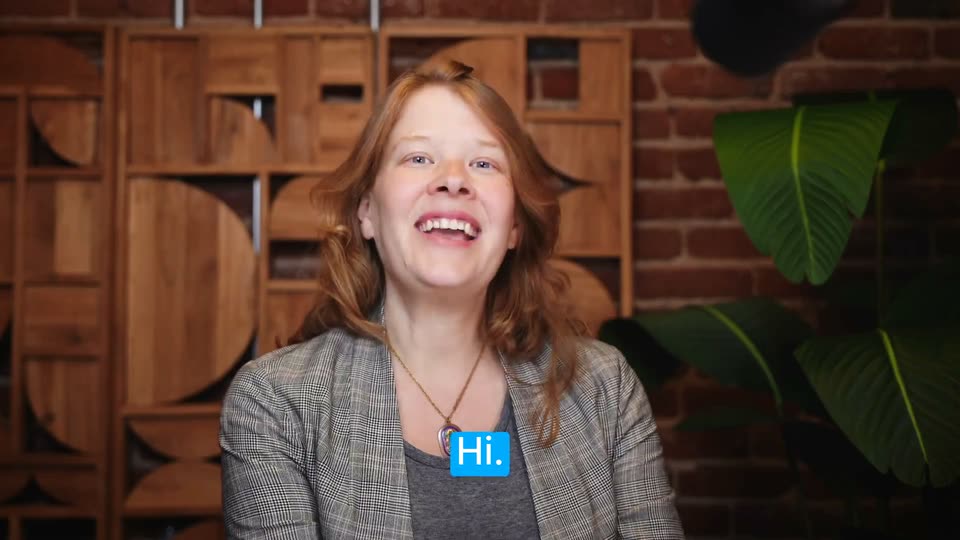
A dark, blurry frame with the caption “previously unfathomable to humankind.” crossfades into a medium shot of a woman in a gray blazer laughing in front of a wooden wall. A blue-highlighted “Hi.” caption appears, then a lower-third names her Laura Burkhauser, Head of Product, Descript.
On-screen text: “previously unfathomable to humankind.”, “Hi.”, “Laura Burkhauser”, “Head of Product, Descript”
Camera: Static
A red-haired woman in a gray blazer sits centered before a brick wall and wooden shelving, talking to camera. A white name lower third holds at the right while white subtitles run along the bottom, a blue highlight box sweeping across the spoken words.
On-screen text: “Hi.”, “Laura Burkhauser”, “Head of Product, Descript”, “I'm Laura Burkhauser.”, “I lead product here at Descript, and today”, “I want to introduce you to Underlord.”
Camera: Static
A red-haired woman speaks to camera in front of wooden shelves and a brick wall. A white rounded card with a robot icon and the word Underlord appears on the right. A bottom caption highlights each word in blue as she speaks.
On-screen text: “Laura Burkhauser”, “Head of Product, Descript”, “I want to introduce you to Underlord.”, “Underlord”
Camera: Static
A woman in a gray plaid blazer speaks to camera in a medium close-up before a wooden geometric shelf and brick wall. A white caption runs along the bottom; a blue highlight box sweeps across the words in time with her speech.
On-screen text: “Underlord is your reasonably competent,”, “somewhat obsequious AI assistant.”
Camera: Static
A red-haired woman in a gray blazer speaks to the camera in a room with a brick wall, a wooden geometric shelf and a leafy plant at right. White subtitles with blue highlight boxes on key words appear at the bottom of the locked-off frame.
On-screen text: “somewhat obsequious AI assistant.”, “Always eager to take the first pass”, “at the worst parts of your workflow.”
Camera: Static
A woman in a blue beanie and green jacket turns from profile to face the camera at a desk. A monitor behind her shows a stacked video call of three faces, and a studio microphone stands in the foreground against a brick wall with hanging plants.
On-screen text: “at the worst parts of your workflow.”, “No thanks Laura.”
Camera: Static
A woman in a blue beanie and green jacket speaks to camera in front of a brick wall, with a monitor and studio microphone at frame right. Subtitles appear at the bottom, the word overlord highlighted in a blue box.
On-screen text: “No thanks Laura.”, “I don't need a robot overlord.”
Camera: Static
A red-haired woman in a grey checked blazer talks to camera before a wooden screen and brick wall, her expressions shifting from wide-eyed to a grimace. White subtitles sit at the bottom, and blue highlight boxes jump from word to word as the lines change.
On-screen text: “Of course you don't.”, “But couldn't you use a robot underlord?”
Camera: Static
A person in a blue beanie and green jacket speaks to camera in front of a brick wall, a microphone and a monitor with face thumbnails at right. White subtitles sit at the bottom, the final word highlighted in blue.
On-screen text: “But couldn't you use a robot underlord?”, “What do you mean?”, “example.”
Camera: Static
A red-haired woman speaks to camera in a static medium shot, framed by a wooden cabinet, brick wall and a plant. White captions sit at the bottom, a blue box sliding across each word as she talks.
On-screen text: “Let's take an example.”, “Let's say you're making a podcast.”
Camera: Static
A red-haired woman faces the camera in front of a wooden shelf and brick wall, speaking. White captions sit at the bottom, and a blue highlight box slides across the words in time with her speech.
On-screen text: “Let's say you're making a podcast.”, “You finish recording, and”, “you're ready to edit in Descript.”
Camera: Static
A red-haired woman in a gray blazer sits centered against a brick wall, wooden cabinet and leafy plant, speaking to camera on a locked-off shot. White caption lines appear at the bottom, with keywords such as Descript and like highlighted in blue.
On-screen text: “But even though Descript makes”, “that easy, it still takes time.”, “And it's like, do I have to?”
Camera: Static
A red-haired woman in a plaid blazer sits in a medium close-up before a wooden shelf and brick wall, speaking to camera and smiling. White captions sit at the bottom of the frame, with a blue highlight box behind the key phrases as the lines change.
On-screen text: “And it's like, do I have to?”, “Can't I, like, delegate this to someone?”
Camera: Static
A red-haired woman faces the camera in a medium close-up, smiling and talking against a backdrop of wooden shelving and a brick wall. White captions at the bottom track her speech, with a single word boxed in blue each time.
On-screen text: “Can't I, like, delegate this to someone?”, “You can summon”, “Yes, you can.”
Camera: Static
A red-haired woman speaks to the camera in front of a wooden shelf and brick wall, gesturing with her hands. White subtitles sit at the bottom, a blue box highlighting each word as it is spoken, ending on Underlord.
On-screen text: “Yes, you can.”, “You can summon Underlord.”
Camera: Push in
A woman in a blue beanie and green jacket sits at a desk with a microphone, a monitor behind her showing a video call. A caption 'You can summon' holds, then a blue box slides in with 'UNDERLORD!'.
On-screen text: “You can summon”, “UNDERLORD!”
Camera: Static
A woman in a plaid shirt reacts with a wide-open mouth and raised eyes in front of a brick wall and wooden crates. She flings her hands out, then raises them and claps above her head. A blue caption box reading UNDERLORD! slides in across her chest.
On-screen text: “UNDERLORD!”
Camera: Static
A woman in a blue beanie and green jacket sits before a brick wall and a glowing monitor, grimacing then smiling as she talks. A caption sits low in the frame with the word highlighted in a blue box.
On-screen text: “What's that?”
Camera: Static
A red-haired woman in a gray blazer speaks to camera against a brick wall with wooden shelves and a plant, gesturing with one hand. A subtitle line sits at the bottom, its blue highlight box sweeping across the words in time with her speech.
On-screen text: “Oh, you just um, you just click right here.”
Techniques: Kinetic type
Camera: Static
A person in a gray sweater, filmed from behind, raises an arm and points at a large monitor showing a video call grid of three women. A studio microphone sits in the foreground against a brick wall. A bottom caption highlights the word click with a blue box.
On-screen text: “Oh, you just um, you just click right here.”
Camera: Static
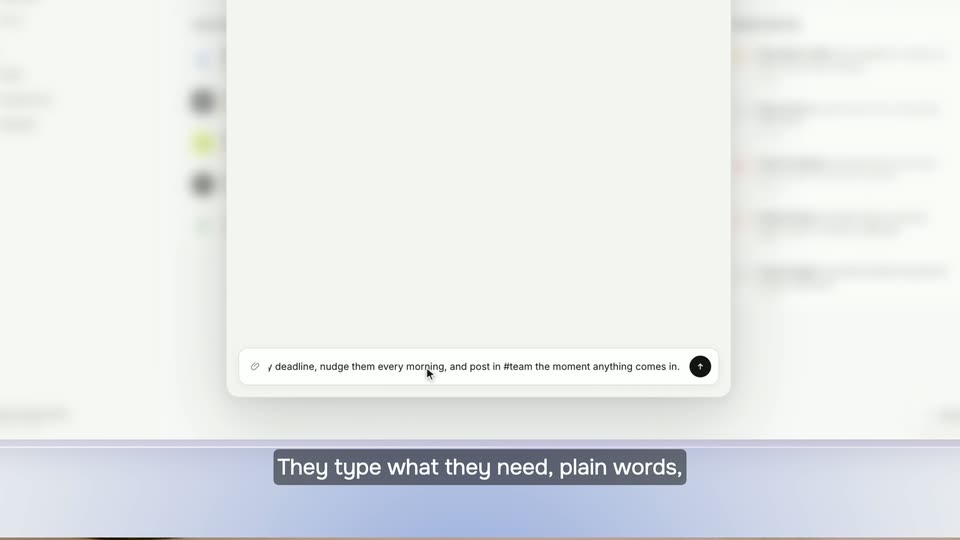
A desktop editing app fills the frame: a transcript on the left, a video of two women center, and an Underlord menu on the right. A cursor glides down the right sidebar while large blue caption words pop in at the bottom, following the voiceover.
On-screen text: “See”, “here.”, “Underlord's various”, “arrayed”, “powers”, “front”, “nicely”, “aligned”, “editing”, “step”
Techniques: Kinetic type, Cursor demo
Camera: Pull out
A flat Underlord interface shows three panels: a left video thumbnail, a central command list, and a right sidebar. The panels shift from a dark floating arrangement onto a white layout as a cursor moves down the list past Remove filler words and Shorten word gaps.
Techniques: Cursor demo
Camera: Static
A cursor steps down the Underlord action list, highlighting Shorten word gaps and Studio Sound as black tooltips pop in beside them. A host video plays at lower left, blue caption highlights track the voiceover, and the panel swaps to the Edit for clarity page.
On-screen text: “word gaps, and apply studio sound.”, “I can also edit for clarity, deciding if I want”
Techniques: Cursor demo
Camera: Static
Left of the app panel, a small video shows a woman with headphones. A cursor clicks Submit in the Edit for clarity panel, a transcript fills with redacted strikethrough lines, then the view reframes onto a waveform as the cursor clicks Done.
On-screen text: “I can also edit for clarity, deciding if I want to use a light hand or a giant red sharpie.”
Techniques: Cursor demo, UI zoom
Camera: Push in
A podcast editing interface shows a transcript, a video preview of a speaker in headphones, and an AI tools panel. A cursor clicks Remove retakes while the voiceover caption scrolls and key words pop in as blue chips over the waveform.
On-screen text: “It took me a few takes to get my intro right, and I flubbed the sponsor message a couple times, so I'm gonna have”
Techniques: Kinetic type, Cursor demo
Camera: Static
A screen capture of the app reframes from the Remove retakes panel down to the timeline and right menu. A cursor hovers and clicks options such as Apply edits to script and Publish, while white bottom captions box the current word in blue.
On-screen text: “a couple times, so I'm gonna have”, “Underlord instantly remove my”, “my retakes.”, “and just get my best and final”, “takes.”
Techniques: UI zoom, Cursor demo
Camera: Pan
A video editor screen shows a woman on webcam left and a feature list right. A cursor glides down to the Eye Contact row, triggering a dark tooltip, while a white caption types out word by word along the bottom with a blue highlight on the current word.
On-screen text: “Let's fix my eye contact so you can't tell when I'm reading from my notes.”
Techniques: Kinetic type, Cursor demo
Camera: Push in
A teleprompter app UI fills the frame: a video preview of a woman with headphones sits left in a dashed box, a settings panel sits right. A white caption at the bottom shows the line, a blue highlight box sliding word by word from 'tell' to 'notes.'
On-screen text: “tell when I'm reading from my notes.”
Camera: Static
A red-haired woman in a gray plaid blazer speaks to camera against a wooden shelf and brick wall. A caption at the bottom reads the line as a blue highlight box slides from the first word to the last.
On-screen text: “But that's not all.”
Camera: Static
A red-haired woman with freckles smiles and speaks to the camera in front of a wooden cabinet and brick wall. White captions sit at the bottom; a blue rounded box highlights each word as it is spoken, moving left to right.
On-screen text: “But that's not all.”, “In fact, I've saved the coolest stuff for last.”
Camera: Static
A screen recording of the Underlord app shows a video call with two women in headphones. A cursor glides down the right panel as the menu scrolls, reframing to reveal split clips and a timeline. White caption text overlays the video, a blue highlight hopping across its words.
On-screen text: “Underlord can make clips for my podcast.”
Techniques: Cursor demo
Camera: Pan
The view reframes from the sidebar to the full Underlord screen: a clip of two women with headphones on the left, the Create clips panel on the right. A cursor sets the clip count to 5 and toggles the layout, while white captions with a blue highlight appear word by word.
On-screen text: “my podcast.”, “I just need to decide how many clips I want, add a layout, and see what it comes up with.”
Techniques: UI zoom, Kinetic type, Cursor demo
Camera: Pan
A grid of video layout templates sits beside a settings panel. A cursor hovers over a button while white text with blue highlights types out across the bottom.
On-screen text: “add a layout, and see what it comes up with.”
Techniques: Kinetic type, Cursor demo
Camera: Pan
A video editor interface fills the frame, with a transcript and waveform timeline below a preview of two women. A cursor glides across the top toolbar as a blue highlight box slides along the transcript line, and a white caption 'comes up with' sweeps in across the bottom.
On-screen text: “comes up with”
Techniques: Cursor demo, Kinetic type
Camera: Pan
A video editor shows a preview clip beside a prompt panel; the cursor hovers over the panel and a column of five titled clip cards fills the right side, while large white captions type out along the bottom.
On-screen text: “add a layout and see what it comes up with.”, “Boom,”
Techniques: Kinetic type, Cursor demo
Camera: Pull out
A podcast clipping interface zooms out from a blurred close-up to show a transcript, a preview of two women in headphones, and a list of generated clips. Blue chips with the words 'Boom, potential clips post.' pop in over the timeline while a cursor hovers the list.
On-screen text: “Boom,”, “potential”, “clips”, “post.”
Techniques: Kinetic type, UI zoom, Cursor demo
Camera: Pull out
A close-up of the editing interface shows a timeline with a green waveform on the left and a right-hand menu where a cursor hovers over the highlight reel option, raising a black tooltip. A blue Or chip and a white post. caption appear at the bottom.
On-screen text: “Or”, “post.”
Techniques: Cursor demo
Camera: Static
The view opens on a close-up of a video editor's timeline, then zooms out to show the full interface: a preview of two women wearing headphones, a waveform track, and a right-hand panel. A white caption line at the bottom highlights each spoken word in a blue box.
On-screen text: “Or you can make a highlight reel, a longer form”
Techniques: UI zoom
Camera: Pull out
A screen recording of a video editor shows a Carnival template gallery on the left and a Create highlight reel panel on the right. A cursor drifts from the Change template button toward the right toolbar. Blue caption words selection, and supercut pop in over the bottom of the frame.
On-screen text: “selection,”, “like a supercut of some of the best”, “supercut”
Techniques: Cursor demo
Camera: Static
A product UI shows a multi-cam preview of two women in headphones, flanked by a transcript panel and a highlight-reel panel. A cursor clicks the Submit button as a white caption with blue-highlighted words scrolls along the bottom.
On-screen text: “some of the best quotes and funniest jokes from my podcast”
Techniques: Kinetic type, Cursor demo
Camera: Static
Screen recording of the podcast editor, starting zoomed on the transcript and preview window, then pulling back to the full interface. A clip of two women with headphones plays while a white caption slides in at the bottom, a blue box hopping word to word with the voiceover.
On-screen text: “quotes and funniest jokes from my podcast.”, “So you see, robot underlords have their uses.”
Techniques: UI zoom, Cursor demo, Kinetic type
Camera: Pull out
A red-haired woman in a plaid shirt talks to camera against wooden shelves and a brick wall. A white caption at the bottom slides in, ending with the word “uses.” highlighted in a blue box.
On-screen text: “So you see, robot underlords have their uses.”
Camera: Static
A woman with long auburn hair speaks to the camera in a medium close-up, framed against wooden shelves and a brick wall. White subtitles sit at the bottom of the frame while a blue highlight box slides across the words in sync with her speech.
On-screen text: “In the future, they may rise up to overtake us,”
Camera: Static
A woman with wavy strawberry-blonde hair and freckles talks directly to camera in a room with a wooden shelf and brick wall, a green leaf at the right edge. She widens her eyes and smiles as she speaks. White subtitles run along the bottom, with individual words flashing inside blue rounded boxes as she says them.
On-screen text: “and they probably won't forget about all those”, “stupid social media posts we made them write.”
Camera: Static
Static medium close-up of a red-haired woman in a plaid blazer talking to the camera in a brick-walled room with wooden shelves and a plant. White subtitles run along the bottom, and a blue highlight box marks the word she is speaking.
On-screen text: “stupid social media posts we made them write.”, “But for now, gosh, that probably saved me at least three and a half hours.”
Camera: Pan
A presenter in a navy Descript tee stands in a warm office corridor, speaking to camera and gesturing with both hands. The shot opens soft and blurred, then snaps into focus as the subtitle line changes.
On-screen text: “me at least three and a half hours.”, “Today's launch lays an important foundation”
Camera: Static
A man in a navy Descript tee stands in a warm-lit office hallway, speaking to a locked-off camera while gesturing with his hands. White subtitles track his words at the bottom, highlighting each spoken word in a blue box.
On-screen text: “Today's launch lays an important foundation”, “for Descript, one that we will be rapidly”, “building on over the next several months.”, “We're excited to kick things off with”, “our first big release of 2024, which”, “we plan to make our biggest year yet.”, “Thanks.”
Camera: Static
On a black background, a small white descript logo sits above a blue pill reading “Thanks.” The blue pill scales out of frame, then the logo shrinks and fades to black in a slow sign-off.
On-screen text: “Thanks.”
Techniques: Kinetic type
Camera: Static
Centered white serif text on a black field reads “Fast, easy, powerful, and fun.” A small white logo mark fills in beneath it over the first second.
On-screen text: “Fast, easy, powerful,”, “and fun.”
Camera: Static