4:13
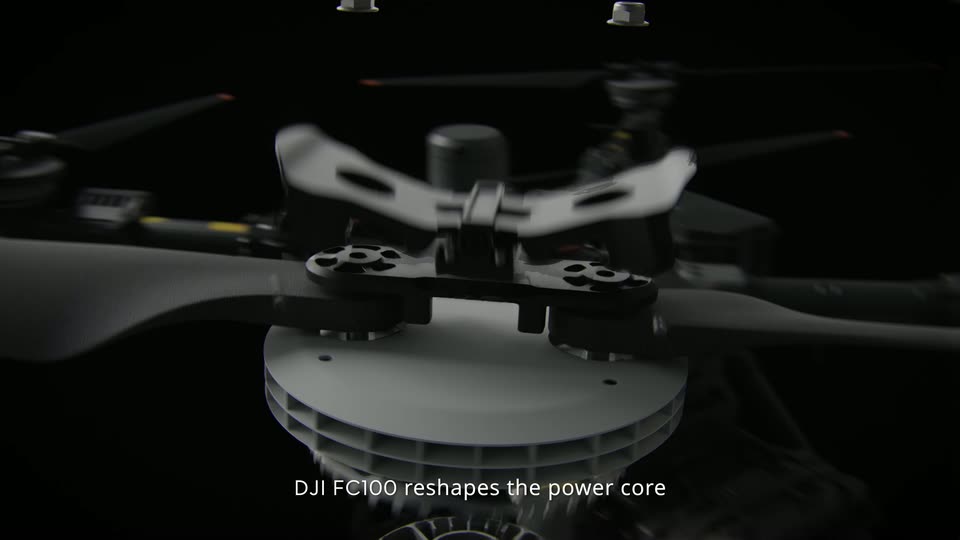

Introducing DJI FlyCart 100 | Achieve More Deliveries
DJI · Hardware · Dec 2025
Datadog · Sep 2026 · 0:43 · Full motion · AI-annotated
Datadog’s 0:43 launch film runs 24 scenes, about 1.8 s each. The product shows up at 0:07 and 4 features are revealed. The call to action lands at 0:34 (79% in). The video alternates centered typographic claims with terminal typing and flat UI cards, moving from hook to feature demos to CTA. Signature moves are colored pill highlights, glitch text, and sliding dashboard cards on dotted grids.
Is this your launch? to your site or press kit.
DJI · Hardware · Dec 2025
Inbenta · Jun 2026
A white headline, Shipping apps just got easy, sits over a dark grid of small code glyphs. A colored rounded pill highlights a cycling middle word, SECURELY, NATIVELY, QUICKLY, while the background icons shift from shields to hexagons to braces. It cuts to Introducing with a backslash cursor.
On-screen text: “Shipping apps”, “just got easy”, “SECURELY”, “NATIVELY”, “QUICKLY”, “Introducing *”
Techniques: Kinetic type
Camera: Pan
A black terminal window with a glowing purple border scales up to fill the frame over a dark field of floating code symbols. A white caption reads above the pixel-font title, then the terminal types out install lines one by one.
On-screen text: “Introducing /”, “DATADOG APPS”
Techniques: UI zoom
Camera: Pan
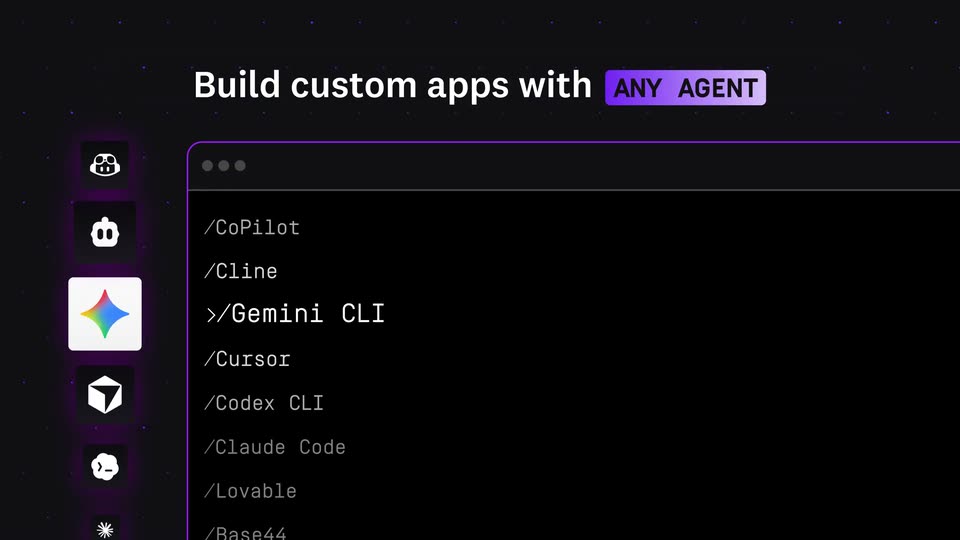
A purple pixel title over a dark terminal window pulls back and shifts right, revealing a white headline at the top and a glowing column of agent icons beside the terminal's slash-command list.
On-screen text: “DATADOG APPS”, “Build custom apps with ANY AGENT”
Camera: Static
A dark starfield holds the headline while a terminal window cycles its list of agent commands upward and a left rail of agent icons scrolls in sync. The composition then pulls back, shrinking the terminal and letting blue code symbols drift into view.
On-screen text: “Build custom apps with ANY AGENT”
Camera: Static
A blue chip reading YOUR LOGIC sits centered on a dark field of small blue code symbols. It widens rightward, adding a green YOUR DATA segment, while the background symbols shift from operators to green data icons.
On-screen text: “YOUR LOGIC”, “YOUR DATA”
Techniques: Morph
Camera: Static
Dark grid of green dots and tiny icons. Two pill labels, YOUR LOGIC in a blue-outlined dark pill and YOUR DATA in a green pill, slide apart and shrink as the dots turn purple and a thin green outline frame with a chart icon draws across the middle.
On-screen text: “YOUR LOGIC”, “YOUR DATA”
Techniques: Kinetic type
Camera: Static
Three pill-shaped labels sit in a row on a dark field of scattered purple glyphs. The pills expand outward as the glitched white text settles, the middle one filled purple, the outer ones outlined blue and green.
On-screen text: “YOUR LOGIC”, “NATIVE UI COMPONENTS”, “YOUR DATA”
Techniques: Kinetic type
Camera: Static
A dark grid of small purple glyphs and dots fills the frame. A horizontal gradient pill banner sits centered, holding white text that scales gently while the camera stays locked off.
On-screen text: “ALL SEAMLESSLY INTEGRATED”
Techniques: Kinetic type
Camera: Static
A flat prompt input box with a purple outline sits on a dark purple dot grid beneath a white headline. A block caret types the words BUILD AN EXECUTIVE IMPACT DASHBOARD into the black field, letter by letter, while the return icon stays at the right.
On-screen text: “ALL SEAMLESSLY INTEGRATED”, “Start building with a prompt”
Camera: Static
A dark terminal bar sits at the top with the typed command and a blinking block cursor, a thin line dropping to a dashboard card below. The Development Insights dashboard fades from translucent to fully opaque on a dotted light background.
On-screen text: “Start building with a prompt”, “BUILD AN EXECUTIVE IMPACT DASHBOARD”
Camera: Static
A dark command bar displays the typed prompt BUILD AN EXECUTIVE IMPACT DASHBOARD with a block caret and a return key. Below, a white dashboard card titled Development Insights shows stat tiles, a line chart, a 37 percent donut and severity bars on a dotted grid.
On-screen text: “BUILD AN EXECUTIVE IMPACT DASHBOARD”
Camera: Static
A dark terminal bar holds the static line BUILD AN AI ENABLEMENT LEARNING HUB while the page scrolls up, sliding the Development Insights card off the top and bringing a chat interface with a large pink headline into view.
On-screen text: “BUILD AN AI ENABLEMENT LEARNING HUB”, “What do you want to do with AI today, Anet?”
Techniques: Parallax
Camera: Pull out
A dark terminal bar types a headline, then retypes a new line, above a flat AI Enablement Hub dashboard that scrolls upward to reveal a search prompt, resource cards, and a Service Health Check panel on a dotted background.
On-screen text: “BUILD AN AI ENABLEMENT LEARNING HUB”, “ANSWER EVERY QUESTION”
Techniques: Kinetic type
Camera: Pull out
A black terminal window types the command at the top over a dotted grid. A purple line drops down as a Service Health Check card stacks and settles into a single flat panel, its duplicate layers collapsing away.
On-screen text: “What do you want to”, “do with AI today, Anet?”
Camera: Pan
A dark terminal types out a command above a white dashboard card on a dotted grid, linked by a purple line. The layout then switches to a large headline over a full browser mockup of the service page, with a left icon rail and tab bar.
On-screen text: “Ship and embed your app”
Techniques: Kinetic type
Camera: Push in
A service dashboard mockup sits below a bold headline. A black pill badge slides in from the right reading WITH A SINGLE COMMAND, then the headline swaps to With your CONTEXT as the interface transitions to a two-panel developer portal catalog.
On-screen text: “Ship and embed your app”, “WITH A SINGLE COMMAND”, “With your”, “CONTEXT”
Techniques: Kinetic type
Camera: Pull out
A bold headline 'With your DATA' sits top center on a light dotted background, the word DATA boxed in a black pill. Three flat dashboard cards (incident stats, a line chart, a service health chart) slide down into a layered layout with soft shadows.
On-screen text: “With your DATA”
Camera: Push in
A dense grid of small app icons on white cards fills a light dotted background. Centered, the dark headline 'With your' sits beside a black rounded pill where the white word INTEGRATIONS slides into place. The icon grid drifts slowly.
On-screen text: “With your INTEGRATIONS”
Techniques: Kinetic type
Camera: Push in
A white access-control card sits centered on a light dotted background, its rows settling into place. Above it, the headline 'And your' and a black pill reading 'ROLE-BASED ACCESS' appear as the badge text snaps into alignment. Pixelated avatar chips and plus buttons float gently around the card.
On-screen text: “And your”, “ROLE-BASED ACCESS”
Techniques: Kinetic type
Camera: Push in
A lavender rounded button with a purple outline sits centered on a pale grid of small code symbols. The button widens from the left, revealing the bold purple text and a left-pointing return arrow, while the background tokens flicker.
On-screen text: “Just ship it”
Techniques: Masking
Camera: Static
A dark field of faint purple code symbols holds the line “Just ship it” in white beside a purple pill reading “IN DATADOG”. The pill text flickers with a horizontal glitch while a light sweep crosses the pill.
On-screen text: “Just ship it”, “IN DATADOG”
Techniques: Kinetic type, Light sweep
Camera: Static
Dark end card on a grid of faint purple dots and code symbols. Large purple pixel text 'DATADOG APPS' holds center, with 'Join the preview:' and a purple gradient pill carrying the URL below. In the final beat the lettering disintegrates into scattered drifting glyphs.
On-screen text: “DATADOG APPS”, “Join the preview:”, “DATADOGHQ.COM/DATADOG-APPS”
Techniques: Kinetic type
Camera: Static
Purple monospace code glyphs drift across a black field, then converge at center and morph into the Datadog logo mark and a white bold wordmark, while the background code fades into a faint diamond outline.
Techniques: Morph
Camera: Static
The white Datadog dog mark holding a picture frame sits centered on a near-black field, with the wordmark DATADOG below. Small code glyphs in green, purple, and blue drift and twinkle across the background.
On-screen text: “DATADOG”
Techniques: Particles
Camera: Static