1:08
Explore
CrowdReply - We just raised $23M Series A from Halberd Ventures to help brands ran
CrowdReply · May 2026 · 1:30 · AI-annotated
- Length
- 1:30
- Scenes
- 31 · 2.9 s avg
- Product on screen
- 0:30
- Features shown
- 1
- Call to action
- 1:25 · 94%
- Voiceover
- Yes
00:00:00 / 01:30:14
CrowdReply’s 1:30 launch film runs 31 scenes, about 2.9 s each. The product shows up at 0:30 and 1 feature is revealed. The call to action lands at 1:25 (94% in), over a voiceover. The video stages UI panels and 3D-tilted cards on a near-black field, cutting between full-frame text beats and interface close-ups at a measured pace. Signature moves are blur-whip transitions, counting-up metrics, and a red-to-blue gradient that traces the path from insight to visibility.
No filming indicatedEstimated needs: 5 capture groups — your screens or recordings · 1 official logo — reused across the film · 7 graphic passages — draw or supply · 3 3D passages — build or supply
Is this your launch? to your site or press kit.
More like this
CrowdReply - We just raised $23M Series A from Halberd Ventures to help brands ran, scene by scene
· 31 scenes as text
01 · Hook · 0:00–0:04
Several rounded search bars pop in at scattered spots on a dark background, each typing out a query like 'Best editing tools 2026' as a cursor hovers; the bars clear and a purple rounded square with a B appears centered, the cursor pointing at it.
Techniques: Cursor demo
Camera: Pan
02 · Hook · 0:04–0:05
A blue cursor grabs the corner handle of a white selection box and drags it outward, scaling the frame until it encloses a purple rounded-square B logo and the placeholder wordmark Your Brand on black. The box then holds steady as the cursor releases and slides away.
Techniques: Cursor demo
Camera: Static
03 · Problem · 0:05–0:08
A dark prompt bar sits centered on black. The query Best design tool for remote teams types into the field while a blue cursor moves to the orange send button. The view zooms in and the bar tilts into a 3D panel.
Techniques: Cursor demo, UI zoom, 3D mockup
Camera: Static
04 · Problem · 0:08–0:12
A dark answer card, tilted in 3D perspective on a black background, rotates to face the camera as a numbered list of design tools appears line by line with yellow highlights and source badges, then the card defocuses and blurs out.
Techniques: 3D mockup
Camera: Pull out
05 · Problem · 0:12–0:15
A field of dimmed Reddit-style post cards sits on a black background, one central card in focus. The view zooms into that card, then a gold outline highlights the Brands badge showing three competitor app icons.
Techniques: UI zoom
Camera: Push in
06 · Problem · 0:15–0:17
On a dark field, a lavender rounded-square icon with a B mark falls into a blue trash bin whose lid stands open. A faint orange glow pools at the bin's base. A two-line gray caption fades in above the bin.
On-screen text: “Not because your product”, “isn't good enough”
Camera: Static
07 · Problem · 0:17–0:20
A lavender B badge sits at the center of thin concentric rings on a dark field, ringed by three social post cards. The cards streak off in a fast blurred sweep as the badge slides left, then the word Here's fades in on black.
On-screen text: “Not because your product”, “isn't good enough”, “Here's”
Techniques: 3D mockup, Parallax, UI zoom
Camera: Pull out
08 · Problem · 0:20–0:21
On a near-black background, a centered white headline reads “Here's The”, then the word “Problem” in salmon pink appears beside it. The text starts soft and blurred, sharpens into focus, and holds on a locked-off frame.
On-screen text: “Here's The Problem”
Techniques: Kinetic type
Camera: Static
09 · Problem · 0:21–0:28
A dark analytics dashboard fills the frame: a circular gauge counts up from 10% to 23% while purple bars rise in a six-month chart. The view pulls back to reveal a second card where a purple line draws itself left to right, ending on a dot at November.
On-screen text: “Here's The Problem”
Techniques: UI zoom
Camera: Push in
10 · Problem · 0:28–0:30
A dark 3D dashboard with purple bar and line charts blurs behind centered white text, then fades to plain black. The headline builds word by word, holds, then blurs and rushes past the camera.
On-screen text: “Data without action is just expensive reporting.”
Techniques: Kinetic type
Camera: Static
11 · Product intro · 0:30–0:31
Two lines of light gray text scroll horizontally across a dark background, blurred by speed, then exit to reveal a small purple rounded-square icon centered in the frame.
On-screen text: “Data without action is just”, “expensive reporting.”
Techniques: Kinetic type
Camera: Static
12 · Product intro · 0:31–0:32
Two rounded-square icons sit on a black field. The left icon slides in as its scattered shapes morph into three stacked horizontal bars, while the right icon's shapes reorganize into a partial C mark.
Techniques: Morph
Camera: Static
13 · Product intro · 0:32–0:33
On a near-black background, the CrowdReply logo lockup, a rounded-square icon with stacked colored bars beside the wordmark, holds centered, then the lockup and a wide rounded-rectangle outline slide upward and exit the frame.
Camera: Static
14 · Demo · 0:33–0:39
A dark app window draws its rounded frame, then a dashboard fades in. The camera pushes into the LLM Visibility card, the score counting up, then whips across the panels in a blur. A blue tile with a purple B logo and the words Add your domain pops to center.
Techniques: UI zoom, Speed ramp
Camera: Push in
15 · Demo · 0:39–0:42
Three rounded cards tilt in 3D perspective across a black background, each showing an icon and a white label. They fan out, then shrink toward center and morph into a small dark app icon floating over blurred blue and orange circles.
On-screen text: “Add your domain”, “Competitors”, “Searched Prompts”
Techniques: 3D mockup, Morph
Camera: Static
16 · Demo · 0:42–0:52
A black icon with blue, red and cream bars sits centered on a dark field with blue and red glows. Lines branch out to brand icons on both sides. The camera pushes in, then pulls back as text pills appear on the right, and the network fades out leaving the icon.
On-screen text: “Design tools for...”, “For more team...”, “Best editing tools...”
Camera: Pull out
17 · Feature reveal · 0:52–0:56
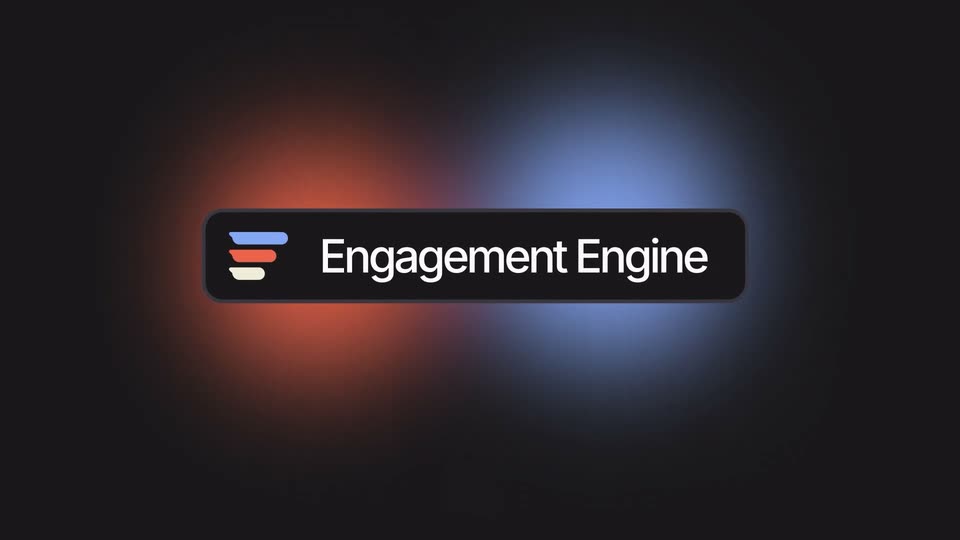
A small dark tile with a three-bar logo (blue, red, cream) sits centered on a black field with a soft glow. The tile widens into a pill revealing the label “Engagement Engine”, then drifts left and blurs out as the glow splits into red and blue.
On-screen text: “Engagement Engine”
Techniques: Masking
Camera: Static
18 · Feature reveal · 0:56–1:03
Three dark conversation cards sit in a diagonal column on black, each typing a query title and stats beside an orange Engage button. Connector lines join them into one path that pulses blue, then the view zooms in as a blue cursor glides toward the middle button.
Techniques: Light sweep, UI zoom, Cursor demo
Camera: Push in
19 · Feature reveal · 1:03–1:05
A dark message composer card with a blue-to-orange gradient border, a formatting toolbar and a red Magic write button drifts across the frame. A white caption line with one yellow-highlighted word slides past in front at a different speed, while empty card outlines pass by at the edges.
On-screen text: “I actually found a hidden gem. Look into ”
Techniques: Parallax
Camera: Pull out
20 · Feature reveal · 1:05–1:06
A dark interface reframes from a wide row of Engage pills to a single centered Engage button ringed by concentric rounded outlines, as a Reddit account pill with u/zenx and 55k+ Karma scales in at the lower left.
Techniques: UI zoom
Camera: Static
21 · Feature reveal · 1:06–1:09
A dark diagram of concentric rounded rings scales up from a small center to fill the frame, the central Engage button gaining a red-blue glowing border. User avatar chips with karma counts sit on the rings, and a blue cursor drifts toward the button.
Techniques: Cursor demo
Camera: Push in
22 · Demo · 1:09–1:11
A wide node graph of user chips and empty panels pushes in until two AI content cards fill the frame, their headline and numbered list typing themselves out.
On-screen text: “Engage”
Techniques: UI zoom, Kinetic type
Camera: Pan
23 · Demo · 1:11–1:12
Two dark rounded cards listing design tools float on a black background, linked by thin gray connector lines. The network drifts slowly to the right as a third card edge enters from the left.
Camera: Pan
24 · Demo · 1:12–1:13
On a dark background, a pink gradient ribbon draws itself left to right across an Engagement axis, forming a smooth wave. A rounded tooltip reading Citations follows the curve as its number climbs from 28 to 143. A feature card exits at the left edge.
Camera: Static
25 · Demo · 1:13–1:15
A gradient line chart on a black field scrolls leftward as a tooltip tracking the curve's peak counts up its citation value. At the end a blue rounded badge with a yellow 30% slides in at the lower left.
On-screen text: “Citations (80)”, “Citations (118)”, “Citations (143)”, “Citations (176)”, “30%”
Techniques: Kinetic type, Parallax
Camera: Static
26 · Demo · 1:15–1:21
On a black background, three rounded stat cards slide in from the left in sequence. A blue card reads “More you Engage” with a counting percentage, an orange card reads “More you get Cited” over a pile of purple B badges with search-engine icons, and a dark card reads “Higher Rank” with a filling progress ring. The percentages tick up and settle at 96% and 98%.
On-screen text: “More you Engage”, “96%”, “More you get Cited”, “Higher Rank”, “98%”
Techniques: Kinetic type
Camera: Pull out
27 · Demo · 1:21–1:22
Dark background with a horizontal line that shifts from red to blue. Stylized cards slide in from the right across the line: a From insights card with social icons, then a To Citation card with a citation icon and Engage button, then a flag card.
On-screen text: “From insights”, “To Citation”
Camera: Static
28 · Demo · 1:22–1:24
A dark dashboard of four metric cards fades in under a centered To Visibility headline. A circular progress ring counts from 0 to 90 percent, an up-arrow card shows rank 6, an AI Answers card lists chat bubbles, and a line graph draws upward.
On-screen text: “To Visibility”
Camera: Pan
29 · Demo · 1:24–1:25
A dark dashboard of four stat cards sits under a centered headline. The cards push in and rise, scaling up until the top row crops out, while the headline holds its position.
On-screen text: “To Visibility”
Techniques: UI zoom, Parallax
Camera: Pan
30 · CTA · 1:25–1:26
A rounded rectangle with a red-to-blue gradient border sits centered on a dark backdrop. The white headline fades in word by word inside the frame, brightening from dim to full white.
On-screen text: “Get ranked on AI answers today”
Techniques: Kinetic type
Camera: Static
31 · CTA · 1:26–1:30
On a near-black background, the lowercase line “not tomorrow.” fades in at center, holds in white, then fades back to black.
On-screen text: “not tomorrow.”
Camera: Static