1:33


Windsurf Wave 5: Windsurf Tab
Windsurf · Developer tools · Mar 2025
Creatify AI · Apr 2026 · 0:50 · AI-annotated
Creatify AI’s 0:50 launch film runs 32 scenes, about 1.6 s each. The product is on screen from the first frame and 4 features are revealed, with social proof. The call to action lands at 0:42 (85% in), over a voiceover. The video is built as a tight feature reel: a named intro, four consecutive feature demos (node editor, video editor, variations, replay), a social-proof wall, a CTA and a logo card, each cut on a 112 BPM pulse at roughly eight cuts a minute. Its signature moves are glassy UI cards rotating in 3D over a magenta dotted grid, a recurring faceted cursor that taps the interface, light-beam wipes between panels, and a blurred pink-purple gradient that bookends the piece.
Is this your launch? to your site or press kit.
A frosted glass pill sits centered over a blurred pink, purple and orange abstract background. The word AdFlow types out letter by letter inside the pill, ending with a blinking cursor.
On-screen text: “AdFlow”
Techniques: Kinetic type
Camera: Static
A small white pill grows into a large glowing capsule on a blurred pink-purple gradient, fills with a violet gradient, and the white AdFlow wordmark appears inside. The wordmark then scales up and slides off to the left as the pill shrinks back to a small dot.
On-screen text: “AdFlow”
Techniques: Kinetic type, Morph
Camera: Static
White centered text on a black background reads “The first”, then swaps to “node-based editor built for ads”, then the word “ads.” blooms into a soft glow. The frame stays locked off throughout.
On-screen text: “The first”, “node-based editor built for ads”, “ads.”
Techniques: Kinetic type
Camera: Static
A glowing lowercase 'ads.' wordmark sits centered on black. A purple starfield and a dark ringed sphere bloom out around it, the text sharpening from a soft glow to a crisp gradient as the frame settles.
On-screen text: “ads.”
Techniques: Masking
Camera: Static
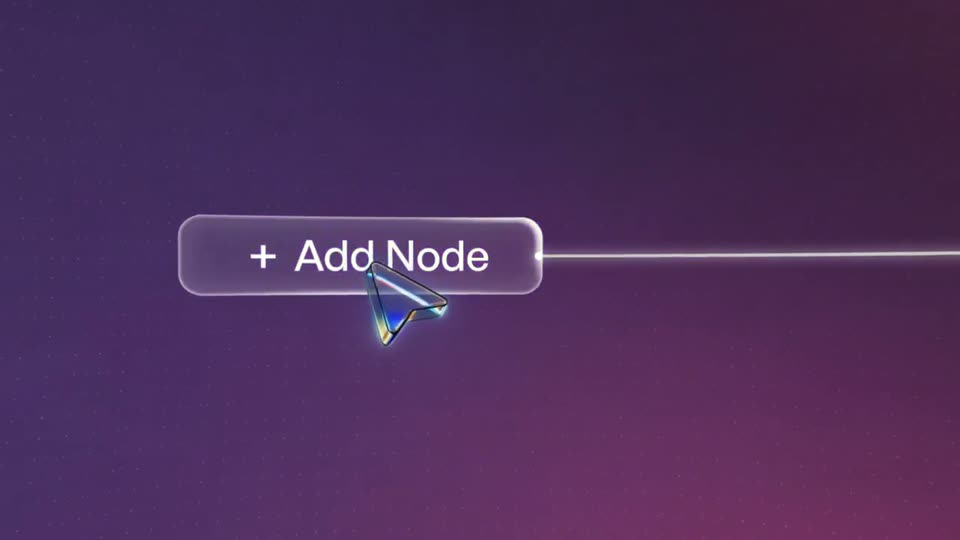
A glassy rounded button reading '+ Add Node' floats on a purple dotted grid. A 3D cursor hovers at its lower edge as the neon border brightens, then a horizontal light beam shoots out to the right.
Techniques: Cursor demo, Light sweep, Kinetic type
Camera: Static
On a purple node editor, a glossy 3D cursor hovers over a glass Add Node button. The button is replaced by an empty frame and a serum bottle image, while connected node cards slide in from the right edge.
Techniques: Cursor demo, 3D mockup
Camera: Pull out
A node graph on a purple gradient background: a Product Image card holding an amber dropper bottle links by thin lines to two Image Gen cards showing generated bottle shots, while the view pans right to reveal a Video node at the edge.
Camera: Pan
A node-graph interface on a dotted magenta field. A glassy card holds a product video of two Juda dropper bottles, linked by curved white lines to node labels. The camera pans right across the graph as a second node slides in at the bottom right.
Camera: Push in
A glassy rounded node card floats on a dotted magenta gradient, holding a music note icon, a play triangle and a progress bar that fills left to right. A header label and a curved connector wire from an off-screen node sit beside it.
Camera: Static
A white phone mockup rotates from a tilted angle to face the camera on a dotted purple gradient, its screen showing a skincare ad with two amber dropper bottles and a shop button. White bezier curves with handles flank the device, and node labels slide in at the top as the frame locks off.
Techniques: 3D mockup, Kinetic type
Camera: Pan
A magenta node graph fills the frame: white-bordered cards of Juda skincare shots joined by thin curved lines. The camera glides right across the tilted 3D canvas, bringing an audio node and a motion-graphics card into view above a glowing bottom toolbar.
Techniques: 3D mockup
Camera: Pan
A node editor on a magenta field links image, video, audio and text generation panels with white lines, then a black diagonal mask wipes in from the right to cover the screen.
Techniques: Masking
Camera: Static
A dark dot-grid background holds the blue sentence centered while a small glowing contact card in the top-left corner fades out. The sentence then scales down and is replaced by 'you're building', with 'building' glowing pink-red.
On-screen text: “you're not just generating anymore”, “you're building”
Techniques: Kinetic type
Camera: Static
A glowing gradient line scales over a faint dot grid, then a small tilted video-editor card appears between the white phrase “With our built-in” and a gradient “video editor”. The side text fades as the card pushes toward the camera and fills the frame.
On-screen text: “you're not just generating anymore”, “With our built-in”, “video editor”
Techniques: Kinetic type, 3D mockup, UI zoom
Camera: Static
A dark rounded panel with a glowing green border, labeled Text and Claude Sonnet 4.6, rotates from a tilted 3D angle into a flat front view on a black background. The gray headline With our built-in holds at left, then clears as the panel settles.
On-screen text: “With our built-in”
Techniques: 3D mockup
Camera: Static
A dark rounded UI card with a glowing teal border rotates in 3D perspective on a black background. It opens face-on showing placeholder prompt fields, then tilts to reveal a generated post titled Grab a drink with Alex, a cocktail image and a Subscribe button.
Techniques: 3D mockup
Camera: Static
A tablet mockup in 3D perspective on a black background displays an orange soda ad. It tilts and slides left as two phone mockups with ad variants appear on the right, joined by white curved light trails.
Techniques: 3D mockup
Camera: Pull out
A phone screen tilted in 3D shows an image-gen chat with an Aura soda ad. The camera straightens and pushes in as the feed scrolls down to a second prompt and a regenerated ad with a Buy Now button.
Techniques: 3D mockup, UI zoom
Camera: Pan
A soda ad card floats in 3D perspective beneath a daily-impressions counter. The camera pulls back, and two blurred cards slide into view at the left edge, suggesting a row of variants.
Techniques: 3D mockup, Parallax
Camera: Pull out
On a black background, a row of AURA soda ad cards orbits a fixed center card, each topped by a dark pill counting daily impressions. The center card, ringed in white with a soft glow, stays in focus as the side cards slide past, smaller and dimmer.
Techniques: 3D mockup, Parallax
Camera: Push in
Three ad cards float on a black background, each topped by a purple counter of daily impressions whose digits roll. A glowing purple 3D triangle drifts across the top while the camera pushes in on the center soda ad.
Techniques: UI zoom
Camera: Push in
On a black background, a 3D beveled replay button with a play icon holds the center as a glowing purple wireframe mesh drifts up from the lower left. A dark stat card reading 21 673 DAILY IMPRESSIONS and a white card slide down out of frame beneath it.
Techniques: 3D mockup, Parallax
Camera: Static
A purple 3D cursor hovers over a dark rounded Replay button centered on a black background. The button's border brightens to a white-purple glow as the cursor rotates and scales slightly.
Techniques: Cursor demo
Camera: Static
A glassy purple 3D arrow drifts right across a glowing rounded outline on black, then the view opens to a dark video-player interface with a centered play button, a progress bar and a speed control.
Techniques: Morph
Camera: Static
A phone mockup on a dark dot-grid background plays a vertical video of an elderly woman in a cream sweater and brown trousers. A bottom bar shows 1x–8x speed options and a Loop button; purple wireframe cones float right; a cursor moves across the controls.
Techniques: 3D mockup, Cursor demo
Camera: Static
A dark node-graph canvas of clothing thumbnails reframes across the interface, a cursor near a Generating panel, while a bottom toolbar with a slider and 1x to 8x speed options plus a Loop button stays locked. The view whips into a bright blurred hand holding a phone.
Techniques: Cursor demo, UI zoom, Speed ramp
Camera: Pan
A dark grid of rounded video tiles, each holding a short clip of people talking or on set, scrolls vertically while the whole wall rotates from a tilted angle to upright. The tiles are densely packed in columns and move continuously.
Camera: Static
A masonry wall of vertical ad clips fills the frame, then the camera zooms fast through it with heavy motion blur. A dark text bar with a logo wipes across the center as the grid blurs out.
Techniques: Speed ramp
Camera: Pan
On a near-black field, a soft-glowing rounded pill sits centered. The line types out letter by letter with a blinking caret at the end; the word 'them' flashes purple before settling to white.
On-screen text: “Let yours be one of them too”
Techniques: Kinetic type
Camera: Static
A soft-focus pink and purple gradient sharpens as a frosted pill button reading AdFlow materializes at center. A neon-edged 3D play triangle slides in from the lower right and docks to the right of the button.
On-screen text: “AdFlow”
Techniques: 3D mockup
Camera: Pull out
A glowing 3D pill button labeled AdFlow sits on a blurred pink and orange gradient as a white cursor taps its right edge. The button collapses into a bright play triangle while a faint URL fades in below, all on a locked-off frame.
On-screen text: “creatify.a”
Techniques: Cursor demo, Morph
Camera: Static
A blurred pink, purple and orange abstract background slowly rotates behind a centered white creatify logo and wordmark, with the URL creatify.ai below. The logo glows brightly at the start, then settles to solid white.
On-screen text: “creatify.ai”
Camera: Static