1:28
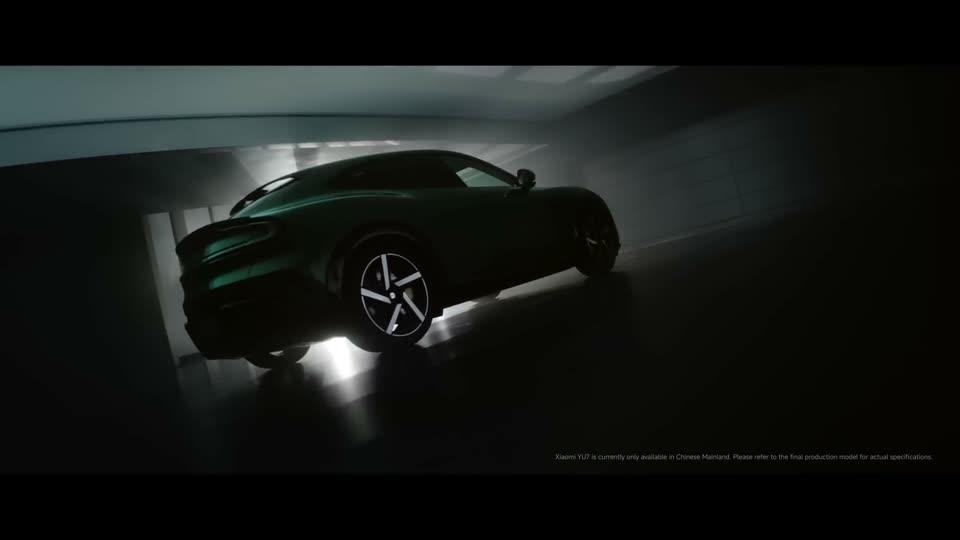

Xiaomi YU7 | Debut
Xiaomi · May 2025
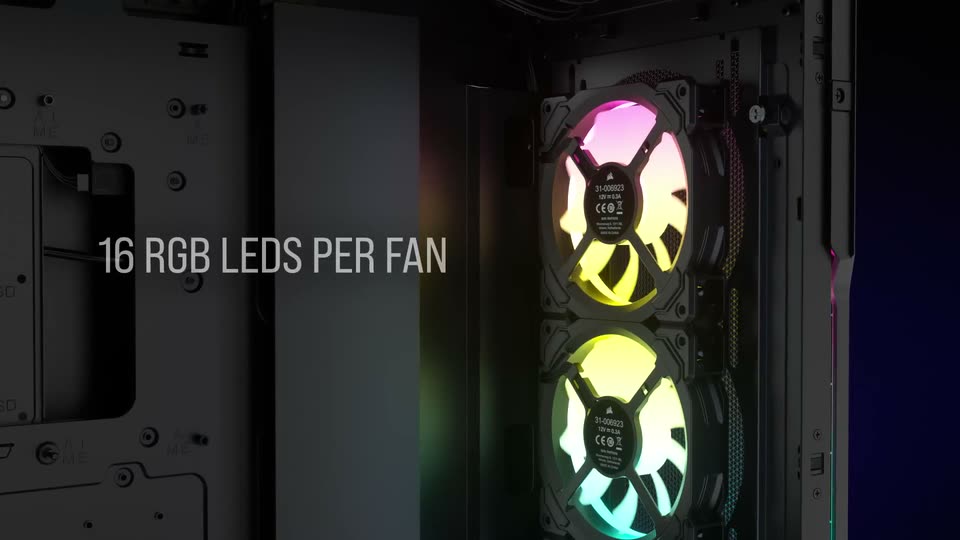
Corsair’s 0:53 launch film runs 21 scenes, about 2.5 s each. The product is on screen from the first frame and 6 features are revealed. There is no explicit call to action. The video opens on a hero title card, then alternates live-action build shots with 3D cutaways, each feature announced by a lower-left caption lockup over a slow camera orbit. Signature moves are exploded-view disassemblies, glowing airflow particle streams, and RGB ring lighting against magenta and blue gradients.
Is this your launch? to your site or press kit.
Xiaomi · May 2025
CORSAIR · Feb 2025
Audi · Feb 2024
Films whose music sounds like this one, voice left out
CORSAIR · Progressive House
Seedance · Progressive house / Deep house
Canva · Electronic dance music (Deep House, Progressive House)
A black PC case with two glowing RGB fans stands on a dark surface against a blue backdrop with diagonal light streaks. The scene fades in from black to full light, while the LINK logo and RX SERIES FANS title hold on the right.
On-screen text: “LINK”, “iCUE SMART ECOSYSTEM”, “RX”, “SERIES FANS”
Techniques: 3D mockup
Camera: Static
A black PC case with pink and cyan RGB fans behind a mesh front. The camera pulls back from a tight detail of the top and mesh to reveal the full case on a reflective black platform against a purple wall. Static on-screen text sits over the shot.
On-screen text: “LINK”, “RX”, “SERIES FANS”, “00”
Techniques: 3D mockup
Camera: Pull out
Three spinning Corsair case fans with RGB lighting cycling through pink, purple and cyan fill the frame inside a dark PC build. The camera slowly tilts and drifts across the array, the blurred blades and glow shifting as the angle changes.
Camera: Pull out
Two white Corsair case fans spin in a dark rig, the foreground fan in 3D perspective with a black frame, the rear fan lit pink and cyan RGB. The camera drifts slightly, revealing the brand name on the frame.
Techniques: 3D mockup
Camera: Pull out
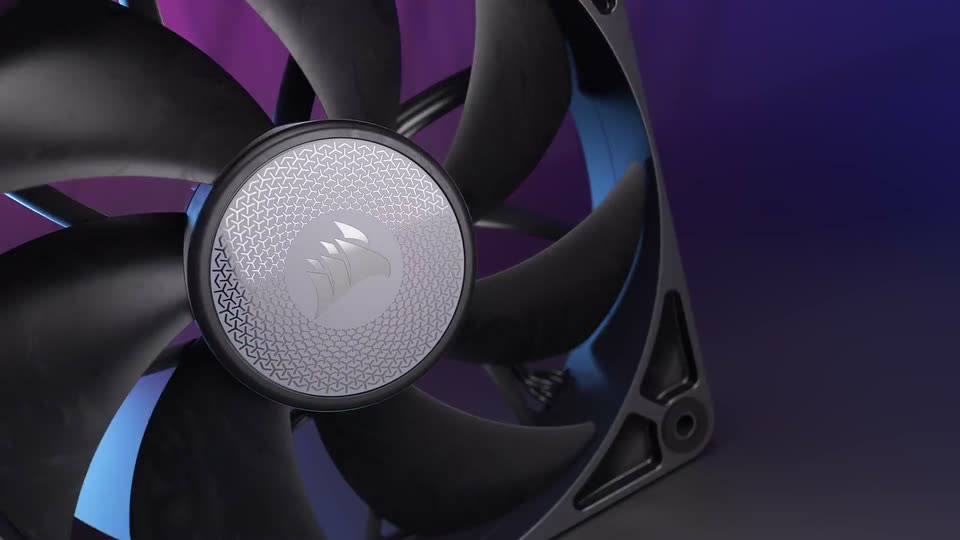
A black PC fan spins in 3D perspective against a purple backdrop. The camera starts tight on the patterned center hub bearing the Corsair logo, then pulls back to frame the full angled fan as the blades rotate, ending with caption text in the lower left.
On-screen text: “MAGNETIC DOME BEARINGS”, “LOW FRICTION DESIGN”
Techniques: 3D mockup
Camera: Pull out
A 3D PC case fan sits in perspective against a purple-blue gradient, then explodes into its frame, a small bearing, and a black impeller. The camera pushes in to a macro cutaway of the magnetic dome bearing as the copper-wound rotor spins.
On-screen text: “MAGNETIC DOME BEARINGS”, “LOW FRICTION DESIGN”
Techniques: 3D mockup
Camera: Static
A close-up 3D render of a polished metal shaft and dome bearing spins inside a translucent blue wireframe housing on a dark background. A blurred lavender shape sits at the right edge, and two lines of white text hold in the lower left.
On-screen text: “MAGNETIC DOME BEARINGS”, “LOW FRICTION DESIGN”
Techniques: 3D mockup
Camera: Static
A close-up 3D render of a metallic dome bearing inside a translucent blue cylindrical housing stays locked off. The angled component has soft depth of field, with two white text lines fixed at the lower left.
On-screen text: “MAGNETIC DOME BEARINGS”, “LOW FRICTION DESIGN”
Techniques: 3D mockup
Camera: Static
A black PC fan with a textured hub cap sits in 3D against a purple ridged backdrop. The camera orbits from a three-quarter side angle to a near front-on view, bringing the Corsair logo on the hub into focus. White caption text holds at the lower left.
On-screen text: “LIQUID CRYSTAL POLYMER BLADES”, “AVAILABLE ON NON-RGB MODELS”
Techniques: 3D mockup, Parallax
Camera: Push in
A black Corsair case fan in 3D against a purple backdrop. The camera opens tight on the blades, then pulls back as the fan spins up, shrinking it to a small dark shape. A white lower-left caption swaps from a blade headline to a durability line.
On-screen text: “LIQUID CRYSTAL POLYMER BLADES”, “AVAILABLE ON NON-RGB MODELS”, “QUIET AND DURABLE EVEN AT HIGH SPEEDS”
Techniques: 3D mockup
Camera: Pull out
A small dark boxy device rests on a dark surface at right, a slow orbit revealing its top face. Glowing airflow lines stream out to the left, shifting from gold to green to cyan against a magenta gradient. White text sits locked in the lower left.
On-screen text: “AIRGUIDE TECHNOLOGY”, “DIRECTED AIRFLOW AND REDUCED TURBULENCE”
Techniques: 3D mockup
Camera: Static
Two 3D-rendered dual-fan AIO radiators sit side by side on a dark surface, left with magenta glowing fans, right with cyan. The camera tilts from a three-quarter view to a top-down angle, exposing the blue fin stack behind the spinning blades. White headline text sits in the lower left.
On-screen text: “THERMAL PERFORMANCE”, “HIGH STATIC PRESSURE AND IMPROVED FIN COVERAGE”
Techniques: 3D mockup
Camera: Push in
A white Corsair cooling fan anchors the left foreground while the camera slowly dollies out, opening the frame to the open black case behind it and a desk holding a glowing RGB keyboard and a monitor with a colorful abstract wallpaper.
Techniques: 3D mockup, Parallax
Camera: Pull out
A close-up of an open PC case with a light wood side panel, two white Corsair fans stacked vertically inside. The camera tilts slightly up, centering the top fan's logo hub, while a blurred RGB monitor and keyboard sit in the background.
Camera: Static
Close-up inside a black PC case: a black cable with two cylindrical connectors slides in from the right and settles above a white-bladed fan, a wood panel at the right edge. The camera drifts slightly while a static caption sits in the lower left.
On-screen text: “EASY ASSEMBLY”, “iCUE LINK SYSTEM FOR REDUCED CLUTTER”
Techniques: 3D mockup
Camera: Push in
A dark 3D interior of a PC case frames a brushed-metal cable hub with an embossed logo and bundled connectors. The camera pushes in slightly toward the hub. White caption text sits in the lower left corner over a wood floor edge.
On-screen text: “EASY ASSEMBLY”, “iCUE LINK SYSTEM FOR REDUCED CLUTTER”
Techniques: 3D mockup
Camera: Push in
A black Corsair PC case interior with RGB fans and a 42 display. The camera pans right as the white CORSAIR side plates slide out of frame, and a white caption appears in the lower left.
On-screen text: “CUSTOMIZABLE SIDE PLATES”, “ADD, REMOVE, OR 3D PRINT YOUR OWN”
Camera: Pan
A wood-paneled PC case with pink and blue RGB fans sits on a desk in a dim room. The camera eases back to reveal the shelves behind it while a two-line caption holds in the lower left.
On-screen text: “CUSTOMIZABLE SIDE PLATES”, “ADD, REMOVE, OR 3D PRINT YOUR OWN”
Camera: Pull out
Six RGB fans in black and white frames stand in two rows, blades spinning with pink and blue glow. The camera pulls back from the center fan to reveal the lineup as the iCUE LINK logo and RX SERIES FANS label fade in below.
On-screen text: “LINK iCUE SMART ECOSYSTEM”, “RX SERIES FANS”
Techniques: 3D mockup
Camera: Pull out
The lineup of six RGB fans on a dark reflective surface, with the iCUE LINK RX Series Fans lockup below, fades to black. A small glowing Corsair logo appears at center, then fades out as the sign-off.
On-screen text: “iCUE LINK”, “iCUE SMART ECOSYSTEM”, “RX SERIES FANS”
Camera: Static
A white Corsair sail mark and wordmark sit centered on a black background. A soft glow surrounds the logo at first, then fades to flat white. The frame stays locked-off and still for the rest of the clip.
On-screen text: “CORSAIR”
Camera: Static