2:25

How Discord Works in 148,000 Miliseconds or Less
Discord · Consumer · Oct 2020
Comfy Router · Sep 2026 · 0:47 · Full motion · AI-annotated
Comfy Router’s 0:47 launch film runs 17 scenes, about 2.8 s each. The product is on screen from the first frame and 2 features are revealed, with social proof. The call to action lands at 0:39 (84% in). A 47-second launch cut built as alternating beats: logo and 3D model-card field open, then type-card promises trade places with UI and diagram demos, and the piece ends on a typed call to action into a logo hold. Signature moves are word-by-word type reveals, a lime cursor driving every click, and parallax card fields over a dotted purple grid at a steady 155 BPM pulse.
Is this your launch? to your site or press kit.
Discord · Consumer · Oct 2020
Apple · Hardware · Mar 2026
Applied Electrodynamics, Inc. · Industrials · Jul 2026
On a dark purple dotted grid, the lime Comfy Router lockup pops into the center. A field of tilted AI-model thumbnails then flies in around it, drifting at different depths in 3D perspective while the logo holds the middle.
Techniques: 3D mockup, Parallax
Camera: Push in
Floating model cards with thumbnails and names drift across a dark purple starfield at varying depths, parallaxing past the center. The yellow Runway wordmark and a ROUTER pill hold the middle of the frame.
On-screen text: “ROUTER”
Techniques: Parallax, 3D mockup
Camera: Pull out
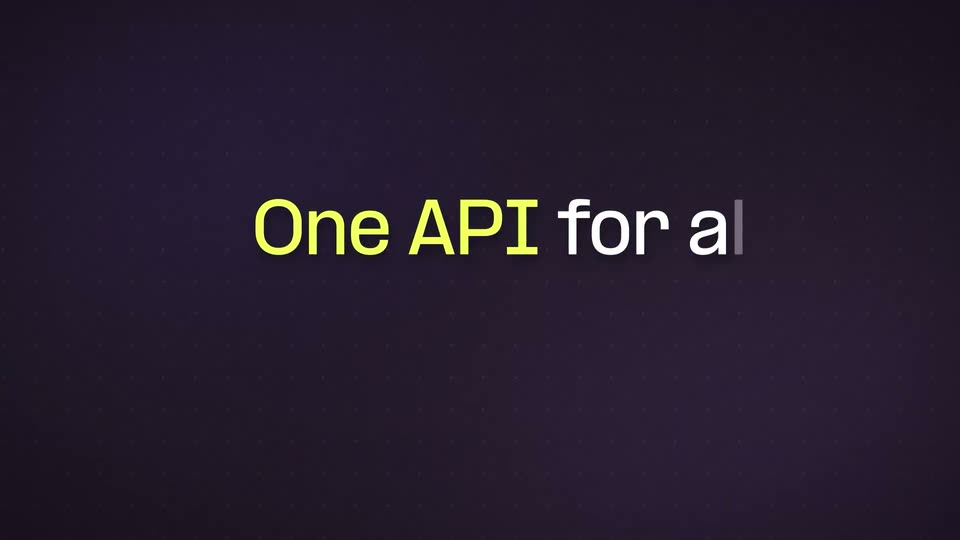
The yellow Comfy Router logo sits centered on a dark dotted background, then gives way to the headline as One API in yellow and for all in white type out word by word.
On-screen text: “One API for all”
Techniques: Kinetic type
Camera: Static
On a dark dotted field, the headline 'One API for all' sits in yellow and white while 'frontier models' slides into place below and a yellow horse mark fades in at the right. The camera then pushes in, cropping the type until only 'API' fills the frame.
On-screen text: “One API for all”, “frontier models”
Techniques: Kinetic type
Camera: Static
A yellow cursor glides to a rounded button on a dotted dark field, clicks it, and a key string types out letter by letter inside the pill. The pill fills with a gradient, flares with a soft glow, then blurs and fades as the cursor leaves.
Techniques: Cursor demo, Light sweep
Camera: Static
Dark code editor types a Python snippet line by line. The view zooms onto the provider line as a yellow cursor arrow picks from a tilted list of names, the value flipping to higgsfield, then wavespeed.
Techniques: Kinetic type, UI zoom, Cursor demo
Camera: Push in
A near-black dot-grid background holds a centered two-tone headline, the lead word in yellow and the second word in white. The line cycles in place through three benefit statements, the words crossfading on a locked-off frame at a steady one-per-second pace.
On-screen text: “Better availability.”, “Better prices.”, “Your choice.”
Techniques: Kinetic type
Camera: Static
A yellow headline sits centered on a dark purple dotted grid. It scales down and slides right as a flat mockup fades in: a white rounded card with a bar-chart icon on the left and three pill buttons stacked on the right.
On-screen text: “Your choice.”
Techniques: Kinetic type
Camera: Pan
On a dark grid, a Seedance 2.5 card feeds three company pills through dotted lines that converge on one video clip at right. The clip cuts from a neon night city car to a snowy road car as the top headline reads in.
On-screen text: “Same model. Same result.”
Camera: Static
A flat diagram on dark purple links a Seedance 2.5 card to three company pills and a car video clip. Red 429 error dialogs stack over the nodes, a yellow highlight jumps from Company A to B, and the headline changes from Rate limited? to Same model. Same result.
On-screen text: “Rate limited?”, “Same model. Same result.”
Techniques: Kinetic type
Camera: Static
A routing diagram on a dark grid links a Seedance 2.5 card to three company pills and a driving-car video. A yellow cursor hops between the pills as the top headline cycles through Rate limited, Cheaper, Provider down, and price tags pop on.
On-screen text: “Rate limited?”, “Cheaper?”, “Provider down?”
Techniques: Cursor demo
Camera: Pan
A 3D row of model cards scrolls across a dark starfield as the caption “The same models 3M+ already use” appears. A yellow arrow pops onto the GPT Image 2.5 card, then the camera zooms in on it, blurring the rest of the row.
On-screen text: “The same models 3M+ already use”, “Provider down?”
Techniques: 3D mockup, UI zoom
Camera: Pan
A 3D card of a boxer flies off as the GPT Image 2.5 interface fades in with two empty panels and a toggle. The white title slides in from above while yellow shapes scatter across a dotted dark background.
On-screen text: “GPT Image 2.5”
Techniques: 3D mockup, Kinetic type
Camera: Static
A GPT Image 2.5 playground mockup on a dark background: a cursor types a prompt and clicks RUN; the right panel shows a generating bar, then a painted couple holding a selfie stick appears, and the cursor flips the toggle to API as the left panel blurs.
On-screen text: “GPT Image 2.5”
Techniques: Cursor demo
Camera: Static
A dark dotted-grid screen shows the Comfy logo and white title top left, with a yellow cursor pointing at the highlighted API toggle top right. A Python code card slides in below, its text resolving from a garbled ghost into a clean snippet.
On-screen text: “GPT Image 2.5”
Techniques: Cursor demo
Camera: Static
A rounded code card with a Python snippet sits on a dark dotted purple field, then blurs and slides out as centered gray text reads Get your.
On-screen text: “Get your”
Camera: Static
A dark purple dotted background holds the headline “Get your Comfy” in white; below it, “Router API key today.” types in letter by letter, the key phrase in yellow. The line fades out, then the yellow Comfy Router logo fades in and holds as the sign-off.
On-screen text: “Get your Comfy”, “Router API key today.”
Techniques: Kinetic type
Camera: Static