1:36
Explore
Cohere - Introducing: Cohere Transcribe – a new state-of-the-art in open sourc
Cohere · Mar 2026 · 0:39 · AI-annotated
- Length
- 0:39
- Scenes
- 17 · 2.3 s avg
- Product on screen
- 0:00
- Features shown
- 5
- Voiceover
- No
00:00:00 / 00:39:02
Cohere’s 0:39 launch film runs 17 scenes, about 2.3 s each. The product is on screen from the first frame and 5 features are revealed. There is no explicit call to action. The video bookends the Transcribe wordmark over glossy white 3D pebbles on light gray, with a black field in between. Each feature is announced by a white headline that types in word by word over abstract 3D motion, then proven by a clean white UI card, cutting at a steady ~117 bpm.
No filming indicatedEstimated needs: 3 capture groups — your screens or recordings · 1 official logo — reused across the film · 7 graphic passages — draw or supply · 4 3D passages — build or supply
Is this your launch? to your site or press kit.
More like this
0:51

Introducing Stripe Reader
Stripe · Finance · Nov 2021
0:50
Cohere - Your data is already encrypted at rest and in transit. But what about
Model Vault · Sep 2026
Cohere - Introducing: Cohere Transcribe – a new state-of-the-art in open sourc, scene by scene
· 17 scenes as text
01 · Product intro · 0:00–0:05
Glossy white pebble-like 3D forms drift and rotate slowly on a light gray background. The black logo mark and the word Transcribe stay fixed in the center, and the frame dims toward the end.
On-screen text: “Transcribe”
Camera: Static
02 · Feature reveal · 0:05–0:10
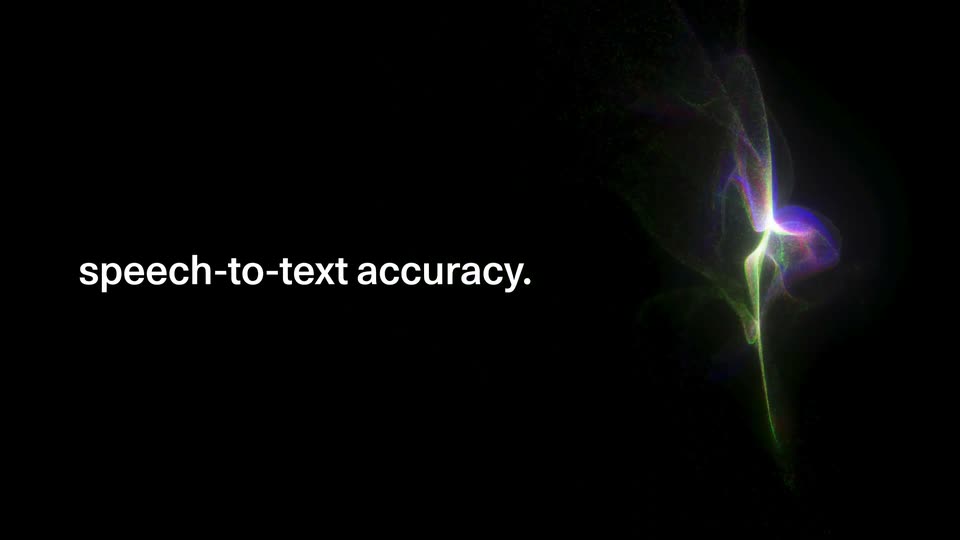
On a black background, a multicolored point-cloud blob (green, blue, red) deforms and drifts on the right while white text types in letter by letter on the left: State-of-the-art speech-to-text accuracy. The blob thins and fades as the line completes.
On-screen text: “Transcribe”, “State-of-the-art”, “speech-to-text accuracy.”
Techniques: Kinetic type, Particles
Camera: Static
03 · Feature reveal · 0:10–0:11
A white rounded audio bar with a blue waveform and a circular mic icon sits centered on black, backed by a drifting cloud of green, red and blue particles. The bar then swaps to a spinner and the word Transcribing as the particles fade to the right.
On-screen text: “speech-to-text accuracy.”
Techniques: Particles
Camera: Static
04 · Feature reveal · 0:11–0:14
A white card on black shows a “Transcribing” pill, then expands as English text types in over a rainbow particle swirl. The card slides right and a gray “Built for 14” heading appears left as the note switches to Spanish.
On-screen text: “Built for 14”
Techniques: Particles, Morph, Kinetic type
Camera: Static
05 · Feature reveal · 0:14–0:18
A glowing rainbow particle mesh rotates and stretches on black. A white headline, Built for 14 global business languages, fades in at left, while a white rounded card labeled Transcribed at right cycles through Spanish, Chinese and French text.
On-screen text: “Built for 14 global business languages”
Techniques: Morph, Particles
Camera: Static
06 · Feature reveal · 0:18–0:20
On a black field, translucent 3D panels with glowing, chromatic edges drift and rotate in perspective. White text, “Turn conversations”, builds word by word on the left while the shapes keep moving, all on a locked-off frame.
On-screen text: “Turn conversations”
Techniques: Kinetic type
Camera: Static
07 · Feature reveal · 0:20–0:22
Two grainy 3D slabs with glowing green and orange edges drift and rotate on a black field while the white headline builds in on the right, settling on the full line.
On-screen text: “Turn conversations”, “into insights”
Techniques: Kinetic type
Camera: Static
08 · Feature reveal · 0:22–0:24
A white rounded transcription card holding a quote about AI tools settles from a brief glitch at the start, centered over a dark field of glowing translucent 3D cubes that drift and rotate. Key phrases in the quote are highlighted in light blue.
On-screen text: “Transcribed”, “Today AI tools are a crucial component in staying at the top of the game. Working with AI can make us the best we can be and at Cohere we are on a mission to to”
Techniques: Parallax
Camera: Static
09 · Feature reveal · 0:24–0:25
Dark 3D blocks with glowing, chromatic edges drift in perspective behind centered white text that reveals word by word. The blocks shift slowly while the line completes in the middle of the frame.
On-screen text: “Power Al voice agents”
Techniques: Kinetic type
Camera: Static
10 · Feature reveal · 0:25–0:26
A white headline reads over dark 3D blocks with glowing edges, then a chat card fades in and types a prompt above a start-chat field and mic icon.
On-screen text: “Power AI voice agents”
Camera: Static
11 · Feature reveal · 0:26–0:27
A grainy, glitchy dark backdrop with vertical light bands fills the right. A rounded chat card holds center-left, a dotted circular mark beside the white prompt 'How can I help you?' above a white pill button reading 'Start a chat' with plus and mic icons. Locked-off, still.
Camera: Static
12 · Feature reveal · 0:27–0:28
A white chat card floats centered over a dark grid of glowing rectangular panels. A dotted avatar and “How can I help you?” sit on top; a plus button and a “Start a chat” field with a mic icon sit below. The panels drift slightly while the card holds still.
Camera: Static
13 · Feature reveal · 0:28–0:29
A defocused gradient shifts from blue to amber across a locked-off frame, with a dark device edge at the right. A white headline types in word by word at the center, settling into a single line.
On-screen text: “Unlock voice across your business”
Techniques: Kinetic type
Camera: Static
14 · Feature reveal · 0:29–0:31
Close-up of a matte black device back panel with two small round buttons, centered against a blurred sunset gradient. A white headline reads in over the panel, words appearing one by one, while the frame stays locked off.
On-screen text: “Unlock voice across your business”, “Deploy on-premise”, “or at the edge”
Techniques: Kinetic type, 3D mockup
Camera: Static
15 · Feature reveal · 0:31–0:34
A dark glossy device top fills the frame, a small circular button centered, bright white rounded panels glowing at the left and right edges. White text types in at the lower left, then holds. The camera is locked off.
On-screen text: “Or within your dedicated”, “Cohere Model Vault”
Techniques: Kinetic type
Camera: Static
16 · Outro · 0:34–0:36
A white, soft 3D shape with a grid of small yellow dots rotates slowly. A black Cohere logo and the word Transcribe are centered in front of it.
On-screen text: “Transcribe”
Camera: Static
17 · Outro · 0:36–0:39
Soft white 3D forms with a fine dotted texture drift slowly across the frame. A black brand mark and the word Transcribe remain locked in the center.
On-screen text: “Transcribe”
Camera: Static