1:26

Introducing Claude Science (now in beta)
Anthropic · AI · Jun 2026
Claude Science · Jun 2026 · 1:26 · AI-annotated
Claude Science’s 1:26 launch film runs 32 scenes, about 2.7 s each. The product shows up at 0:01 and 3 features are revealed. The call to action lands at 1:19 (92% in). The video opens with a cinematic eye close-up and the starburst wordmark, then a serif title card, and runs three feature beats, each opened by a centered serif line and shown through locked-off UI cards floating over a blurred green macro backdrop, before a live-action benefit montage and a public-beta card resolve into the logo. Signature moves are word-by-word text dissolves on cream fields, gentle 3D tilts of white interface cards, and the recurring coral starburst mark, all cut at a steady,
Is this your launch? to your site or press kit.
Anthropic · AI · Jun 2026
Comet Enterprise · Mar 2026
LangEase · Sep 2025
Extreme close-up of a brown eye looking to the right, blinking subtly. Warm light catches the skin texture and eyelashes against a soft, blurred background.
Camera: Static
Extreme close-up of a person's eye and cheek in profile, warm skin against a soft teal backdrop, with gentle motion blur as the head turns. The white Claude starburst logo and wordmark fade in at center and hold for the rest of the shot.
On-screen text: “Claude”
Camera: Push in
On a cream background, the dark serif headline “Introducing Claude Science” dissolves word by word into “your AI workbench”, which then holds on a locked-off frame.
On-screen text: “Introducing Claude Science”, “your AI workbench”
Techniques: Kinetic type, Morph
Camera: Static
Close-up of a scientist in clear safety glasses peering through a microscope in a bright lab, framed by blurred equipment in the foreground. Centered white serif captions, “your AI workbench” then “for scientific research,” fade in and out over her face.
On-screen text: “your AI workbench”, “for scientific research”
Camera: Static
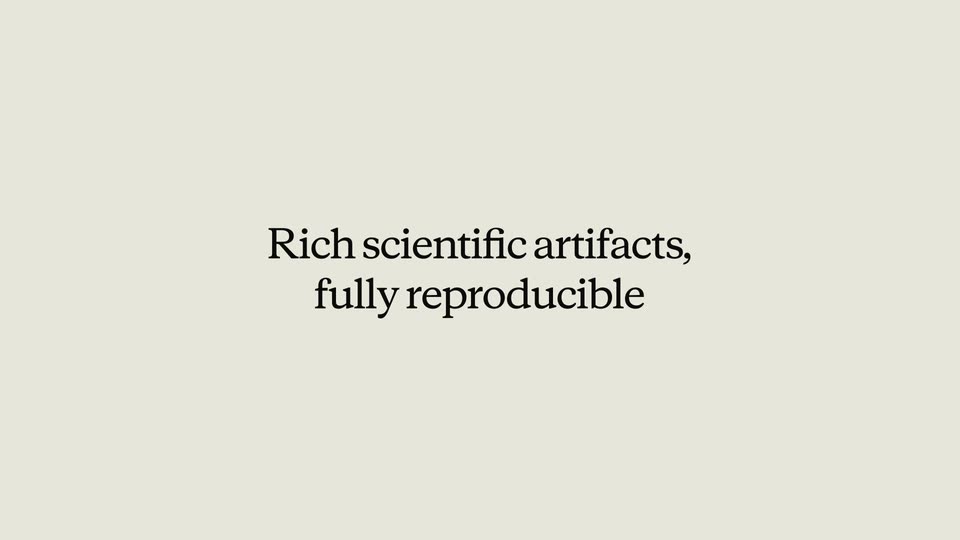
Two lines of dark serif text sit centered on a flat pale beige background. The lines settle from a soft horizontal blur into sharp focus, then hold still on a locked-off frame.
On-screen text: “Rich scientific artifacts,”, “fully reproducible”
Camera: Static
A white image-viewer card holding a 3D protein ribbon diagram floats at an angle over a blurred green background, then tilts flat and scales up as the camera zooms onto the R408-to-cofactor distance line. The red R408 label and the 22.6 Å measurement stay centered while the card edges and title slide out of frame.
On-screen text: “PAH R408 in structural context (PDB 1J8U, 1.5 Å)”, “22.6 Å”, “Rich scientific artifacts,”, “fully reproducible”
Techniques: 3D mockup, UI zoom
Camera: Static
A white 3D protein ribbon with a blue ligand and an orange sphere fills the left side of a flat viewer panel. A cursor taps the top-right menu icon, a dropdown list opens, then the cursor slides down to hover a row. The frame stays locked.
On-screen text: “R408w destabilizes the fold rather than directly blocking catalysis.”
Techniques: Cursor demo
Camera: Static
A floating code editor window on a blurred green backdrop shows a numbered Python script. The cursor clicks the Execution Log tab and the panel dissolves into a log of a PDB file download and a new code block.
Techniques: Cursor demo
Camera: Static
A light notebook interface fills the frame with a code panel and a context sidebar. A cursor clicks the Messages tab, a list of task rows scrolls past, then the cursor taps Environment to reveal a scrolling package list.
Techniques: Cursor demo
Camera: Static
A white interface panel, tilted in 3D perspective over a blurred green background, shows an active Environment tab. A long list of package names and versions scrolls upward while a cursor hovers near the center.
Techniques: 3D mockup
Camera: Static
A 3D protein ribbon view shows a red residue and a blue cofactor joined by a dashed line with a 22.6 Å tag. A crosshair cursor hovers, an input box appears, 'This label is hard to see' is typed and saved, and a small numbered badge takes its place.
Techniques: Cursor demo
Camera: Static
A white rounded status chip fades in at the center of a blurred green macro background dotted with water droplets. A small orange starburst icon sits left of the text, which reads Thinking... and then swaps to Finessing... with a brief blur. The frame stays locked off.
On-screen text: “Thinking...”, “Finessing...”
Camera: Static
A tight 3D protein ribbon view with a red R408 stick and a 22.6 Å distance line pulls back to reveal a document window titled r408_structure_figure.png, showing the figure under a bold heading with a cursor resting at the top.
Techniques: UI zoom
Camera: Pull out
A cursor taps the version badge beside the filename, flipping the figure from v1 to v2. The protein structure image updates, the R408 label gaining a red rounded box. A second view of the same structure sits in the left panel.
Techniques: Cursor demo
Camera: Pan
On a plain pale beige background, the centered serif line “Manages your compute” fades out while “and scales on demand” fades in just below it, then holds centered on screen.
On-screen text: “Manages your compute”, “and scales on demand”
Techniques: Kinetic type
Camera: Static
A white permission dialog over a macro photo of teal glass beads. A hand cursor opens the Allow dropdown, picks “This conversation”, then the dialog fades out and a small white pill with a red asterisk reads “Thinking...”, switching to “Dispatching...”.
On-screen text: “and scales on demand”
Techniques: Cursor demo
Camera: Pan
A light chat interface holds a code block, a failed-job status line and three artifact cards. A cursor clicks the running-jobs tab, opening a dropdown of three remote tasks, then hovers the first row. Locked-off frame.
Techniques: Cursor demo
Camera: Static
A dimmed notebook screen sits behind a white modal dialog titled Running jobs in this session. The dialog scrolls vertically, revealing the job header with provider, state and hardware fields, then back to the empty stdout panel, while a hand cursor hovers over it.
Techniques: Cursor demo
Camera: Pull out
A white modal titled Running jobs in this session sits centered over a dimmed document. Three cloud-icon job rows list co-fold names with live-updating timers. A hand cursor drifts down the list and hovers the black Manage compute button at the bottom right.
Techniques: Cursor demo
Camera: Static
A plain cream field holds a single centered line, 'Domain-ready on day one,' set in a dark serif face. The line fades in and then holds on a locked-off frame.
On-screen text: “Domain-ready on day one”
Camera: Static
A light gray rounded prompt box is centered over a soft, blurred green background with diagonal streaks. The box holds a static, typed request for a literature review, held on a locked-off frame with no motion.
On-screen text: “Domain-ready on day one”
Camera: Static
A locked-off screen of an agent task panel showing a prompt box, a checklist of completed steps, and a dispatch paragraph. A hand pointer hovers over a list row, then becomes an arrow and slides down past the rows.
Techniques: Cursor demo
Camera: Static
A white rounded notification card with a small owl icon and the text “Reviewer has 1 finding” fades in at the center over a blurred green and beige fluid background.
Camera: Static
A light interface shows a Reviewer panel expanding into a warning card with a Go to transcript button. A hand cursor clicks an agents pill, opening a five-item dropdown, then the view scrolls down to a methods table and a side document pane holding a scatter plot.
Techniques: Cursor demo
Camera: Pull out
A split view of the app interface holds two panels: a methods table on the left with columns for pmid, year, journal and first author, and a PDF paper page on the right showing figures and equations. The table rows shift slightly while the frame stays locked.
Techniques: Split screen
Camera: Pull out
On a flat beige background, a centered dark serif line dissolves from one phrase to the next, cycling through three 'Less time' benefit statements.
On-screen text: “Less time stitching pipelines together”, “Less time juggling cluster jobs”, “Less time fiddling with figures”
Camera: Static
A woman in a white lab coat and clear safety goggles looks upward in a lab, framed by out-of-focus red and green molecular models in the foreground. White serif text reads More time on science, fading in across her face.
On-screen text: “More time on science”
Camera: Static
A person in a white lab coat, safety goggles and teal gloves holds a clear circular dish in front of their face, shot from a low angle against a plain beige wall. The frame is locked off and static.
On-screen text: “More time on science”
Camera: Static
In a bright laboratory, a scientist in a white coat walks down the central aisle holding a clipboard while colleagues work at benches with microscopes and monitors. Blurred lab equipment frames the foreground.
On-screen text: “More time on science”
Camera: Static
A plain cream field holds a centered black serif headline. The line fades up from a faint ghost, the trailing words dimming once before the full sentence locks in.
On-screen text: “Claude Science, now in public beta”
Techniques: Kinetic type
Camera: Static
On a pale beige field, the words “public beta” sit right of center in a serif face, “public” in light gray and “beta” in dark gray. The line clears and a small red starburst mark appears at the center.
On-screen text: “Claude Science, now in public beta”
Camera: Static
A coral starburst mark and the black serif wordmark sit centered on a cream background. The mark's rays assemble and the word resolves into place, then both hold still on a locked-off frame.
On-screen text: “Claude”
Camera: Static