1:15
Explore
Claude - Introducing Personal Finance in Claude, in beta in the US. Connect t
Claude · Nov 2026 · 1:31 · AI-annotated
- Length
- 1:31
- Scenes
- 31 · 2.9 s avg
- Product on screen
- 0:00
- Features shown
- 3
- Voiceover
- Yes
00:00:00 / 01:31:05
Claude’s 1:31 launch film runs 31 scenes, about 2.9 s each. The product is on screen from the first frame and 3 features are revealed. There is no explicit call to action; a voiceover carries the film. A cream field carries a running chat conversation whose serif replies and floating white cards answer each question, punctuated by three serif title cards and two live action cuts. The pacing is calm and conversational, with text typing in line by line, cards drifting and blurring in 3D, and counting figures that give every answer a sense of being worked out in real time.
Footage neededEstimated needs: 6 capture groups — your screens or recordings · 1 official logo — reused across the film · 2 filmed passages — shoot, supply or replace · 2 graphic passages — draw or supply · 2 3D passages — build or supply
Is this your launch? to your site or press kit.
More like this
1:31


Introducing Personal Finance in Claude
Anthropic · AI · Nov 2026
2:17

New Apple child safety features help parents keep kids safe online
Apple · Hardware · Sep 2026
Claude - Introducing Personal Finance in Claude, in beta in the US. Connect t, scene by scene
· 31 scenes as text
01 · Product intro · 0:00–0:09
A white chat pill pops in at center on a blue sky, scales up to carry the first message, and a second bubble slides in below. The sky tilts down to reveal the Rome skyline, then a white serif reply appears line by line over the city.
On-screen text: “Ah, Roma, bellissima 🇮🇹. Let's see what you've got to work with.”
Techniques: Kinetic type
Camera: Pull out
02 · Product intro · 0:09–0:12
Floating personal-finance UI cards (donut chart, bills, budget bars) drift around the edges of a cream background while the serif headline fades in line by line in the center, with a small Beta tag above.
On-screen text: “Introducing:”, “Beta”, “Personal Finance”, “in Claude”
Techniques: Kinetic type
Camera: Pull out
03 · Feature reveal · 0:12–0:13
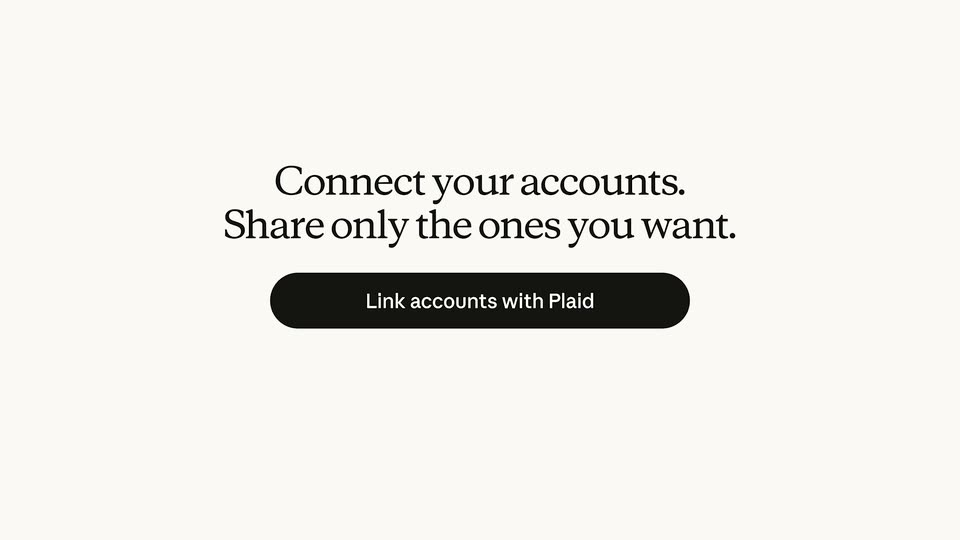
Tilted finance UI cards and a faded serif title dissolve on a cream background as a centered two-line serif headline and a gray pill button fade in. The frame stays locked off.
On-screen text: “Connect your accounts.”, “Share only the ones you want.”
Techniques: 3D mockup
Camera: Static
04 · Feature reveal · 0:13–0:15
A cream background holds a centered two-line serif headline above a black pill button. The whole block drifts downward and blurs out as the scene transitions.
On-screen text: “Connect your accounts.”, “Share only the ones you want.”
Techniques: Kinetic type
Camera: Static
05 · Feature reveal · 0:15–0:18
A light account-selection screen fades in, listing three bank accounts with balances. Checkboxes tick on in sequence, checking each row, while the dollar figures roll upward. The black Link accounts with Plaid button pulses at the bottom.
Camera: Static
06 · Feature reveal · 0:18–0:20
A single line of black serif text, 'Ask it the way you'd say it', sits centered on a plain cream background. The letters overlap and slide as they settle into their final positions in the first second, then hold still for the rest of the clip.
On-screen text: “Ask it the way you'd say it”
Techniques: Kinetic type
Camera: Static
07 · Feature reveal · 0:20–0:21
A light gray rounded pill sits centered on a cream field, holding the black question text. The element stays fixed in place for the full duration, with no movement, scale or reveal.
On-screen text: “Dumb question... what can we even afford?”
Camera: Static
08 · Feature reveal · 0:21–0:26
A gray chat bubble types out a question on a cream field, a grinning emoji pops in beneath it, then a three-dot typing indicator appears at left. A serif reply types in below, ending with a colon as the bubble text warps.
Techniques: Kinetic type
Camera: Pull out
09 · Feature reveal · 0:26–0:28
A white Spending by category card with a multicolor donut chart and $2,167 total sits on a cream field. A second Top merchants list card slides in from the right to the front, the first card receding and blurring behind it, then the merchant rows scroll upward.
Techniques: Parallax
Camera: Pull out
10 · Feature reveal · 0:28–0:29
Two rounded white cards sit side by side on a cream background. The left Top merchants list is sharp while the right Accounts card is blurred, then the view pans left so the Accounts card sharpens and the merchants card recedes and blurs.
Techniques: Parallax
Camera: Pull out
11 · Feature reveal · 0:29–0:30
A white accounts card floats in 3D perspective, angled with blurred sibling cards behind it. The list text starts doubled and offset, then snaps clean as the card scales up. The list scrolls up to bring the credit card row to the top.
Techniques: 3D mockup, UI zoom
Camera: Static
12 · Feature reveal · 0:30–0:35
A gray chat bubble grows from a small circle and types out the question, then a white bubble with a looking-eyes emoji pops in beneath it. Black serif text slides in at the lower left.
On-screen text: “So... where is our money going every month?”, “Here's the first place to start:”
Techniques: Kinetic type, Morph
Camera: Static
13 · Feature reveal · 0:35–0:35
On a cream field, a gray chat bubble with a money question and a small eyes emoji sits beside the serif caption 'Here's the first place to start:'. The bubble clears as the serif line 'Your fixed costs ($4,089) are steady.' fades in on the left, the figure in terracotta.
On-screen text: “So... where is our money going every month?”, “Here's the first place to start:”, “Your fixed costs ($4,089) are steady.”
Techniques: Kinetic type
Camera: Static
14 · Feature reveal · 0:35–0:39
On a cream background, a serif headline states the fixed and flexible cost totals while a white spending card fades in below. Inside, the green Fixed bar and orange Flexible bar fill left to right as their dollar figures count up to $4,089 and $2,261.
On-screen text: “Your fixed costs ($4,089) are steady.”, “The flexible side ($2,261) is where you have room.”
Camera: Static
15 · Feature reveal · 0:39–0:39
A white spending card with green and orange bars slides up to the top of the frame as a serif caption fades out, then a rounded gray pill fades in below with the question Anything else stand out?
On-screen text: “Your fixed costs ($4,089) are steady. The flexible side ($2,261) is where you have room.”, “Anything else stand out?”
Camera: Static
16 · Feature reveal · 0:39–0:47
A gray user bubble slides from center to the top right as a red-dot Thinking indicator fades in and out. A serif reply types out, the view scrolls to a white Car payment card with a filling green monthly bar, then a second line types below.
Techniques: Kinetic type
Camera: Pan
17 · Feature reveal · 0:47–0:49
A product interface card on a light background displays monthly credit card fees. The values for each month and the total sum count up to a final total of $180.02.
On-screen text: “You've paid $180.02 in credit card interest and fees this year.”
Camera: Static
18 · Feature reveal · 0:49–0:53
A hand uses a white-handled scoop to dig through a row of stainless gelato tubs, drizzling chocolate over a white scoop. A frosted rounded bar holds center frame as the caption scrolls left behind it.
On-screen text: “Oooooooooh that could be our gelato allowance..”
Techniques: Kinetic type, Masking
Camera: Pan
19 · Feature reveal · 0:53–0:54
On a plain cream background, the black serif title “Play out scenarios” slides in from the right and locks off at center, then holds for the rest of the card.
On-screen text: “uld be our gelato allowance..”, “Play out scenarios”
Techniques: Kinetic type
Camera: Static
20 · Feature reveal · 0:54–0:55
On a cream field, the dark serif title “Play out scenarios” slides across the center, then a light gray chat bubble settles into the upper right with a two-line question, while a small two-dot typing indicator sits in the lower left.
On-screen text: “Play out scenarios”, “If we put the car payment toward the trip,”, “does that cover 10 days instead of 7?”
Techniques: Kinetic type
Camera: Static
21 · Feature reveal · 0:55–1:01
A cream chat screen holds two gray bubbles with the trip question and the request to map it on a calendar, the second blurring into focus. Three tiny red dots drift at left, then a serif reply types in word by word, with “May” tinted red.
Techniques: Kinetic type
Camera: Static
22 · Feature reveal · 1:01–1:05
A close-up of a November 2026 savings calendar pulls back to reveal the full dashboard card. As it settles, the money-in and money-out figures count up, colored transaction labels populate the grid, and the Rome fund progress bar fills while a green monthly bar grows.
Techniques: UI zoom
Camera: Pan
23 · Demo · 1:05–1:06
A budget calendar grid with colored expense labels cuts to a chat screen. A gray message bubble scales in on the right with the hotel request, and three dots pulse on the left.
Techniques: Kinetic type
Camera: Pan
24 · Demo · 1:06–1:12
Chat interface on a cream background. A gray user bubble sits top right; three orange dots pulse beside “Thinking” on the left, then a serif reply types out phrase by phrase. The frame reframes down as two hotel cards with photos and prices slide in side by side.
Techniques: Kinetic type, UI zoom
Camera: Pull out
25 · Demo · 1:12–1:13
A cream chat view shows two hotel cards side by side beneath a serif headline. The right card, Hotel Orsolina, expands while its courtyard photo zooms in until it fills the whole frame.
Techniques: UI zoom
Camera: Push in
26 · Demo · 1:13–1:18
Locked-off wide shot of an empty stone courtyard cafe with iron chairs and potted palms. A white chat bubble pops in on the right reading “Yep, this feels like us.” with a heart-eyes emoji; a small party popper badge then bursts confetti, and a blue circle wipes the frame.
On-screen text: “Yep, this feels like us.”
Techniques: Particles, Masking
Camera: Push in
27 · Other · 1:18–1:20
A ring of colored pills and dots rotates around a center on a cream background. A small multicolor spinner icon and the gray serif lines “Personal finance” and “is now personal” fade in at the middle.
On-screen text: “Personal finance”, “is now personal”
Camera: Pan
28 · Other · 1:20–1:23
A segmented multicolor ring logo sits above the black serif tagline on a cream field. The pair fades out as a light-gray chat bubble slides in from the right carrying the message about moving to Rome.
On-screen text: “Personal finance”, “is now personal”, “Can we just MOVE to Rome?”
Camera: Static
29 · Demo · 1:23–1:25
A plain off-white chat view on a locked frame. A right-aligned light-gray bubble slides in with the question, then a left-aligned line slides in showing two small pulsing orange dots and gray status text.
Techniques: Kinetic type
Camera: Static
30 · Demo · 1:25–1:26
A light chat bubble reading “Can we just MOVE to Rome?” sits right of a cream background, paired with a three-dot “Running scenarios...” indicator on the left. The bubble slides out, then the indicator drifts up and away, leaving one peach dot centered.
Camera: Static
31 · Outro · 1:26–1:31
A terracotta starburst mark scales in at center on a cream background, then the word Claude reveals letter by letter in black serif to its right, and the lockup holds static for the sign-off.
On-screen text: “Claude”
Techniques: Kinetic type
Camera: Static