
0:30
Explore
Automate complex workflows with OpenAI o3
ChatGPT · May 2025 · 3:20 · Full motion · AI-annotated
- Length
- 3:20
- Scenes
- 17 · 11.8 s avg
- Product on screen
- 0:00
- Voiceover
- Yes
- Views
- 168K on YouTube
as of November 22, 2026
00:00:00 / 03:20:19
- Length
- 3:20
- Scenes
- 17 · 11.8 s avg
- Product on screen
- 0:00
- Voiceover
- Yes
- Views
- 168K on YouTube
as of November 22, 2026
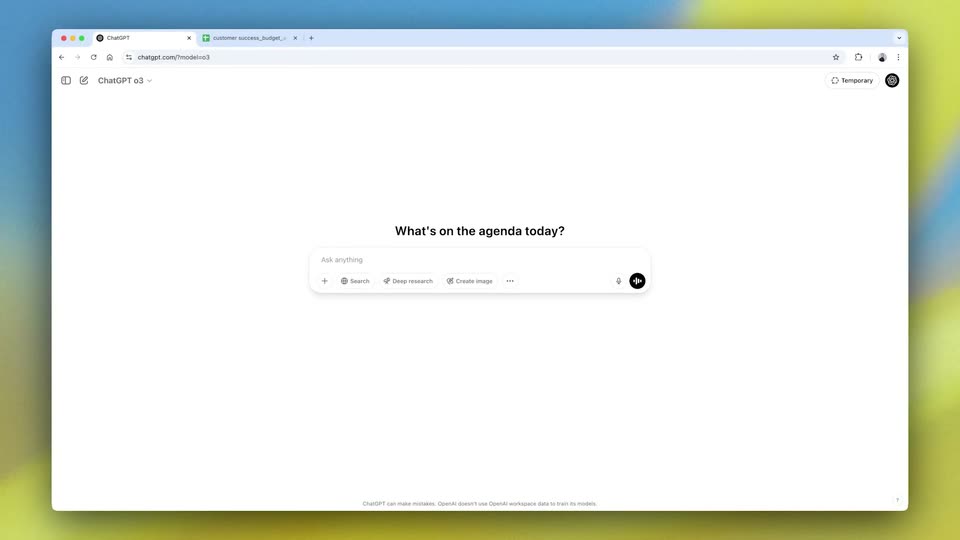
ChatGPT’s 3:20 launch film runs 17 scenes, about 12 s each. The product is on screen from the first frame. There is no explicit call to action; a voiceover carries the film. The video opens with word-by-word fade-in title cards, then holds on one long screen recording of a ChatGPT variance-report prompt, using blur-zooms to move between close-ups and the full browser window. It closes with a minimal logo card, keeping cuts slow and the focus on the interface.
No filming indicatedEstimated needs: 1 capture group — your screens or recordings · 1 official logo — reused across the film · 1 graphic passage — draw or supply · 1 3D passage — build or supply
Is this your launch? to your site or press kit.
More like this

1:31
0:41

Meet Jockey, TwelveLabs' video intelligence agent, now in general availability
TwelveLabs · AI · Oct 2026
Automate complex workflows with OpenAI o3, scene by scene
· 17 scenes as text
01 · Product intro · 0:00–0:02
A plain white background holds the centered headline OpenAI for Business, which fades from light gray to solid black over the first half of the clip, then holds still.
On-screen text: “OpenAI for Business”
Camera: Static
02 · Product intro · 0:02–0:03
A white card holds a large dark gray headline, “for Business,” offset right of center, then it swaps to a lighter gray “How to:” in the center. Small “OpenAI” and “for Business” captions sit at the top and bottom edges throughout.
On-screen text: “OpenAI”, “for Business”, “How to:”
Techniques: Kinetic type
Camera: Static
03 · Product intro · 0:03–0:08
A plain white title card. The four-line headline reveals word by word, each word fading from light gray to black, while tiny OpenAI and For Business labels sit at top and bottom. The finished title holds, then fades out.
On-screen text: “OpenAI”, “For Business”, “How to:”, “Run multi-step tasks”, “with ChatGPT using”, “OpenAI o3”
Techniques: Kinetic type
Camera: Static
04 · Demo · 0:08–0:26
A browser window shows the ChatGPT home screen. The view zooms into the model menu as the cursor selects o3, then zooms into the prompt box where a long variance-report prompt is typed. The frame pulls back and zooms in again on the text box.
Techniques: UI zoom, Cursor demo
Camera: Pull out
05 · Demo · 0:26–0:28
A macOS file dialog lists CSV files as a cursor selects them, growing the blue highlight to all six, then clicks Open. The dialog fades out to reveal a chat window with a message about a variance report and a right panel showing the six attached items.
Techniques: Cursor demo
Camera: Static
06 · Demo · 0:28–0:32
A blurry zoom settles into a full view of a ChatGPT browser window on a blue-yellow gradient. The prompt card lists three spreadsheet attachments. A cursor clicks the second tab as the shot blurs and zooms out.
Techniques: Cursor demo
Camera: Pull out
07 · Demo · 0:32–0:42
A browser window displays a Google Sheets budget table with columns for Budget, Actual, Cost Center, and Forecast. A cursor drifts down from the tab bar and clicks the Budget and Actual column headers, highlighting each in turn.
Techniques: Cursor demo
Camera: Pull out
08 · Demo · 0:42–0:43
A tilted browser window holding a Google Sheets spreadsheet floats over a blurred blue-and-yellow gradient. The window eases out to reveal its full chrome and tabs as figures in the Prior Year column fade in.
Techniques: 3D mockup, UI zoom
Camera: Pull out
09 · Demo · 0:43–0:47
A centered Chrome window on a blurred blue and yellow gradient shows a ChatGPT chat card with three spreadsheet attachments and a bulleted prompt. A mouse cursor drifts down over the text as new lines of the prompt appear at the top, the instruction list growing. Locked-off frame.
Techniques: Cursor demo
Camera: Static
10 · Demo · 0:47–1:24
Close-up of an AI chat prompt with three spreadsheet attachments; blue highlights sweep across the typed steps as the list scrolls. At 19s the view pulls back to the full browser window on a blurred desktop, a cursor appears, and the frame cuts to a reframed card.
On-screen text: “What's on the agenda today?”
Techniques: UI zoom, Cursor demo
Camera: Pull out
11 · Demo · 1:24–1:40
A chat interface scrolls down past stacked budget tables and a gray prompt bubble, then an Analyzing panel types out bullet points and dark code blocks one after another.
Camera: Pan
12 · Demo · 1:40–1:43
A vertical feed of dark code panels and gray explanation blocks scrolls downward at a steady pace, cycling through Python snippets, data tables and analysis notes.
Camera: Pan
13 · Demo · 1:43–1:49
A light chat feed scrolls steadily, dark code blocks, gray prose notes, and data tables of a Python budget-variance analysis moving up past the frame.
Camera: Pan
14 · Demo · 1:49–2:20
A close-up of a ChatGPT chat scrolls past code blocks, analysis notes, and web search chips while a cursor hovers over source tags. The frame then pulls back to the full browser window on a gradient desktop, where summary tables and an orange bar chart appear.
Techniques: Cursor demo, UI zoom
Camera: Pull out
15 · Demo · 2:20–3:15
A close-up of an in-chat dashboard shows a flagged-items table and an orange bar chart; the cursor hovers over bars, popping dark value tooltips. Then the frame zooms out to the full browser window on a desktop as the cursor scrolls the analysis text to the end.
Techniques: Cursor demo, UI zoom
Camera: Pull out
16 · Outro · 3:15–3:15
A plain white field holds a small thin gray ring that pops into the exact center. The ring is a simple circular outline with no fill, appearing alone on the empty background.
Camera: Static
17 · Outro · 3:15–3:20
The black OpenAI wordmark holds centered on a plain white field, then gives way to the six-loop knot mark, which appears at the same center position and holds for the sign-off.
On-screen text: “OpenAI”
Camera: Static