1:06


Mercury - The wait is over. Mercury Desktop is here. All of Mercury in one app
Mercury Agent · Nov 2026
Canva’s 1:15 launch film runs 30 scenes, about 2.5 s each. The product shows up at 0:06 and 6 features are revealed. The call to action lands at 1:11 (95% in), over a voiceover. Built as a promise-then-proof arc: a live-action headline hook, a product intro, a rapid parade of single-feature UI demos, a lifestyle overview, and a gradient logo/URL card, all cut to a 132 bpm pulse. The signature moves are the drifting teal-to-purple gradient behind every title card, 3D-angled laptop and phone mockups with a white cursor driving each action, and kinetic centered text that types or cycles in place over locked-off footage.
Is this your launch? to your site or press kit.
Mercury Agent · Nov 2026
Pax · B2B · Aug 2024
Films whose music sounds like this one, voice left out
Google · Upbeat electronic
Flexprice · Electronic
Blify · Modern electronic
A locked-off office shot shows three people at a wooden table, two seated at laptops and one standing with a tablet, while a fourth walks past in the background. A white headline types in across the center of the frame.
On-screen text: “Help your team make”
Techniques: Kinetic type
Camera: Static
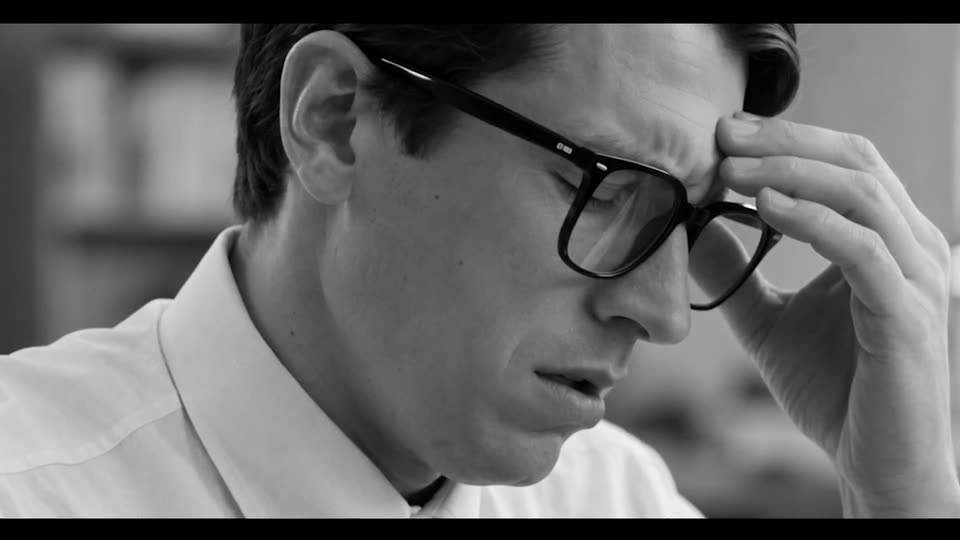
A man in a white shirt and glasses looks down at a laptop in a dim office with soft bokeh. White centered text builds word by word across the frame, the second line fading in term by term.
On-screen text: “Help your team make”, “every impression count”
Techniques: Kinetic type
Camera: Static
A woman in a blue blazer sits at an outdoor table at night, smiling and gesturing beside an open laptop. White headline text sits centered over the frame, static throughout the locked-off shot.
On-screen text: “Help your team make”, “every impression count”
Camera: Static
On a teal-to-purple gradient background, centered white text cycles through use cases: Design posters, Design presentations, Design videos, Design social posts, then Design anything. Each phrase holds briefly before the next replaces it in place.
On-screen text: “Design posters”, “Design presentations”, “Design videos”, “Design social posts”, “Design anything”
Techniques: Kinetic type
Camera: Static
In a bright office, two women and a man gather around a wooden table with two laptops; the standing woman points at the screen while the others look on and smile. White text lines appear centered over the locked-off shot.
On-screen text: “Canva for Teams helps you”, “create and collaborate”, “Design anything”
Camera: Pull out
A live-action clip of a team at laptops starts centered, then scales down to the bottom as surrounding design template cards expand into a grid on a blue-purple gradient. White kinetic text cycles through phrases in the center.
On-screen text: “create and collaborate”, “in real time”, “to achieve your”, “goals”
Techniques: Kinetic type
Camera: Pull out
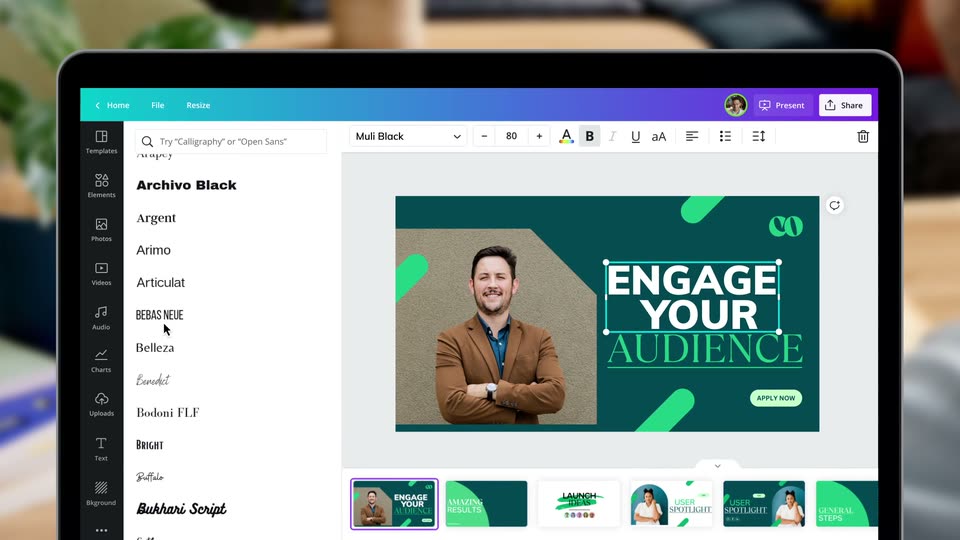
On a 3D-angled laptop, a cursor clicks the font field, opening a dropdown that scrolls through many typefaces. The view then zooms into the left icon toolbar and the font list.
Techniques: 3D mockup, Cursor demo, UI zoom
Camera: Push in
A dark asset panel scrolls upward, bringing the Graphics and Photos rows into view beneath Shapes & Lines. A white cursor travels down the left sidebar from the Elements icon to the Photos icon.
Techniques: Cursor demo
Camera: Pan
A dark sidebar lists Elements, Photos, Videos and Audio with icons, beside a Trending grid of stock photos. A cursor moves down the menu as the photo grid scrolls up to reveal more thumbnails.
Techniques: Cursor demo
Camera: Pan
A dark media library interface scrolls upward through category sections, each with a header and a grid of image thumbnails. A cursor rests on the Videos icon in the left sidebar as the list moves.
Techniques: Cursor demo
Camera: Pan
A dark track list scrolls upward past album art and titles while a white cursor glides from the Audio tab to Charts in the left sidebar.
Techniques: Cursor demo
Camera: Pan
A dark interface shows a left sidebar with Videos, Audio, Charts, Uploads and a grid of green chart illustrations. A cursor glides from the Charts entry to the area chart tile and hovers over it.
Techniques: Cursor demo
Camera: Pull out
A cursor drags a low-poly green mountain chart from the left icon library onto the slide, then the frame zooms out to reveal the full editor: top toolbar, left menu, and a filmstrip of slide thumbnails below the canvas.
Techniques: Cursor demo, UI zoom
Camera: Pull out
A 3D laptop on a blurred desk displays a presentation app. The green slide assembles: a quarter-circle expands and an area chart fills behind the words Amazing Results. A cursor hovers on the chart; template thumbnails run along the bottom. The frame eases out slightly.
Techniques: 3D mockup
Camera: Static
A laptop in 3D perspective shows a presentation editor with a teal slide reading USER SPOTLIGHT beside a photo of a woman; the view zooms into the slide as the cursor hovers at its edge.
Techniques: 3D mockup, UI zoom
Camera: Push in
A design tool screen pairs a 'User Spotlight' canvas with a comment panel. A cursor types an @mention, checks the assign box, and posts the comment. The frame zooms out as a green pill is dragged onto the canvas, then a reply comment slides in.
Techniques: Cursor demo, UI zoom
Camera: Pull out
A laptop on a desk shows the Canva Co Brand Kit page as the camera pulls back from a tight, blurry frame. A cursor moves across the screen and two circular logos, yellow and blue, pop into the Brand logos row.
Techniques: Cursor demo
Camera: Static
The Canva editor fills a laptop screen. A cursor taps a color swatch in the left panel, recoloring the orange design to teal and the headline to green, then clicks the brand kit dropdown to open a Select a Brand Kit modal as the screen blurs.
Techniques: Cursor demo
Camera: Static
A laptop in 3D perspective shows the Canva editor against a blurred room. A cursor closes the brand kit dialog, then opens the Resize menu and ticks the Instagram story option, activating the Copy & resize button.
Techniques: 3D mockup, Cursor demo
Camera: Static
A laptop in 3D perspective shows a design app, a resize dropdown open with Instagram story checked and a cursor on the purple Copy & resize button. The cursor clicks, the panel closes, and the yellow Top Picks canvas remains centered.
Techniques: Cursor demo, 3D mockup
Camera: Static
A laptop in 3D perspective sits on a desk, its screen showing the Canva editor. The cursor rests on the Background Remover tile as the pink backdrop of a flower photo dissolves, leaving the blooms on the yellow canvas.
Techniques: 3D mockup, Cursor demo
Camera: Static
A phone mockup rotates from a tilted three-quarter view to a flat front angle. Its screen shows a yellow design with a flower behind a white panel that animates from a share menu into a January 2022 scheduling calendar.
Techniques: 3D mockup
Camera: Static
A phone mockup in 3D perspective sits on a soft blurred backdrop. Its Canva screen shows a January 2022 calendar with the 28th highlighted in purple, then transitions into a scheduling form with a caption box and Schedule and Post buttons.
Techniques: 3D mockup
Camera: Pan
A 3D phone mockup shows a post composer: a caption types itself into the field and a teal cursor dot lands on the purple Schedule Post button. It cuts to a full-screen yellow card with a rose, TOP PICKS, Preparing your design..., and an Andy Warhol quote that scales in.
On-screen text: “TOP PICKS”, “Preparing your design...”, “Everything has its beauty, but not everyone sees it. —”, “Andy Warhol”
Techniques: 3D mockup, Cursor demo, Kinetic type
Camera: Static
Two people sit at a wooden desk with open laptops while a third stands behind them holding a tablet with a keyboard. They look at the screens and talk, the standing woman smiling. A sunlit studio with wood slats, a vintage poster and plants fills the background.
Camera: Static
A woman with long gray hair in a blue blazer sits in the back seat of a moving car, holding a phone and smiling as the city blurs past the window. A small caption reads FRESH.
On-screen text: “FRESH”
Camera: Static
A woman in a green blazer and beige trousers sits on a wooden park bench, holding a coffee cup in one hand while she taps a phone in the other and smiles at the screen. The wide live-action frame keeps the greenery and a building softly out of focus.
Camera: Static
A man in a denim shirt sits at a wooden table in a plant-filled lounge, holding a tablet with a blue case toward a seated woman. He gestures with both hands while speaking. A second woman works in the background. Locked-off medium shot, warm light.
Camera: Static
A man in glasses and a light blue shirt sits at a table with a gold laptop. He checks a smartphone in his hand, then sets it down and smiles at the screen, in a plant-filled lounge with blurred coworkers behind.
On-screen text: “DROPI”
Camera: Push in
On a drifting teal-to-purple gradient, the white Canva script wordmark assembles from scattered dots into the full logo, then holds. A rounded search-bar pill below shows a magnifying glass icon and the URL canva.com/for-teams.
On-screen text: “canva.com/for-teams”
Techniques: Particles
Camera: Static