
0:49
Explore
Arc Max | Bringing AI to Arc Browser
The Browser Company · Oct 2023 · 0:18 · AI-annotated
- Length
- 0:18
- Scenes
- 14 · 1.3 s avg
- Product on screen
- 0:13
- Voiceover
- No
- Views
- 46K on YouTube
as of November 28, 2026
00:00:00 / 00:18:00
- Length
- 0:18
- Scenes
- 14 · 1.3 s avg
- Product on screen
- 0:13
- Voiceover
- No
- Views
- 46K on YouTube
as of November 28, 2026
The Browser Company’s 0:18 launch film runs 14 scenes, about 1.3 s each. The product shows up at 0:13. There is no explicit call to action. The video bookends a rapid montage of browser micro-interactions (hover-to-expand cards, drag reorder, typewriter text fills, toast reveals) with bursts of analog static, cutting between photographic backdrops and flat color fields at a fast clip. Its signature moves are the letter-by-letter typing, the small particle burst, and a hard cut to a flat blue tagline before the XMAX wordmark lands.
No filming indicatedEstimated needs: 1 capture group — your screens or recordings · 2 graphic passages — draw or supply
Is this your launch? to your site or press kit.
More like this
0:56

She’s your perfect match… and she’s a Sales Director | Gojiberry
Gojiberry · Nov 2026
0:43
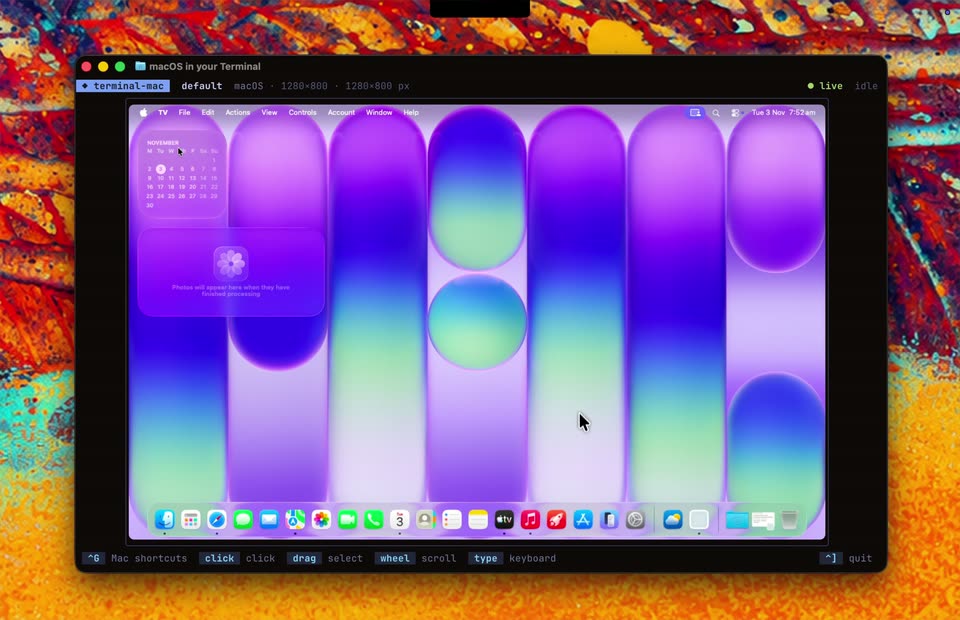
govi - Introducing terminal-mac. Entire MacOS that runs inside your existin
terminal-mac · Nov 2026
Arc Max | Bringing AI to Arc Browser, scene by scene
· 14 scenes as text
01 · Hook · 0:00–0:00
Full-frame monochrome static noise flickers across the screen, a dense field of black, white and grey speckles that shifts rapidly with no other element present.
Techniques: Particles
Camera: Static
02 · Demo · 0:00–0:03
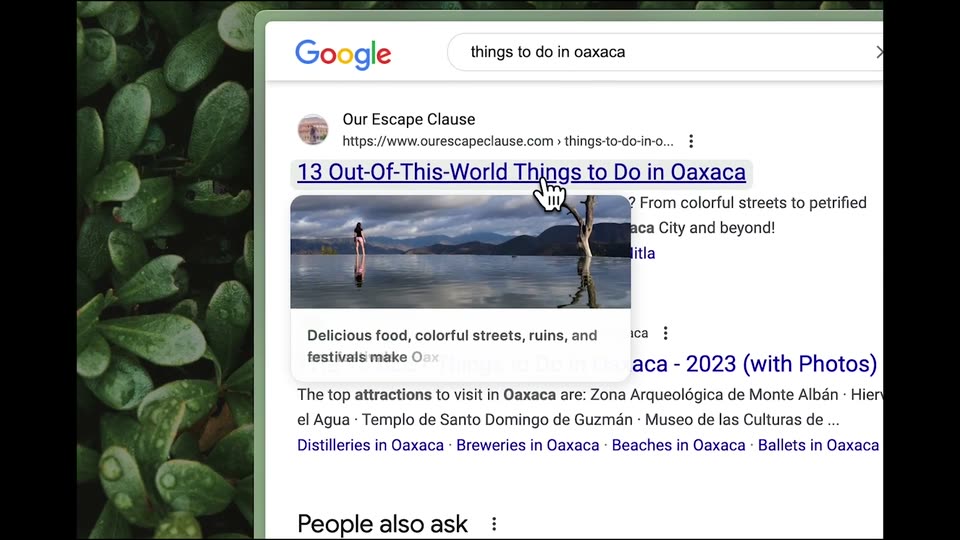
A Google search results page for the query 'things to do in oaxaca' sits over a green leaf backdrop. A hand cursor hovers the top result, expanding a rich preview card with a lake photo and description text, while the frame zooms in on the list.
Techniques: Cursor demo, UI zoom
Camera: Push in
03 · Demo · 0:03–0:04
Close-up of a browser sidebar over a nature wallpaper. A cursor grabs the 'Biking to The Ancient...' row, drags it up and drops it under the 'Things to do' folder, reordering the list.
Techniques: Cursor demo
Camera: Static
04 · Demo · 0:04–0:05
A dark green app list displays a trip itinerary. A highlighted row updates its text, showing a subtext line and a small particle burst.
Techniques: Particles
Camera: Static
05 · Demo · 0:05–0:06
A Gmail screen shows a PDF attachment card with its filename and size, plus two dark action buttons. A white hand cursor slides upward to rest on the download button.
Techniques: Cursor demo
Camera: Static
06 · Demo · 0:06–0:07
A dark green file panel over a leafy backdrop holds a row of dots and a document thumbnail. A dark toast expands in the center, revealing the renamed filename in bold white above a gray UUID string.
Camera: Static
07 · Demo · 0:07–0:08
A close-up photo of a dark pan with brown sauce and garlic cloves fills the frame. A white search bar at the top types out the query letter by letter with a blinking caret, beside a green Ask button and a close icon.
Techniques: Kinetic type
Camera: Static
08 · Demo · 0:08–0:09
A white assistant card overlays a photo of a dark stew. The card's empty body fills with typed answer text line by line, the panel stretches and the question field slides down as it grows. The frame stays locked off.
Techniques: Kinetic type
Camera: Static
09 · Demo · 0:09–0:10
Locked-off close-up of a web article page showing a photo of chapulines in a stone mortar. In the top right, a white chat card displays the query, types out the answer, the card expands, and the Ask button slides in.
Techniques: Kinetic type
Camera: Static
10 · Demo · 0:10–0:11
A close-up of a stone bowl of dark mole with grasshoppers fills the left, while a cream reading panel on the right shows article text, a Find on Page link and an Ask a question field. A cursor drops to the link and clicks it, highlighting it.
Techniques: Cursor demo
Camera: Static
11 · Demo · 0:11–0:11
Close-up of a reading interface: a document on the left with several phrases highlighted in orange, and a right panel holding a summary paragraph, a Find on Page link with a cursor hovering over it, and an empty question field. The frame stays static.
Techniques: Cursor demo
Camera: Static
12 · Demo · 0:11–0:13
A white rounded search bar with a teal ChatGPT pill floats over a static terracotta courtyard with cacti and stone steps. The placeholder is replaced by the typed query, then a teal suggestion row slides in below the field.
Camera: Static
13 · Product intro · 0:13–0:17
Centered white sans-serif lines appear one after another on a flat blue field, each held static, then a hard cut lands on the XMAX wordmark, its leading letter replaced by a pink asterisk.
On-screen text: “Because the small moments”, “add up to big ones”
Camera: Static
14 · Product intro · 0:17–0:18
A full-frame field of black-and-white analog static flickers rapidly, the noise pattern shifting every frame. The word XMAX holds still at the center, locked-off, spanning most of the frame height.
On-screen text: “XMAX”
Camera: Push in