0:12


AI Legal Assistant Grounded in Your Records | VectorOS
Vector Legal · B2B · Nov 2026
Billow AI Labs · Nov 2026 · 0:13 · AI-annotated
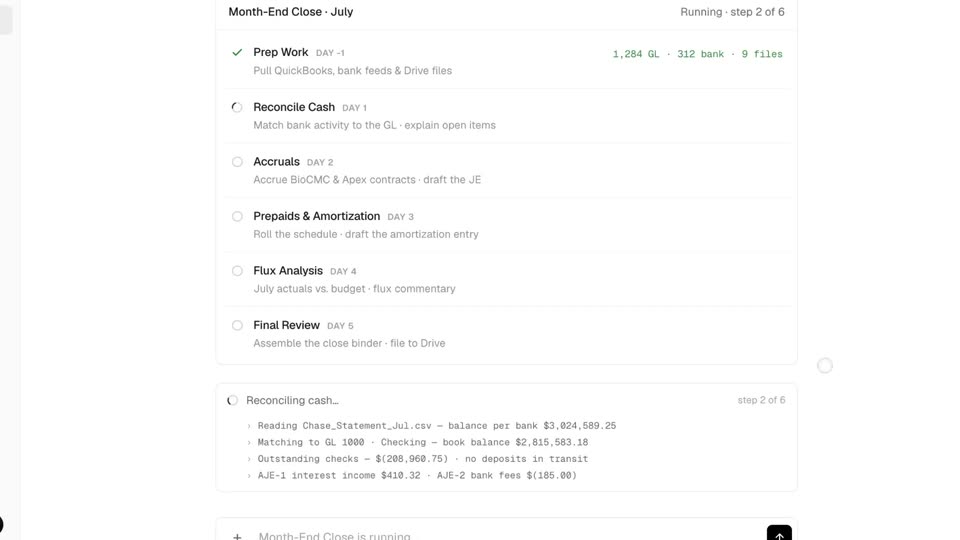
Billow AI Labs’s 0:13 launch film runs 5 scenes, about 2.8 s each. The product is on screen from the first frame. There is no explicit call to action. A single uncut take follows one action from start to finish: pressing Run the close, watching six steps tick off while a log types reconciliation lines, then reviewing the output workbooks in a two-pane view. The signature moves are the white app card floating in 3D over a warm blurred canyon, a camera zoom into the checklist, and typewriter log lines that carry the pacing instead of cuts.
Is this your launch? to your site or press kit.
Vector Legal · B2B · Nov 2026
Terse · B2B · Oct 2026
LunaBill · Healthcare · Sep 2026
A white app window floats over a blurred canyon photo, showing a six-step month-end checklist. The 'Run the close' button turns black with a spinner, and the view zooms in as a step card slides in at the bottom right.
Techniques: UI zoom
Camera: Push in
A close-up of a month-end close checklist and a log panel types out reconciliation lines, then the view pulls back to reveal the interface as a tilted 3D card floating over a mountain landscape.
Techniques: UI zoom, 3D mockup
Camera: Pull out
A locked-off white chat panel over a canyon photo shows the Billow assistant running a month-end close checklist. Steps check off, a code block fills in, then a folder table and three file cards appear.
Camera: Static
A two-pane product interface shows a chat and file list on the left and a spreadsheet preview on the right. The spreadsheet switches from the Cash workbook to the Accrual workbook as the matching file card at the bottom becomes highlighted.
Camera: Static
Two floating product panels sit side by side over a blurred canyon backdrop. The left chat card lists close steps and a folder tree with three output cards, while the right spreadsheet card shows an accrual workbook with green and yellow highlighted cells. The shot holds static.
Techniques: Split screen
Camera: Static