0:31

Call Arc | For questions on the go
The Browser Company · Productivity · May 2024
Avec’s 2:00 launch film runs 42 scenes, about 2.9 s each. The product is on screen from the first frame and 4 features are revealed. The call to action lands at 1:53 (94% in), over a voiceover. The video is built as a short film: a studio credit, a promise title, then a narrative of an ignored email that escalates into a montage of postponed replies, before the app is revealed and its features are demoed in tight phone close-ups. Its style is defined by a dark, warm cinematic grade with shallow focus, slow push-ins on the actors, and crisp macro UI shots with green swipe feedback, all cut at a steady mid-tempo.
Is this your launch? to your site or press kit.
Top-down view of a dim room with red chairs on a worn wooden floor. A person in the top left holds a small green object. The white title fades in at center while the camera drifts slowly forward, revealing more of the seating.
On-screen text: “Avec Presents”
Camera: Pull out
A dim theater aisle with red seats and a wooden floor. A woman in a red top walks down the aisle past a seated person holding a phone, while a centered white headline stays fixed over the footage.
On-screen text: “Emails You'll”, “Never Reply To”
Camera: Static
In a dim cinema, a man in a plaid shirt walks down the aisle holding a drink and phone, then sits between two seated people and checks his screen. The frame stays locked off while two lines of text hold over the dark scene.
On-screen text: “Emails You'll”, “Never Reply To”
Camera: Push in
Macro close-up of a tilted phone in dark mode, its screen filling the frame against black. A finger enters from the top right and swipes down across the inbox list, the rows shifting with the touch while shallow focus blurs the edges.
Techniques: 3D mockup
Camera: Push in
A dark smartphone screen sits tilted in 3D perspective, showing an email inbox. White overlay text enters line by line over the message, starting with long time, then Riley Gray, then John! long time.
On-screen text: “long time”, “Riley Gray”, “John! long time.”
Techniques: Kinetic type, 3D mockup
Camera: Pan
A man in a dark room, face lit from below, looks down at his phone in the lower right while white text accumulates line by line on the left, reading as a message. The frame stays locked off as each line fades in.
On-screen text: “John,”, “Long time.”, “Some big news: my father finally croaked.”, “No condolences needed. This means I finally have the money.”, “And I want to make a movie.”, “Coffee soon?”, “Riley”
Techniques: Kinetic type
Camera: Static
A tight, tilted close-up of a phone screen in dark mode, held in a hand against black. The email app shows the subject “Re: long time” and the body “Hey Riley” being typed with a blinking caret, above the quoted message from Riley Gray. Focus racks down the screen as the line completes.
Camera: Static
A man and a woman sit in a dark room, faces lit by the flickering blue glow of an off-screen display. The man, in focus, holds a phone, then watches forward with his mouth open. The woman stays out of focus behind him.
Camera: Static
A Gmail inbox list scrolls upward as new email rows stack in at the top, while the unread count badge on the left ticks from 21 to 43. The interface is rendered soft and slightly ghosted.
Camera: Push in
In a dark bedroom, a man lies in bed under a yellow blanket, holding a phone whose screen glows blue. A woman in a red plaid shirt sits up and leans toward him. The frame holds a slight Dutch tilt as they exchange a glance.
Camera: Static
A man and a woman lie in a dark bed, faces lit by the warm glow of a phone the woman holds. Their hands meet under an orange blanket as he watches her. The shot is a static medium view from above the bed.
Camera: Static
Over-the-shoulder framing: a man in a white shirt with a camera strap stands in a sunlit doorway, holding a camera and gesturing as he speaks to a woman whose dark head fills the foreground, out of focus.
Camera: Static
A close-up of an email inbox, slightly soft in focus, with the Primary, Promotions, Social and Updates tabs fixed across the top while the list of sender rows scrolls, new rows fading in at the top edge.
Camera: Push in
A tight close-up of a pale calendar list scrolls upward, teal month labels such as Mar 2026 and Feb 2027 drifting past a teal contact-card icon fixed on the right edge.
Camera: Static
A man in an olive jacket sits at a cluttered kitchen table, pen resting on his forehead as he reads papers. He lifts his head and looks toward the camera with a tense expression as the frame slowly pushes in on him.
Camera: Push in
A man in a blue cable-knit sweater sits at a cluttered wooden desk under a warm lamp, flipping through an open notebook. The camera slowly pushes in as he turns pages, surrounded by shelves of books and papers in a dim room.
Camera: Static
An older couple sits on a leather sofa in a dim living room, the man holding a bowl of popcorn, the woman a tall glass of orange snacks. Flickering blue and amber light washes their faces as the camera slowly pushes in and they turn to look at each other.
Camera: Push in
A locked-off medium shot shows a man in a beige cardigan seated at a glass desk in a dim room, facing a laptop. A white caption appears centered over him.
On-screen text: “Email shouldn't be this hard.”
Camera: Static
A man in a cream cardigan sits at a desk in a dim room. A hand raises a phone in the foreground, and the focus racks from him to the screen, which shows a blue interface with a 3x3 grid of white tiles and a round button.
Camera: Static
A hand holds a smartphone upright in a dim, warm-lit room, the screen showing a weather widget and a grid of app icons. The background stays softly blurred and the frame is locked off, with one icon scaling subtly.
Camera: Static
A macro shot of a phone screen, soft and out of focus, shows a blue app icon with an animating white mark beneath a search bar. The image sharpens and the frame widens to a hand holding the phone over a desk, its home screen displaying the Avec app icon.
Techniques: Morph
Camera: Static
A hand holds a phone over a blurred desk; the screen shows an email app where a green highlight slides up over a message to mark it done, then the next email appears.
Camera: Static
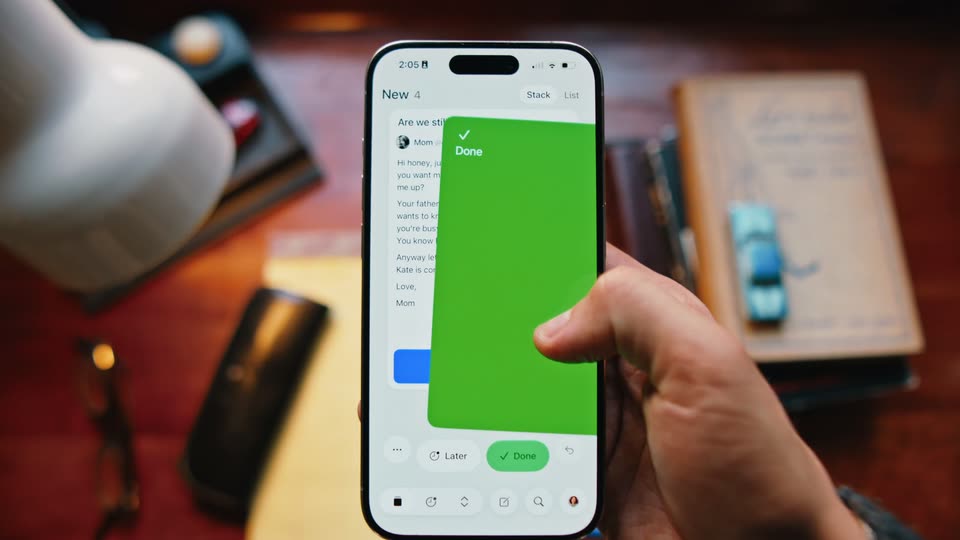
A hand holds a phone showing an email app. A finger taps the top message, a green Done card with a checkmark slides over the screen, then slides away to reveal the next email in the list.
Camera: Static
A thumb swipes email cards rightward on a phone held in a hand. As each card slides off, a green checkmark appears on its left edge and the New count drops from 2 to 0, scrolling the inbox to the next message.
Camera: Static
A tight close-up on a phone held in a hand shows an email interface with a row of action buttons. A finger swipes across the screen, the view shifts, and a small confirmation pill appears below the buttons.
Camera: Static
A hand holds a phone over a blurred desk; a finger swipes up the screen, scrolling a list of low-importance emails while Unsubscribe buttons appear beside each row. The camera stays locked off.
Camera: Static
A hand holds an iPhone against a blurred warm background; the Mail app shows a low-importance email stack, a thumb swipes across the screen to clear the grouped emails, and a green “Stack all Done” card slides in.
Camera: Static
A hand holds an iPhone over a blurred desk. A green action card slides away from the inbox, leaving a “No new emails” empty state with an overdue-email pill. The shot then zooms in on the screen.
Techniques: UI zoom
Camera: Static
A hand holds a phone over a blurred warm set. The empty inbox fills with email cards that crossfade through Overdue, Today, This week and No due date sections as a finger hovers at the edge.
Camera: Static
A hand holds an iPhone in close-up, the screen showing an email titled 'long time' from Rilely Gray. The blurred warm background stays out of focus while the thumb rests at the right edge, the screen content static.
Camera: Static
In a dim auditorium, a curly-haired man in a plaid shirt holds a phone in both hands, eyes fixed on it, while a woman in a rust top beside him looks up toward a screen, a tablet resting on her lap.
Camera: Push in
Macro close-up of a phone held in a hand against black. A thumb presses the blue button, which turns red, and the line above it changes to Release to generate. The Describe your key points field sits above the button.
Camera: Static
In a darkened room, a woman bites her nails while the man beside her holds a phone up at face level, gazing at it as a voiceover plays. Still captions 'Hold to speak', 'Tap to type' and 'soon?' overlay the locked-off frame.
On-screen text: “Hold to speak”, “Tap to type”, “soon?”
Camera: Static
A tilted close-up of a hand holding a phone, shallow depth of field against a dark, blurred figure. The email app fills the screen; the reply body updates in place and an Add polish button appears at the bottom edge.
Camera: Static
A tight close-up of a hand holding a phone, the thumb pressing a button that shifts from blue to red as the prompt flips to Release to cancel. The frame is locked off with shallow depth of field blurring the fingers.
Camera: Static
Extreme close-up of a man's lower face and hand in dim warm orange light. His lips move as he speaks while his fingers rest on a device held just out of view. The locked-off frame holds steady on the mouth and hand.
Camera: Static
Close-up of a hand holding a tilted phone in a dark room, the email app on screen. The message body updates to a shorter reply and an Add polish button appears at the lower right.
Camera: Static
Macro close-up of a phone held in a hand against a black background. The screen shows an email reply to Riley Gray. A finger taps the blue send button, and the message dims under a Marked Later banner.
Camera: Pan
A woman and a man sit in a dark auditorium, lit by warm stage light. The woman smiles toward the screen while the man holds a phone in his hand. The camera holds a medium close-up with a slow drift.
Camera: Static
A gray-haired man in a blue shirt sits at a glass desk, closes a black folder, and reaches toward a small trophy. White text overlays the locked-off shot, first a tagline, then the brand name with its logo. Blurred trophies sit in the foreground.
On-screen text: “Handle your Gmail inbox in seconds.”, “Avec”
Camera: Static
A gray-haired man in a blue jacket sits at a glass desk lined with golden trophies, reaching across to open a black laptop. The white Avec logo and wordmark sit centered over him, then give way to the caption. Static medium shot.
On-screen text: “Avec”, “Now available on the App Store.”
Camera: Static
A black screen holds a single line of white text centered in the lower middle. The frame is locked off and the text stays still for the full duration.
On-screen text: “Now available on the App Store.”
Camera: Static