1:31
Introducing Shire
Shire · Nov 2026
AniStudio’s 2:11 launch film runs 62 scenes, about 2.1 s each. The product shows up at 0:04 and 5 features are revealed. The call to action lands at 2:08 (97% in), over a voiceover. The video is built as a news-montage problem statement, a split-screen founder pitch, a logo reveal, and five titled feature demos that alternate 3D renders with dark UI panels accented in yellow. Its signature moves are the frosted prompt pill that types a sentence before each render, the yellow dashed callout lines that tag UI panels, and the hard cuts between black title cards and the renders.
Is this your launch? to your site or press kit.
Shire · Nov 2026
Mecka AI · Jun 2026
A static news webpage: the Adobe building photo sits left, a green panel right carries the white headline about Adobe Animate shutting down, with article body and two thumbnails below.
On-screen text: “Adobe Animate is shutting down as company focuses on AI”
Camera: Static
A news article screen shows the headline and a grid of Adobe app icons, then reframes to a close-up of body text with two dates highlighted in yellow. A white outlined caption reading Adobe Animate is shutting down fades in over the paragraph.
On-screen text: “Adobe Animate is shutting down.”
Techniques: UI zoom
Camera: Static
A red prohibition sign over the Animate logo on a halftone gradient cuts to a white FAQ page titled “Animate End of Life FAQs.” The page lists the discontinuation dates and a stack of expandable questions.
Camera: Pan
A white headline and body copy on black cross-dissolve into a screenshot of an angry tweet on a purple background. The announcement text fades out as the tweet card fades in, ending fully on the post.
On-screen text: “Announcing the end of life for Adobe Animate.”, “Thanks for bringing your ideas to life with Animate.”, “Starting 1 March 2026, the app will no longer be available for purchase. Existing Animate customers may continue to use the app. Support will continue for ent”, “In the future, check out Adobe After Effects for complex keyframe animations and Adobe Express for one-click animation effects that you can easily apply to pho”, “the way you CAN'T OPEN YOUR OWN PROJECT FILES anymore in 2027 is DIABOLICAL”, “the way this is like a PUNISHMENT for giving them money at all. by staying in the ecosystem and paying for this fucking service, this is your reward”, “Please note that access to your Animate files and project data will end on March 1, 2027. To ensure a smooth transition, we encourage you to export your Animate”, “Woah, Adobe is cancelling Animate! If it becomes abandonware, does that make it okay to p...”
Techniques: Morph
Camera: Static
A purple background frames a black tweet card showing an Adobe letter, then a hard cut swaps it for a second tweet card quoting a longer post.
Camera: Static
A purple field with diagonal light bands holds a tilted phone mockup showing a tweet and a letter, beside a 3D Breadwinners app icon. A large white caption sits on the left. The whole composition drifts left as the icon settles into frame.
On-screen text: “The program was used to animate the entirety of Breadwinners.”
Techniques: 3D mockup
Camera: Static
A vertical column of Twitter posts sits on the right over a purple gradient background. The first post from Jacob Fairclough questions Adobe discontinuing a program, then the frame cuts to a post from JakeNeutron titled Don't Listen @toastyman.
Camera: Static
A Twitter post screenshot sits centered on black, flanked by purple diagonal bands. The card cuts to solid black, where a large static caption states that big-budget TV shows use Adobe.
On-screen text: “a lot of big budget tv shows use Adobe”
Camera: Static
A white iPhone mockup fades in on black, showing a chat with Max: a shared screenshot of an Adobe shutdown notice, then a second blue bubble pops in. A white caption at the bottom reads “This is not a launch we imagined,” then swaps to “no preparation.”
On-screen text: “This is not a launch we imagined”, “no preparation”
Camera: Static
A phone mockup of a text conversation with Max tilts gently in 3D on a black background. The chat shows a link about Adobe Animate shutting down and bubbles: 'They're killing Animate.', 'What??', 'We should launch it now.' Bottom captions cycle: 'no preparation', 'no stage', 'just a zoom call.'
On-screen text: “no preparation”, “no stage”, “just a zoom call”
Techniques: 3D mockup
Camera: Static
A split-screen video call frames two men from the chest up: the left one in a gray sweater waves, the right one in a black sweater with glasses speaks. Black name tags and a white caption sit at the bottom.
On-screen text: “just a zoom call”, “AniStudio”, “Chen”, “Hi I'm Chen”
Techniques: Split screen
Camera: Static
Two men in glasses stand side by side in a split frame, the left against white blinds, the right against white curtains, both speaking to camera. A black name tag on the lower left reads AniStudio Chen while a white subtitle, Hi I'm Chen, fades in at the bottom.
On-screen text: “AniStudio”, “Chen”, “Hi I'm Chen”
Techniques: Split screen
Camera: Static
Two men face the camera in a side-by-side split screen, one in a gray sweater before office blinds, one in black before white curtains. The right speaker gestures while lower-third name tags and centered white subtitles track his lines.
On-screen text: “AniStudio”, “Chen”, “Hi I'm Max”, “AniStudio”, “Max”, “for over a decade”, “we built our careers at Adobe”, “earlier today we learned that Adobe animate is being killed”, “just like that”, “an entire community of creators were left behind', 'we couldn't just stand by', 'so instead of waiting we chose to act', 'Ai has changed how we write', 'and how”
Techniques: Split screen
Camera: Static
Two men share a split-screen call, divided by a thin vertical line. The left man in a gray sweater and round glasses gestures with both hands open; the right man in a black shirt stands still before a pale curtain. A white caption reads across the lower third.
On-screen text: “we are launching AniStudio right now”
Techniques: Split screen
Camera: Static
A yellow rounded-square app icon with black 'Ani' lettering is centered on a dark backdrop, opening blurred and snapping into focus. A gray caption at the bottom reads 'we are launching AniStudio right now' and exits as the icon sharpens.
On-screen text: “we are launching AniStudio right now”
Camera: Static
On a dark olive-to-black gradient, the yellow Ani tile holds center as the white AniStudio wordmark brightens beside it, then the yellow tagline fades in below.
On-screen text: “THE WORLD'S FIRST AI-NATIVE ANIMATION PLATFORM”
Camera: Static
The AniStudio logo, a yellow rounded square with black Ani beside a white wordmark, sits centered on a dark field with a soft green glow, the yellow tagline below. The mark scales slightly, then fades out as a small text field with an up-arrow button emerges.
On-screen text: “THE WORLD'S FIRST AI-NATIVE ANIMATION PLATFORM”
Techniques: Kinetic type
Camera: Static
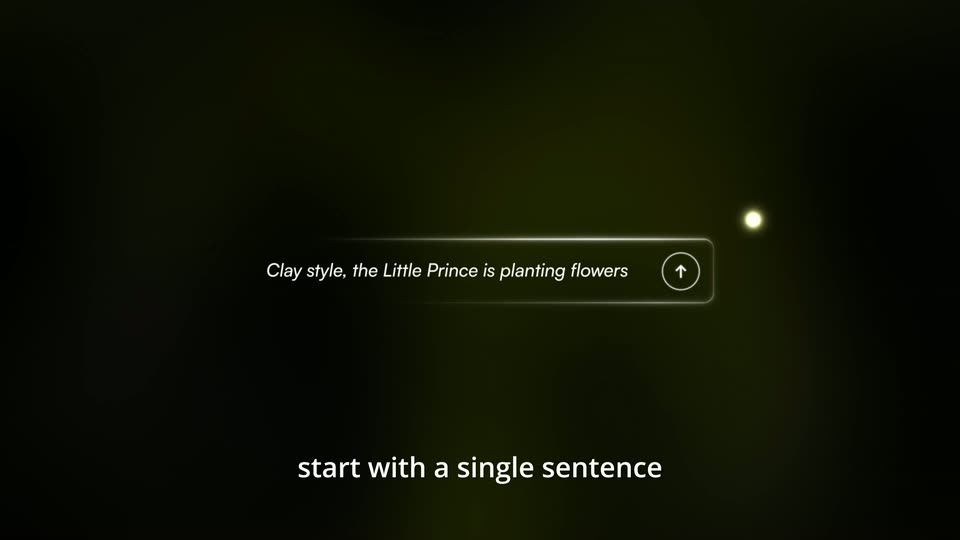
On a dark, green-glow background, a centered prompt bar types out a sentence beside a circular send arrow. A light sweep crosses the pill, small colored squares drift in, and a caption fades in below.
On-screen text: “Clay style, the Little Prince is planting flowers”, “start with a single sentence”
Techniques: Kinetic type, Light sweep, Particles
Camera: Static
A pixel mosaic grid dissolves to reveal a clay figure of the Little Prince kneeling on cracked earth, tending a pink rose beside a small tree. A translucent prompt box and a bottom caption stay fixed throughout.
On-screen text: “start with a single sentence”
Techniques: Masking
Camera: Static
A clay-style Little Prince kneels on cracked soil holding a rose, beside a small tree under a starry sky. A prompt box hovers above him while a glow flares at the flower stem and bottom captions swap from one line to the next.
On-screen text: “start with a single sentence”, “our agent turns it into a full animation”
Techniques: Light sweep
Camera: Static
A 3D penguin in a red scarf sits in a dark snowy cave, its head tilting and bending as it acts out a beat. A translucent prompt bar with an up-arrow button floats over its chest. Snow drifts through the air while a white caption sits at the bottom.
On-screen text: “our agent turns it into a full animation”
Techniques: Particles
Camera: Static
A masked man in a dark armored suit steps out of a rusty metal door into a rain-soaked neon city, steam billowing from the doorway. A translucent prompt bar with a purple arrow button floats mid-frame while a white caption sits at the bottom.
On-screen text: “our agent turns it into a full animation”, “The poor little penguin in the snow”
Camera: Static
An anime illustration of a brown-haired boy clinging to a large purple bird with gold-patterned wings, soaring over a cloudy mountain landscape. A translucent green prompt bar sits centered, its white text typing out left to right while the bar widens, with a green circular send button on the right.
On-screen text: “A boy is flying in the sky while riding a bird”
Techniques: Kinetic type
Camera: Static
A flat illustration of a white-haired grandmother in a magenta polka-dot armchair, holding a tablet, framed by an oval vignette on a purple wall with a guitar, lamp and record player. A translucent caption box with an up-arrow icon overlays the center.
On-screen text: “An old grandmother is sitting on the sofa.”
Camera: Push in
A 3D clay-style boy with wheat-straw hair sits centered in a golden wheat field, his eyes blinking once. A frosted search bar with the prompt and a yellow arrow button hovers across his face, then a bright yellow flash wipes the frame.
On-screen text: “Clay style, a little boy in a wheat field”
Camera: Pan
A dark interface panel slides up into frame, showing a green Story Outline pill at the top and a faint list of outline fields below, while a white caption sits at the bottom.
On-screen text: “it guides you every step of the process”
Camera: Static
A dark story-outline document panel fills the frame, its yellow-bordered Story button and cursor held in view. Large white letters track in across the center to read Animation Agent, while a white caption sits below the panel.
On-screen text: “Animation Agent”, “it guides you every step of the process”
Techniques: Kinetic type
Camera: Static
A dark story-outline panel on a grid background holds a yellow cursor that glides to circle the word Story. A large white title Animation Agent and a swapping caption overlay the frame.
On-screen text: “Animation Agent”, “it guides you every step of the process”, “from writing scripts to designing concepts”
Techniques: Cursor demo
Camera: Static
A large white headline and a smaller subtitle hold center over a blurred, sliding dark UI showing a story document, while yellow dashed lines and arrowheads trace a route across a faint grid.
On-screen text: “Animation Agent”, “from writing scripts to designing concepts”
Camera: Pan
A dark horizontal board panel with a glowing green outline holds a row of concept cards. Two character images and a texture card pop in while glowing tags labeled Concept, Story and Storyboard sit above with yellow arrow pointers. The large white title Animation Agent fades out at the start.
On-screen text: “Animation Agent”, “from writing scripts to designing concepts”
Camera: Static
Six dark project cards with 3D thumbnails (boy, fox, wheat, chest, field, tree) line a grid background. Glowing yellow pills labeled Concept, Story, Storyboard hop between cards with arrows as the row drifts right. A bottom caption reads 'from writing scripts to designing concepts,' then 'making storyboards.'
On-screen text: “from writing scripts to designing concepts”, “making storyboards”
Camera: Static
A dark storyboard panel populates with six shot thumbnails while a yellow dashed line draws down from the top. Glowing pill labels for Storyboard, Concept and Story slide in with arrowheads, and a white bottom caption switches lines.
On-screen text: “making storyboards”, “Storyboard”, “Concept”, “Story”, “and eventually editing with the timeline tools”
Techniques: Kinetic type
Camera: Pan
The storyboard panel sits center frame with yellow callout labels and arrows tagging the shots. The camera zooms out, revealing a script panel at left and a characters panel above, connected by an animated dashed yellow line.
On-screen text: “Storyboard”, “Concept”, “Story”, “and eventually editing with the timeline tools”
Techniques: UI zoom
Camera: Pull out
A dark grid canvas shows a product interface: a brief panel left, six character cards top, a shot strip bottom. Glowing yellow tags Storyboard and Concept with arrows point at the panels; the Storyboard tag slides in while a caption sits at the bottom.
On-screen text: “Storyboard”, “Concept”, “and eventually editing with the timeline tools”
Camera: Static
A dark node-graph interface sits on a grid, with a script panel linked by yellow dotted lines to rows of image cards tagged Storyboard and Concept. The whole layout tilts into 3D perspective and blurs as a timeline scrubber slides in below.
On-screen text: “Storyboard”, “and eventually editing with the timeline tools”
Techniques: 3D mockup, Kinetic type
Camera: Pull out
A tilted 3D close-up of an editing timeline shows clips of an animated boy in a wheat field and audio waveforms, with a yellow playhead. The camera pulls back and tilts up to reveal the full interface and a preview monitor of the boy's face.
On-screen text: “and eventually editing with the timeline tools”
Techniques: 3D mockup
Camera: Pull out
On a near-black background with a faint green glow, the headline Control any Detail fades in word by word from left to right, while a small caption you control every detail holds still at the bottom.
On-screen text: “Control any Detail”, “you control every detail”, “00:00/00:30”
Techniques: Kinetic type
Camera: Static
A dark frame with a soft olive glow holds the headline in large white type, centered, with a smaller white line beneath it that dims in opacity. The composition stays locked and still throughout the short clip.
On-screen text: “Control any Detail”, “you control every detail”
Camera: Static
A 3D boy in a green coat and yellow scarf stands in a sunlit grass field, a red-and-green camera gizmo on the ground beside him. The camera orbits him from front to side angles while white captions name each action.
On-screen text: “Camera®”, “adjust the camera”, “direct character motion”
Techniques: 3D mockup
Camera: Push in
A 3D boy character in a green coat and yellow scarf stands in a sunlit grass field. A green square gizmo with a red ring hovers at his left foot. His mouth opens and closes in small steps while the locked frame holds the warm sky.
On-screen text: “direct character motion”
Camera: Static
A 3D boy in a green coat stands in a warm field; a photo of a child on the left fades out. The camera zooms to his face as three yellow icons and large white words appear, and his expression cycles from smile to tears to anger.
On-screen text: “Motion”, “and fine tune facial expressions”, “Expression”, “exactly the way you want”, “pick any voice and simply bring your character to life”, “Lipsync”
Techniques: Split screen, Kinetic type
Camera: Push in
A 3D blond boy in a yellow scarf talks against a warm yellow backdrop, his mouth moving as he speaks. A voice list sits at left, the top row highlighted with a pulsing audio waveform. A white caption stays locked along the bottom.
On-screen text: “pick any voice and simply bring your character to life”
Techniques: 3D mockup
Camera: Static
A 3D cartoon boy with a yellow scarf smiles against a warm yellow backdrop while a three-row voice list sits at left. The list fades out, then a dark rounded card scales in over the frame, carrying the white text Edit any Video.
On-screen text: “Edit any Video”
Camera: Static
A white headline, “Edit any Video,” sits centered on a dark, softly blurred background with faint green glows. The text scales gently in place while the frame stays locked off.
On-screen text: “Edit any Video”
Techniques: Kinetic type
Camera: Static
A 3D rendered performer with dreadlocks and a metallic jacket sings into a microphone on a pink-lit stage. A translucent “Change the background” button floats at the bottom while a caption line and a scaling headline appear over the figure.
On-screen text: “Edit any Video”, “edit videos with simple instructions”
Techniques: Kinetic type
Camera: Static
A 3D-rendered singer with dreadlocks and a metallic iridescent jacket holds a microphone on a neon-lit night street. A white caption and a translucent prompt box reading Change the background with an up arrow stay fixed at the bottom of the frame.
On-screen text: “edit videos with simple instructions”, “Change the background”
Camera: Static
A 3D animated rapper with dreadlocks and a neon-trimmed metallic jacket sings into a microphone in a sunlit plaza, eyes closing mid-phrase. Static white caption “edit videos with simple instructions” and a translucent pill “Change the background” with an up arrow hold in the lower third.
On-screen text: “edit videos with simple instructions”, “Change the background”, “↑”
Camera: Static
A 3D stage with pink and cyan spotlight beams and haze frames a large LED wall showing the white PXTCKC logo over spinning cyan rings. A translucent purple prompt bar at the bottom reads Change the background with an up arrow, under a white caption.
On-screen text: “edit videos with simple instructions”
Camera: Static
A 3D stage with a large LED wall displays the PXTCKC logo over a pink dot-matrix and a cyan ring, framed by spotlights and floor fog. A lower caption and a UI bar fade out while the stage lighting shifts from teal to magenta.
On-screen text: “edit videos with simple instructions”
Techniques: 3D mockup
Camera: Static
A 3D-rendered concert stage shows a singer in a silver jacket gripping a mic stand, backlit by pink and green LED swirls. A glowing neon outline traces the singer's silhouette, then dissolves, while a white caption sits at the bottom.
On-screen text: “edit objects using masks and prompts”
Techniques: Masking
Camera: Push in
A stylized 3D singer with a braided ponytail and a white jacket outlined in glowing pink and cyan holds a gold mic stand and performs on a concert stage. LED walls with pulsing pink and green rings and a DRIP logo sit behind her, drummers at both sides. The camera drifts slowly at a low angle.
On-screen text: “edit objects using masks and prompts”
Camera: Push in
A stylized 3D singer with a high ponytail performs into a mic on a concert stage in front of a yellow LED wall, drummers at kits on either side. White captions swap at the bottom while the camera drifts slightly.
On-screen text: “edit objects using masks and prompts”, “or remove it entirely”
Camera: Static
A braided performer in a neon-outlined silver jacket sits before a pink and green LED wall with a white DRIFIES logo, drum kit at the right. A dark head-shaped silhouette wipes across the frame, revealing a 3D scene with extruded white text 'Create any' over a pink form and grid floor.
On-screen text: “or remove it entirely”, “Create any”
Techniques: Masking
Camera: Push in
A white bold headline reads “Create any Style” centered on a dark olive gradient that fades to black. A smaller gray line “or remove it entirely” sits below at the start and disappears, while a horizontal blur on the headline clears to a sharp locked-off frame.
On-screen text: “Create any Style”, “or remove it entirely”
Camera: Static
A white smartphone floats in 3D perspective, its screen showing a warrior gripping a tall ornate staff. Rounded image tiles orbit the device at varying depths, rotating slowly against a dark, green-tinted backdrop. The caption holds still.
On-screen text: “Create any Style”
Techniques: 3D mockup, Parallax
Camera: Pull out
A field of small image tiles floats in 3D space on a dark, green-glowing background, most out of focus. A sharp rounded tile showing a green cartoon dinosaur, sun and butterflies sits at center, then drifts up and left as the surrounding tiles shift, creating depth.
Techniques: 3D mockup, Parallax
Camera: Static
A rotating cluster of rounded app icons with colorful illustrations floats in 3D space on a dark background. Depth of field blurs the outer tiles as the camera orbits, and a flower bear icon drifts to the sharp foreground.
Techniques: 3D mockup, Parallax
Camera: Pull out
A 3D cluster of rounded image cards, each showing a different illustration, rotates in perspective against a black field with soft depth blur. The cluster spins, the frame flashes to a green gradient, then cuts to two men standing side by side in a studio with horizontal blinds behind them.
Techniques: 3D mockup
Camera: Static
A split screen shows two men speaking to camera: left in a gray sweater before horizontal blinds, right in a black shirt before a white curtain, gesturing with both hands. White subtitles sit at the bottom center, swapping lines.
On-screen text: “This is a new way to bring stories to life”, “Welcome to AniStudio”
Techniques: Split screen
Camera: Static
A black screen holds a centered yellow headline, “Join the Waitlist,” with the URL “anistudio.ai” in a lighter weight directly beneath it. The text stays locked in place as a static closing card.
On-screen text: “Join the Waitlist”, “anistudio.ai”
Camera: Static
A black frame holds centered yellow text, the bold headline above a lighter URL line. The composition is static and locked off, with no motion or camera movement across the short clip.
On-screen text: “Join the Waitlist”, “anistudio.ai”
Camera: Static
A yellow rounded-square logo with the black wordmark “Ani” sits centered on a black background. The frame stays locked and static for the full clip.
On-screen text: “Ani”
Camera: Static