1:26

MCP 2.0: Don't Just Build Fast. Build for What's Next.
Webflow · Design · Jul 2026
Allus AI’s 2:07 launch film runs 18 scenes, about 7.1 s each. The product is on screen from the first frame and 3 features are revealed. There is no explicit call to action; a voiceover carries the film. A presenter-led launch built on a soft blue gradient: a circular webcam of the speaker is pinned in the corner while flat white product cards scale, tilt and flatten into the frame, with cursors and live counters driving the demos. The piece opens on a problem-and-promise pitch, walks one continuous chat workflow from typed request to deployed model, tours live monitoring feeds and a dashboard, then closes on a parallax 3D logo sting, all cut at a steady mid-tempo.
Is this your launch? to your site or press kit.
Webflow · Design · Jul 2026
Rive · Design · Oct 2024
A man in a white shirt and glasses sits in a black office chair, framed in a circle over a blue gradient, and speaks to camera. The scene opens on a logo card: the blue Alice mark in a dark octagon, surrounded by orange target rings and small icon panels.
On-screen text: “8”
Camera: Push in
A man in a white shirt and glasses talks inside a circular cutout on the right of a blue gradient background. A factory floor with a red robotic arm and conveyor line fades into a rectangle on the left, with small status labels.
Techniques: Split screen
Camera: Static
Split layout on a blue gradient: left plays factory footage of a red robotic arm placing a purple solar panel on a conveyor, overlaid with a glass spec card and status labels; right shows a circular-framed presenter in a white shirt talking.
Techniques: Split screen
Camera: Static
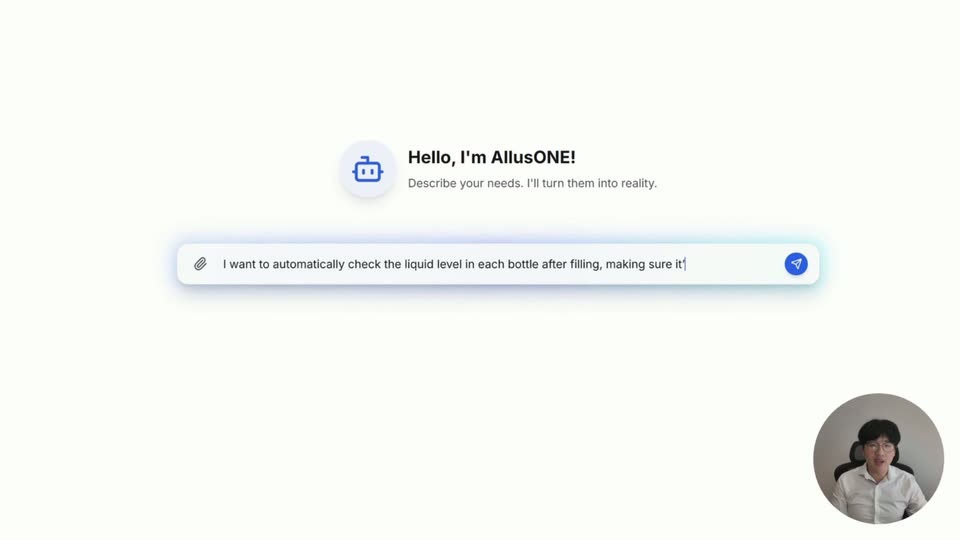
A white AllusONE app window sits on a blue gradient, with a circular webcam of the presenter pinned bottom right. The cursor taps the prompt bar, the frame zooms onto the greeting, and a bottle-inspection request types itself in, ending on a click of the blue send button.
Techniques: UI zoom, Cursor demo
Camera: Push in
A scaling greeting, “Hello, I'm AllusONE!”, opens, then a white chat UI fills the locked-off frame. Messages stack and scroll: a request, an AI reply with bullets, a factory photo, files, and progress bars filling to “Complete”. A circular webcam of a man sits bottom-right.
On-screen text: “Hello, I'm AllusONE!”, “Describe your needs. I'll turn them into reality.”
Camera: Pull out
A flat white chat dashboard fills the frame, its feed scrolling as a small thumbnail of a bottling line scales up to show detection labels on each bottle. A circular webcam of a presenter in a white shirt sits in the lower right corner.
Techniques: UI zoom
Camera: Static
A white chat panel floats over a blue gradient, a presenter's webcam circle at lower right. The log scrolls as the AI confirms a trained model and shows a factory image; the cursor clicks 'yes' then 'Bottle Filling', a deploy-complete message appears, then the view zooms into the line list.
Techniques: Cursor demo, UI zoom
Camera: Push in
A flat monitoring dashboard scales up from the center onto a blue gradient, settling into a front view. It shows a live camera feed of a milk-filling line with bottles and changing fill percentages, a right-hand statistics panel, and a presenter in a circular avatar at the bottom right.
Camera: Pull out
A light Real-Time Monitoring dashboard fills the frame. A live feed shows cookies rolling on a conveyor belt as a counter ticks from 64 to 79. A right panel lists inspection stats, a cursor rests on the feed's arrow, and a small circular video of a presenter sits bottom right.
Camera: Static
A floating monitoring dashboard sits on a blue gradient. Its live camera feed of industrial pressure gauges pans slowly left, PSI labels shifting, while the right-hand stats panel ticks its inspection count upward. A circular webcam of a presenter rests in the lower-right corner.
Camera: Push in
A white dashboard on a blue gradient shows a live factory camera feed with robotic arms beside a statistics panel. A spec card fades in over the feed, the counter ticks up, and the view zooms into the panel before pulling back. A circular presenter webcam sits bottom-right.
Techniques: Cursor demo, UI zoom
Camera: Static
A product dashboard card floats on a dark blue gradient. The camera pushes in on the Real-Time Monitoring view, and a cursor hovers the left sidebar, moving the highlight from Monitoring to Dashboard. A circular presenter webcam sits in the bottom-right corner.
Techniques: UI zoom, Cursor demo
Camera: Push in
A white production dashboard card tilts in 3D against a blue gradient, then flattens as the total-inspections counter ticks up live. A cursor hovers the uptime bar chart and a tooltip pops up; a circular webcam of the presenter sits in the bottom right corner.
Techniques: 3D mockup, UI zoom, Cursor demo
Camera: Pull out
A frosted glass speech bubble with a glowing cyan border holds the blue ALLUS logo and wordmark, floating over a white 3D wall of raised panels. Smaller 3D tags reading Security, AI, Inspection and Control drift at different depths as the camera eases forward, creating parallax.
On-screen text: “ALLUS”
Techniques: 3D mockup, Parallax
Camera: Static
A cyan-outlined speech bubble with the ALLUS logo and wordmark sits in the center of a white 3D factory model, ringed by floating blue and white tags. The camera pulls back, shrinking the bubble into a rounded window on a purple field.
Camera: Pull out
A glossy blue 3D ribbon tightens into the letter A on a white honeycomb panel inside a dark octagonal frame, then morphs into a dark blue hexagonal ring. The brand wordmark scales in beside the shape.
On-screen text: “ALLUS”
Techniques: Morph
Camera: Pull out
A white hexagonal panel etched with the word Alice in a honeycomb texture rotates open like a door. It reveals a 3D factory interior with a swirling blue fluid shape, white workbenches and blue particle clouds.
Techniques: 3D mockup, Masking
Camera: Pull out
Top-down 3D render of a pale technical floor dotted with orange and grey turbine units and small blue device panels. The camera pulls back from a tight view of a central octagonal window holding the blue ribbon logo to a wide layout of the whole surface.
Techniques: 3D mockup
Camera: Pull out