1:31


Introducing Personal Finance in Claude
Anthropic · AI · Nov 2026
AIR · Sep 2026 · 0:43 · AI-annotated
AIR’s 0:43 launch film runs 20 scenes, about 2.2 s each. The product shows up at 0:39. There is no explicit call to action. The video cuts between deadpan live-action office shots and a soft plush 3D meadow, with a persistent terminal card in the corner narrating the install flow. Signature moves include fast dolly and whip-pan transitions, rack-focus reveals, and a mint-to-pink color shift that flags the threat before the tagline card lands.
Is this your launch? to your site or press kit.
Anthropic · AI · Nov 2026
Anthropic · AI · Feb 2026
A forward dolly glides through a dim open-plan office that brightens as it advances, passing a seated worker at a laptop and potted plants along a wooden floor. A small dark terminal box with a green prompt and blinking cursor hovers in the top right corner.
Camera: Push in
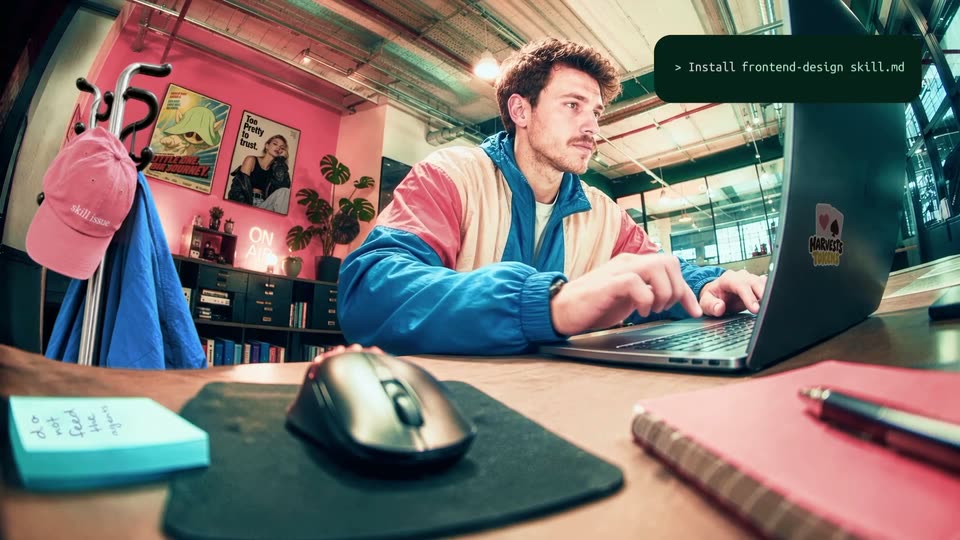
A man in a color-blocked jacket works at a desk in a pink-walled loft. The frame opens wide on the room, then cuts to a low close-up of his hand on a mouse next to a laptop, with a dark terminal-style box holding a prompt symbol in the top right.
Camera: Push in
Extreme close-up of a man's eyes and forehead, filmed live, looking slightly down with a neutral expression. A small dark rounded terminal panel sits in the top-right corner showing a prompt symbol and a blinking text cursor, while the typed words remain static.
On-screen text: “skill issue”, “HARVESTS”
Camera: Static
Low-angle wide shot of a man in a color-block jacket at a desk in a pink-walled office. He types on a laptop, then reaches across to grab the mouse. A dark terminal box in the top right types a command, then swaps to a confirm prompt with y and n keycaps.
On-screen text: “Install frontend-design skill.md”, “Add this skill to Claude Code?”, “y”, “n”
Techniques: Kinetic type
Camera: Static
A man in a colorful jacket sits at a desk reaching for a mouse, then the scene cuts to him sitting on the floor with his arms outstretched. A dark green notification box in the top right corner updates from 'Add this skill to Claude Code?' to 'Installing...' with a progress bar.
On-screen text: “Add this skill to Claude Code?”, “Installing...”, “skill issue”
Camera: Push in
A man in a blue, pink and cream jacket dances through a stylized 3D field of green grass and willow trees, moving from a high kick to a crouch to a standing pose. A dark card with an orange spinner and the word Installing sits top right.
On-screen text: “Installing...”
Camera: Push in
A blurred frame racks into focus on a plush 3D meadow where pink creatures in teal hoods assemble a giant striped hot air balloon, climbing a ladder, pulling ropes, carrying yarn. A dark Installing card with a progress bar sits top right; small file-name tags float beside the characters.
On-screen text: “Installing...”
Camera: Pan
Close-up of a 3D plush character's face under a teal furry hood. Its wide eyes reflect a 3D landscape of terracotta rings and trees. A dark card with a spinning loader and 'Installing...' sits top right; a cream monospace tag 'frontend-design skill.md' scales in at left.
On-screen text: “Installing...”, “frontend-design skill.md”
Camera: Push in
A 3D chibi character stands on a clear disc inside a pink tunnel as a circular cutout opens and the view pulls back to reveal a sunny landscape of hills and trees. A dark green card with a progress bar and a white panel sits top right.
Techniques: Masking
Camera: Static
A small object rides a coral track that loops through a stylized teal forest, the camera pulling back to follow it. A dark install panel stays fixed in the top right, its progress bar advancing and its caption changing from Checking to Vetting.
Techniques: Parallax
Camera: Pan
The camera tracks forward as a blue blob character rides a clear disc down a pink water slide through a pastel 3D landscape, passing a white archway. A dark install card with a progress bar and a white Analyzing panel sits top right, while a small code tag hovers mid-left.
Techniques: 3D mockup, Parallax
Camera: Push in
A plush pink creature in a green hood sits inside a glass dome in a soft 3D landscape. The camera orbits from back to front view as a top-right status card fills its bar and switches from Installing to Installed, while a file tag gains a Vetted badge.
Techniques: 3D mockup
Camera: Static
A plush 3D world of mint grass and a knitted pink-and-green umbrella. A small dragon in a teal hat hops, then crouches to pull a thread. A dark chip labeled frontend-design skill.md with a Vetted badge sits left; an Installed panel and Skill vetted card sit top right.
Camera: Static
An extreme close-up on pink and mint knitted yarn with a loose thread slowly pulls back, revealing a knitted hot-air balloon with a white basket. It hovers over a soft 3D landscape of green hills and trees, with smaller knitted balloons drifting in the blue sky.
Techniques: Parallax
Camera: Pull out
A pink plush creature with a wide toothy grin slides in from the right holding a lit match, while mint and coral striped fabric balloons drift over a fuzzy green meadow. The camera tracks the character and pushes in to a tight close-up of its face.
Techniques: Parallax
Camera: Pan
Three plush mascots with big eyes sit in clear bowls on a pastel 3D stage as the camera pushes in on the pink one. A top-right install panel fills its bar, then flips to 'Installation blocked' with a red warning over a white card listing two files.
Camera: Push in
A 3D meadow with a pink slide leads to a vault archway whose metal doors close as the camera dollies in along the slide. A dark alert card floats top right with a progress bar, two file chips, and the line Malicious behaviour Detected.
Techniques: Parallax
Camera: Static
A large black serif headline scrolls left across a plain white background, reading “The firewall”. A mint-green selection box with red corner handles tracks the word as it passes through the center of the frame.
On-screen text: “The firewall”
Techniques: Kinetic type
Camera: Static
A white pill on a mint field reveals the tagline, with 'firewall' boxed in green as the line completes. The pill then empties and the teal AIR wordmark fades in as the sign-off.
On-screen text: “The firewall for agents”
Techniques: Kinetic type
Camera: Static
A mint green field holds a white rounded rectangle centered, framing the teal AIR wordmark and a four-blade pinwheel mark. The lockup scales up gently in the first second, then holds still on a locked-off frame.
On-screen text: “AIR”
Techniques: Kinetic type
Camera: Static