0:47

Introducing v0: Generative UI
Vercel · Developer tools · Oct 2023
Adobe · Apr 2026 · 0:50 · AI-annotated
Adobe’s 0:50 launch film runs 24 scenes, about 2.1 s each. The product is on screen from the first frame and 3 features are revealed, with social proof. The call to action lands at 0:47 (95% in), over a voiceover. The video is built from short brand cards and clean interface demos, with each feature introduced by a prompt typed into the Claude chat. Signature moves include snap-focus logo reveals, word-by-word typing, and cards that tilt, scale, or morph into the red Adobe frame.
Is this your launch? to your site or press kit.
Vercel · Developer tools · Oct 2023
Anthropic · AI · Jan 2026
Notion · Productivity · Apr 2025
The red Adobe wordmark sits centered on a white field. The letters after the A drop away, leaving the red A mark alone in the center.
On-screen text: “Adobe”, “A”
Camera: Static
A red rectangular frame sits centered on a cream background, then clears as two lines of bold black text scale and slide into the middle of the frame, settling into a centered headline.
On-screen text: “Adobe for creativity”, “is now in Claude.”
Techniques: Kinetic type
Camera: Static
A row of eight Adobe app icons starts enlarged and blurred, snaps into sharp focus, then scales down to sit in a line behind the faint Claude wordmark on a cream background.
On-screen text: “is now in Claude.”
Camera: Static
A terracotta starburst mark sits centered on a cream field, then scales down and shifts left as the dark serif word Claude slides in beside it, settling into a centered lockup.
Camera: Static
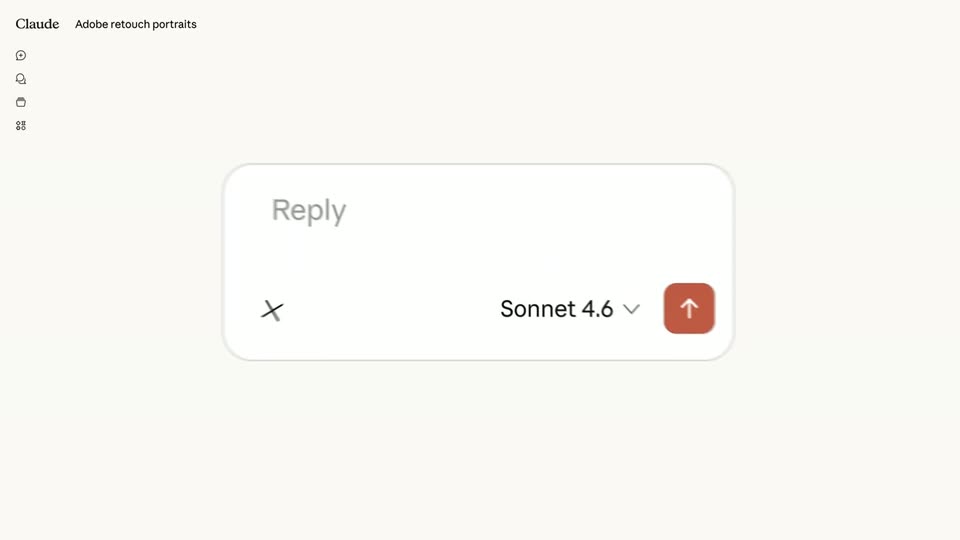
A blurred close-up of the Claude wordmark and coral starburst zooms out to reveal the interface: a left icon rail, the prompt “Adobe retouch portraits” at top, and a centered white reply card with a “Reply” placeholder, a “Sonnet 4.6” tag, and a coral send button.
Techniques: UI zoom
Camera: Static
A cream-colored chat interface centers a rounded reply box. The grey Reply placeholder fades out as the prompt Use portrait refinement to edit these headshots types in word by word, with a model selector and orange send button below.
Techniques: Kinetic type
Camera: Static
A rounded chat input on a cream background shows the typed prompt with a text caret. The model selector and red send button resolve from a doubled, ghosted state into Sonnet 4.6 and an up-arrow icon as a black cursor lifts away.
Techniques: Morph
Camera: Static
A pixelated orange portrait is dragged by a white cursor into a dashed drop zone at the center of a light interface; the zone border turns blue as the file settles over the upload icon.
Techniques: Cursor demo
Camera: Pull out
A flat Claude interface centers a portrait of a smiling woman on a yellow backdrop, framed by small circular edit buttons. The photo straightens and brightens in stages, and a caption line beneath it swaps through Auto-straighten, Auto-tone, Recover highlights and Lift shadows.
Camera: Pull out
The Claude interface opens on a single retouched portrait labeled 3:4 crop, then pulls back to a two-by-two grid of four yellow portraits of the same woman in a green shirt. The camera pushes in on the bottom row, leaving the Firefly Board link and reaction icons in view.
Techniques: UI zoom
Camera: Push in
A white rounded chat input on a cream background types out a prompt word by word, then a black cursor clicks the red send button. A small icon sidebar and a Claude header sit at the left.
Techniques: Cursor demo
Camera: Static
A tight crop of a chat input shows a prompt asking for an Instagram sale story; the cursor clicks the red send button, the view reframes, and three sale story templates fade in side by side.
Techniques: UI zoom, Cursor demo
Camera: Pull out
A light interface shows a grid of fashion sale poster templates fading in from transparent to full color. The view zooms into the grid as a cursor moves to the Shoe Sale card and selects it, drawing a bounding box with corner handles.
Techniques: UI zoom, Cursor demo
Camera: Push in
In a chat interface, a pink MEGA SALE poster tilts into place above a reply box. The user types a color-change prompt and clicks send; the poster's background shifts to green and an Open in Adobe button slides in below.
Techniques: Cursor demo
Camera: Push in
A cursor drags a video thumbnail into the Claude interface; it rotates and scales to fill the drop zone, then blurs as a white reply bar with an orange send button slides in over it.
Techniques: Cursor demo
Camera: Static
Claude chat interface on a cream background. A white input card floats over a purple video thumbnail. The prompt about resizing a video for YouTube shorts is typed out, the cursor clicks the orange send button, then the card blurs and slides up to reveal the video beneath.
Techniques: Cursor demo
Camera: Static
A vertical video card of a woman forming a heart with her hands sits on a light Claude interface. The card scales up and recenters as a cursor clicks a download icon, and blurred copies of the card slide past on both edges.
Techniques: Cursor demo
Camera: Pull out
Three tilted phone cards float on a light gray field, each holding a different woman: a smiling portrait, a singer with a mic, and a Mega Sale promo. Bouncing 3D emoji stickers (flame, heart, camera, star, diamonds, thumbs up) drift around them while a views counter ticks.
On-screen text: “Claude Adobe resize photos and videos”
Techniques: 3D mockup
Camera: Pull out
A defocused montage of tilted video cards and stickers brightens behind a bold black tagline, then dissolves out to a plain cream field. The tagline scales into sharp focus, centered, as the frame locks off.
On-screen text: “Adobe for creativity.”
Techniques: Kinetic type
Camera: Static
A black tagline reading “Adobe for creativity.” sits centered on a plain off-white background. The locked-off frame holds still as the text scales up slightly over the short clip.
On-screen text: “Adobe for creativity.”
Techniques: Kinetic type
Camera: Static
On a plain white field, the dark gray line “Adobe for creativity.” scales into focus, then a black headline forms: “With 50+ powerful” scales in above “Creative Cloud tools.” sliding in from the right.
On-screen text: “Adobe for creativity.”, “With 50+ powerful”, “Creative Cloud tools.”
Techniques: Kinetic type
Camera: Pull out
A black bold sans-serif headline scales in centered on a cream background, then a row of eight rounded-square app icons in assorted colors pops in below, and a red border frame draws around the edges.
On-screen text: “With 50+ powerful Creative Cloud tools.”
Techniques: Kinetic type
Camera: Static
A red square frame around a white panel holds the gray headline and a row of small app icons. The frame contracts and morphs into the red Adobe A logo centered on white.
On-screen text: “With 50+ powerful”, “Creative Cloud tools.”
Techniques: Morph
Camera: Static
The red Adobe wordmark is centered on a plain white background in a locked-off frame. The black tagline beneath it fades in from light gray to full black over the first second, then the whole composition holds still.
On-screen text: “Try now in Claude.”
Camera: Static