1:16
Alexander Whedon - Introducing SubQ Snap, the first long-context decision model for real
Subquadratic · Oct 2026
Vapi · Apr 2025 · 1:05 · AI-annotated
Vapi’s 1:05 launch film runs 29 scenes, about 2.2 s each. The product is on screen from the first frame and 6 features are revealed, with social proof. The call to action lands at 0:58 (90% in), over a voiceover. The video opens on a particle-built logo, then walks feature by feature (prompt, models, workflows, integrations, testing, observability) in tight 5 to 10 second beats, each announced by a centered title card over the dotted grid. Its signature move is the multicolored dash particles that re-form into waveforms, rings, counters and grids, with one accent color per feature against the dark field.
Is this your launch? to your site or press kit.
Subquadratic · Oct 2026
Anthropic · AI · Sep 2026
On a near-black field, small multicolored dashes in purple, orange, yellow, green, blue and white pop in row by row along the left edge, assembling into a pixel-like cluster.
Techniques: Particles
Camera: Static
On a black background, multicolored dash particles form a horizontal line, then split into symmetric waveform clusters on the left and right as the cream VAPI wordmark appears in the center. The wordmark then fades out as the dot clusters densify.
On-screen text: “VAPI”
Techniques: Particles
Camera: Static
On a near-black background, a ring of multicolored capsule dashes spins left of white sans-serif text reading 'Build Voice AI agents in minutes'. At the end the layout pans right, the ring moves to the top-left and the text slides off the right edge.
On-screen text: “Build”, “Voice AI agents”, “in minutes”
Camera: Static
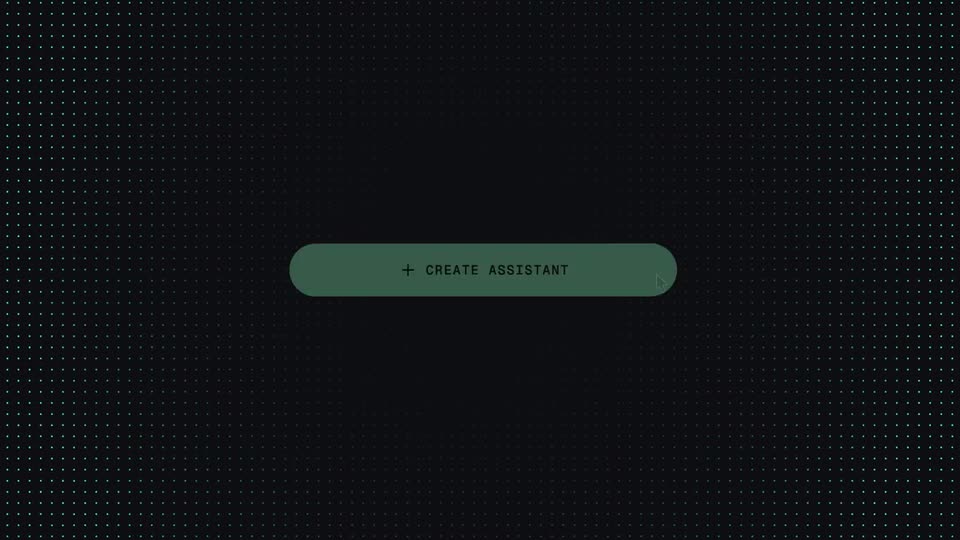
On a dark dotted grid, a green '+ CREATE ASSISTANT' pill sits centered while a cursor moves onto it. A large white headline at the right edge slides out as a smaller white title 'Create AI voice agent' appears above the button.
On-screen text: “Build Voice AI agents in minutes”, “Create AI voice agent”
Techniques: Cursor demo
Camera: Static
A dark dotted-grid screen holds the white title Create AI voice agent above a System prompt field. Green text types out a role prompt, then deletes and retypes a new one, with a Vapi AI button at right.
On-screen text: “Create AI voice agent”
Techniques: Kinetic type
Camera: Static
A dark dotted-grid field holds a green monospace headline above three columns of AI brand logos that scroll upward at offset speeds. Anthropic, OpenAI, Mistral, Google and other marks loop in a steady vertical marquee.
On-screen text: “LLMS & SPEECH MODELS”
Techniques: Parallax
Camera: Pull out
A multicolored dotted logo sits centered on a near-black field. A faint teal 'SPEECH MODEL' label and a small set of gray icons (gear, cursor, star, dots, bracket) dissolve away, leaving the logo alone.
On-screen text: “SPEECH MODEL”
Camera: Static
On a black background, multicolored dash dots assemble into code-bracket shapes that drift and re-form. A small gray 'DEVELOPERS' label sits above a large white '150K+' that scales in, then a light-gray '10,479,906' takes its place.
On-screen text: “DEVELOPERS”, “150K+”, “10,479,906”
Techniques: Particles, Kinetic type
Camera: Pan
On a near-black field, a multicolored dotted C mark sits left of a small gray caption CALLS HOSTED above a large white counter that rolls up from 35,171,879 to 44,000,000. At the end the mark and figures are replaced by a teal rounded pill carrying a plus sign and a white C.
On-screen text: “CALLS HOSTED”, “44,000,000”, “150K+”, “DEVELOPERS”
Techniques: Kinetic type, Morph
Camera: Pull out
On a dark dotted grid, the headline 'Control dialogue with Workflows' fades in above a cyan pill button reading '+ CREATE WORKFLOW'. The button then flips to a dark pill with a cyan play icon and 'Start Call' label as a cursor moves in to hover over it.
On-screen text: “Control dialogue with Workflows”
Techniques: Morph, Cursor demo
Camera: Push in
A dark dotted canvas shows a blue Start Call node above a Say card with a green waveform icon. The view zooms out, revealing the node as one branch of a large workflow graph of Say, Condition, Tool and API Request boxes fanning into a full decision tree.
On-screen text: “+ CREATE WORKFLOW”, “Control dialogue with Workflows”
Techniques: UI zoom
Camera: Pull out
A dense web of tiny colored node labels on a dotted dark field scrolls up and out of frame, clearing the space. Two thin mint-green circle outlines then slide into the lower center, forming the letter O.
On-screen text: “O”
Camera: Pan
On a dark dotted grid, a green circular button expands into a purple Create Tool pill beneath the white headline Connect with anything. The pill then vanishes as a vertical list of colored integration icons and names scrolls upward through the center.
On-screen text: “Connect with anything”
Techniques: Morph
Camera: Pull out
A black frame holds the centered white headline Test in seconds. A yellow clock icon appears over the gap between the words, its hub dot resting on the baseline as two hands sweep out into a wide V.
On-screen text: “Test in seconds”
Camera: Static
A yellow clock hand spins clockwise around a small central dot on a black background, its angle shifting steadily through the short clip. The caption “Test in seconds” holds still in the locked-off frame.
On-screen text: “Test in seconds”
Camera: Static
A yellow pill button with a black play icon and the words RUN TEST sits centered on a black dotted grid. The button tilts and levels as a cursor glides onto it, then a multicolored dashed line draws across the frame.
Techniques: Cursor demo
Camera: Static
A horizontal line of multicolored dashes pulses vertically into diamond clusters like an audio waveform on a black field. White captions build word by word at the bottom, first the question, then the Wendy's reply.
On-screen text: “What is the answer to life, the universe and everything?”, “– Umm... sir? This is a Wendy's”
Techniques: Kinetic type
Camera: Static
On a near-black background, a gray caption line sits centered with a thin green circle outline around one word. The line fades, the circle stays, then a green check badge and two lines of text slide in from the left.
On-screen text: “– Umm... sir? This is a Wendy's”, “Most tests have passed”, “2 Successful tests”
Techniques: Kinetic type
Camera: Static
A dark test-results list scrolls upward. The top row pairs a filled green check with bold white text and a gray subline, followed by two outlined checks. The slide reveals a dense grid of small multicolored horizontal bars across the lower frame.
Camera: Static
A grid of multicolored dashes on black rearranges into a wider pattern as the white text DEPLOY AT SCALE scales up in the center, settling over a solid black bar.
On-screen text: “DEPLOY AT SCALE”
Techniques: Kinetic type
Camera: Pull out
A black bar holding the white text DEPLOY AT SCALE grows from a centered box to full width as the type scales up, while the background shifts from multicolored TV static to a dark woven texture.
On-screen text: “DEPLOY AT SCALE”
Techniques: Kinetic type
Camera: Push in
A green line chart draws itself left to right on a dark background, the area beneath filling in as it extends. The white headline Real-time Observability sits above, with a small gray CONVERSIONS label below the axis.
On-screen text: “Real-time Observability”, “CONVERSIONS”
Techniques: Masking
Camera: Static
A white headline sits centered at the top of a black field. Below it, four filled area charts in green, purple, yellow and blue translate into a two-by-two grid while their lines ripple to suggest live data.
On-screen text: “Real-time Observability”
Camera: Pull out
A dark grid of multicolored line charts slides from scattered positions into a four-by-four layout, each panel carrying a metric label, while thin horizontal lines draw in along the right edge.
On-screen text: “Real-time Observability”
Camera: Pull out
A white headline reads “Flexible for engineers” above five thin gray lines carrying small colored pills. The lines bend into gentle waves, then the pills regroup into a dashed circle around the swapped headline “Easy for customers”.
On-screen text: “Flexible for engineers”, “Easy for customers”
Techniques: Morph, Kinetic type
Camera: Static
A white sans headline, “Easy for customers”, holds centered on a near-black field. Short multicolored dashes radiate outward from the words, expanding into a loose ring around the text while the headline stays still.
On-screen text: “Easy for customers”
Techniques: Particles
Camera: Static
On a black background, a ring of small multicolored dashes spins around the centered white headline “Easy for customers”. The headline then swaps to a green pill button reading “SIGN UP” with a right arrow, while the dash ring keeps rotating.
On-screen text: “Easy for customers”, “SIGN UP”
Techniques: Particles
Camera: Static
A green pill button reading SIGN UP with a right arrow holds centered on a near-black field, then cuts to a gray rounded wordmark logo as the closing mark.
On-screen text: “SIGN UP →”
Camera: Static
A cream VAPI wordmark holds centered on a near-black field in a locked-off frame. The mark sits still while a small gray copyright line fades in low at the bottom edge, leaving the sign-off to rest.
On-screen text: “© 2025 Vapi, Inc. All rights reserved.”
Camera: Static