1:39
Userlens Launch Video (YC P26) | Unveil Studio
Userlens · Oct 2026
Userlens’s 1:39 launch film runs 28 scenes, about 3.5 s each. The product shows up at 0:35 and 4 features are revealed. The call to action lands at 1:32 (94% in), over a voiceover. A presenter on a hill before the Golden Gate Bridge narrates the 100x CSM idea while frosted glass panels and brand chips assemble beside him, then the video cuts to a cream UI stage where white cards expand, scroll and type out each capability. The style pairs a calm live action intro with fast, blur driven card transitions, a warm orange accent, and a serif display face for the big words.
Is this your launch? to your site or press kit.
Userlens · Oct 2026
Commas · Sep 2026
Meta · Sep 2025
A man in a maroon sweatshirt talks to camera, centered, with the Golden Gate Bridge blurred behind him. White serif words pop in and out at the left and right edges in sync with his speech.
On-screen text: “There's”, “a type of”, “CSM”, “that”, “you trust”, “BIGGEST”, “MOST”, “strategic”, “accounts”, “to”, ”
Techniques: Kinetic type
Camera: Static
A man talks to camera before a blurred Golden Gate Bridge. On the right, a frosted-glass list titled 'Your Accounts' fades in; six rows fill with brand logos and names, then a question mark appears at each row's right edge. Subtitles sit at the bottom.
On-screen text: “Most teams don't have good visibility”, “on their customers.”, “they track logins”
Camera: Push in
A young man in a maroon sweatshirt stands on a hill before the Golden Gate Bridge, speaking to camera. On the left, frosted-glass company chips (Gymshark, Mcdonalds, Nvidia, Lovable, Canva) fade in as a stack, scroll upward, then all but Nvidia fade out.
On-screen text: “But 100x CSM sees the important nuances underneath,”
Camera: Push in
A presenter in a maroon shirt stands right of frame before a blurred Golden Gate Bridge, gesturing as he speaks. A frosted-glass Nvidia card with a Feature usage list floats on the left, its dot meters filling green row by row.
On-screen text: “But 100x CSM sees the important nuances underneath,”, “which features are being adopted,”, “which ones are stuck.”
Camera: Static
A man in a maroon sweatshirt talks to camera before a blurred Golden Gate Bridge. Frosted glass panels fade in on the left: a Nvidia badge, a Conversations icon grid, a Feature usage list, then a Retention chart whose white and orange bars grow. White subtitles sit at the bottom.
On-screen text: “whether their customer conversations”, “and retraining, or an upsell opportunity.”
Camera: Pull out
A presenter in a maroon sweatshirt stands before the Golden Gate Bridge while a row of glowing brand chips, then three frosted dashboard panels, builds up on the left. Dotted lines link the panels to a pill that reads Churn, then Upsell, as subtitles track the voiceover.
On-screen text: “They benchmark every account against the rest,”, “connecting signals across usage,”, “support sentiment, and Slack conversations”, “into patterns that no one else sees.”, “That's how they spot churn or upsell”, “months before anyone else sees.”
Camera: Static
A man in a maroon sweatshirt speaks to camera against a blue sky and bridge. Scattered white serif words read But 100x CSMs are rare, then clear. Seven brand app icons fade in to his left, then orange badges pop onto each tile with a soft glow.
On-screen text: “But 100x CSMs are rare”, “What if every account had that kind of attention?”, “UserLens watches every account”, “the way your best CSM”, “watches your top 5 strategic accounts.”
Techniques: Kinetic type
Camera: Pull out
A young man in a maroon sweatshirt stands against a blue sky, talking and gesturing. Large white serif words appear staggered around his head, upright then italic, while a small caption at the bottom switches to match his line.
On-screen text: “watches your top 5 strategic accounts.”, “here's”, “how”, “it”, “works”, “Here's how it works.”
Techniques: Kinetic type
Camera: Push in
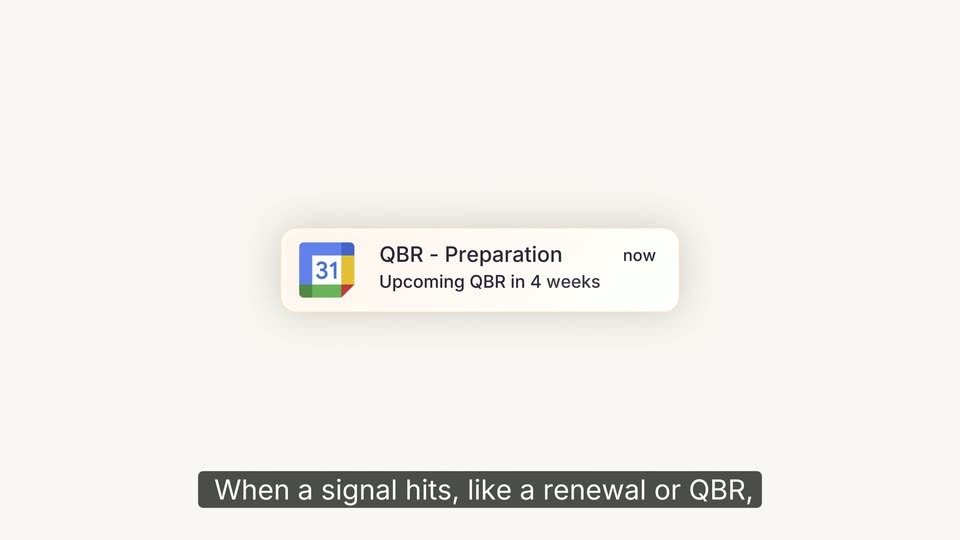
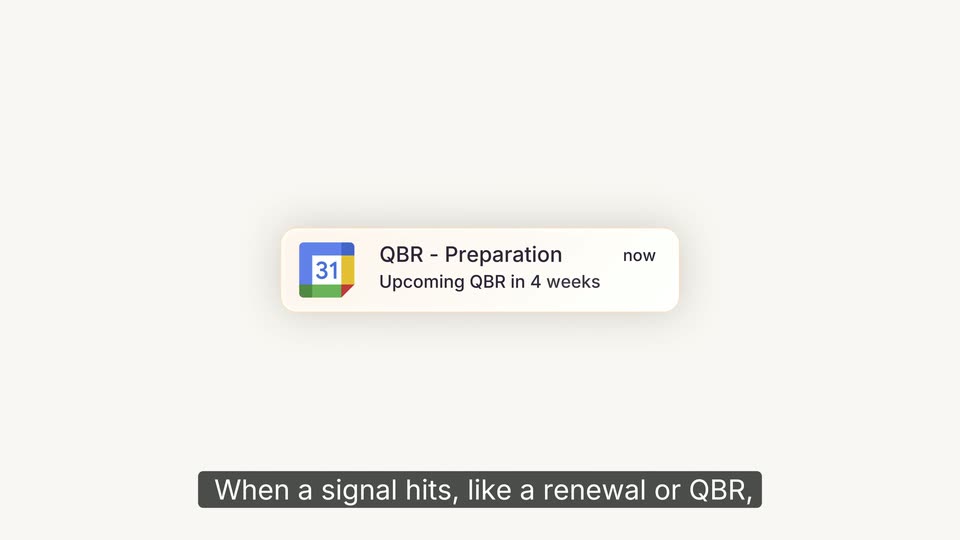
A small calendar icon expands into a white notification card reading QBR - Preparation with a now timestamp, then the card clears to a blank pill with a faint circle. A dark caption bar at the bottom carries the narration.
On-screen text: “When a signal hits, like a renewal or QBR,”, “a usage drop, Userlens runs a deep dive.”
Camera: Static
A cream background holds a white pill with an orange icon and 'Pulling usage data.' The pill expands into a wider Feature Usage card as two blue bars rise on a chart. A dark bottom caption swaps to 'it pulls your usage data.'
On-screen text: “a usage drop, Userlens runs a deep dive.”, “it pulls your usage data”
Techniques: Morph
Camera: Static
A white Feature Usage card sits on a pale background. Its stacked bar chart builds upward, bars filling with color, then the view scrolls down past a feature list with trend sparklines to a numbered insights list where an email address highlights in pink.
On-screen text: “it pulls your usage data”, “and shows you exactly which features are adopted”, “and which aren't.”, “It checks every single user at that company.”
Techniques: UI zoom
Camera: Push in
A blurred list of text lines with colored markers at the top fades out, leaving a white status pill centered on a pale background. The pill shows an orange spinner and a chevron. A dark caption bar with white text sits at the bottom.
On-screen text: “It checks every single user at that company.”
Camera: Static
A white rounded status pill with an orange spinner icon and the label 'Pulling usage data' sits centered on a cream field, its contents sliding and blurring mid-transition. A dark caption bar below swaps to the next subtitle line.
On-screen text: “It checks every single user at that company.”, “What are their usage trends daily,”
Camera: Static
A white bar labeled User Level expands into a card that lists user emails beside an activity dot grid and last-seen dates, while a dark caption box at the bottom updates its line.
On-screen text: “What are their usage trends daily,”, “What are their usage trends daily, weekly,”
Techniques: Morph
Camera: Static
A light interface table titled User Level fills the frame, showing email rows, green activity dot grids, and last seen dates. A dark caption pill at the bottom swaps phrases while the table remains still.
On-screen text: “What are their usage trends daily,”, “weekly, or monthly?”
Camera: Static
A white table card with the columns User, Role, Events, Trend, Status settles into focus from a blurred, zoomed view, while a dark caption bar with white text stays locked at the bottom of the frame.
On-screen text: “So you know whether your champion is still active,”
Techniques: UI zoom
Camera: Static
A white data table card on a beige background fills in row by row with user emails, roles, event counts, trend percentages and status notes. The view then pushes into the table and loses focus, while a caption bar at the bottom swaps its line of text.
On-screen text: “So you know whether your champion is still active,”, “or if the account is quietly heading toward churn.”
Techniques: UI zoom
Camera: Push in
A light dashboard table scrolls down, revealing a second section with an orange spinner labeled Pulling ticket support data and three small app icons. A dark caption box at the bottom swaps its line of text as the page moves.
On-screen text: “or if the account is quietly heading toward churn.”, “It reads your intercom and Slack threads too,”
Camera: Static
The screen scrolls up past an email list and a loading line with Intercom and Slack icons, revealing a new metrics table whose rows fade in one by one. The table then holds and drifts slightly downward while a dark caption bar at the bottom swaps its text.
On-screen text: “It reads your intercom and Slack threads too,”, “and surfacing sentiment shifts before they”
Camera: Pull out
A blurred interface view sharpens into focus, revealing a table of top requests with columns for topic, count, and status. A dark subtitle bar remains at the bottom of the frame.
On-screen text: “and surfacing unresolved tickets before they”
Camera: Static
A centered 'Top requests' table with topic, count, status and sentiment columns starts in sharp focus, then the whole frame blurs out. A dark caption bar at the bottom swaps its text mid-scene.
On-screen text: “become problems.”, “Then, Userlens builds your talking points and decks.”
Camera: Static
A white rounded pill card sits centered on a cream background, showing a spinner and the status 'Drafting QBR and building talking points', then switches to 'Deck structure'. A dark caption bar at the bottom holds the tagline. The frame stays locked off.
On-screen text: “Then, Userlens builds your talking points and decks.”
Camera: Static
A flat product panel titled Deck structure fills a light frame, centered on a dark slide reading Quarterly Business Review with two text columns beside it. A cursor rests on the slide. A dark caption bar at the bottom shows the subtitle Not from scratch, while the frame stays locked-off.
On-screen text: “Then, Userlens builds your talking points and decks.”, “Not from scratch,”
Camera: Push in
A close-up of a white “Deck structure” card types out a three-point outline line by line, then the camera pulls back to reveal the full app window and pans to the left sidebar, where agent entries light up with peach highlight chips.
On-screen text: “but on top of your past approved templates,”, “your best responses, and your team's playbook.”, “UserLens does this across all your accounts,”, “whenever a critical signal comes,”
Techniques: UI zoom
Camera: Push in
A flat grid of white document cards, each with gray text lines and an orange line chart, sweeps horizontally past the frame in heavy motion blur, while a dark caption pill holds the voiceover line at the bottom.
On-screen text: “whenever a critical signal comes,”
Camera: Pan
A flat grid of Notion interface cards, including data tables, an orange line chart and document lists, sits on a pale background and slowly pulls back. A dark caption bar at the bottom swaps phrases in sequence.
On-screen text: “whenever a critical signal comes,”, “renewal, churn risk”, “or upsell opportunities.”
Techniques: Kinetic type
Camera: Push in
An orange rounded app icon with a white bird mark scales up from a small blurred dot at center, then the gradient Userlens wordmark resolves beside it. The orange URL userlens.io fades in below the lockup while gray captions appear at the bottom.
On-screen text: “This is Userlens,”, “userlens.io”, “your 100x CSM for every account.”
Camera: Static
A dark end card holds the Userlens lockup, an orange rounded-square bird icon beside a silver metallic wordmark, with the orange URL userlens.io below. A white caption at the bottom reads your 100x CSM for every account. and fades out after two seconds while the logo stays locked off.
On-screen text: “userlens.io”, “your 100x CSM for every account.”
Camera: Static