3:26

DJI – Introducing the Matrice 200 Series
DJI · Hardware · Feb 2017
Unity’s 2:10 launch film runs 33 scenes, about 4.0 s each. The product is on screen from the first frame and 5 features are revealed. There is no explicit call to action; a voiceover carries the film. Tone: confident, technical, forward-looking; a developer keynote delivered over cinematic sci-fi b-roll. Background: near-black (#0d0e10) with a faint grid, alternating with sunlit 3D city renders and dark space nebulae. Fonts: a bold condensed sans-serif (heavy weight, slightly narrow) for white headlines, paired with a small clean sans for UI labels and a monospace for code. Music mood: driving, propulsive electronic pulse at ~136 BPM that underscores the fast cuts and the FPS counter. The cut
Is this your launch? to your site or press kit.
DJI · Hardware · Feb 2017
Ageospatial · Fintech · Sep 2026
sieve · B2B · May 2025
A top-down 3D render of a dark city canyon holds a red car glowing in the center. The frame brightens as the red light flares outward and blocky pixels scatter, revealing the surrounding towers.
Techniques: Particles
Camera: Push in
A dark 3D city seen from above with a glowing red pod drifting between buildings, then a translucent panel labeled Player and GameObject overlays the center as the white headline Every GameObject fades in at top left.
On-screen text: “Every GameObject”
Techniques: 3D mockup
Camera: Push in
A white headline builds phrase by phrase over a dark grid while two flat inspector panels, Player GameObject and Player Entity, appear side by side joined by a blue line, then the entity panel slides left to overlap the other.
On-screen text: “Every GameObject”, “is an entity”, “One shared”
Techniques: Kinetic type
Camera: Static
A white headline 'One shared transform' sits above a game-engine inspector panel on a dark grid; both glitch in and settle, then a cut reveals a 3D-rendered sci-fi city as a green drone flies toward the camera.
On-screen text: “One shared transform”
Techniques: Kinetic type
Camera: Static
A green and black gadget with a lit screen hovers in mid-air over a dense sci-fi metropolis. The camera tilts from a level view with a tall tower behind it to a top-down shot of the city blocks, the gadget staying centered.
Techniques: 3D mockup, Parallax
Camera: Push in
Aerial 3D render of a crowded city block. The camera tracks forward over a green-roofed building at the center of a vertical road; small cars and buses travel along it while packed rooftops fill the frame.
Camera: Push in
An aerial top-down view looks down a narrow alley between dense buildings with red-tiled roofs. A green and red vehicle drives down the street as glowing pink neon signs line the walls. The camera pushes forward through the gap.
Techniques: Parallax
Camera: Push in
A dark capsule with orange light strips hangs from chains above a dense 3D city, spinning as the camera tilts upward while debris scatters through the air.
On-screen text: “1”
Techniques: 3D mockup, Particles, Parallax
Camera: Push in
A tilted 3D view of a dense high-rise city with a green and yellow vehicle tumbling through the air between the towers. Small debris pieces drift across the frame as the vehicle rotates and the camera holds a Dutch angle.
Techniques: 3D mockup, Particles
Camera: Push in
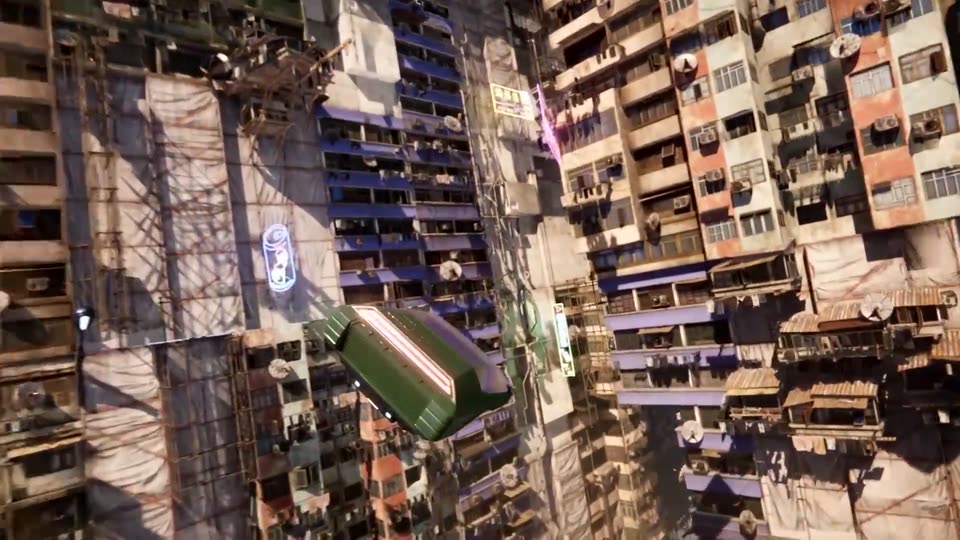
A green console with an orange stripe drifts through a dense, sunlit city of stacked apartments, the frame tilted and tracking the object. In the final beat, a white headline and a checklist panel fade in over the rooftops.
On-screen text: “Already on Entities?”
Techniques: 3D mockup
Camera: Push in
On a black gridded background, a 5x3 grid of dark blue rounded tiles with small diamond icons fades in under the white heading “Already on Entities?”. The heading exits and the gray word “Sync” fades in as the grid slides left.
On-screen text: “Already on Entities?”, “Sync”
Techniques: Kinetic type
Camera: Static
A dark grid backdrop frames a set of blue object tiles, a circular sync button, and a GameObjects list panel. A white headline wipes in at top, tiles and status dots light up, then the headline swaps and an 'In sync' badge pops below the button.
On-screen text: “Sync GameObjects”, “Easier than ever”, “In sync”
Techniques: Masking, Kinetic type
Camera: Static
A dark grid background holds a static UI: a 5x3 grid of blue diamond tiles, a sync button, and a GameObjects list panel. A headline reads top left. A swarm of small ship shapes fades in behind the panels, and a 25 FPS counter appears top right.
On-screen text: “Easier than ever”, “25 FPS”
Techniques: Particles
Camera: Static
A dark 3D space field of thousands of small cyan ships and purple nebulae fills the frame, with a 2D UI overlay: a 3x5 grid of diamond buttons left, a GameObjects list panel right, a sync icon and In sync pill center. The headline Easier than ever sits top left and a 25 FPS counter top right. The camera pulls back, brightening the field.
On-screen text: “Easier than ever”, “25 FPS”, “In sync”, “GameObjects”, “Player”, “Enemy”, “Pickup”, “Door”, “Lamp”
Camera: Static
The camera flies forward through a dark nebula crowded with thousands of small blue 3D shapes, cubes and spheres, plus a blue planet on the right. Objects stream past at varying depths as a white FPS counter in the top-right corner ticks from 24 to 25.
On-screen text: “24 FPS”, “25 FPS”
Techniques: Parallax
Camera: Push in
A dark starfield with purple and brown nebulae drifts left as the camera glides through a field of colored particle clusters; a white FPS counter in the top right counts down from 25 to 23 and scales up.
On-screen text: “25 FPS”, “23 FPS”
Techniques: Particles, Parallax
Camera: Push in
A dark space field of stars and purple, brown nebulae drifts forward while a dense network of red, green, yellow and cyan particles pulses and scatters from the center. A white FPS counter ticks in the top right corner as the camera slowly pushes in.
On-screen text: “23 FPS”, “54 FPS”, “49 FPS”, “51 FPS”, “49 FPS”
Techniques: Particles, Parallax
Camera: Push in
A camera flies forward through a dark 3D starfield of colored particle clouds and nebula wisps, passing small planets and chunky red blocks. A white FPS counter ticks up in the top-right corner while a caption appears at the bottom-left.
On-screen text: “49 FPS”, “50 FPS”, “Frame rate improvement”, “Up to 2.3x higher”, “53 FPS”, “54 FPS”
Techniques: Particles, Parallax
Camera: Pan
A blue circle with a curly-brace glyph sits at the center of a dark grid, linked to four icon tiles labeled Save, Load, Undo, Inspector. The heading swaps from “Serialization, reworked” to “Faster. More consistent.” while small blue diamonds travel outward along the connecting lines.
On-screen text: “Serialization, reworked”, “Frame rate improvement”, “Up to 2.3x higher”, “Faster. More consistent.”, “Groundwork”
Techniques: Kinetic type, Particles
Camera: Static
A dark grid background under a bold white headline. A rounded Scene panel in the center fills left to right with alternating blue circles and white outlined squares, then a soft glow ring hops from shape to shape. The headline crossfades to a second line.
On-screen text: “Groundwork for mixed scenes”, “See the result”
Camera: Static
On a dark grid backdrop, a white title sits above a stack of three gray component rows. A blue Health Data row with a database icon slides in below, tagged Entity data, its glowing blue outline fading out.
On-screen text: “Entity data on GameObjects”
Camera: Static
A dark grid background holds a left-aligned headline that crossfades from one phrase to “Same serialization”. Below it, four component rows (Transform, Mesh Renderer, Box Collider, Health Data) sit in a column. A glowing blue scan line travels down the list, and each row pops a blue checkmark on its right edge as the line passes it.
On-screen text: “Same data on Game Objects”, “Same serialization”
Techniques: Kinetic type, Masking
Camera: Static
Two columns of dark component cards with blue checkmarks settle on a dark grid, the right column filling in one by one and linked by thin blue lines. The white headline swaps from 'Everything just works' to 'On real entity data' as the Health Data card glows.
On-screen text: “Everything just works”, “On real entity data”
Techniques: Kinetic type
Camera: Static
The Unity editor fills the frame, a 2D platformer scene on the left, the Hierarchy list in the middle, the Inspector on the right. A cursor right-clicks the Hierarchy header, a context menu drops down, the cursor picks Layer, and a Layer column of dropdowns slides into the list.
Techniques: Cursor demo
Camera: Static
A dark code editor shows a C# script beside a top-down game scene and an inspector panel. The view zooms into the script as the cursor hovers over an attribute, opening a gray tooltip that explains its parameters.
Techniques: UI zoom, Cursor demo
Camera: Static
A screen recording of a Visual Studio code editor shows a C# script. A documentation tooltip hovers over an attribute, then fades as the editor reveals a dictionary of three loot entries. The screen cuts to black.
Camera: Static
A C# code panel fades out of the Scene view, revealing a sky-and-ground viewport. In the Inspector, a cursor opens the Region dropdown, then expands the Style group to show a cyan Banner Color field, an Influence slider and a Motto field.
Techniques: Cursor demo
Camera: Static
The Unity editor fills the frame, its Hierarchy panel centered on a tree of scene objects and entity rows. A mouse cursor hovers down the list, highlighting each entity in turn. At left, the Game view shows a gray cube on a flat plane under a blue sky.
Techniques: Cursor demo
Camera: Static
The Unity editor shows the cursor opening the Add Component menu, picking Data Components, and adding a Rotation Speed field set to 0.54 on a cube. It cuts to a 3D render of a dark car with a glowing orange rear light in a narrow canyon of tall buildings.
Techniques: Cursor demo
Camera: Static
A flying car with glowing orange rear lights banks forward through a narrow canyon of dense, weathered high-rise buildings, debris drifting in the air, camera tracking from behind.
Techniques: Parallax, Particles
Camera: Push in
A green hovercraft with glowing orange side strips flies through a dense, weathered city of towering buildings as dark debris falls around it. The camera tracks the craft from behind, diving with it between the towers into a narrow gap.
Techniques: 3D mockup, Particles, Parallax
Camera: Push in
First-person view of a hand gripping a chain that dangles from a tall spire, holding a dark rounded device with a glowing red strip. The camera pushes forward through a towering sci-fi city filled with floating debris. A brief cross-fade opens the shot.
Techniques: Particles, Parallax
Camera: Push in
Low-angle 3D render of a colossal mechanical tower in a dense city; the camera orbits as a segmented bronze arm sweeps past and debris drifts in the air, then the shot cuts to black.
Techniques: Particles
Camera: Push in