0:45
Explore
Shengkun - Introducing @typesafeai Jev-powered Viral UGC Discovery Find high-pe
TypeSafe AI · Oct 2026 · 0:38 · AI-annotated
- Length
- 0:38
- Scenes
- 14 · 2.7 s avg
- Product on screen
- 0:00
- Features shown
- 1
- Call to action
- 0:34 · 90%
- Voiceover
- No
00:00:00 / 00:38:06
TypeSafe AI’s 0:38 launch film runs 14 scenes, about 2.7 s each. The product is on screen from the first frame and 1 feature is revealed. The call to action lands at 0:34 (90% in). A single-feature product demo built as a fast, flat-UI storyboard: a centered title card hands off to a running dashboard where grids of video thumbnails assemble, gray out, and light up while a cost badge ticks up, then a 3D tilt and a ranked list close the loop before a terminal-style call to action. The style is defined by a near-white background, a black sans-serif headline paired with a blue monospace accent, indigo selection outlines, and a pink brand mark, with motion driven by typewriter
No filming indicatedEstimated needs: 3 capture groups — your screens or recordings · 1 official logo — reused across the film · 1 3D passage — build or supply
Is this your launch? to your site or press kit.
More like this

Shengkun - Introducing @typesafeai Jev-powered Viral UGC Discovery Find high-pe, scene by scene
· 14 scenes as text
01 · Product intro · 0:00–0:03
The scene fades in over a blurred grid of pastel thumbnails. A sharp Jev x Monid header and the headline 'Creator search' sit centered above a white search bar reading 'matcha creators'. Filter chips pop in one by one below the bar.
On-screen text: “Creator search”
Camera: Static
02 · Feature reveal · 0:03–0:04
A search bar reading matcha creators with filter criteria sits at the top over a plain white background. Large pale text Jev×Monid and Creator search fade out behind it, then a pink circular logo and the count 36 creators type in at left.
On-screen text: “Jev×Monid”, “Creator search”
Techniques: Kinetic type
Camera: Static
03 · Feature reveal · 0:04–0:06
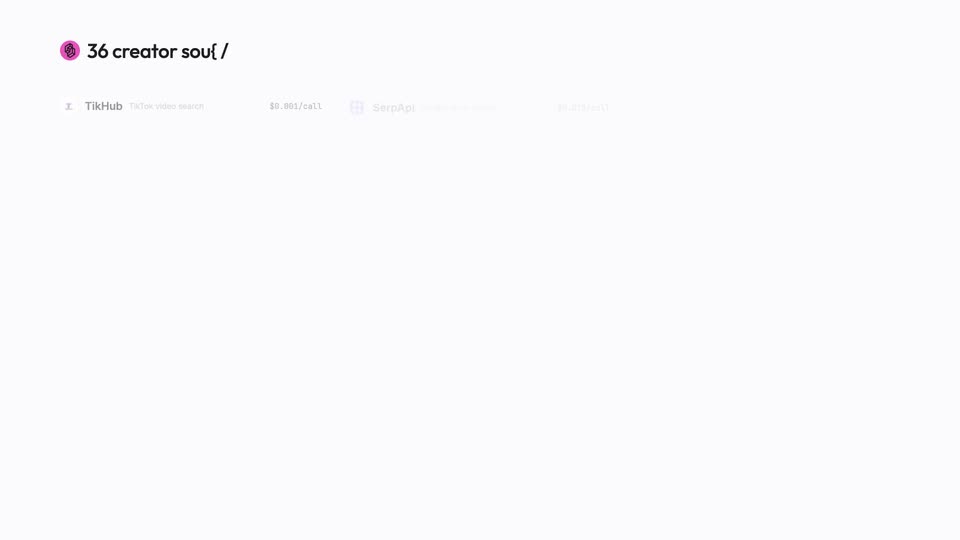
A white screen fills with a three-column grid of thirty-six API source rows, each with a name, task and price. Three rows then light up with indigo selection boxes and checkmarks while the rest dim.
On-screen text: “36 creator sources. Jey picks three.”
Camera: Static
04 · Feature reveal · 0:06–0:08
A pink logo and bold black headline sit top left, the headline swapping from the source count to a video count. Three pill-shaped source cards with checkmarks hang below; a faint table of API names and prices fades out as three small video thumbnails appear under the first card.
On-screen text: “36 creator sources. Jev picks three.”, “95 videos.”
Camera: Static
05 · Feature reveal · 0:08–0:12
A flat UI on a light background fills a grid of vertical video thumbnails row by row. The view then zooms in, grays out most thumbnails and highlights two, as the top-left headline swaps from “95 videos.” to “Small account, big video.”
On-screen text: “95 videos.”, “Small account, big video.”, “1 keep”, “2 keep”
Techniques: UI zoom
Camera: Push in
06 · Feature reveal · 0:12–0:13
A flat white dashboard shows a dense grid of vertical video thumbnails. Blue rounded outlines and view-count labels slide across the top row as the grid pans left.
On-screen text: “Small account, big video.”
Camera: Pan
07 · Feature reveal · 0:13–0:18
A wall of grayed-out video thumbnails fills the frame; several pop into color with blue outlines and view-count tags as a keep counter ticks up and small pink scan dots drift across the grid.
On-screen text: “Small account, big video.”, “5 keep”, “SPENT $0.010”, “8 keep”, “10 keep”
Camera: Pull out
08 · Feature reveal · 0:18–0:18
On a pale lavender app view, a loose scatter of photo cards with blue borders and handles drifts and tightens into a horizontal row, while the headline “10 keepers.” and a “SPENT $0.010” badge stay fixed at the top.
On-screen text: “10 keepers.”, “SPENT $0.010”
Camera: Static
09 · Feature reveal · 0:18–0:20
A row of ten square social-post thumbnails with glowing purple borders sits flat on a pale lavender field, captioned “10 keepers.” top left and a “SPENT $0.010” pill top right. The row then tilts into 3D, lifting individual tiles into a wave.
On-screen text: “10 keepers.”, “SPENT $0.010”
Techniques: 3D mockup
Camera: Push in
10 · Feature reveal · 0:20–0:26
The headline types in at top left as a white dashboard builds: a car video thumbnail, ten post thumbnails, and a bar chart fade in, a blue highlight cycling across the posts. A large blue multiplier counts up to 53,646×, then the layout collapses into the next card.
On-screen text: “Against her own baseline.”, “SPENT $0.031”, “Asked by howforcastine.”
Techniques: Kinetic type
Camera: Static
11 · Feature reveal · 0:26–0:31
A ranked list of ten creator profiles assembles from scattered, overlapping rows into a clean vertical stack, the multiplier figures counting up as they settle. A highlight band sweeps down the rows while stray thumbnail images drift off. A headline and a SPENT badge sit at the top.
On-screen text: “Ranked by how far they travelled.”, “SPENT $0.040”
Camera: Static
12 · Pricing · 0:31–0:32
A white card titled “10 outlier creators” fades in at the center over two strips of muted video thumbnails, while a previous ranked list fades away. Three rows of API calls with prices fade in sequentially inside the card.
On-screen text: “10 outlier creators”, “matcha-creators.csv”, “tikhub · video search ×3 $0.003”, “anyapi · keyword search $0.006”, “anyapi · hashtag videos $0.0066”
Techniques: Kinetic type
Camera: Static
13 · Pricing · 0:32–0:34
A white billing card sits centered on a pale field, framed by two horizontal strips of faded video thumbnails. It lists monospace API line items with dollar values and a blue total row. The card then dissolves as a blue asterisk mark pops into the center.
Camera: Static
14 · CTA · 0:34–0:38
On a plain off-white background, the Jev × Monid logo lockup holds center. A black headline with a blue accent appears below it, then a dark terminal chip pops in and the command $ set up https://monid.ai/SKILL.md types out letter by letter with a blue caret.
On-screen text: “Jev × Monid”, “2,900+ tools. One API key. 0% markup.”, “$ set up https://monid.ai/SKILL.md”
Techniques: Kinetic type
Camera: Static