0:17

Phone (1). Joyful.
Nothing · Hardware · Aug 2022
Tissium · Jun 2025 · 0:38 · Clip · AI-annotated
Tissium’s 0:38 clip runs 8 scenes, about 4.8 s each. The product is on screen from the first frame. The video opens on a clean cyan field where the mesh disc rolls into a tube, then moves into a soft 3D anatomical space to show the defect and the step by step placement of the disc. Its signature moves are the slow camera pushes, the unfolding and repositioning of the mesh, and the orbiting light beam that marks activation.
Is this your launch? to your site or press kit.
Nothing · Hardware · Aug 2022
Ornadyne · Industrials · Apr 2026
A translucent white mesh disc with teal rings lies flat on a light cyan field, then rolls up into a hollow tube. The final second cuts to a gloved hand injecting fluid through a port in a green surgical drape.
On-screen text: “TISSIUM”
Techniques: 3D mockup, Morph
Camera: Push in
A 3D rendered torso draped in teal surgical cloth displays three blue circular ports with white connectors. A black tube with a clear tip is seated in the lower port. The camera slowly pushes in while the white TISSIUM wordmark holds in the lower right corner.
On-screen text: “TISSIUM”
Techniques: 3D mockup
Camera: Push in
A soft pink 3D surface fills the frame, two horizontal grooves flanking a central red oval. Red streaks radiate from the oval and slowly rotate and reshape into a horizontal swirl. The white word TISSIUM holds static in the lower right corner.
On-screen text: “TISSIUM”
Techniques: Morph
Camera: Static
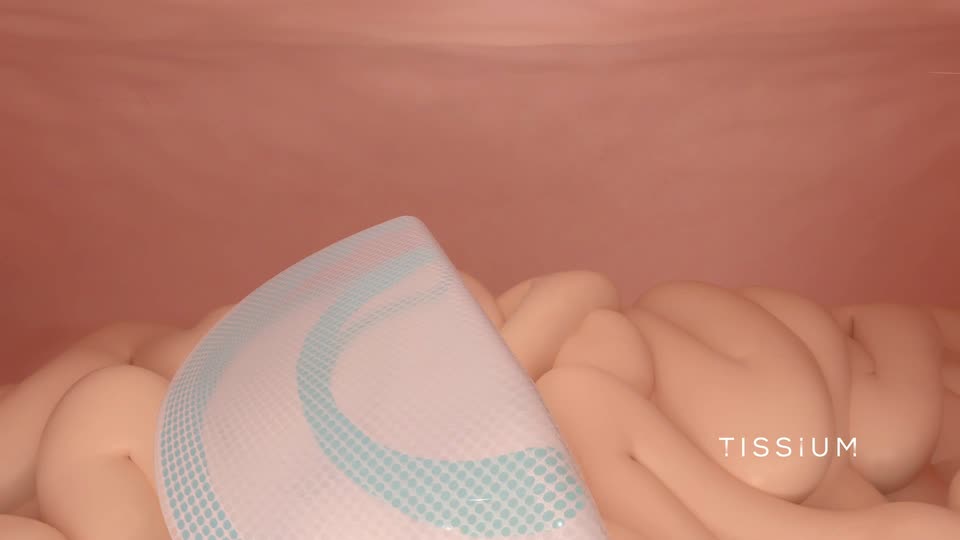
A pink organic 3D space fills the frame, a red swirl spinning in a surface depression. The camera tilts down to reveal rounded pale shapes and a white mesh device with a teal curved pattern resting among them.
On-screen text: “TISSIUM”
Techniques: 3D mockup
Camera: Pull out
Metallic forceps hold a folded white mesh patch with teal rings over pink tissue. The patch unfolds into a flat circular disc, then the view shifts to show the disc held before an open wound in the tissue.
On-screen text: “TISSIUM”
Techniques: 3D mockup
Camera: Pan
On a pink skin surface with a red wound, metal tweezers hold a transparent mesh disc with a teal dotted rim. The tweezers unfold the disc flat, pressing it over the wound, then lift and reposition it. A white TISSIUM label stays in the lower right corner.
On-screen text: “TISSIUM”
Techniques: 3D mockup
Camera: Static
A circular blue dot-mesh patch rests on pink tissue, and a bright blue light beam sweeps around its edge in a slow orbit. A blue ring and a soft central mass show through the mesh. The label TISSIUM stays fixed in the lower right corner.
On-screen text: “TISSIUM”
Techniques: 3D mockup, Light sweep
Camera: Static
A translucent mesh disc with concentric dotted rings floats in a pink anatomical cavity. The camera drops to a low side angle as the disc tilts flat and presses down against rounded pink lobes. A small TISSIUM wordmark sits in the lower right corner.
On-screen text: “TISSIUM”
Techniques: 3D mockup
Camera: Pull out